
An AMZN CLDDRV UNLMTD 866-216-1072 WA charge on your credit card, debit card, PayPal account, or bank statement may be connected to an older Amazon Cloud Drive Unlimited subscription, Amazon Drive storage billing, Amazon digital services, Amazon Photos storage, a refund or adjustment, or another Amazon account-related charge. The descriptor is shortened, so it may not clearly show the full Amazon product name.
Amazon Drive was deprecated after December 31, 2023, so a current or recent charge with this wording should be reviewed carefully. It may be an old subscription descriptor, a delayed billing adjustment, an Amazon Photos storage-related charge, an Amazon digital purchase, or an unauthorized transaction.
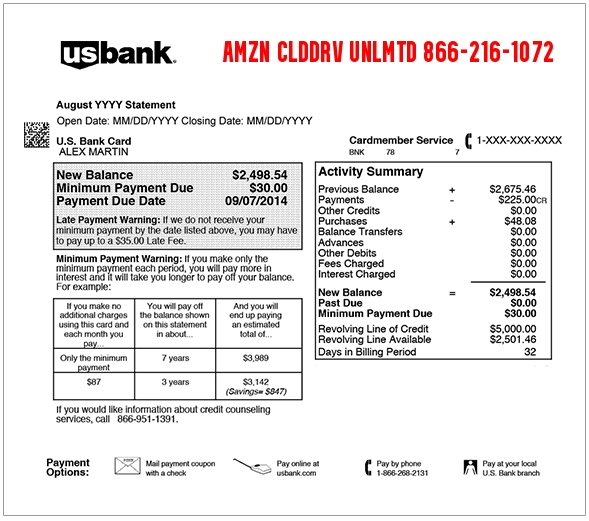
What Is the AMZN CLDDRV UNLMTD 866-216-1072 WA Charge?
The AMZN CLDDRV UNLMTD charge most likely refers to an Amazon Cloud Drive Unlimited or Amazon Drive storage-related billing descriptor. “CLDDRV” appears to be a shortened version of “Cloud Drive,” and “UNLMTD” appears to be a shortened version of “Unlimited.”
Because Amazon Drive has been discontinued, this descriptor is most likely connected to older Amazon Drive billing history, a legacy storage subscription, a refund, a billing correction, or a charge that your bank is labeling with an older Amazon descriptor. If the charge is recent and you do not recognize it, check your Amazon account and contact your card issuer if needed.
Common AMZN CLDDRV UNLMTD Statement Descriptor Variations
The charge may appear in several ways depending on your bank, card network, Amazon account, or payment method:
- AMZN CLDDRV UNLMTD 866-216-1072 WA
- AMZN CLDDRV UNLMTD
- AMZN CLOUD DRIVE
- AMZN CLOUD DRIVE UNLIMITED
- AMAZON CLOUD DRIVE
- AMAZON DRIVE
- AMAZON DRIVE STORAGE
- AMAZON PHOTOS STORAGE
- AMZN DIGITAL 866-216-1072 WA
- AMAZON DIGITAL SVCS 866-216-1072 WA
- AMZN.COM/BILL WA
- AMZN.COM/PMTS
- PENDING AMZN CLDDRV UNLMTD
- CHKCARD AMZN CLDDRV UNLMTD
- CHECKCARD AMZN CLDDRV UNLMTD
- POS PURCHASE AMZN CLDDRV UNLMTD
Why AMZN CLDDRV UNLMTD May Appear on Your Statement
An AMZN CLDDRV UNLMTD charge may appear for several reasons:
- You previously had an Amazon Cloud Drive Unlimited or Amazon Drive storage plan.
- An older Amazon Drive subscription, renewal, refund, or adjustment posted to your account.
- You purchased or renewed Amazon Photos storage or another Amazon storage-related plan.
- An Amazon digital services charge was labeled with an older Cloud Drive descriptor.
- A household member, spouse, employee, or authorized card user used your Amazon account or card.
- A saved card on Amazon was charged for a subscription, storage plan, or digital product.
- A pending Amazon authorization appeared before the final charge posted.
- An Amazon refund or credit posted with a shortened descriptor.
- The charge is incorrect, duplicated, or unauthorized.
Amazon Drive Was Discontinued
Amazon Drive is no longer available as it previously existed. Amazon announced that customers would no longer have access to their files through Amazon Drive apps after December 31, 2023. Amazon Photos still exists separately and Amazon continues to offer storage options for photos and videos.
That means a current AMZN CLDDRV UNLMTD charge should not be ignored. It may be tied to legacy billing, an old descriptor, Amazon Photos storage, another Amazon digital service, or an account/security issue that needs to be checked.
Official Amazon Help and Contact Options
For Amazon-related charges, start with Amazon’s official charge identification and account pages. Avoid calling random phone numbers from search results, pop-ups, texts, or emails claiming to be Amazon support.
- Amazon Charge Help: Identify an Amazon Charge
- Amazon Orders: Your Amazon Orders
- Amazon Memberships and Subscriptions: Manage Memberships and Subscriptions
- Amazon Photos Storage: Amazon Photos Storage
- Amazon Drive Deprecation FAQ: Amazon Drive Deprecation FAQ
- Amazon Pay Charge Help: Amazon Pay Unauthorized Charges
- Phone Number Shown in Descriptor: 866-216-1072
When checking with Amazon, have the transaction date, amount, descriptor, Amazon account email, last four digits of the card, and any order or subscription details ready. Do not share your full card number, Amazon password, one-time code, or bank login details.
How to Verify an AMZN CLDDRV UNLMTD Charge
Use these steps before filing a dispute:
- Check Amazon orders. Review your Amazon order history for purchases around the transaction date.
- Check memberships and subscriptions. Look for Amazon Photos storage, digital subscriptions, Prime add-ons, channels, Kindle, Audible, or other recurring services.
- Search your email. Look for “Amazon Drive,” “Cloud Drive,” “CLDDRV,” “Amazon Photos,” “storage,” “Amazon Digital,” “subscription,” “renewal,” or the exact charge amount.
- Review Amazon Photos storage. If you use Amazon Photos, check whether you have a paid storage plan or recent storage-plan change.
- Check household Amazon accounts. A spouse, family member, employee, child, or authorized card user may have used the same card on a different Amazon account.
- Look at PayPal or wallet activity. If you pay Amazon through PayPal, Apple Pay, Google Pay, or another saved method, that account may show more detail.
- Compare pending and posted charges. Pending Amazon authorizations can sometimes change, combine, or disappear before posting.
- Use Amazon’s charge identification help. Amazon provides an official page for identifying Amazon marketplace, digital, Prime, and Amazon Pay charges.
- Contact your card issuer if still unknown. Your bank may be able to provide authorization details, merchant category, and dispute options.
What to Do If the Charge Is Unauthorized
If you cannot connect the AMZN CLDDRV UNLMTD charge to an Amazon account, old Cloud Drive billing, Amazon Photos storage, digital subscription, refund, household account, or authorized card user, treat it as a potentially unauthorized charge.
- Lock or freeze your card if your bank offers that option.
- Change your Amazon password if you suspect account access by someone else.
- Check Amazon archived orders, subscriptions, digital purchases, Prime Video, Kindle, Audible, and Amazon Photos storage.
- Review payment methods saved in your Amazon account.
- Look for unfamiliar shipping addresses, devices, or login activity.
- Contact Amazon through the official app or website, not through links in suspicious texts or emails.
- Call the number on the back of your card if you believe your card was used without permission.
- Ask your bank whether the transaction was online, recurring, mobile-wallet based, manually entered, or card-present.
- Request a replacement card if your card details may have been compromised.
- Dispute the charge if it was unauthorized, duplicated, incorrect, or cannot be verified.
Amazon impersonation scams are common, so be careful if you receive a call, text, or email about a suspicious Amazon purchase. Do not click links or call numbers from unexpected messages. Log in through the official Amazon app or website instead.
FAQs About the AMZN CLDDRV UNLMTD Charge
What does AMZN CLDDRV UNLMTD mean?
AMZN CLDDRV UNLMTD likely means Amazon Cloud Drive Unlimited, an older Amazon Drive storage-related billing descriptor. “CLDDRV” appears to stand for Cloud Drive, and “UNLMTD” appears to stand for Unlimited.
Is AMZN CLDDRV UNLMTD a legitimate Amazon charge?
It may be legitimate if it is tied to an older Amazon Drive subscription, Amazon storage plan, Amazon Photos storage, digital subscription, refund, or account adjustment. If you do not recognize it, check your Amazon account and contact your card issuer.
Why am I seeing this if Amazon Drive was discontinued?
Amazon Drive was deprecated after 2023, but old descriptors may still appear in billing history, refunds, bank records, legacy subscription references, Amazon Photos storage, or digital-service billing. A recent charge should be verified carefully.
What is 866-216-1072?
866-216-1072 is commonly associated with Amazon customer service or Amazon billing descriptors. For safety, use Amazon’s official website or app to contact support rather than relying only on a number shown in a search result or message.
Could this be Amazon Photos storage?
Yes, it could be related to Amazon Photos storage or another Amazon storage-related plan, especially if you use Amazon Photos and have a paid storage tier for videos or additional storage.
How do I find the Amazon account that made the charge?
Check each Amazon account that may have your card saved, including household, business, family, or old accounts. Search email inboxes for Amazon Drive, Cloud Drive, Amazon Photos, Amazon Digital, storage, subscription, and the exact charge amount.
Should I dispute an AMZN CLDDRV UNLMTD charge?
Dispute the charge if you confirm it was unauthorized, duplicated, incorrect, or cannot be matched to any Amazon account, subscription, storage plan, refund, adjustment, or authorized card user.
Related Charge Guides
- AMZN.COM/BILL WA Charge on Credit Card
- Prime Video 888-802-3080 WA Charge
- Klarna Charge on Credit Card
- PAYPAL INST XFER Charge on Bank Statement
- 402-935-7733 PayPal Charge
Share Your Experience
Did an AMZN CLDDRV UNLMTD, Amazon Cloud Drive, Amazon Drive, Amazon Photos, Amazon Digital, or 866-216-1072 WA charge appear on your credit card, debit card, PayPal account, Apple Pay, Google Pay, or bank statement? Share the exact descriptor, amount range, and whether it was connected to storage, Amazon Photos, a refund, a subscription, or unauthorized activity.
Privacy reminder: Do not post your full card number, bank account number, Amazon login, email address, phone number, password, order number, one-time code, address, or other private information in the comments.
Why Trust ChargeOnMyCard.com?
ChargeOnMyCard.com helps consumers identify confusing credit card, debit card, ACH, bank statement, Amazon, PayPal, digital subscription, mobile wallet, and payment processor descriptors. Our goal is to explain what a charge may be, how to verify it safely, and what steps to take if the transaction is unfamiliar, recurring, incorrect, duplicated, delayed, or unauthorized.
Disclaimer
ChargeOnMyCard.com is not affiliated with Amazon, Amazon Drive, Amazon Photos, Amazon Digital Services, Amazon Pay, PayPal, Apple, Google, any bank, any card issuer, or any payment processor. This guide is for informational purposes only. Always verify charges directly with Amazon or your financial institution if you believe a transaction is unauthorized or incorrect.