
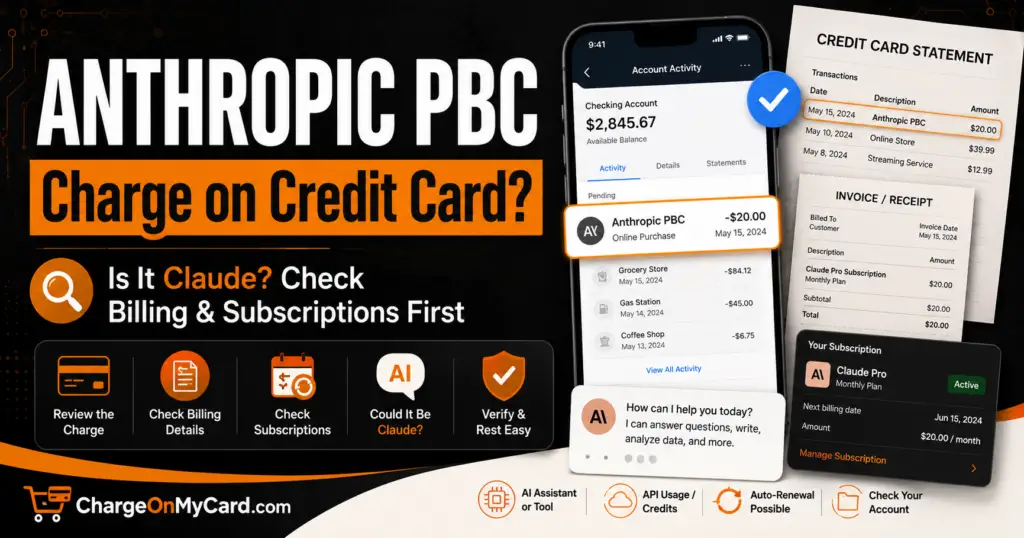
If you found an Anthropic PBC charge on your credit card, debit card, or bank statement, it is usually connected to Claude, the AI assistant made by Anthropic.
The charge may be for a Claude Pro subscription, Claude Max plan, Team plan, API or Console usage, Claude Code usage credits, or another Anthropic-billed product or service. The descriptor can be confusing because your statement may show Anthropic PBC instead of simply saying Claude, Claude AI, or Claude Pro.
If you do not recognize the charge, review your Claude account billing settings, search your email for receipts from Anthropic, check whether another authorized user subscribed, and contact your card issuer if the transaction remains unauthorized.
Consumer Reports and Experiences
Consumers commonly report seeing Anthropic PBC after signing up for Claude Pro, Claude Max, Claude Team, or Claude API usage. Some users recognize the charge immediately as a Claude subscription, while others do not connect the legal company name Anthropic PBC with the Claude AI service.
Common situations include:
- A monthly Claude Pro subscription
- An annual Claude Pro subscription
- A Claude Max subscription
- A Team or organization seat charge
- Claude API or Console usage
- Claude Code or usage-credit charges
- A renewal after a free or previously canceled account was upgraded
- A purchase made by a family member, employee, or business user
- An App Store or Google Play subscription that may show Apple or Google instead of Anthropic
Have you seen this charge? Share the amount, complete descriptor, whether it involved Claude Pro, Max, Team, API, usage credits, or an unauthorized transaction, and how you resolved it in the comments below. Do not post your full card number, Claude login, API key, invoice number, email address, password, or other private information.
What Is the Anthropic PBC Charge?
Anthropic PBC is the company behind Claude, an AI assistant used for writing, coding, research, analysis, document work, productivity, and business tasks.
A charge from Anthropic PBC may relate to:
- Claude Pro
- Claude Max
- Claude Team
- Claude Enterprise
- Claude API usage
- Claude Console or Workbench usage
- Claude Code usage
- Usage credits
- A subscription renewal
- A plan upgrade
- An organization or team seat
- A payment made by another authorized account user
If the charge is valid, it should usually match a paid Claude account, billing email receipt, subscription renewal, usage-credit purchase, or organization billing record.
Common Anthropic and Claude Statement Variations
The same type of Anthropic billing activity may appear in several ways depending on your bank, card issuer, payment processor, plan type, or device:
- Anthropic PBC
- ANTHROPIC PBC
- Anthropic
- Claude
- Claude AI
- Claude Pro
- Claude Max
- Claude Team
- Claude Code
- Anthropic Claude
- Anthropic PBC charge
- Anthropic PBC charge on credit card
- Anthropic PBC San Francisco
- Anthropic subscription
- Anthropic usage credits
- Anthropic API
- Claude API
- Claude Console
- Apple Claude subscription
- Google Play Claude subscription
If your statement includes a transaction ID, invoice number, or processor reference, save it for Anthropic support or your card issuer. Do not post those details publicly.
Why Is Anthropic PBC Charging My Card?
Claude Pro Subscription
The most common explanation is a paid Claude Pro subscription.
Claude Pro is a paid individual plan that renews monthly or annually depending on the billing option selected. A user may forget about the subscription because Claude can be used through a web browser, desktop app, or mobile app.
Claude Max Subscription
Claude Max is a higher-usage paid plan for individual users who use Claude more heavily. A Max charge may be larger than a standard Pro charge.
If the amount is much higher than expected, check whether the account was upgraded to Max or whether another authorized user changed the plan.
Claude Team or Organization Billing
If you use Claude for work, the charge may relate to a Team or organization subscription. Team charges may involve multiple seats, annual billing, seat upgrades, or organization-level billing.
Business cards may show Anthropic PBC when an employee, owner, administrator, or team member purchased Claude for work.
Claude API, Console, or Workbench Usage
Anthropic’s API and Console billing are separate from a regular Claude chat subscription.
If you are a developer, business user, automation builder, or someone using Claude through another application, the charge may relate to:
- API usage credits
- Workbench usage
- Claude Console billing
- Auto-reload credits
- Claude Code usage
- Usage after plan limits when credits are enabled
Check your Claude Console billing settings and invoice history if you use API keys, integrations, developer tools, or Claude Code.
Usage Credits or Auto-Reload
Some Claude users may see separate charges for usage credits. Usage credits can be used for API access, Workbench, Claude Code, or continued usage after reaching included plan limits when the feature is enabled.
If auto-reload is enabled, a new charge may occur when the credit balance falls below the selected threshold.
A Mobile App Subscription
If you subscribed through Claude for iOS or Android, the charge may be handled by Apple or Google rather than directly by Anthropic.
Check Apple Subscriptions or Google Play Subscriptions if you do not see the subscription in Claude web billing.
Another Authorized User Made the Purchase
A spouse, family member, employee, contractor, business partner, developer, or other authorized user may have subscribed to Claude using the card.
Ask specifically about Claude, Anthropic, AI tools, coding tools, API access, and team subscriptions.
How to Identify an Anthropic PBC Charge
1. Check Claude Billing Settings
Sign in to Claude and open billing settings.
- Claude: claude.ai
- Claude pricing: Claude Plans and Pricing
- Claude Help Center: Claude Support
Check:
- Plan type
- Billing interval
- Renewal date
- Payment method
- Invoices and receipts
- Subscription status
- Whether Pro, Max, Team, or another plan is active
2. Search Your Email
Search every email account you use for:
- Anthropic
- Claude
- Claude Pro
- Claude Max
- Claude Team
- Your receipt from Anthropic
- Anthropic invoice
- Subscription renewal
- Usage credits
- Claude Code
- Claude Console
- API billing
Anthropic receipts may be sent to the billing email address associated with the account.
3. Check Claude Console Billing
If you use Claude API, Workbench, Console, or Claude Code, check Console billing separately from the regular Claude chat subscription.
- Claude Console: console.anthropic.com
- Claude API billing help: Claude API Pricing and Billing
Look for:
- Usage-credit purchases
- Auto-reload settings
- Invoice history
- Current credit balance
- Organization billing
- API usage
- Claude Code usage
4. Check Apple or Google Subscriptions
If you subscribed through a mobile app, review your app-store subscriptions.
- Apple: Settings → Your Name → Subscriptions
- Google Play: Payments & subscriptions → Subscriptions
If the subscription was started on iOS, Apple may handle billing and refunds. If it was started on Android, Google Play billing may be involved.
5. Ask Other Authorized Users
Ask anyone with access to the card whether they subscribed to Claude or used the card for AI tools, coding tools, API credits, or a work account.
How to Cancel an Anthropic or Claude Subscription
If the subscription was started directly through Claude on the web or desktop app:
- Sign in to Claude.
- Click your initials or name.
- Open Settings.
- Go to Billing.
- Select the cancellation option.
- Follow the prompts to confirm cancellation.
- Save the confirmation.
If the subscription was started through iOS or Android, cancel through Apple or Google Play rather than only through the Claude app.
- Claude cancellation help: How to Cancel a Paid Claude Subscription
Deleting the Claude app, closing the browser tab, or stopping use of Claude does not always cancel the subscription. Use the official billing or app-store cancellation path.
How to Request a Refund From Anthropic
Anthropic’s refund eligibility depends on the plan, location, payment method, timing, applicable terms, and whether the charge was processed directly by Anthropic, Apple, Google, or another billing platform.
To request a refund for a direct paid Claude plan:
- Sign in to Claude.
- Open the account menu using your initials or name.
- Select Get help.
- Send a message through the support messenger.
- Choose the refund-related option if available.
- Follow the prompts to check eligibility.
- Save all support messages and case details.
- Claude refund help: Requesting a Refund for a Paid Claude Plan
If the subscription was purchased through Apple, request the refund through Apple. If it was purchased through Google Play, review Google Play refund options and Claude support guidance.
What If the Charge Is for API or Usage Credits?
Claude API and usage-credit charges may be separate from Claude Pro or Max subscriptions.
If the charge mentions API, Console, credits, usage, or Claude Code:
- Sign in to Claude Console.
- Open billing settings.
- Review credit purchases and invoice history.
- Check whether auto-reload is enabled.
- Review API keys and organization access.
- Disable auto-reload if you do not want future credit purchases.
- Remove unknown API keys or users.
- Contact Anthropic support if the usage is unfamiliar.
Usage-credit purchases may have different refund rules than ordinary subscriptions. Review Anthropic’s current terms and support guidance before assuming a credit purchase can be refunded.
Anthropic and Claude Contact Information
- Claude login: claude.ai
- Claude Help Center: support.claude.com
- Anthropic website: anthropic.com
- Claude Console: console.anthropic.com
- Billing FAQs: Paid Plan Billing FAQs
- Refund help: Claude Refund Help
- Cancellation help: Cancel a Paid Claude Subscription
Use the official Claude and Anthropic websites when investigating the charge. Do not call phone numbers from suspicious emails, fake support pages, social-media comments, pop-ups, or search ads claiming to represent Anthropic.
Is the Anthropic PBC Charge Fraudulent?
Usually not when it matches a Claude subscription, usage-credit purchase, API invoice, or organization billing record that you or another authorized user approved.
The charge should be investigated as potentially unauthorized if:
- You have never used Claude or Anthropic
- No authorized card user recognizes the transaction
- The charge does not appear in Claude billing settings
- The charge does not appear in Console billing or usage credits
- You cannot find a receipt from Anthropic
- The amount does not match any plan, credit purchase, or invoice
- A Team or organization charge appears unexpectedly
- The charge continues after cancellation
- Your Claude account, email, or card may have been compromised
What to Do If You Did Not Authorize the Charge
- Check whether the charge is pending or posted.
- Search your email for Anthropic and Claude receipts.
- Check Claude billing settings.
- Check Claude Console billing if you use API, Workbench, Claude Code, or usage credits.
- Review Apple and Google subscriptions if you used the mobile app.
- Ask authorized card users, employees, or family members whether they subscribed.
- Contact Anthropic through official Claude support.
- Change your Claude and email passwords if account compromise is possible.
- Review active sessions, API keys, and organization users if applicable.
- Lock the affected card if the charge remains unexplained.
- Contact your card issuer using the number printed on the card.
- Dispute the transaction if no legitimate authorization can be found.
AI Subscription and Fake Invoice Warning
Scammers sometimes imitate AI companies with fake invoices, renewal warnings, account-lock messages, or support pages.
Be cautious if a message:
- Claims your Claude or Anthropic account will be suspended unless you pay immediately
- Includes a fake invoice attachment
- Asks for your Claude password or API key
- Asks for your full card number by email or chat
- Uses a domain that is not Anthropic or Claude
- Directs you to a suspicious support phone number
- Requests gift cards, cryptocurrency, wire transfers, or remote access
- Claims to refund an Anthropic charge but asks for banking login details
Open Claude directly by typing the official website into your browser rather than clicking links in suspicious messages.
How Consumers Resolved the Charge
Consumers commonly resolve Anthropic PBC charges by:
- Finding a Claude Pro subscription
- Identifying a Claude Max subscription
- Finding a Team or organization plan
- Locating a receipt from Anthropic
- Finding API or Console usage-credit purchases
- Discovering that usage credits or auto-reload were enabled
- Confirming that an employee or family member made the purchase
- Canceling the paid Claude subscription
- Requesting a refund through Claude support when eligible
- Canceling through Apple or Google when the subscription started in a mobile app
- Disputing the charge with the card issuer when no authorization can be found
Frequently Asked Questions
What is Anthropic PBC on my credit card?
Anthropic PBC is usually a charge connected to Claude, the AI assistant made by Anthropic. It may be for Claude Pro, Claude Max, Team, API usage, usage credits, or another Anthropic product.
Is Anthropic PBC the same as Claude?
Anthropic PBC is the company. Claude is the AI assistant and product. A Claude subscription may appear on your card statement as Anthropic PBC.
Why did Anthropic PBC charge me?
You may have subscribed to Claude Pro or Max, purchased usage credits, used Claude API or Console, joined a Team plan, or had another authorized user use your card for Claude.
What is the Anthropic PBC charge amount?
The amount depends on the plan or usage. It may be a monthly plan, annual plan, Max plan, Team seat, API invoice, or usage-credit purchase.
Why do I have more than one Anthropic charge?
You may have separate charges for a subscription and usage credits, a personal plan and API usage, multiple organization seats, or a renewal plus an additional purchase.
How do I cancel an Anthropic PBC charge?
Cancel the underlying Claude subscription through Settings > Billing in Claude, or through Apple or Google if the subscription was started in a mobile app. For API credits or Console usage, review Console billing and auto-reload settings.
Can I get a refund from Anthropic?
Possibly, depending on the plan, payment method, location, timing, and Anthropic’s terms. Use Claude’s official refund support process to check eligibility.
Does deleting the Claude app cancel the subscription?
No. Deleting the app does not necessarily cancel billing. Use Claude billing settings, Apple Subscriptions, or Google Play Subscriptions depending on where you subscribed.
Could this be a business or employee charge?
Yes. Anthropic PBC may appear on business cards when a company uses Claude Team, API, Console, Claude Code, or a paid individual plan for work.
Should I dispute the Anthropic charge?
First check Claude billing, Console billing, app-store subscriptions, email receipts, and authorized users. If no legitimate transaction can be found, contact your card issuer promptly.
Related AI, Software, App, and Subscription Charge Guides
- Paddle.net charge
- FSPRG.COM / FastSpring charge
- Suno Inc charge
- MGPDF charge
- Digital Content Apps charge
- ECHST.NET charge
- Apple / 1 Infinite Loop charge
Related Consumer Resources
- Need customer-service contact information for software companies, AI tools, subscriptions, or billing platforms? Search CustomerServiceNumbers.com.
- Looking for a company headquarters address, corporate office, or mailing information? Visit CorporateOfficeHeadquarters.com.
- Want to share a company review, billing complaint, or customer experience? Visit ZeroStars.org.
- Concerned about a fake AI invoice, Claude phishing email, or suspicious subscription warning? Visit ThinkItsAScam.com for scam alerts and consumer warnings.
Why Trust ChargeOnMyCard.com?
ChargeOnMyCard.com helps consumers identify confusing credit card, debit card, and bank-statement descriptors using official company resources, billing information, and reports from cardholders.
Reader comments are especially useful for Anthropic PBC charges because Claude billing may involve subscriptions, Max plans, Team seats, API usage, usage credits, app-store billing, or purchases made by another authorized user.
Share Your Anthropic PBC Experience
Did your charge match Anthropic PBC, Claude, Claude Pro, Claude Max, Claude Team, Claude API, Claude Code, usage credits, Apple, Google Play, or an unauthorized transaction? Share the amount, full descriptor, plan type if known, and how you resolved it below. Please exclude private account and payment information.
Disclaimer
ChargeOnMyCard.com is an independent consumer-information website and is not affiliated with Anthropic PBC, Claude, Apple, Google, any payment processor, card network, bank, or financial institution. Claude plan details, billing methods, usage-credit rules, prices, and refund eligibility may change. Verify individual transactions directly through Claude, Anthropic support, Apple or Google if applicable, and your card issuer.