
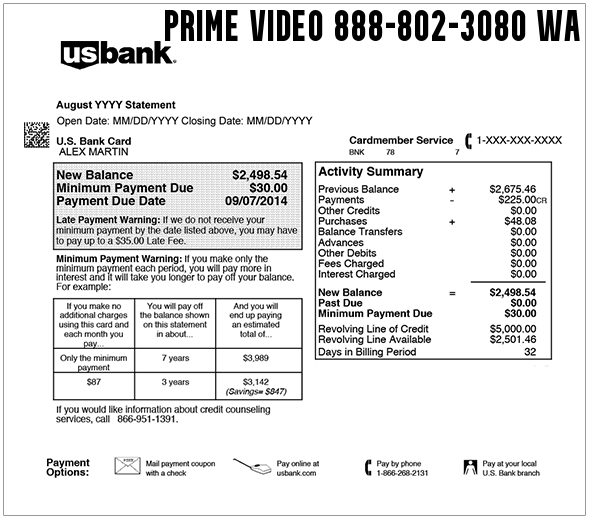
If you see 888-802-3080, 8888023080, Prime Video 888-802-3080 WA, or Amazon Prime PMTS 888-802-3080 on your credit card, debit card, or bank statement, the charge is commonly connected to Amazon Prime Video, Amazon Digital, a Prime Video Channel, a rental or purchase, or an Amazon subscription renewal.
Consumer Reports and Experiences
Consumers often search for 888-802-3080, 8888023080, 888 802 3080, 888 802 prime video, Prime Video 888-802-3080 WA, Amazon Prime PMTS 888-802-3080, and 888-802-3080 phone number after seeing an Amazon-related charge they do not immediately recognize.
Many cardholders later connect the charge to a Prime Video rental, movie purchase, Prime Video Channel subscription, Amazon Prime membership renewal, Amazon Digital order, or another Amazon account in the household. Others report confusion because the statement shows a phone-number-style descriptor instead of the exact title, channel, device, profile, or Amazon account that created the charge.
If the charge says Prime Video, Amazon Digital, AMZN Digital, Amazon Prime PMTS, or includes 888-802-3080 WA, check your Amazon account before assuming it is fraud. If no one in your household recognizes it, contact Amazon through official support and then contact your card issuer if the charge was unauthorized.
What Is the 888-802-3080 Charge?
The 888-802-3080 charge is usually searched by people who see an Amazon or Prime Video-related transaction on a card statement. The descriptor may appear with Prime Video, Amazon Digital, Amazon Prime PMTS, AMZN Digital, WA, or similar wording.
In many cases, the charge is related to one of these Amazon billing categories:
- Amazon Prime membership renewal
- Standalone Prime Video subscription
- Prime Video Channel subscription
- Movie or TV rental
- Movie or TV purchase
- Amazon Digital order
- In-app or device-based purchase connected to an Amazon account
- Temporary authorization or delayed posting
Important: The number shown in the descriptor may not be the best number to call. For account safety, use Amazon’s signed-in Customer Service page or Amazon’s official customer-service number rather than trusting a random phone number found in a search result.
Common Statement Variations
The exact wording can vary by bank, card network, Amazon billing system, and digital service type. Possible statement variations include:
- 888-802-3080
- 8888023080
- 888 802 3080
- 1-888-802-3080
- PRIME VIDEO 888-802-3080 WA
- 888 802 PRIME VIDEO
- 888-802 PRIME VIDEO
- AMAZON PRIME PMTS 888-802-3080
- AMZN DIGITAL 888-802-3080
- AMAZON DIGITAL 888-802 CHARGE
- AMAZON PRIME 888-802 CHARGE
- 888-802-3080 WA
- 888-802-3080, WA
- 888-802-3080WA
Why You May Be Seeing This Charge
- Prime Video rental: Someone rented a movie or TV episode through Prime Video.
- Prime Video purchase: Someone bought a movie, season, or episode rather than renting it.
- Prime Video Channel subscription: A channel such as a premium network, sports service, or streaming add-on may have renewed.
- Amazon Prime renewal: The charge may be tied to a monthly or annual Amazon Prime membership.
- Amazon Digital order: Some digital purchases, apps, subscriptions, or content may appear with Amazon Digital wording.
- Household or shared device use: A child, spouse, roommate, family member, or authorized user may have ordered from a Fire TV, smart TV, tablet, phone, or game console.
- Free trial converted to paid billing: A Prime Video Channel or subscription trial may have renewed automatically.
- Bank authorization: A pending amount may appear before the final posted charge is clear.
- Unauthorized use: If no one recognizes the charge, treat it as suspicious and contact Amazon and your card issuer.
How To Identify the 888-802-3080 Amazon or Prime Video Charge
Before disputing the charge, try to match it to a real Amazon account, digital order, or subscription.
- Check Amazon order history: Review recent orders and digital purchases for the same amount and date.
- Check Prime Video purchases: Look for recent rentals, purchased movies, TV episodes, or seasons.
- Check Prime Video Channels: Review active add-on subscriptions and recent renewals.
- Check Your Memberships and Subscriptions: Look for Amazon Prime, Prime Video, channels, apps, and other recurring services.
- Check multiple Amazon accounts: A household may have more than one Amazon login using the same payment card.
- Check devices: Fire TV, smart TVs, tablets, phones, Roku devices, game consoles, and voice assistants may allow purchases.
- Ask other card users: A family member or authorized user may have rented or subscribed without realizing it would bill separately.
- Ask your bank for merchant details: Request the full merchant name, phone number, transaction ID, and whether the charge is pending or posted.
How To Check Amazon Prime Video Purchases and Subscriptions
Start by signing in to Amazon with the account most likely connected to the card. Then check these areas:
- Your Orders: Look for physical and digital orders around the charge date.
- Digital Orders: Look for video rentals, movie purchases, apps, games, Kindle content, or other digital items.
- Your Memberships and Subscriptions: Check Amazon Prime, Prime Video, and other recurring services.
- Prime Video Account & Settings: Review Prime Video billing, channels, and subscriptions.
- Prime Video Watch History: This may help identify whether a movie or show was watched near the transaction date.
If you cannot find the charge in one Amazon account, check any other Amazon accounts used by your household, family members, business, or devices connected to your card.
Prime Video Channel Charges and Free Trials
Many confusing Prime Video charges come from add-on channels rather than the main Amazon Prime membership. These may include premium entertainment channels, sports subscriptions, free trials, specialty streaming services, or channel subscriptions started from a TV device.
A free trial may later become a paid subscription unless it is canceled before the renewal date. If the charge is recurring, check whether a Prime Video Channel renewed monthly.
How To Cancel a Prime Video Add-On Subscription
If the charge is from a Prime Video Channel or add-on subscription you no longer want, cancel it through Amazon’s subscription-management tools.
- Sign in to the Amazon account connected to the charge.
- Go to Your Memberships and Subscriptions or Prime Video Account & Settings.
- Open the subscriptions or channels section.
- Find the channel or subscription that matches the charge.
- Select the cancellation or unsubscribe option.
- Save or screenshot the cancellation confirmation.
- Check your next statement to make sure billing stopped.
If you do not see the subscription, check other Amazon accounts, other household members’ accounts, and devices where the purchase may have been made.
Amazon Contact Information for This Charge
For the safest support route, sign in to Amazon and use the official Amazon Customer Service page. Avoid giving passwords, one-time codes, full card numbers, or sensitive account information to anyone who contacts you unexpectedly.
- Amazon Customer Service: Amazon Help & Contact Us
- Amazon customer-service phone: 1-888-280-4331
- Amazon unknown Prime Video charges help: Unknown Charges on Prime Video
- Manage Amazon subscriptions: Manage Your Amazon Subscriptions
- Cancel Prime Video add-on subscriptions: Cancel a Prime Video Add-On Subscription
- Prime Video payment issues: Prime Video Payment Help
Refunds for Prime Video or Amazon Digital Charges
Refund options depend on the type of charge, whether the video was watched, whether the channel was used, and Amazon’s current policy for that transaction. Start with Amazon support while signed in so the representative can see your orders, subscriptions, devices, and account history.
When contacting Amazon, have the following ready:
- Exact descriptor shown on your statement
- Charge amount
- Transaction date
- Card brand and last four digits
- Amazon account email addresses used by your household
- Device used, if known
- Whether the charge was one-time or recurring
What To Do If You Do Not Recognize the Charge
If you cannot match the 888-802-3080 charge to any Amazon order, Prime Video rental, channel, subscription, or household account, take these steps:
- Check whether the charge is pending or posted.
- Search your email for Amazon, Prime Video, digital order, channel, rental, subscription, and the exact amount.
- Check every Amazon account that may use the same card.
- Review devices that may allow one-click purchases or video rentals.
- Contact Amazon through official support and ask them to search for the transaction.
- Remove the card from old or unused Amazon accounts if needed.
- Change your Amazon password if you suspect account access by someone else.
- Turn on two-step verification for your Amazon account.
- Contact your bank or credit card issuer if Amazon cannot identify the charge or if it was unauthorized.
Is 888-802-3080 a Scam?
The descriptor may be connected to a real Amazon or Prime Video transaction, but it should still be verified carefully. Some unfamiliar Amazon-style charges turn out to be legitimate subscriptions or rentals, while others may involve account misuse, shared-device purchases, or unauthorized card activity.
Do not call back random numbers from texts, emails, pop-ups, or search ads claiming to be Amazon billing support. Use Amazon’s official signed-in help page or the official Amazon customer-service number. If your bank confirms the charge is unauthorized, dispute it and ask whether your card should be replaced.
How To Prevent Future Prime Video or Amazon Digital Charges
- Cancel unwanted Prime Video Channels and subscriptions.
- Review all Amazon accounts that store your card.
- Remove saved payment cards from old or unused accounts.
- Set purchase restrictions or PINs on Fire TV and other streaming devices.
- Check family and household profiles for subscriptions or rentals.
- Turn on Amazon account alerts and two-step verification.
- Monitor your next statement after canceling a subscription.
Frequently Asked Questions
Whose phone number is 888-802-3080?
888-802-3080 is commonly searched because it appears in Prime Video, Amazon Digital, or Amazon Prime PMTS-style statement descriptors. Use Amazon’s official signed-in support or Amazon’s official customer-service number rather than relying only on the statement number.
What is 8888023080 on my credit card?
8888023080 on a credit card is commonly associated with an Amazon or Prime Video-related billing descriptor. Check Amazon orders, digital orders, Prime Video purchases, channel subscriptions, and Amazon memberships.
What is Prime Video 888-802-3080 WA?
Prime Video 888-802-3080 WA usually points to a Prime Video rental, purchase, subscription, channel renewal, or Amazon digital charge. The WA may reflect Amazon’s Washington billing location or descriptor formatting.
What is Amazon Prime PMTS 888-802-3080?
Amazon Prime PMTS 888-802-3080 may indicate an Amazon Prime membership payment, Prime Video subscription, or related Amazon digital billing. Check Your Memberships and Subscriptions for active Amazon services.
Why did Amazon charge me when I do not use Prime Video?
A household member may have rented a video, started a channel trial, bought content on a connected device, or used another Amazon account with your card. Check all accounts and devices connected to the card.
How do I cancel the Prime Video charge?
Sign in to Amazon, open Your Memberships and Subscriptions or Prime Video Account & Settings, find the active channel or subscription, and cancel it. Save the cancellation confirmation.
Can I get a refund for a Prime Video rental or subscription?
Possibly, depending on the transaction type and Amazon’s policy. Contact Amazon support while signed in and provide the charge amount, date, descriptor, card last four digits, and the Amazon account involved.
What should I do if the charge is unauthorized?
Contact Amazon through official support first if possible. If Amazon cannot identify the charge or you did not authorize it, contact your bank or card issuer to dispute it, secure your account, and ask whether the card should be replaced.
Related Credit Card and Bank Charges
Amazon, streaming, digital service, and subscription descriptors can be confusing because the statement may show a phone number, billing city, payment platform, or shortened description instead of the exact movie, channel, or account.
- VUDU.COM and Fandango at Home Movie Rental Charge
- Amazon MKTPLACE Charge
- Large Digital Goods Merchant charge
- Google 1600 Amphitheatre Pkwy Charge
- Glority Global Charge
- Luxtonicware Charge
- Ledger Green Charge
Related Customer Service Resources
Why Trust ChargeOnMyCard.com?
ChargeOnMyCard.com helps consumers research confusing credit card and debit card descriptors using available company information, official resources, payment clues, and reports from cardholders. Our goal is to help readers understand what a charge may be, how to verify it, and when to contact the merchant, subscription provider, payment platform, or card issuer.
Share Your Experience
Have you seen 888-802-3080, 8888023080, Prime Video 888-802-3080 WA, or Amazon Prime PMTS 888-802-3080 on your statement? Please share the exact descriptor, amount, whether it was a rental, channel, subscription, or unauthorized charge, and how you resolved it. Your report may help another reader identify the charge, cancel unwanted billing, or dispute unauthorized card use.
Disclaimer
ChargeOnMyCard.com is an independent consumer information website and is not affiliated with Amazon, Amazon Prime, Prime Video, Amazon Digital, or any company mentioned. Information is provided for educational purposes only. Always verify unfamiliar charges directly with Amazon, the merchant shown on your transaction record, and your financial institution before taking action.