
1InfiniteLoop CA on a credit card, debit card, or bank statement usually means an Apple-related transaction. It may involve an Apple Cash transfer, App Store purchase, in-app purchase, subscription, iCloud+ storage plan, Family Sharing purchase, Apple Store order, grouped Apple bill, refund, or another Apple payment.
The descriptor may appear as 1InfiniteLoop CA, 1InfiniteLoopCA, 1 Infinite Loop CA, or Apple Cash Sent Money 1InfiniteLoop CA. The wording points to Apple’s longtime Infinite Loop location, but it does not identify the exact product, Apple Account, subscription, or person who authorized the transaction.
If the charge is unfamiliar, check Apple purchase history, subscriptions, Family Sharing, Apple Cash transactions in Wallet, Apple Store orders, and receipts before disputing it. Contact your card issuer promptly if Apple and all authorized users cannot identify the charge.
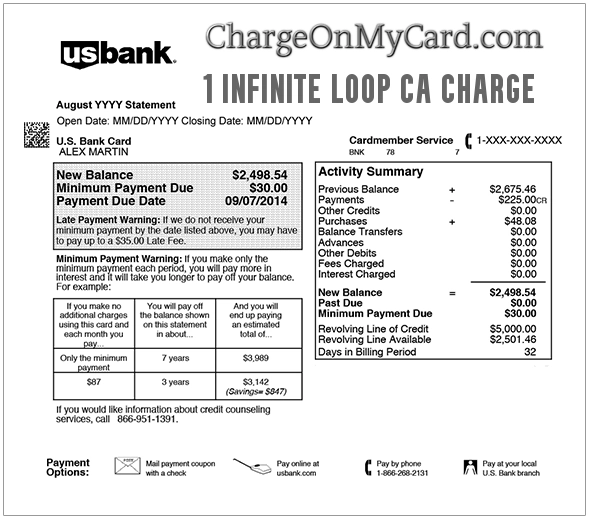
Consumer Reports and Experiences
Consumers commonly report seeing 1 Infinite Loop CA, 1infiniteloop ca, or 1infiniteloopca after an Apple purchase, subscription renewal, app purchase, in-app purchase, Apple Cash payment, or Apple refund.
The descriptor may appear in several confusing forms, including:
- 1 INFINITE LOOP CA
- 1INFINITELOOP CA
- 1INFINITELOOPCA
- 1infiniteloop ca
- 1infiniteloop ca charge
- 1infiniteloop ca apple cash
- 1 Infinite Loop charge on debit card
- 1infiniteloop ca charge on debit card
- APPLE 1 INFINITE LOOP
- APL*APPLE ITUNES STO 1 INFINITE LOOP
- APPLE CASH PMNT SENT 1 INFINITE LOOP
- APPLE CASH SENT MONEY 1 INFINITE LOOP
- Apple Cash sent money 1infiniteloop ca
- APPLE.COM/BILL CUPERTINO CA
Some cardholders identify the charge as an App Store purchase, iCloud+ subscription, Apple Music renewal, Apple TV+ subscription, Apple One plan, Apple Cash transfer, Apple Store order, or purchase made by a Family Sharing member. Others report that the charge was unauthorized or that they could not find it under the Apple Account they first checked.
Have you identified your 1 Infinite Loop charge? Share the amount, complete descriptor, whether it involved Apple Cash, Apple.com/bill, a subscription, Family Sharing, or a debit-card charge, and how you resolved it in the comments.
Do not post your card number, Apple Account email, password, address, phone number, order number, verification code, or other private information.
What Is 1InfiniteLoop CA on My Bank Statement?
1 Infinite Loop is associated with Apple’s longtime Cupertino, California campus. A charge containing this address usually indicates that the transaction has some connection to Apple, although the address alone does not reveal the exact product, service, account, or user involved.
The charge may be related to:
- An App Store purchase
- An in-app purchase
- A third-party app subscription billed by Apple
- iCloud+ storage
- Apple Music
- Apple TV+
- Apple Arcade
- Apple News+
- Apple Fitness+
- Apple One
- A movie, book, music, or digital-content purchase
- An Apple Store hardware or accessory purchase
- AppleCare coverage
- An Apple Cash payment or transfer
- A purchase made by a Family Sharing member
- A grouped Apple bill containing several small purchases
- A refund or credit from Apple
The complete wording of the transaction matters. A descriptor that says Apple Cash Sent Money should be checked in Wallet. A descriptor that says Apple.com/bill, Apple iTunes Store, or APL*Apple should be checked in Apple purchase history, subscriptions, and receipts.
Is 1 Infinite Loop CA an Apple Charge?
Usually, yes. The Infinite Loop address is strongly associated with Apple and has appeared in Apple-related transaction details for many years.
However, seeing an Apple-related address does not prove that you personally authorized the transaction. A legitimate Apple billing descriptor can still appear on an unauthorized purchase, a Family Sharing purchase, a compromised Apple Account, or a charge made through a saved payment method.
Before disputing it, check:
- Apple purchase history
- Apple subscriptions
- Family Sharing purchases
- Apple Cash transactions
- Apple Store orders
- Email receipts from Apple
- All Apple Accounts used by your household or business
What Does 1InfiniteLoop CA Mean?
1InfiniteLoop CA is usually a compressed or shortened version of 1 Infinite Loop, CA.
Banks and card issuers often remove spaces, punctuation, or extra words from merchant descriptors. That is why one person may see 1 Infinite Loop CA, while another sees 1InfiniteLoopCA, 1InfiniteLoop CA charge, or 1INFINITELOOP CA.
The no-space version does not change the likely source. It still usually points to Apple-related billing, Apple Cash, Apple services, or an Apple transaction record.
Is 1 Infinite Loop the Same as Apple Pay?
Not necessarily.
Apple Pay is a payment method that allows you to use a credit or debit card through an Apple device. When you use Apple Pay at a third-party store, restaurant, website, or app, your statement will usually identify the merchant where you made the purchase rather than displaying 1 Infinite Loop.
A 1 Infinite Loop charge is more likely to be connected directly to:
- Apple services
- Apple subscriptions
- App Store purchases
- Apple Cash
- Apple Store purchases
- Apple billing records
- Apple refunds or credits
If you used Apple Pay at a grocery store, gas station, restaurant, or retail store, the charge should usually show the merchant name, not 1 Infinite Loop.
Apple Cash Sent Money 1InfiniteLoop CA
If your statement says Apple Cash Sent Money 1InfiniteLoop CA, Apple Cash Pmnt Sent 1 Infinite Loop, or a similar Apple Cash descriptor, check your Apple Cash transactions in the Wallet app.
Apple Cash is different from App Store billing. A transfer may represent money sent to another person, a recurring Apple Cash payment, an Apple Cash Family transaction, or activity involving the Apple Cash card.
To review Apple Cash activity:
- Open the Wallet app on your iPhone.
- Tap your Apple Cash card.
- Scroll to Latest Transactions.
- Tap the transaction for more details.
- Check whether the amount, date, and recipient match the statement.
If a child or teen uses Apple Cash Family, the family organizer may need to review the child or teen’s Apple Cash activity as well.
Why Is 1 Infinite Loop Charging Me?
App Store or In-App Purchase
You may have purchased an app, game, upgrade, digital item, premium feature, token, subscription, or in-app item through the App Store.
Examples include:
- Game currency or upgrades
- Photo or video-editing features
- Dating-app subscriptions
- Fitness or health-app memberships
- Streaming subscriptions
- AI, productivity, or cloud tools
- Language-learning subscriptions
- Document, scanner, or PDF apps
Apple Subscription Renewal
The charge may be for a monthly or annual subscription such as:
- Apple Music
- Apple TV+
- Apple Arcade
- Apple News+
- Apple Fitness+
- iCloud+
- Apple One
- A third-party app subscription billed through Apple
Subscriptions generally continue until canceled. Deleting an app does not always cancel the subscription.
Family Sharing Purchase
If Family Sharing and Purchase Sharing are enabled, the family organizer’s payment method may be charged for an app, subscription, movie, game, or other purchase made by another family member.
This is one of the most common reasons a legitimate Apple charge is not immediately recognized.
Several Purchases Grouped Together
Apple may combine multiple apps, subscriptions, or digital purchases into one card charge. The statement amount may therefore be larger than any single purchase you remember making.
Apple charges may also appear several days after the original purchases.
Apple Store Purchase
The charge may be connected to an Apple product or accessory purchased online or through an Apple Store, including:
- iPhone
- iPad
- Mac
- Apple Watch
- AirPods
- Cases, cables, chargers, and accessories
- AppleCare coverage
- Repair or service charges
Apple Cash Payment
If the complete descriptor says Apple Cash Pmnt Sent, Apple Cash Sent Money, or Apple Cash sent money 1InfiniteLoop CA, the transaction may represent money sent through Apple Cash rather than an App Store purchase.
Check Apple Cash transaction history in Wallet.
Refund or Credit
One Infinite Loop may also appear with a credit instead of a debit. This could represent a refund for an Apple Store order, app, subscription, in-app purchase, or other Apple purchase.
How to Identify the 1 Infinite Loop Charge
1. Check Apple Purchase History
Apple allows customers to search their purchase history and review recent App Store, media, and subscription purchases.
- Visit reportaproblem.apple.com.
- Sign in with your Apple Account.
- Review recent purchases.
- Search for the exact amount shown on your statement.
- Check purchases made around the same date because billing may be delayed or grouped.
If you use more than one Apple Account, check the purchase history for each account.
2. Review Active and Expired Subscriptions
On an iPhone or iPad:
- Open Settings.
- Tap your name.
- Tap Subscriptions.
- Review active and recently expired subscriptions.
- Check both Apple subscriptions and third-party app subscriptions billed by Apple.
3. Check Family Sharing Purchases
If you are the Family Sharing organizer, review purchases made by other family members. A child, spouse, or other family member may have made the purchase using the shared payment method.
Ask family members about app downloads, games, subscriptions, movies, music, iCloud storage, or in-app purchases.
4. Search Your Email
Search every email account you use for:
- Receipt from Apple
- Invoice from Apple
- Apple purchase
- Apple subscription
- App Store receipt
- Apple order confirmation
- Apple Cash
- iCloud+
- Apple Music
- Apple TV+
- Apple One
- The exact amount charged
Compare the receipt amount with the amount shown on your card statement.
5. Review Apple Cash Transactions
If the descriptor mentions Apple Cash:
- Open the Wallet app.
- Tap the Apple Cash card.
- Review the transaction history.
- Tap the matching transaction to see additional details.
- Check whether it was sent, received, recurring, pending, canceled, or completed.
Apple Cash and App Store purchase histories are separate, so check both when the complete descriptor is unclear.
6. Review Apple Pay Transaction History
If you think the charge may have involved Apple Pay, open Wallet and review the card used for the transaction. Apple Pay history may show recent card activity, but your card issuer’s statement is usually the most complete record.
7. Ask Other Authorized Card Users
A family member, employee, spouse, child, or other authorized card user may have made an Apple purchase without realizing how the charge would appear.
1 Infinite Loop Charge on Debit Card
If the 1 Infinite Loop charge appeared on a debit card, act quickly because debit-card transactions may remove funds directly from your checking account.
Recommended steps:
- Check whether the charge is pending or posted.
- Review Apple purchase history and subscriptions.
- Check Apple Cash in Wallet.
- Ask Family Sharing members and authorized card users.
- Call your bank using the number printed on the debit card.
- Ask whether the bank can provide additional merchant details.
- Report the transaction as unauthorized if Apple and authorized users cannot identify it.
- Ask whether your debit card should be replaced.
How to Cancel an Apple Subscription
On an iPhone or iPad:
- Open Settings.
- Tap your name.
- Tap Subscriptions.
- Select the subscription.
- Tap Cancel Subscription.
- Save a screenshot or email confirmation if available.
If no cancellation button appears or the subscription displays an expiration date, it may already be canceled.
How to Request a Refund From Apple
- Visit reportaproblem.apple.com.
- Sign in with the Apple Account used for the purchase.
- Select I’d like to.
- Choose Request a refund.
- Select the reason for the request.
- Select the purchase and submit the request.
Refund eligibility depends on the purchase, location, timing, circumstances, and Apple’s applicable terms.
Apple Contact Information
- Apple billing support: Apple Billing and Subscriptions
- Contact Apple Support: Apple Support Contact Page
- Report a problem with a purchase: reportaproblem.apple.com
- Apple retail sales: 800-MY-APPLE / 1-800-692-7753
- Corporate phone: 1-408-996-1010
- Current corporate address: Apple Inc., One Apple Park Way, Cupertino, CA 95014
Do not call a phone number contained in an unexpected Apple invoice, pop-up message, text, or email. Use Apple’s official support website or a verified number.
Is the 1 Infinite Loop Charge Fraudulent?
Not necessarily. Most 1 Infinite Loop charges are likely connected to an Apple transaction, but you should investigate if:
- The charge is not in your Apple purchase history
- The charge does not appear in Apple Cash
- No family member recognizes it
- You have no active subscription matching the amount
- You did not purchase an Apple product
- Several unexpected Apple charges appear
- The charge continues after canceling a subscription
- You receive Apple Account alerts you do not recognize
- Your Apple Account shows unfamiliar devices
- The charge appears on a debit card and you cannot identify it quickly
What to Do If You Did Not Authorize the Charge
- Check Apple purchase history, subscriptions, Family Sharing, and Apple Cash.
- Contact Apple Support through the official website.
- Change your Apple Account password if you suspect unauthorized access.
- Review the devices connected to your Apple Account.
- Remove any device you do not recognize.
- Enable two-factor authentication if it is not already active.
- Lock the affected payment card if necessary.
- Contact your card issuer using the number printed on the card.
- Dispute the transaction if Apple and all authorized users cannot identify it.
- Ask whether the card should be replaced.
Fake Apple Invoice and Support Scam Warning
Scammers often send fake Apple invoices, Apple Cash alerts, App Store receipts, iCloud warnings, and Apple Account security messages.
Be cautious of messages that:
- Claim you must call a support number immediately
- Threaten that your Apple Account will be locked
- Ask for your Apple Account password or verification code
- Ask for full card details by email or text
- Include a suspicious invoice attachment
- Send you to a non-Apple website
- Claim that a refund requires gift cards, cryptocurrency, or remote access to your device
Open Apple support directly instead of clicking links in suspicious messages.
How Consumers Resolved the Charge
Consumers commonly resolve 1 Infinite Loop transactions by:
- Finding the purchase in Apple purchase history
- Identifying an automatic subscription renewal
- Discovering a Family Sharing purchase
- Matching several grouped purchases to one charge
- Finding an Apple Cash payment in Wallet
- Locating an Apple Store order
- Identifying a refund or credit
- Canceling an unwanted subscription
- Requesting a refund through Apple
- Changing a compromised Apple Account password
- Disputing an unauthorized transaction with the bank
Frequently Asked Questions
What does 1 Infinite Loop CA mean on my statement?
It usually indicates a transaction associated with Apple. One Infinite Loop is a longtime Apple campus address in Cupertino, California.
What is 1InfiniteLoop CA?
1InfiniteLoop CA is usually a compressed version of 1 Infinite Loop CA. Banks sometimes remove spaces or punctuation from transaction descriptors.
Is 1 Infinite Loop CA an Apple subscription?
It may be. Check active and recently expired subscriptions for Apple services and third-party subscriptions billed through Apple.
Does 1 Infinite Loop mean Apple Cash?
Only when the complete descriptor also mentions Apple Cash, sent money, payment sent, or a transfer. Check the Apple Cash card in Wallet for matching transactions.
What is Apple Cash sent money 1InfiniteLoop CA?
It usually indicates an Apple Cash payment or transfer. Review the Apple Cash card in Wallet and check the date, amount, recipient, and transaction details.
Is this an Apple Pay purchase?
Not necessarily. Apple Pay purchases from outside merchants generally appear under the merchant’s name. A 1 Infinite Loop descriptor is more likely to involve Apple directly.
Why can’t I find the exact amount in my subscriptions?
Apple may group multiple purchases and subscriptions into one card charge. Search your complete purchase history by amount and review purchases made on nearby dates.
Could a family member have caused the charge?
Yes. If Family Sharing and Purchase Sharing are enabled, the organizer’s payment method may be billed for another family member’s purchase.
Why does Apple still use the Infinite Loop address?
One Infinite Loop remains associated with Apple’s Cupertino operations and may continue to appear in some transaction-location or billing information even though Apple’s listed corporate address is now One Apple Park Way.
What should I do if it is on my debit card?
Check Apple purchase history and Apple Cash immediately, then contact your bank if no authorized user recognizes it. Debit-card transactions can affect your checking balance directly.
Should I cancel my card?
First investigate the charge through Apple. If Apple cannot identify it and no authorized card user recognizes it, contact your card issuer and ask whether the card should be replaced.
Related Credit Card and Bank Charges
- APPLE.COM/BILL Cupertino CA charge
- Meta Pay charge on credit card
- PAYPAL INST XFER charge
- Credit card charge-code directory
- How to investigate an unrecognized credit card or bank charge
Related Consumer Resources
- Received a fake Apple invoice, account warning, Apple Cash alert, or suspicious support message? Visit ThinkItsAScam.com for phishing alerts and scam warnings.
- Need Apple customer-service contact information for billing, subscriptions, Apple Cash, App Store purchases, or device support? Visit Apple Customer Service on CustomerServiceNumbers.com.
- Looking for Apple’s corporate address, headquarters phone number, or corporate office information? Visit Apple Corporate Office Headquarters.
- Want to share a company review, billing complaint, or customer experience? Visit ZeroStars.org.
Why Trust ChargeOnMyCard.com?
ChargeOnMyCard.com helps consumers identify unfamiliar credit-card, debit-card, Apple Cash, and bank-statement descriptors using official company resources, billing information, and experiences reported by cardholders.
Consumer reports are especially helpful for distinguishing between Apple subscriptions, grouped purchases, Family Sharing activity, Apple Cash transactions, refunds, debit-card charges, and unauthorized Apple-related transactions.
Share Your 1 Infinite Loop CA Experience
Was your charge connected to 1 Infinite Loop CA, 1InfiniteLoop CA, 1InfiniteLoopCA, an app, subscription, Apple Cash payment, Family Sharing purchase, hardware order, refund, debit-card transaction, or unauthorized purchase?
Share the complete descriptor, general amount, and resolution below while excluding all private financial and Apple Account information.
Page Update Note
This 1InfiniteLoop CA charge guide was reviewed and updated on July 29, 2026, with improved search-result wording, clearer Apple billing and Apple Cash guidance, exact bank-statement descriptor variations, image SEO, and related charge-identification resources.
Disclaimer
ChargeOnMyCard.com is an independent consumer-information website and is not affiliated with Apple Inc., Apple Cash, Green Dot Bank, Goldman Sachs, the App Store, or any financial institution. Verify charges through Apple purchase history, Apple Cash transaction history, Apple Support, Family Sharing, and your card issuer.