
A SUNO INC, SUNO INC CAMBRIDGE MA, or SUNO INC 6017417866 transaction on a credit card, debit card, or bank statement usually represents a paid subscription to Suno, an artificial-intelligence music and song-generation platform.
Suno offers free and paid access through its website and mobile apps. Paid plans can renew automatically, so a Suno Inc charge may appear after a previous subscription, an app sign-up, a trial conversion, or a recurring monthly or annual renewal.
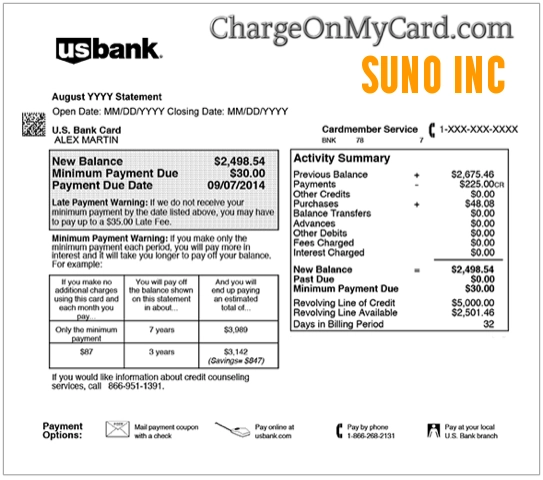
What Is the Suno Inc Charge?
The Suno Inc charge usually means that a subscription or other paid purchase was made through Suno’s AI music platform.
Suno allows users to generate songs, vocals, instrumentals, lyrics, remixes, and other music using artificial intelligence.
A charge may be associated with:
- A paid Suno music-generation subscription
- A monthly subscription renewal
- An annual subscription renewal
- A free or promotional trial that converted to paid access
- A subscription purchased on Suno’s website
- A subscription purchased through the Suno mobile app
- An account created by another authorized cardholder
- More than one Suno account using the same payment method
- A duplicate or unauthorized transaction
What Is Suno?
Suno is an online AI music service that lets users create original songs and audio from written prompts.
A user may enter:
- A description of a song
- A musical genre
- Lyrics
- A mood or theme
- Instrumental instructions
- A voice or production style
Suno then generates music based on those instructions.
The platform offers a free level as well as paid subscription options with additional credits, features, generation capacity, and usage rights.
What Is 6017417866 on My Bank Statement?
6017417866 is an official telephone number listed for Suno Inc on the Google Play Store.
The number may appear as:
- 6017417866
- 601-741-7866
- 1-601-741-7866
- SUNO INC 6017417866
- SUNO INC 601-741-7866 MA
- 6017417866 CAMBRIDGE MA
Google Play lists:
- Developer: Suno Inc.
- Telephone: 1-601-741-7866
- Support email: support@suno.com
- Address: 17 Dunster Street, Suite 400, Cambridge, MA 02138
The telephone number helps confirm that the descriptor is connected with the Suno music platform. Billing questions are generally better directed to Suno’s official billing email.
What Is Suno Inc Charge on Credit Card?
A Suno Inc charge on a credit card is usually a subscription payment for Suno’s AI music-generation service.
The payment may have been made:
- Directly on Suno’s website
- Through Stripe, Suno’s direct payment processor
- Through the Suno Android app
- Through the Suno iPhone or iPad app
- Using Apple Pay, Google Pay, Cash App Pay, or another supported method
The method used to subscribe determines where the subscription must be managed or canceled.
What Is Suno Inc Charge on Debit Card?
A Suno Inc charge on a debit card normally has the same meaning as a credit-card charge: a direct subscription or paid service purchased from Suno.
Because debit-card transactions reduce available bank funds immediately, check whether the transaction is:
- Pending
- Completed
- Repeated
- Marked as recurring
- Connected with another Suno account
Contact Suno before filing a dispute when an account or subscription can be located.
What Is Suno on My Bank Statement?
Suno on a bank statement usually identifies a subscription to the Suno AI song and music generator.
Search your email for:
- Suno
- Suno Inc
- Suno subscription
- Suno receipt
- Suno credits
- Stripe receipt
- Google Play receipt
- Apple subscription receipt
- The exact transaction amount
Also check spam, archived, deleted, and promotions folders.
What Is Suno Inc Cambridge MA?
Suno Inc is based in Cambridge, Massachusetts.
Its official address is listed as:
- Suno Inc.
- 17 Dunster Street, Floor 4
- Cambridge, MA 02138
- United States
Banks may append Cambridge or Massachusetts to the descriptor because it is the merchant’s registered location.
Possible variations include:
- SUNO INC CAMBRIDGE MA
- SUNO INC MA
- SUNO CAMBRIDGE
- SUNO INC 6017417866 MA
- POS DEBIT SUNO INC CAMBRIDGE
- CHECKCARD SUNO INC MA
Why Is Suno Inc Charging Me?
A Subscription Renewed
Suno subscriptions renew automatically according to the billing period selected on the account.
The renewal may be monthly, annual, or another period displayed when the subscription was purchased.
A Trial Converted to a Paid Plan
A trial or promotional offer may become a paid subscription if it is not canceled before the conversion date.
Review the original confirmation email for the trial length and renewal terms.
You Subscribed Through the Suno Website
Subscriptions purchased directly through Suno’s website are processed through Stripe.
The bank statement may identify Suno Inc rather than Stripe.
You Subscribed Through a Mobile App
A subscription purchased through Android or iOS may be administered through:
- Google Play
- Apple App Store
Mobile purchases may appear under an Apple, Google, or Suno-related descriptor depending on the payment route and card issuer.
Someone Else Used the Card
A spouse, child, employee, family member, or other authorized card user may have subscribed.
Ask whether anyone used an AI music, song-writing, lyric, remix, or music-generation app.
You Have More Than One Suno Account
People sometimes create Suno accounts using different:
- Email addresses
- Google logins
- Apple accounts
- Discord or social sign-ins
- Personal and business accounts
More than one account can result in multiple active subscriptions.
Why Did Suno Charge Me Twice?
Two Suno Inc transactions may represent:
- Two separate Suno accounts
- A monthly plan and another paid purchase
- A failed transaction followed by a successful retry
- A pending authorization and a completed charge
- Two different subscription tiers
- A subscription purchased on both the website and a mobile app
- A duplicate transaction
- An unauthorized payment
To investigate:
- Compare the two amounts and dates.
- Check whether either transaction is still pending.
- Review every email address used with Suno.
- Check Apple and Google subscriptions.
- Review the Suno account billing page.
- Contact Suno billing with both transaction dates and amounts.
Do not publish transaction IDs, card digits, account emails, or receipts in public comments.
How to Verify a Suno Inc Charge
- Copy the complete bank descriptor.
- Record the amount, date, currency, and transaction status.
- Search email for Suno and Stripe receipts.
- Sign in to every possible Suno account.
- Review the Suno account and subscription page.
- Check Google Play subscriptions on Android.
- Check Apple subscriptions on iPhone or iPad.
- Ask other authorized card users.
- Contact Suno billing when the payment remains unclear.
- Request expanded merchant information from the bank if needed.
How to Cancel a Suno Subscription
The correct cancellation method depends on how the plan was purchased.
Cancel a Subscription Purchased on Suno.com
- Sign in at Suno Account.
- Open the subscription area.
- Select Cancel Subscription.
- Confirm the cancellation.
- Save the confirmation email or screenshot.
The account should normally retain paid access through the end of the already-paid subscription period.
Cancel a Suno Subscription on Android
- Open the Google Play Store or Android Settings.
- Open Payments & subscriptions.
- Select Subscriptions.
- Select Suno.
- Choose Cancel Subscription.
- Save the cancellation confirmation.
Cancel a Suno Subscription on iPhone or iPad
- Open the Settings app.
- Select your Apple Account name.
- Select Subscriptions.
- Select Suno.
- Choose Cancel Subscription.
- Save the cancellation confirmation.
Deleting the Suno app does not necessarily cancel an active subscription.
Can I Get a Refund From Suno?
Suno states that subscription payments are generally final and nonrefundable unless Suno decides otherwise.
Suno may review certain situations individually, including:
- An accidental annual purchase instead of a monthly plan
- An accidental or unattended sign-up
- An account that has not used the paid service
- A recent purchase reported within a short period
- A serious product malfunction
- A duplicate billing issue
A refund is not guaranteed.
For the best chance of resolution:
- Contact Suno promptly.
- Provide the account email privately.
- Include the charge date and amount.
- Explain whether the service was used.
- State whether the purchase was accidental or duplicated.
- Request written confirmation of the decision.
Mobile subscriptions may be subject to Apple or Google Play refund procedures rather than Suno’s direct refund process.
Suno Inc Contact Information
- Website: Suno.com
- Help Center: Suno Help Center
- General support: support@suno.com
- Billing support: billing@suno.com
- App-support telephone: 1-601-741-7866
- Address: Suno Inc., 17 Dunster Street, Floor 4, Cambridge, MA 02138
- Account and subscription management: Suno Account
Suno says its official support contacts are `support@suno.com` for general help and `billing@suno.com` for billing requests.
Be cautious of unofficial telephone numbers, social-media accounts, or people claiming they can access or refund a Suno subscription.
Common Suno Statement Variations
The transaction may appear as:
- SUNO INC
- SUNO INC CAMBRIDGE MA
- SUNO INC 6017417866
- SUNO INC 601-741-7866 MA
- SUNO AI
- SUNO MUSIC
- SUNO SUBSCRIPTION
- SUNO.COM
- STRIPE SUNO INC
- CHECKCARD SUNO INC
- POS DEBIT SUNO INC
- PENDING SUNO INC
- RECURRING SUNO INC
The exact format depends on the payment route, financial institution, country, and available statement space.
What to Do If You Do Not Recognize the Charge
- Check every Suno account you may have created.
- Search email for Suno, Stripe, Apple, or Google receipts.
- Review Apple and Google subscriptions.
- Ask family members and authorized users.
- Contact Suno billing.
- Ask the bank whether the payment is recurring.
- Request the full merchant details.
- Lock the card if unauthorized use is suspected.
- Dispute the completed charge when no legitimate account can be found.
- Request a replacement card if the issuer recommends it.
What Information Should You Request From the Bank?
Ask for:
- The complete descriptor
- The merchant telephone number
- The merchant location
- The merchant website
- The merchant category code
- The merchant identification number
- Whether the transaction was recurring
- Whether it was processed online or through a mobile wallet
- Whether other attempts occurred
- Whether it is pending, completed, or reversed
Frequently Asked Questions
What is Suno Inc charge?
Suno Inc is the company behind Suno, an AI music and song-generation platform. The charge usually represents a paid Suno subscription or renewal.
What is Suno Inc charge on credit card?
It usually means a Suno subscription was purchased directly through its website or another supported payment route. Check the Suno account, receipts, and app-store subscriptions.
What is Suno on my bank statement?
Suno on a bank statement normally identifies payment for Suno’s AI music-generation service.
What is 6017417866?
601-741-7866 is an official Suno Inc app-support and developer telephone number listed by Google Play.
Is Suno Inc legitimate?
Yes. Suno Inc operates the Suno AI music platform. A legitimate company name does not prove that a particular charge was authorized, so verify the individual subscription.
Is Suno Inc a recurring charge?
It can be. Paid Suno subscriptions automatically renew according to the billing period selected unless canceled.
Why did I receive two Suno charges?
Possible explanations include multiple accounts, website and mobile subscriptions, a pending and completed charge, a retry, or duplicate billing.
Does deleting the Suno app cancel the subscription?
No. The subscription must be canceled through Suno, Google Play, or Apple, depending on where it was purchased.
Can Suno refund an accidental charge?
Suno considers some refund requests individually, but refunds are not guaranteed. Contact billing support promptly.
What if I never used Suno?
Check whether another authorized user created an account. If no account or authorization can be found, contact Suno and the card issuer.
Related AI, Software, and Digital Subscription Charges
- Anthropic PBC and Claude AI Subscription Charge
- Replit Inc Software and AI Subscription Charge
- Paddle.net, ChatbotAI, and Software Subscription Charges
- Adobe Acrobat Pro Subscription Charge
- APPLE.COM/BILL charge
- 1600 Amphitheatre Parkway Google charge
- Spotify Music Subscription Charge
- Xsolla Digital Content and Gaming Charges
- How to Investigate an Unrecognized Credit Card or Bank Charge
These guides cover AI services, software subscriptions, mobile-app billing, music subscriptions, payment processors, recurring charges, cancellation, refunds, and unauthorized payments. A related link does not mean the companies are affiliated.
Consumer Reports and Experiences
Three visible reports on this ChargeOnMyCard.com page currently include:
- A report identifying the descriptor as `6017417866 MA SUNO INC`.
- A report describing two $10 Suno Inc charges posted within several days.
- A report from a reader who did not recognize the transaction.
These are individual reports and do not prove that every Suno transaction is duplicated or unauthorized.
ChargeOnMyCard.com cannot:
- Access a Suno account
- Cancel a Suno subscription
- Issue a Suno refund
- Access an Apple or Google account
- Identify who created an account
- Reverse a transaction
- Submit a bank dispute
Share Your Suno Inc Experience
If you identified a Suno Inc, Suno AI, Cambridge MA, or 601-741-7866 charge, share only nonprivate details.
Helpful information includes:
- The shortened descriptor
- The general amount
- Whether it was monthly or annual
- Whether it was purchased through Suno, Apple, or Google
- Whether multiple accounts were found
- Whether the transaction was duplicated
- Whether cancellation was successful
- Whether a refund was issued
- How Suno or the financial institution resolved it
Do not post card digits, account emails, passwords, song links tied to private accounts, receipts, transaction IDs, billing addresses, or complete bank statements.
Why Rely on ChargeOnMyCard.com?
ChargeOnMyCard.com researches confusing credit-card, debit-card, AI-service, software, mobile-app, music-subscription, recurring-payment, cancellation, refund, and bank-statement descriptors using official company resources and visible consumer reports.
We distinguish the merchant from its payment processor and explain how to verify the account, cancel through the correct billing channel, request billing assistance, or report an unauthorized payment.
Last reviewed: July 16, 2026.
Disclaimer
ChargeOnMyCard.com is not affiliated with Suno Inc, Suno, Stripe, Google, Google Play, Apple, the App Store, any account holder, cardholder, bank, credit union, card network, or payment processor. This article is provided for informational purposes only and is not financial, legal, subscription, refund, account-recovery, or fraud-prevention advice. Contact Suno, the applicable app store, and the financial institution regarding a specific transaction.