
An ADOBE *ACROPRO SUBS, ADOBE ACROPRO SUBS, or ADOBE *ACROPRO SUBS 800-833-6687 entry on a credit card, debit card, or bank statement most likely represents a paid subscription to Adobe Acrobat Pro.
The charge may be a monthly payment, an annual plan billed in monthly installments, an annual renewal, or a subscription that began after an Adobe Acrobat free trial. If you do not recognize it, Adobe provides an official Charge Finder that can help identify the account and subscription connected with the transaction.
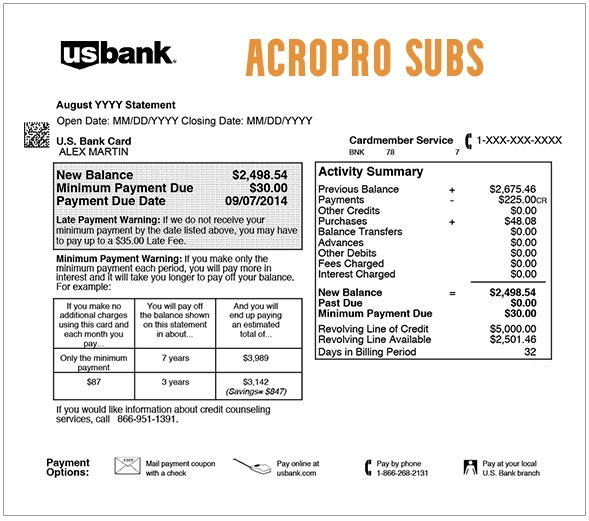
What Is ADOBE *ACROPRO SUBS on My Credit Card?
ADOBE *ACROPRO SUBS most likely means Adobe charged the card for an Acrobat Pro subscription.
The descriptor can be broken down as follows:
- ADOBE: Adobe Inc., the software company
- ACROPRO: Adobe Acrobat Pro
- SUBS: Subscription
- 800-833-6687: A telephone number associated with Adobe
Adobe Acrobat Pro is paid PDF software used to:
- Create and edit PDF documents
- Convert PDFs to Word, Excel, and other formats
- Combine and organize PDF files
- Request and manage electronic signatures
- Protect PDFs with passwords
- Use document, cloud, and AI-related features included with the selected plan
Why Is Adobe Acrobat Pro Charging My Card?
Common explanations include:
- A monthly Acrobat Pro subscription
- An annual Acrobat Pro plan billed monthly
- An annual prepaid subscription renewal
- A free trial that converted into a paid plan
- A subscription purchased under another Adobe email address
- A work, school, or personal Adobe account
- A purchase made by a spouse, family member, employee, or other authorized card user
- A payment retry after an earlier payment failed
- A separate Adobe subscription that was not canceled
- An unauthorized use of the card
Do not assume that canceling one Adobe product cancels every Adobe subscription.
Acrobat Pro, Acrobat AI Assistant, Adobe Stock, Creative Cloud, and other Adobe products may appear as separate active plans and may be billed independently.
Common ADOBE ACROPRO SUBS Statement Variations
Possible variations include:
- ADOBE *ACROPRO SUBS
- ADOBE ACROPRO SUBS
- ADOBE *ACROPRO SUB
- ADOBE ACROPRO
- ADOBE ACROBAT PRO
- ADOBE *ACROPRO SUBS 800-833-6687
- ADOBE *800-833-6687
- ADOBE ACROPRO SUBS CA
- ADOBE SYSTEMS
- ADOBE INC
- CHECKCARD ADOBE ACROPRO
- CHKCARD ADOBE ACROPRO
- POS DEBIT ADOBE ACROPRO
- RECURRING ADOBE ACROPRO
- PENDING ADOBE ACROPRO
- PREAUTH ADOBE ACROPRO
- POS REFUND ADOBE ACROPRO
Banks may shorten, merge, or rearrange merchant wording.
What Is the 800-833-6687 Number?
The complete telephone number shown in many versions of the descriptor is:
This number is associated with Adobe, but Adobe’s current billing and unknown-charge process is primarily handled through its official account tools, Charge Finder, and online support.
For the most reliable transaction identification, use:
- Adobe Charge Finder: Identify an Adobe Charge
- Adobe account plans: Adobe Plans and Subscriptions
- Adobe Help Center: Adobe Support
Do not call a different telephone number from an advertisement, sponsored search result, pop-up, or public comment claiming to offer Adobe support.
How to Identify the Adobe Account Behind the Charge
Adobe provides a Charge Finder specifically for unfamiliar Adobe transactions.
To investigate:
- Copy the transaction date and exact amount from the statement.
- Open Adobe’s official Charge Finder.
- Enter the payment information exactly as requested.
- Review the Adobe account and subscription identified by the tool.
- Sign in using the connected email address.
- Review every active Adobe plan.
- Download the corresponding invoice.
A recent transaction may take up to 48 hours to appear in the Charge Finder.
If the tool does not immediately locate it:
- Wait until the transaction fully posts.
- Check every personal and work email address.
- Try Adobe accounts created with Google, Apple, Facebook, or another social sign-in.
- Ask other authorized card users.
- Contact Adobe through the official Help Center.
How to Find an Adobe Acrobat Invoice
Adobe stores invoice history in the customer account.
To locate an invoice:
- Sign in to the Adobe account.
- Open the orders, billing, or invoices area.
- Select the applicable Acrobat Pro plan.
- View or download the invoice.
- Compare the invoice date and amount with the statement.
The invoice may show:
- The Adobe product
- The plan type
- The billing period
- The renewal date
- The amount before and after tax
- The payment method
- The Adobe account email
Adobe account invoice history may include several years of subscription payments.
Could the Charge Come From a Free Trial?
Yes.
Adobe Acrobat Pro may be offered with a free trial. When the trial ends, the selected paid subscription can begin automatically unless it was canceled before the conversion date.
Search email for:
- Adobe free-trial confirmation
- Trial-ending reminders
- Acrobat Pro welcome messages
- Adobe subscription confirmations
- Payment receipts
- Renewal notices
Also check spam, promotions, archived, and deleted-email folders.
Is ADOBE ACROPRO SUBS a Recurring Charge?
Usually, yes.
Acrobat Pro subscription plans may renew:
- Monthly
- Each month as part of an annual commitment
- Annually in one prepaid payment
The phrase “billed monthly” does not always mean that the subscription is a month-to-month plan.
An annual plan billed monthly is generally a one-year commitment divided into monthly payments. Canceling it early may produce a cancellation fee.
How to Cancel Adobe Acrobat Pro
To cancel a directly billed Adobe subscription:
- Sign in at Adobe Plans.
- Find the Acrobat Pro subscription.
- Select Manage plan.
- Select Cancel your plan.
- Review any refund or cancellation-fee information shown.
- Complete every cancellation step.
- Save the confirmation email and screenshot.
- Confirm that the plan shows as canceled.
If there are several Adobe plans, review and cancel each unwanted subscription separately.
Deleting Acrobat from a computer, removing the mobile app, closing a browser, or no longer using the software does not automatically cancel the subscription.
What Happens After Canceling?
Access to paid Acrobat features generally continues through the applicable billing period or contract period shown by Adobe.
After cancellation:
- The Adobe account may remain active.
- Free Adobe account benefits may remain available.
- Paid Acrobat features may continue temporarily.
- A final scheduled payment may still appear.
- Separate Adobe plans may continue billing.
Save the cancellation confirmation and compare it with any later charge.
Can Adobe Charge an Early Cancellation Fee?
It depends on the plan.
Month-to-Month Plan
A month-to-month plan can generally be canceled without an annual-contract termination fee.
After the initial refund period, the current payment may be nonrefundable, with service continuing through the current billing period.
Annual Plan Billed Monthly
This is an annual commitment paid in monthly installments.
When canceled after the initial 14-day period, Adobe’s standard terms may impose a lump-sum charge equal to 50% of the remaining contract obligation.
Annual Prepaid Plan
The full annual amount is paid in advance.
After the initial 14-day period, the payment is generally nonrefundable, and access may continue through the contracted term.
The exact terms displayed in the Adobe account control the individual subscription.
Can I Get a Refund?
For many Adobe plans, canceling within 14 days of the initial purchase may qualify for a full refund.
Refund eligibility after 14 days depends on:
- The plan type
- The purchase date
- The country or region
- Whether the subscription was purchased directly from Adobe
- Whether it was purchased through an app store or reseller
- Whether the transaction was unauthorized
Cancellation and refund are not always the same action.
When contacting Adobe, state clearly whether you are requesting:
- Cancellation of future billing
- A refund of the latest payment
- A refund of several payments
- Removal of an unauthorized subscription
Request written confirmation of both the cancellation and any approved refund.
What If Acrobat Pro Was Purchased Through Apple or Google Play?
A mobile Acrobat subscription may have been purchased through:
- Apple App Store
- Google Play
In that situation:
- The subscription may not be fully managed in the normal Adobe billing area.
- Cancellation may need to be completed through the Apple or Google subscription settings.
- The applicable app store may control refund eligibility.
- The visible card descriptor may differ from direct Adobe billing.
Check:
- Apple subscriptions
- Google Play subscriptions
- Apple purchase history
- Google Play order history
An exact `ADOBE *ACROPRO SUBS` descriptor is more consistent with direct Adobe billing, but the account records should be checked before making that conclusion.
Why Am I Still Being Charged After Canceling?
Possible explanations include:
- The transaction was the final payment for the current billing period.
- The cancellation occurred after the next payment had already been processed.
- Only one of several Adobe plans was canceled.
- The plan was canceled under the wrong Adobe account.
- The subscription was purchased through Apple or Google and remained active there.
- The cancellation was started but not completed.
- An early-termination amount was charged.
- The transaction is unauthorized.
Compare:
- The cancellation date
- The billing date
- The subscription status
- The cancellation confirmation
- The invoice description
Contact Adobe if billing continued after the confirmed end date.
Why Are There Several Adobe Charges?
Adobe can bill separate products independently.
Multiple transactions may represent:
- Acrobat Pro
- Acrobat AI Assistant
- Adobe Stock
- Creative Cloud
- Adobe Express
- Another Adobe application
- Two different Adobe accounts
- A personal plan and a work plan
- A past-due payment and the current payment
- A duplicate or unauthorized charge
Review every active plan rather than assuming that all Adobe payments belong to one subscription.
Pending Versus Completed Adobe Charges
A pending Adobe transaction has not fully settled.
It may:
- Temporarily reduce available funds
- Disappear if the authorization is released
- Be replaced by a completed transaction
- Appear beside the completed payment temporarily
A completed payment has posted and may require cancellation, a refund request, or a bank dispute.
Do not automatically treat a pending authorization and the completed replacement as two separate charges.
What If You Cannot Find Any Adobe Account?
- Use the official Adobe Charge Finder.
- Wait up to 48 hours if the transaction is recent.
- Try every personal and business email address.
- Check accounts created with social sign-in.
- Ask family members, employees, and other authorized users.
- Check Apple and Google subscriptions.
- Contact Adobe through the official Help Center.
- Ask the bank for the expanded merchant information.
- Lock or freeze the card if no authorized subscription can be found.
- Dispute a completed unauthorized payment.
What Merchant Information Should You Request From the Bank?
Ask for:
- The complete merchant descriptor
- The merchant website
- The merchant phone number
- The merchant location
- The merchant category code
- The merchant identification number
- The payment processor
- The transaction reference number
- Whether it is marked recurring
- Whether the transaction was merchant-initiated
- Whether a digital wallet was used
- Whether other payment attempts occurred
The bank may have additional information that is not visible on the statement.
What If the Adobe Charge Is Unauthorized?
If no Adobe account, invoice, trial, or authorized user explains the charge:
- Contact Adobe through its official support site.
- Provide the date and amount through a secure support route.
- Ask Adobe to identify and terminate the associated account.
- Request a refund of unauthorized payments.
- Save Adobe’s written response.
- Contact the card issuer.
- Lock or freeze the card when appropriate.
- Dispute the completed payment.
- Ask whether card replacement is necessary.
- Monitor for additional software or subscription charges.
Do not post card numbers, Adobe account emails, invoices, or transaction references publicly.
Credit-Card Dispute Guidance
Contact the credit-card issuer promptly when:
- No authorized Adobe subscription can be found
- The same completed payment posted twice
- Billing continued after confirmed cancellation
- Adobe cannot identify the transaction
- An approved refund did not arrive
- The card was used without permission
Keep:
- Adobe invoices
- Plan details
- Trial confirmation emails
- Cancellation confirmation
- Adobe support correspondence
- Refund confirmation
- Bank-dispute correspondence
Official consumer guidance:
How to Dispute a Credit-Card Charge
Debit-Card and Bank-Account Guidance
An unauthorized debit-card payment may reduce the available bank balance immediately.
Ask the bank:
- Whether the transaction is pending or completed
- Whether it is coded as recurring
- Whether additional attempts occurred
- Whether future Adobe transactions can be blocked
- Whether the card should be replaced
- How to submit an unauthorized electronic-fund-transfer claim
Official consumer guidance:
Unauthorized Debit-Card and Bank-Account Help
Beware of Fake Adobe Support
Use only Adobe pages on official Adobe domains.
Be cautious of:
- Sponsored search results claiming to offer Adobe refunds
- Pop-ups saying the Adobe account is locked
- Unverified telephone numbers in comments or forums
- People asking for remote access to the computer
- Requests for gift cards, cryptocurrency, or wire transfers
- Requests for the complete card number by ordinary email
- Messages asking for an Adobe password or authentication code
Adobe and the bank do not need remote access to the computer to identify a card-statement transaction.
Consumer Reports and Experiences
There are currently zero visible public reports on this ChargeOnMyCard.com page.
The absence of onsite reports does not establish:
- That every Adobe charge is authorized
- That every Adobe charge is unauthorized
- That every customer selected the same plan
- That every customer qualifies for the same refund
- That every payment was processed directly by Adobe
ChargeOnMyCard.com cannot:
- Access an Adobe account
- Identify an account from a card number
- Cancel an Adobe subscription
- Waive an early-termination fee
- Issue an Adobe refund
- Block recurring payments
- Replace a payment card
- Submit a bank dispute
Frequently Asked Questions About ADOBE ACROPRO SUBS
What is ADOBE *ACROPRO SUBS?
It most likely represents a paid Adobe Acrobat Pro subscription, renewal, or trial conversion.
What is Adobe Acrobat Pro?
Acrobat Pro is Adobe’s paid PDF software for creating, editing, converting, organizing, signing, and protecting PDF documents.
What is 800-833-6687?
It is a telephone number associated with Adobe and commonly included in the Acrobat Pro subscription descriptor. Current billing identification is best handled through Adobe’s Charge Finder and Help Center.
Is ADOBE ACROPRO SUBS recurring?
Usually. Acrobat Pro can be billed monthly, annually in one payment, or monthly as part of an annual commitment.
Why did Adobe charge me after a free trial?
An Acrobat Pro free trial can automatically convert into the paid plan selected during enrollment if it is not canceled before the conversion date.
Why can’t I find the subscription?
It may be under another email address, social sign-in, work account, family member’s account, Apple subscription, or Google Play subscription. Use Adobe’s Charge Finder.
Can I cancel Adobe Acrobat Pro?
Yes. Sign in to the Adobe account, select Manage plan, and complete the cancellation process.
Will Adobe charge a cancellation fee?
An annual plan billed monthly may carry a fee equal to 50% of the remaining contract obligation when canceled after the initial 14-day period. Other plan types have different terms.
Can I get a refund?
Many directly purchased plans qualify for a full refund when canceled within 14 days of the initial order. Later refund eligibility depends on the plan, region, purchase channel, and circumstances.
Why do I have two Adobe charges?
You may have multiple Adobe plans, multiple accounts, a past-due payment retry, or a pending authorization and completed payment.
Should I dispute the charge?
Dispute a completed payment when no authorized Adobe account, subscription, trial, or card user explains it, or when billing continued after documented cancellation and Adobe did not resolve it.
Related Consumer Resource
A related guide does not establish that different merchants, accounts, subscriptions, or transactions are affiliated.
Help Other Consumers Identify Adobe Acrobat Charges
If you identified an ADOBE *ACROPRO SUBS transaction, please share only nonprivate information.
Helpful details include:
- The shortened descriptor
- The general amount
- The type of Acrobat plan
- Whether it followed a free trial
- Whether it was monthly or annual
- Whether another Adobe account was involved
- Whether cancellation was completed
- Whether an early-termination fee appeared
- Whether a refund was received
- How Adobe or the financial institution resolved it
Do not post card digits, account emails, passwords, authentication codes, invoice numbers, transaction references, telephone numbers, addresses, receipts, or complete statements.
Why Rely on ChargeOnMyCard.com?
ChargeOnMyCard.com researches confusing credit-card, debit-card, software-subscription, trial, renewal, cancellation, refund, and bank-statement descriptions using current merchant information, official support resources, billing terminology, and visible consumer reports.
We explain how to distinguish an Acrobat Pro subscription from another Adobe plan, locate the correct account, review the invoice, cancel future billing, understand possible cancellation fees, request a refund, and dispute an unauthorized transaction.
Last reviewed: July 16, 2026.
Disclaimer
ChargeOnMyCard.com is not affiliated with Adobe Inc., Adobe Acrobat, Creative Cloud, Apple, Google, any Adobe customer, account holder, cardholder, bank, credit union, card network, app store, digital wallet, reseller, or payment processor. This article is provided for informational purposes only and is not financial, legal, software, subscription, cancellation, refund, dispute, or fraud-prevention advice. Contact Adobe and the applicable financial institution directly regarding a specific transaction.