
A ZOOSK 18889396675 charge or ZOOSK CA charge on your credit card, debit card, PayPal account, Apple Pay, Google Pay, or bank statement may be connected to a Zoosk dating subscription, Zoosk+ membership, automatic renewal, in-app purchase, website purchase, refund, or billing adjustment. The descriptor may also appear with older phone-number wording such as Zoosk 1-888-939-6675 or 888-939-6675 CA.
If you recently signed up for Zoosk, upgraded a dating profile, purchased a subscription, used a saved payment method, or subscribed through the Apple App Store or Google Play, the charge may be legitimate. If you do not recognize it, check your Zoosk account, app-store subscriptions, PayPal activity, and authorized card users before disputing the transaction.
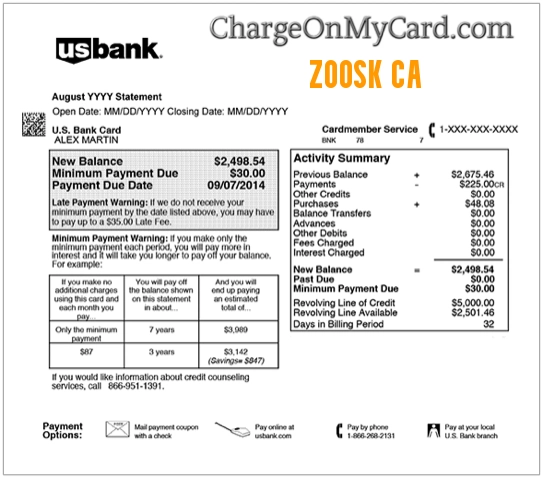
What Is the ZOOSK 18889396675 Charge on a Credit Card?
The ZOOSK 18889396675 charge is most likely related to Zoosk, an online dating service and dating app. The charge may appear when a Zoosk subscription renews, a Zoosk+ plan is purchased, a dating-app feature is bought, an app-store subscription renews, or a refund or billing adjustment is processed.
The number in the descriptor may appear as part of an older or shortened card-statement label. Your bank statement may not show the exact Zoosk plan, account email, app-store platform, or subscription renewal date.
Common Zoosk Statement Descriptor Variations
The exact wording may vary depending on your bank, card issuer, Zoosk account, app platform, payment method, or subscription type. Possible variations include:
- ZOOSK 18889396675
- ZOOSK 18889396675 888-939-6675 CA
- ZOOSK 1-888-939-6675
- ZOOSK 888-939-6675 CA
- ZOOSK CA
- ZOOSK.COM
- WWW.ZOOSK.COM
- ZOOSK SUBSCRIPTION
- ZOOSK+
- ZOOSK MEMBERSHIP
- ZOOSK RENEWAL
- ZOOSK REFUND
- PAYPAL *ZOOSK
- APPLE.COM/BILL ZOOSK
- GOOGLE *ZOOSK
- CHKCARD ZOOSK
- CHECKCARD ZOOSK
- POS PURCHASE ZOOSK
- PRE-AUTH ZOOSK
- PENDING ZOOSK
Why Zoosk May Appear on Your Statement
A Zoosk transaction may appear for several reasons:
- You purchased a Zoosk or Zoosk+ subscription.
- A Zoosk subscription automatically renewed.
- A free or promotional period converted to a paid plan.
- You bought dating-app features, upgrades, or subscription access.
- You subscribed through Zoosk.com, Apple App Store, Google Play, PayPal, or another payment platform.
- You forgot to turn off automatic renewal before the renewal date.
- Deleting the app or profile did not cancel the subscription.
- A refund, partial refund, or billing adjustment was processed.
- A spouse, partner, family member, employee, or authorized card user made the purchase.
- The charge is incorrect, duplicated, or unauthorized.
Zoosk Subscription and Auto-Renewal Charges
Zoosk’s official help explains that automatic renewal depends on the subscription plan and payment type selected during purchase. Payment types that may support automatic renewal include credit card, debit card, direct debit, Apple App Store, Google Play, PayPal, or other third-party payment methods.
If you do not remember how you subscribed, check your Zoosk account settings, Apple subscriptions, Google Play subscriptions, PayPal activity, and bank statement. The correct cancellation route depends on where the subscription was purchased.
Official Zoosk Support and Billing Options
For current Zoosk billing, subscription, refund, cancellation, or account questions, use Zoosk’s official help center and account tools. Avoid third-party cancellation sites, pop-ups, or search ads that ask for your full card number or dating-profile login.
- Zoosk Website: Zoosk.com
- Zoosk Help Center: Zoosk Help
- Contact Zoosk Support: How to contact Zoosk Customer Support
- Cancel Zoosk Subscription: Zoosk cancellation instructions
- Refund Requests: Zoosk refund help
- Subscriptions and Payments: Zoosk subscriptions and payments
Zoosk’s official support article says browser users can contact customer support from the “Contact us” link at the bottom of Help Center articles. Mobile-app users can access the contact form from the Help Center icon in the app. When contacting support, include the email address associated with your Zoosk account, the topic that best matches the issue, and a detailed description of the problem.
How to Verify a ZOOSK 18889396675 Charge
Use these steps before filing a dispute:
- Check your Zoosk account. Log in to Zoosk and review Account Settings, Subscription, billing status, renewal date, and payment method.
- Search your email. Look for “Zoosk,” “Zoosk+,” “subscription,” “renewal,” “refund,” “payment,” “dating,” or the exact charge amount.
- Check app-store subscriptions. Review Apple ID subscriptions and Google Play subscriptions if you used the mobile app.
- Check PayPal or wallet activity. If you paid through PayPal, Apple Pay, Google Pay, or a saved browser card, that account may show more details.
- Compare the amount. Match the charge to a monthly, multi-month, promotional, or renewal subscription plan.
- Look for multiple accounts. A card may be saved on an old Zoosk account, alternate email address, or household account.
- Ask authorized card users privately. A spouse, partner, family member, employee, or household user may have made the purchase.
- Contact Zoosk support. Ask whether the descriptor and amount match a subscription, renewal, refund, or account payment.
- Contact your card issuer if still unknown. Your bank can provide authorization details, merchant category, and dispute options.
How to Cancel a Zoosk Subscription
If the Zoosk charge is connected to a subscription you no longer want, cancellation depends on where you purchased it.
If You Subscribed on Zoosk.com
- Log in to Zoosk.com.
- Open Settings.
- Select Subscription.
- Choose Cancel Subscription.
- Follow the prompts and confirm the cancellation.
- Save a screenshot or email confirmation showing the subscription end date.
If You Subscribed Through Apple or Google
If you purchased through the iOS app or Google Play, cancel through the Apple App Store or Google Play subscription settings. Zoosk says third-party purchases must be canceled according to the third party’s terms. Deleting the app, updating the app, or deleting your account does not automatically cancel the subscription or create a refund.
Refunds, App Store Billing, and Deleted Accounts
Zoosk’s refund help says refund requests are handled differently depending on where you purchased the subscription. If you purchased directly through Zoosk’s website, contact Zoosk support. If you purchased through Apple or Google, the app store handles refund requests and refund decisions.
Do not assume that deleting the Zoosk app, deleting your profile, or stopping app use will stop future charges. Cancel the subscription through the same platform where it was purchased and save proof of cancellation.
What to Do If the Zoosk Charge Is Unauthorized
If you cannot connect the ZOOSK 18889396675 charge to a Zoosk account, subscription, app-store purchase, PayPal transaction, refund, household user, or authorized cardholder, treat it as a potentially unauthorized transaction.
- Lock or freeze your card if your bank offers that option.
- Change your Zoosk, email, Apple, Google, and PayPal passwords if you suspect account access.
- Check all email accounts that may have been used for Zoosk.
- Check Apple subscriptions, Google Play subscriptions, and PayPal billing agreements.
- Contact Zoosk support through the official Help Center.
- Call the number on the back of your card if you believe the card was used without permission.
- Ask your bank whether the transaction was online, recurring, mobile-wallet based, manually entered, or tied to a saved card.
- Request a replacement card if your card details may have been compromised.
- Dispute the charge if it was unauthorized, duplicated, incorrect, or cannot be verified.
Be cautious with emails, texts, or phone calls claiming to help cancel Zoosk charges. Use Zoosk.com, the official Zoosk Help Center, Apple, Google Play, PayPal, or your bank’s official app instead of links from unexpected messages.
FAQs About Zoosk Charges
What does ZOOSK 18889396675 mean on my credit card?
ZOOSK 18889396675 usually refers to a Zoosk dating subscription, Zoosk+ purchase, renewal, refund, app-store payment, or account-related billing activity. The number may be part of an older or shortened statement descriptor.
Is ZOOSK CA a legitimate charge?
It may be legitimate if you or an authorized user subscribed to Zoosk, renewed a dating subscription, purchased Zoosk+ features, or used a saved payment method. If no one recognizes it, verify it through Zoosk, Apple, Google, PayPal, and your card issuer.
Why did Zoosk charge me again?
Zoosk subscriptions may automatically renew depending on the plan and payment type. Check your Zoosk subscription settings and any Apple, Google Play, PayPal, or third-party billing account used to subscribe.
Does deleting the Zoosk app cancel my subscription?
No. Zoosk’s refund help says deleting the app or account does not automatically cancel the subscription or generate a refund. You must cancel through the platform where the subscription was purchased.
How do I cancel Zoosk if I bought it through Apple?
Cancel through your Apple ID subscription settings. Zoosk says Apple requires customers to manage iOS app subscriptions through the Apple ID account.
How do I request a Zoosk refund?
If you purchased through Zoosk’s website, contact Zoosk support. If you purchased through Apple or Google, request the refund through the App Store or Google Play process.
What if I cannot find the Zoosk account causing the charge?
Search all email accounts for Zoosk receipts, check Apple/Google/PayPal subscription activity, and contact Zoosk support with the charge date, amount, descriptor, and possible account emails. If it still cannot be verified, contact your card issuer.
Should I dispute a Zoosk charge?
Dispute the charge if you confirm it was unauthorized, duplicated, incorrect, or cannot be matched to a real Zoosk account, subscription, app-store purchase, refund, or authorized card user.
Related Charge Guides
- ADORME Charge on Credit Card
- Audible ADBL.CO/BILL NJ Charge
- WZ MAGIC ONLINE STOR WA Charge
- TLG Shopper Charge on Credit Card
- Klarna Charge on Credit Card
- PAYPAL INST XFER Charge on Bank Statement
Share Your Experience
Did a ZOOSK 18889396675, ZOOSK CA, Zoosk 1-888-939-6675, Zoosk.com, Zoosk+, PayPal Zoosk, Apple Zoosk, or Google Zoosk charge appear on your credit card, debit card, PayPal account, Apple Pay, Google Pay, or bank statement? Share the exact descriptor, amount range, billing frequency, and whether it was connected to a subscription, renewal, refund, cancellation, or unauthorized transaction.
Privacy reminder: Do not post your full card number, bank account number, dating profile name, email address, phone number, password, private messages, location, photos, or other personal information in the comments.
Why Trust ChargeOnMyCard.com?
ChargeOnMyCard.com helps consumers identify confusing credit card, debit card, ACH, bank statement, dating app, subscription, PayPal, mobile wallet, and payment processor descriptors. Our goal is to explain what a charge may be, how to verify it safely, and what steps to take if the transaction is unfamiliar, recurring, incorrect, duplicated, delayed, pending, or unauthorized.
Disclaimer
ChargeOnMyCard.com is not affiliated with Zoosk, Zoosk.com, Spark Networks, Apple, Google, PayPal, any bank, any card issuer, or any payment processor. This guide is for informational purposes only. Always verify charges directly with Zoosk, the app store, payment platform, or your financial institution if you believe a transaction is unauthorized or incorrect.