
A Klarna charge on your credit card, debit card, PayPal account, or bank statement may be connected to a buy-now-pay-later purchase, Pay in 4 installment, Pay over time financing, Klarna Card transaction, online store purchase, refund, return, subscription payment, or saved payment method. Klarna is used by many online retailers, so the charge may appear even if you bought something from a different store.
If you recently used Klarna at checkout, bought something through the Klarna app, used a one-time card, made an installment payment, or used the Klarna Card, the charge may be legitimate. If you do not recognize it, verify the purchase, merchant, Klarna account, and payment method before disputing the transaction.
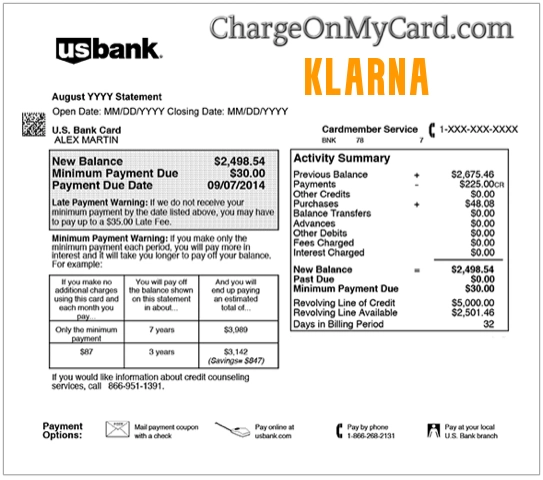
What Is the Klarna Charge on a Credit Card?
The Klarna charge usually appears when Klarna processes a payment connected to an online or in-store purchase. Klarna may be used at checkout to split a purchase into installments, pay later, pay over time, pay in full, or manage a payment through the Klarna app.
In some cases, your statement may show Klarna by itself. In other cases, it may show Klarna with the retailer name, WebBank, a payment plan, or a shortened billing descriptor. That can make the charge look unfamiliar even when it came from a legitimate purchase.
Common Klarna Statement Descriptor Variations
The exact wording may vary depending on your bank, card issuer, payment method, Klarna product, and the retailer involved. Possible variations include:
- Klarna
- KLARNA
- KLARNA INC
- KLARNA.COM
- KLARNA US
- KLARNA/US
- KLARNA WEBBANK
- KLARNA/WEBBANK
- WEBBANK KLARNA
- KLARNA PAY IN 4
- KLARNA PAY OVER TIME
- KLARNA CARD
- KLARNA ONE TIME CARD
- KLARNA PAYMENT
- KLARNA INSTALLMENT
- PAYPAL *KLARNA
- PENDING KLARNA
- POS PURCHASE KLARNA
Why Klarna May Appear on Your Statement
A Klarna charge may appear for several reasons:
- You used Klarna Pay in 4 for an online or in-store purchase.
- You used Klarna Pay over time or monthly financing.
- You used Pay in 30 days or another Klarna payment option.
- You made a purchase through the Klarna app.
- You used a Klarna one-time card to shop with a retailer.
- You used the Klarna Card.
- An installment payment processed after the original purchase date.
- A refund, return, partial refund, or merchant adjustment changed the balance.
- A subscription or recurring payment was made through Klarna.
- A retailer used Klarna as the payment provider at checkout.
- A family member, spouse, child, employee, or authorized card user made the purchase.
- The charge is incorrect, duplicated, or unauthorized.
Why Klarna/WebBank May Appear
If your statement shows Klarna/WebBank, WebBank Klarna, or similar wording, the charge may be tied to a Klarna credit, financing, or card product. WebBank is associated with certain Klarna credit and card products in the United States.
This does not automatically mean the charge is wrong. It may simply mean the payment was processed through a Klarna financing or card product rather than a basic debit card payment. Check your Klarna app, email receipts, and retailer order history to confirm the purchase.
Official Klarna Contact and Support Information
For Klarna billing, payment, account, return, refund, or dispute questions, start with Klarna’s official support options.
- Official Website: Klarna.com/us
- Klarna Help Center: Klarna Customer Service
- Klarna Login: Klarna App / Account Login
- Klarna Buyer Protection: Klarna Buyer Protection
- Klarna Card Disputes: How to Initiate a Klarna Card Dispute
- Klarna Card Questions: 888-518-2771
When contacting Klarna, have your Klarna account email, transaction date, amount, retailer name, order number, payment method, and the last four digits of the card ready. Do not provide your full card number, online banking password, Klarna password, one-time code, or full Social Security number.
How to Verify a Klarna Charge
Use these steps to determine whether the Klarna charge matches a real purchase or account:
- Open the Klarna app or website. Log in and review recent purchases, payment plans, installments, refunds, returns, and Klarna Card activity.
- Search your email. Look for “Klarna,” “WebBank,” “Pay in 4,” “Pay over time,” “one-time card,” the retailer name, and the exact charge amount.
- Check the retailer order history. Klarna may appear even though the purchase was made from a store such as a clothing, electronics, travel, beauty, furniture, or marketplace retailer.
- Compare the amount. Klarna installments may be smaller than the full purchase amount, so match the charge to the payment schedule.
- Check for multiple installments. A single purchase may produce several Klarna charges over time.
- Review refunds and returns. A merchant return may not immediately cancel every Klarna installment or payment obligation.
- Ask other card users. A spouse, child, employee, household member, or authorized user may have used Klarna at checkout.
- Check PayPal or mobile wallets. If you paid through PayPal, Apple Pay, Google Pay, or a saved card, another account may show more detail.
- Contact Klarna or the retailer. Klarna can help identify the payment plan, but the store may still control shipment, returns, and product issues.
- Contact your card issuer if still unknown. Your bank may provide authorization details, merchant category, and dispute options.
What to Do If the Klarna Charge Is Wrong or Unauthorized
If you recognize the Klarna purchase but something went wrong, such as a missing order, return problem, duplicate charge, wrong amount, or canceled subscription, start by gathering your receipts and contacting Klarna or the retailer. Klarna may allow you to report a problem through the app or website.
If you do not recognize the Klarna charge at all, treat it as a potentially unauthorized transaction:
- Lock or freeze the card if your bank offers that option.
- Change your Klarna password if you have a Klarna account.
- Check whether your email, PayPal, Apple, Google, or retailer accounts were accessed.
- Contact Klarna through the official Help Center or app.
- Call the number on the back of your card if you believe your card was used without permission.
- Ask your bank whether the charge was online, recurring, mobile-wallet based, manually entered, or tied to a saved card.
- Request a replacement card if your card details may have been compromised.
- Dispute the charge if it was unauthorized, duplicated, incorrect, or cannot be verified.
If the charge is still pending, your bank may ask you to wait until it posts before opening a formal dispute. Keep screenshots and emails while you investigate.
Klarna Disputes, Buyer Protection, and Bank Chargebacks
Klarna offers buyer-protection and dispute tools for eligible purchases, but your card issuer may also offer chargeback rights. Be careful not to open duplicate disputes in multiple places at the same time unless your bank or Klarna instructs you to do so.
If you paid for a Klarna purchase with a credit or debit card, you may be able to either submit a claim through Klarna or dispute the charge with the bank that issued your card. If you open both, Klarna may cancel its dispute process if it receives a card chargeback or payment reversal.
FAQs About Klarna Charges
What does Klarna mean on my credit card?
Klarna usually means a payment was processed through Klarna for an online or in-store purchase, installment plan, Klarna app purchase, one-time card, Pay in 4 payment, Pay over time plan, Pay in 30 days purchase, or Klarna Card transaction.
Is Klarna a legitimate charge?
It may be legitimate if you or an authorized card user used Klarna at checkout, in the Klarna app, or through a retailer that offers Klarna payment options. If no one recognizes the charge, verify it through Klarna and your card issuer.
Why does my statement say Klarna instead of the store name?
Klarna may appear because Klarna processed the payment for the retailer. Your bank statement may show Klarna, Klarna/WebBank, or a shortened descriptor instead of the store where you bought the item.
Why am I seeing multiple Klarna charges?
Multiple charges may come from installment payments, separate purchases, split shipments, returns, refunds, one-time card purchases, or multiple payment plans. Check the Klarna app to match each charge to a purchase.
What is Klarna/WebBank?
Klarna/WebBank may appear when a Klarna credit, financing, or card product is involved. WebBank is associated with certain Klarna credit and card products in the United States.
Can Klarna charge my card after a return?
It can happen if the return has not been fully processed, the merchant has not updated Klarna, or part of the order remains unpaid. Report the return through Klarna and keep proof of the return or merchant communication.
How do I dispute a Klarna charge?
For Klarna account or Klarna Card transactions, log in to Klarna, go to your transaction history, select the transaction, and report a problem. For unauthorized card activity outside Klarna, contact your card issuer using the number on the back of your card.
Should I contact Klarna or my bank first?
If you recognize the purchase but have a problem with the order, start with Klarna and the retailer. If you do not recognize the charge or believe your card was used without permission, contact your bank or card issuer immediately.
Related Charge Guides
Share Your Experience
Did a Klarna, Klarna/WebBank, Klarna Pay in 4, Klarna Card, or Klarna installment charge appear on your credit card, debit card, PayPal account, Apple Pay, Google Pay, or bank statement? Share the exact descriptor, amount range, retailer name if known, and whether it was connected to a purchase, refund, return, installment, or unauthorized transaction.
Privacy reminder: Do not post your full card number, bank account number, Klarna login, email address, phone number, order number, Social Security number, one-time code, or other private information in the comments.
Why Trust ChargeOnMyCard.com?
ChargeOnMyCard.com helps consumers identify confusing credit card, debit card, ACH, bank statement, PayPal, mobile wallet, and payment processor descriptors. Our goal is to explain what a charge may be, how to verify it safely, and what steps to take if the transaction is unfamiliar, recurring, incorrect, duplicated, or unauthorized.
Disclaimer
ChargeOnMyCard.com is not affiliated with Klarna, Klarna Inc., Klarna Bank AB, WebBank, any retailer, any payment processor, PayPal, Apple, Google, any bank, or any card issuer. This guide is for informational purposes only. Always verify charges directly with Klarna, the retailer, or your financial institution if you believe a transaction is unauthorized or incorrect.