
An AFFIRM charge on a credit card, debit card, checking account, or bank statement usually represents a payment connected with an Affirm purchase or payment plan. It may be a down payment, Pay in 4 installment, monthly loan payment, manual payment, AutoPay withdrawal, Pay Now purchase, or Affirm Card transaction.
The underlying purchase may have been made from a different retailer. The bank statement can show Affirm because Affirm financed or processed the payment, while the store name and order details appear inside the customer’s Affirm account.
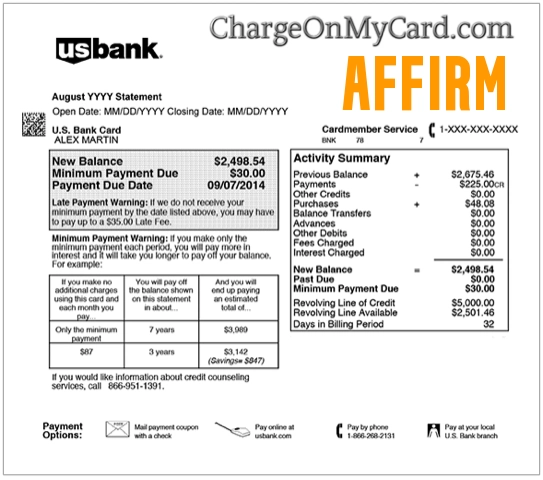
What Is the AFFIRM Charge on a Credit Card or Bank Statement?
Affirm is a buy-now-pay-later and payment-plan provider. Customers can select Affirm when purchasing products or services from participating merchants and repay the purchase over time.
An Affirm transaction may represent:
- A Pay in 4 installment
- A monthly payment-plan installment
- A required down payment
- A manual loan payment
- An automatic AutoPay withdrawal
- A Pay Now purchase paid in full through Affirm
- An Affirm Card purchase
- A linked bank-account debit for an Affirm Card transaction
- An early payment toward a plan
- A previously failed payment that was attempted again
- A payment made by another authorized user
- A duplicate or incorrectly processed payment
- An unauthorized payment or Affirm plan
The bank descriptor may not show:
- The retailer where the purchase was made
- The product or service purchased
- The Affirm plan number
- The original order number
- Whether the transaction was a down payment or installment
- The person who created the plan
How Does Affirm Work?
A typical Affirm purchase works like this:
- The customer selects products or services from a participating merchant.
- The customer chooses Affirm at checkout.
- Affirm presents the payment options for which the purchase is eligible.
- The customer selects a plan and accepts its terms.
- Affirm pays the merchant after the purchase is confirmed.
- The customer repays Affirm according to the plan’s schedule.
Available options can include:
- Pay in 4: Four payments, generally collected every two weeks
- Monthly installments: Payments spread over a longer period
- Pay Now: The full purchase amount paid through Affirm
- Affirm Card: A card that can pay in full or use an approved payment plan
The exact payment schedule, down payment, interest rate, and available options depend on the purchase, merchant, customer eligibility, and plan offered at checkout.
Is AFFIRM the Store That Charged Me?
Usually, Affirm is the payment-plan provider rather than the store that sold the product.
For example, a customer might purchase:
- Furniture
- Electronics
- Travel
- Clothing
- Appliances
- Automotive products
- Home-improvement services
- Medical or dental services
- Event tickets
- Another eligible product or service
The Affirm account should identify the merchant connected with each payment plan.
Do not assume that a charge was made directly at Affirm simply because the bank statement displays the Affirm name.
Common AFFIRM Statement Variations
The transaction may appear as:
- AFFIRM
- AFFIRM INC
- AFFIRM PAY
- AFFIRM PAYMENT
- AFFIRM PAYMENTS
- AFFIRM LOAN PAYMENT
- AFFIRM AUTOPAY
- AFFIRM PAY IN 4
- AFFIRM CARD
- AFFIRM SAN FRANCISCO CA
- AFFIRM PITTSBURGH PA
- AFFIRM 8554233729
- 30 ISABELLA STREET AFFIRM
- CHECKCARD AFFIRM
- POS DEBIT AFFIRM
- ACH DEBIT AFFIRM
- RECURRING AFFIRM
- PENDING AFFIRM
- AFFIRM REFUND
Financial institutions may abbreviate the name, remove punctuation, add a telephone number, or display Affirm’s servicing or payment location.
Why Does the Charge Say 30 Isabella Street?
The address:
30 Isabella Street, Floor 4
Pittsburgh, PA 15212
has been associated with Affirm servicing, account-statement, and credit-related correspondence.
A statement or credit record containing this address does not necessarily mean:
- The purchase was made in Pittsburgh
- The card was physically used there
- The underlying merchant was located there
- Affirm operates a customer-facing store at the address
The purchase may have been made online or at a completely different merchant.
For current customer support, use Affirm’s official Help Center or call 1-855-423-3729 rather than relying solely on postal correspondence.
Affirm’s current general legal address is:
Affirm, Inc.
650 California Street, Floor 12
San Francisco, CA 94108
Why Did Affirm Charge My Bank Account?
A Scheduled Installment Was Due
The charge may be a scheduled payment for an active Affirm plan.
Depending on the plan, payments may be:
- Every two weeks
- Monthly
- Collected on another disclosed schedule
Open the Affirm app or website and compare:
- The payment amount
- The due date
- The underlying merchant
- The remaining balance
- The payment method
- Whether AutoPay is active
A Down Payment Was Collected
Some purchases require a down payment when the plan is created.
The down payment may:
- Post immediately
- Appear separately from later installments
- Use a different date from the merchant’s final order confirmation
- Be followed by biweekly or monthly payments
Review the original plan agreement to confirm whether a down payment was required.
AutoPay Was Enabled
AutoPay allows Affirm to collect scheduled payments automatically using the selected payment method.
A customer may forget that AutoPay was enabled when:
- The purchase was made several months earlier
- The plan has a long repayment term
- Several Affirm plans are active
- A family member created the plan
- The payment amount differs from another plan
A Manual Payment Was Made
The transaction may have been submitted manually through the Affirm account.
Check whether:
- You paid early
- Another authorized user made the payment
- A manual payment was made close to the AutoPay date
- The payment was applied to a different plan than expected
A Failed Payment Was Retried
If a previous payment did not process successfully, another attempt may appear later.
Compare:
- Failed or declined attempts
- Payment notifications
- The final completed transaction
- The updated plan balance
The Payment Was Not Authorized
The transaction may be unauthorized when:
- You do not have an Affirm account
- No active plan matches the amount
- No authorized cardholder recognizes it
- The payment appears under an unfamiliar Affirm account
- Several unexpected withdrawals occur
- The card or bank information may have been compromised
Report unexplained activity promptly to Affirm and the financial institution.
Can Affirm Charge a Credit Card?
Affirm’s available payment methods vary according to the transaction and payment plan.
A credit-card charge may be possible for:
- An eligible non-interest-bearing plan
- A Pay in 4 payment when the issuer permits it
- A Pay Now transaction at a participating merchant
- Another plan that allows the specific card
Affirm says credit cards cannot be used to repay interest-bearing plans.
Some credit-card issuers also restrict or prohibit payments to buy-now-pay-later providers.
If the charge appears on a credit card:
- Review the payment method stored with each plan.
- Check whether the plan carries interest.
- Confirm whether the transaction was a Pay Now purchase.
- Ask other authorized cardholders.
- Contact Affirm if no account matches the charge.
How to Identify an AFFIRM Charge
Follow these steps:
- Copy the complete descriptor from the bank or card account.
- Record the amount, date, and transaction status.
- Sign in to the Affirm app or official website.
- Review every active and completed purchase plan.
- Compare the payment amount with each plan’s schedule.
- Open the plan details to identify the underlying merchant.
- Review the original purchase amount and order date.
- Check whether AutoPay is enabled.
- Review recent manual payments.
- Download the Affirm Loans Statement when available.
- Ask family members and other authorized users.
- Contact Affirm if no plan explains the transaction.
- Contact the financial institution if the payment remains unauthorized.
Do not post plan numbers, loan numbers, card digits, bank-account information, transaction references, login information, or security codes publicly.
How to Review Your Affirm Plans and Payments
Use the official Affirm app or website to review:
- Active payment plans
- Completed plans
- The underlying merchant
- The original purchase amount
- The remaining balance
- Upcoming due dates
- Completed payments
- AutoPay settings
- Refund or dispute activity
Official resources include:
- Affirm website: Affirm
- Affirm Help Center: Get help by topic
- Affirm Loans Statement: Review loan and payment activity
- Payment overview: Understand Affirm payments
Check every Affirm account or phone number that may have been used.
How to Turn Off Affirm AutoPay
To change or turn off AutoPay:
- Sign in to your Affirm account.
- Select the applicable purchase or payment plan.
- Open the payment settings.
- Select Update AutoPay to change the payment method.
- Select Turn off AutoPay to stop automatic collection.
- Complete every confirmation step.
- Save the confirmation or screenshot.
- Review the next due date.
- Make future payments manually when required.
Turning off AutoPay does not cancel the Affirm plan.
The required payments and outstanding balance remain due unless:
- The plan is paid in full
- The merchant confirms a cancellation
- A refund is applied
- An approved dispute changes the balance
Missing a required payment can still affect account eligibility and may affect credit reporting, even though Affirm says it does not charge late fees.
Why Are There Two AFFIRM Charges?
Two transactions may represent:
- A down payment and the first installment
- Payments for two different purchases
- Two active Affirm plans
- A manual payment and an AutoPay payment
- A failed attempt followed by a successful payment
- A pending authorization and completed payment
- Payments made by two authorized users
- An Affirm Card debit and a separate loan payment
- An actual duplicate payment
- Repeated unauthorized activity
Compare each amount and date with the plan history.
A pending entry and a completed entry may not represent two final withdrawals. Wait for the pending transaction to settle unless Affirm or the bank advises otherwise.
What Is a Pending AFFIRM Charge?
A pending Affirm transaction may be:
- A payment authorization
- A down payment awaiting confirmation
- A payment that has not fully processed
- A purchase awaiting merchant confirmation
- A failed transaction that may later disappear
The entry may:
- Post for the same amount
- Change when it settles
- Disappear if it was not completed
- Be replaced by the final transaction
Do not submit another payment solely because the first entry is pending.
What If the AFFIRM Amount Is Different?
A different amount may be:
- A down payment
- One installment rather than the full purchase
- A payment for another plan
- A manual partial payment
- A refund adjustment
- Interest disclosed in the plan
- A payment applied after a return
- An incorrect or unauthorized transaction
Review the plan agreement and payment timeline.
Affirm does not normally charge an undisclosed late or account fee, but the customer’s bank may impose overdraft, insufficient-funds, or other banking fees.
How to Cancel an Order Purchased With Affirm
Affirm cannot normally cancel the merchant’s order directly.
To cancel:
- Contact the store where the purchase was made.
- Follow the merchant’s cancellation policy.
- Obtain written confirmation that the order was canceled.
- Ask when the merchant will notify Affirm.
- Monitor the Affirm plan for a cancellation or refund update.
- Continue making required payments until the refund is applied.
Canceling the order with the store and turning off Affirm AutoPay are not the same process.
Do not stop required payments merely because:
- You requested cancellation
- The store promised a refund
- The merchandise is being returned
- The refund has not yet appeared
The plan balance changes after Affirm receives and processes the merchant’s confirmation.
How Do Affirm Refunds Work?
The store controls the underlying product or service refund.
Affirm generally cannot issue a purchase refund until the merchant confirms it.
When requesting a refund:
- Contact the merchant directly.
- Follow the merchant’s return or cancellation policy.
- Save the return receipt and tracking information.
- Request written refund confirmation.
- Monitor the Affirm purchase timeline.
- Continue required payments until the refund is applied.
- Check the updated plan balance.
- Contact Affirm if the merchant confirms a refund but it does not appear.
A refund can be:
- Full
- Partial
- Applied against the remaining plan balance
- Returned through the applicable payment method when more has already been paid than remains due
The timing depends on the merchant, the Affirm plan, and the payment method.
What If I Returned the Item but Affirm Still Charges Me?
Affirm payments may continue while a store return is pending.
Take these steps:
- Confirm that the store received the return.
- Obtain the return tracking and delivery confirmation.
- Ask the store whether it submitted the refund to Affirm.
- Save the refund amount and processing date.
- Check the Affirm purchase timeline.
- Contact Affirm if the store confirms submission but the plan has not changed.
- Continue payments until Affirm applies the refund unless Affirm instructs otherwise.
A merchant’s return confirmation and an Affirm plan adjustment may occur on different dates.
How to Dispute an Affirm Purchase
Contact the merchant first when the issue involves:
- Merchandise not received
- A canceled order
- A damaged or defective product
- Incorrect merchandise
- A service that was not provided
- A promised refund that was not processed
- An incorrect purchase amount
If the merchant does not resolve the problem:
- Sign in to Affirm.
- Select Manage.
- Select the affected purchase.
- Select Details.
- Open Disputes, Refunds, and Order Issues.
- Select the appropriate issue.
- Provide the requested evidence.
- Save the dispute confirmation.
- Monitor the dispute status.
Useful evidence may include:
- The order confirmation
- Messages with the merchant
- Cancellation confirmation
- Return tracking
- Delivery records
- Photographs
- The advertised product description
- The merchant’s refund confirmation
What If I Never Opened an Affirm Account?
If an Affirm payment appears but you do not have an account:
- Save the complete descriptor, amount, and date.
- Confirm whether the entry is pending or completed.
- Ask other authorized account holders.
- Contact Affirm at 1-855-423-3729.
- State that you do not have or recognize an Affirm account.
- Do not provide unnecessary account or card information.
- Lock the affected card or bank account if additional transactions appear.
- Call the financial institution using the number printed on the card or official statement.
- Report the payment as unauthorized.
- Ask whether the payment method should be replaced.
- Continue monitoring all accounts.
Affirm’s existence as a legitimate company does not prove that a specific payment was authorized.
How to Report an Unauthorized Affirm Plan or Payment
Use the correct route for the problem.
An Affirm Account or Plan Was Opened in Your Name
Use Affirm’s unauthorized-account or unauthorized-plan reporting process.
An Unauthorized Payment Came From Your Bank Account
If you are not an Affirm customer and did not authorize anyone to make a payment:
- Contact the bank immediately.
- Report the ACH or debit transaction.
- Ask whether the account or card should be replaced.
- Contact Affirm through the official Help Center.
- Save the bank claim and Affirm case numbers.
Official Affirm guidance:
Current Affirm Customer Care
- Official website: Affirm
- Help Center: Affirm Help Center
- Contact page: Contact Affirm
- Customer Care: 1-855-423-3729
- Phone hours: 8 a.m.–11 p.m. Eastern, seven days a week
- Chat hours: 7 a.m.–7:30 p.m. Eastern, seven days a week
When contacting Affirm, have available:
- The complete statement descriptor
- The general transaction amount and date
- The telephone number connected with the Affirm account
- The merchant name, when known
- The plan or purchase details shown in the account
- Only the limited payment information requested through an official route
Never provide an incoming caller with:
- Your complete card or bank-account number
- Your PIN or CVV code
- Your Affirm password
- Your email password
- A one-time authentication code
Does Affirm Charge Late Fees?
Affirm says it does not charge late fees.
However, a late or missed payment may still:
- Limit access to future Affirm payment plans
- Affect account eligibility
- Be reported to a credit bureau depending on the plan
- Lead to collection activity
Turning off AutoPay, changing the card, or disputing the underlying merchandise does not automatically pause the payment obligation.
Contact Affirm promptly if you cannot make a required payment or believe the balance is wrong.
What Is the Affirm Card?
The Affirm Card is a Visa debit card that can be used for purchases online or in stores.
Depending on eligibility, a customer may:
- Pay for the purchase in full
- Request a pay-over-time plan through the Affirm app
- Link a bank account to fund eligible purchases
An Affirm Card-related bank entry may therefore be:
- A pay-in-full debit
- A payment-plan installment
- A purchase not matched with an approved plan
- A refund connected with an Affirm Card purchase
The merchant may appear on the Affirm Card statement while the linked bank transaction shows Affirm.
Review both the Affirm Card activity and the linked bank account before assuming that two entries are duplicates.
Credit Card and Bank Dispute Guidance
Contact the financial institution promptly when:
- No Affirm plan explains the payment
- You never opened an Affirm account
- The card or bank account was used without permission
- Affirm cannot locate the payment
- Several unexpected withdrawals appear
- The payment information may be compromised
Official consumer resources include:
- CFPB credit-card dispute guidance
- FTC credit-card billing guidance
- CFPB unauthorized bank and debit transaction guidance
A dispute with the store, an Affirm purchase dispute, and an unauthorized bank-transaction claim are separate processes.
Watch Out for Fake Affirm Support
Use the official Affirm website, app, Help Center, and published customer-care number.
Be cautious of:
- Unexpected text messages asking you to verify a plan
- Emails claiming an Affirm account was approved
- Calls offering to cancel an Affirm loan
- Websites using a misspelled Affirm domain
- Fake refund offers
- Requests for remote access to your phone or computer
Never provide:
- Your complete card number
- Your bank-account login
- Your PIN or CVV code
- Your Affirm password
- Your email password
- A one-time verification code
- Gift-card numbers
- Cryptocurrency
- A second payment supposedly required to release a refund
Do not assume an incoming call is genuine merely because caller ID displays an Affirm number. Telephone numbers can be spoofed.
Consumer Reports and Experiences
There are currently zero visible cardholder reports on this ChargeOnMyCard.com page.
No visitor has yet provided:
- The exact Affirm descriptor
- The payment amount
- The underlying merchant
- Whether it was a down payment or installment
- Whether AutoPay was enabled
- Whether the charge appeared on a credit card or bank account
- Whether a merchant refund was applied
- Whether Affirm resolved a dispute
- Whether the financial institution found unauthorized activity
ChargeOnMyCard.com cannot access Affirm plans, payment schedules, merchant orders, refunds, disputes, credit records, cards, or bank accounts.
Frequently Asked Questions About AFFIRM Charges
What is AFFIRM on my bank statement?
It normally represents a down payment, installment, manual payment, AutoPay withdrawal, Pay Now purchase, or Affirm Card transaction.
Why does the charge say Affirm instead of the store?
Affirm financed or processed the transaction. The underlying merchant should appear in the plan details inside the Affirm account.
Is 30 Isabella Street connected with Affirm?
Yes. The Pittsburgh address has been associated with Affirm servicing, statement, and credit correspondence. It does not mean the purchase was made there.
Is 30 Isabella Street Affirm’s headquarters?
It should not be described as Affirm’s current headquarters. Affirm’s current terms list 650 California Street, Floor 12, San Francisco, California 94108.
Why is Affirm charging me every two weeks?
The purchase may use Affirm’s Pay in 4 schedule, which generally divides the amount into four payments.
Why is Affirm charging me every month?
You may have a longer monthly payment plan or another active Affirm purchase.
Can Affirm charge a credit card?
Eligible credit cards can be used for certain non-interest-bearing plans or Pay Now purchases. Affirm says credit cards cannot repay interest-bearing plans.
How do I find the merchant?
Sign in to Affirm, open the payment plan, and review the merchant, purchase amount, payment schedule, and transaction history.
How do I stop Affirm AutoPay?
Open the plan’s payment settings and select Turn off AutoPay. You must still make each required payment manually.
Does turning off AutoPay cancel the loan?
No. The payment plan and outstanding balance remain active.
How do I cancel an Affirm purchase?
Contact the merchant first. Affirm cannot normally cancel the merchant’s order without the store’s confirmation.
Why am I still being charged after returning the item?
Required payments may remain due while the merchant’s refund is being confirmed and applied to the Affirm plan.
How do I dispute a purchase?
Contact the merchant first. If unresolved, open the purchase in Affirm and use the Disputes, Refunds, and Order Issues section.
What is Affirm’s customer-service number?
Affirm currently publishes 1-855-423-3729 for Customer Care.
What if I never opened an Affirm account?
Contact Affirm and the financial institution immediately, report the unauthorized transaction, and ask whether the payment method should be replaced.
Can ChargeOnMyCard.com cancel or refund an Affirm payment?
No. ChargeOnMyCard.com cannot access Affirm, merchant, loan, card, refund, or banking systems.
Related Charge Guide
- How to Investigate an Unrecognized Credit Card, Debit Card, or Bank Charge
- Klarna Charge
- Shopify Charge on Credit Card
This broader guide explains how to check merchant information, authorized users, pending entries, payment methods, refunds, and financial-institution disputes.
Help Other Cardholders Identify AFFIRM
If you saw AFFIRM, AFFIRM PAY, AFFIRM INC, 30 ISABELLA STREET, or another variation, please share what the payment involved.
Helpful details include:
- The descriptor format without private references
- The general amount
- Whether the transaction appeared on a credit card, debit card, or bank account
- The underlying merchant
- Whether it was a down payment, Pay in 4 installment, or monthly payment
- Whether AutoPay was enabled
- Whether the store issued a refund
- Whether Affirm resolved the dispute
- How the financial institution handled unauthorized activity
Do not post card numbers, card digits, bank-account information, plan numbers, transaction references, account telephone numbers, email addresses, passwords, PINs, CVV codes, or authentication codes.
Related Buy Now, Pay Later Charge Guides
- Klarna charge on a credit card or bank statement
- How to Investigate an Unrecognized Credit Card, Debit Card, or Bank Charge
These guides can help identify whether an unfamiliar payment came from another installment provider or requires broader investigation.
Why Rely on ChargeOnMyCard.com?
ChargeOnMyCard.com researches confusing credit-card, debit-card, buy-now-pay-later, installment, loan-payment, AutoPay, payment-processor, and bank-statement descriptors using current merchant resources, published payment terms, transaction patterns, and visible cardholder reports.
We distinguish Affirm’s verified payment-plan services from the separate question of whether a particular purchase, plan, or payment was understood and authorized.
Last reviewed: July 2026.
Disclaimer
ChargeOnMyCard.com is not affiliated with Affirm, Affirm Holdings, Inc., Affirm, Inc., Affirm Loan Services, LLC, Affirm Payments, LLC, Affirm Card, any Affirm lending partner, issuing bank, merchant, cardholder, bank, credit union, card network, payment processor, or financial institution. This article is provided for informational purposes only and is not financial, legal, lending, credit, banking, payment-plan, refund, privacy, dispute, or fraud-prevention advice. Contact Affirm, the applicable merchant, and the financial institution directly regarding a specific transaction.