
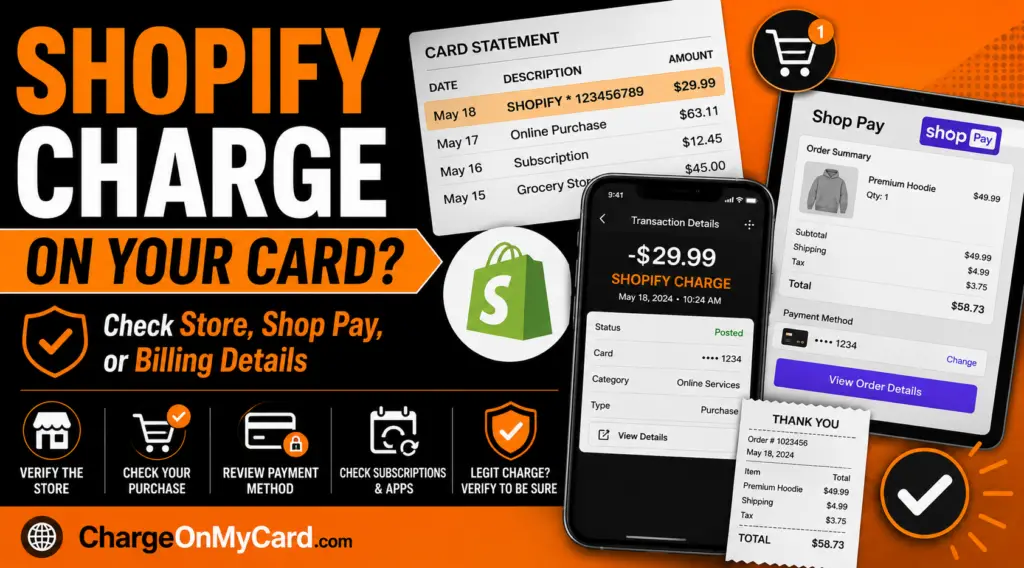
A Shopify charge on your credit card, debit card, or bank statement may be connected to a Shopify store subscription, Shopify merchant bill, Shop Pay purchase, Shop Pay Installments payment, app subscription, online store order, or purchase from a merchant that uses Shopify for checkout. The charge may appear as SHOPIFY, SHOPIFY *, Shop Pay, Shopify Payments, or a similar descriptor.
The most important first step is to decide whether you are a Shopify merchant being billed for your store or a shopper who bought from a store that uses Shopify. Shopify powers many online stores, so the statement name may not always match the product or store name you remember.
What Is the Shopify Charge?
A Shopify charge may come from Shopify’s own billing system, from a Shopify-powered merchant, from Shop Pay checkout, from an installment payment, or from a subscription or app connected to a Shopify store.
For Shopify merchants, Shopify billing charges can appear on a bank or card statement as SHOPIFY * followed by a bill number. For shoppers, a Shopify-related charge may be connected to a purchase from a store that uses Shopify, a Shop Pay checkout, a subscription order, or an installment payment.
Common Shopify Statement Descriptors
Cardholders may see several Shopify-related billing names, including:
- Shopify
- SHOPIFY *
- SHOPIFY * followed by a bill number
- Shop Pay
- Shop Pay Installments
- Shopify Payments
- Shop App
- A store name followed by Shopify or Shop Pay details
- A merchant name that uses Shopify checkout
The exact wording depends on whether the charge is for a Shopify merchant bill, an online store purchase, a Shop Pay transaction, an installment payment, a subscription product, or a third-party Shopify app charge.
Why Shopify May Appear on Your Card
- You own or manage a Shopify store and were billed for a Shopify plan.
- You paid for a Shopify app, theme, domain, shipping label, or other merchant service.
- You bought something from an online store that uses Shopify.
- You checked out using Shop Pay.
- You used Shop Pay Installments for a purchase.
- You subscribed to a product from a Shopify-powered store.
- A Shopify app or third-party service renewed through a merchant’s Shopify bill.
- A spouse, employee, business partner, household member, or authorized card user made the purchase.
- Your card information may have been used without permission.
If You Are a Shopify Merchant
If you run a Shopify store, the charge may be tied to your Shopify admin account. Shopify bills can include plan fees, app charges, shipping charges, transaction fees, domain charges, taxes, marketplace fees, or other store-related costs.
To verify the charge, log in to your Shopify admin and check Settings > Billing. Compare the bill number, date, amount, billing cycle, and payment method with the transaction on your bank or card statement.
Common Merchant Billing Reasons
- Monthly Shopify plan billing
- Annual Shopify plan billing
- Shopify app subscriptions
- Usage-based app charges
- Theme purchases
- Domain renewals
- Shipping labels
- Shopify Email or marketing-related usage
- Taxes or fees on Shopify services
- Outstanding charges after closing or pausing a store
If You Are a Shopper
If you do not own a Shopify store, the charge may be from a purchase you made at an online store that uses Shopify for checkout or payment processing. Shopify provides ecommerce software to merchants, but the store that sold the product is usually responsible for the order, shipment, refund, or return.
Search your email for order confirmations, shipping notices, Shop Pay receipts, store names, tracking updates, subscription renewals, or the exact amount charged. The merchant name may appear in the email even if your bank statement shows Shopify, Shop Pay, or a shortened payment descriptor.
Shop Pay and Shop Pay Installments Charges
Shop Pay is Shopify’s accelerated checkout option. If you used Shop Pay to buy from an online store, your card or bank statement may show a Shopify-related descriptor, the store name, or a payment-processing variation.
Shop Pay Installments lets eligible shoppers split certain purchases into installment payments. If you used installments, you may see multiple payments instead of one full purchase amount. The payment date may not match the original order date, especially if the purchase was split into scheduled payments.
Shopify App and Subscription Charges
If you are a merchant, a Shopify-related charge may come from a third-party app installed on your Shopify store. App charges can be recurring, usage-based, or one-time. Some app charges may appear on your Shopify bill even if the app has its own separate billing cycle.
If you believe an app charge is wrong, check the app details in your Shopify admin. For refunds on many third-party app charges, you may need to contact the app developer directly.
How to Verify a Shopify Charge
- Check whether you own, manage, or help pay for a Shopify store.
- If you are a merchant, log in to Shopify admin and review Settings > Billing.
- If you are a shopper, search your email for Shopify, Shop Pay, order confirmation, shipping, subscription, installment, or the exact amount charged.
- Ask authorized card users whether they bought something from an online store or paid for a Shopify business account.
- Check whether the charge is pending or posted. Posted charges often show more merchant details.
- Open the full transaction details in your bank app and look for a store name, website, phone number, bill number, or merchant category.
- If you still cannot identify it, contact Shopify support, the store, or your card issuer depending on the situation.
Shopify Official Support Information
- Shopify Website: shopify.com
- Shopify Help Center: Shopify Help Center
- Shopify Billing Help: Managing Shopify billing
- Unknown Shopify Charge Help: Resolving unknown Shopify bill charges
- Contact Shopify Support: How to contact Shopify support
- Shop Help Center: Shop app and Shop Pay help
What To Do If You Recognize the Charge
If the charge matches a Shopify store bill, save the invoice from your Shopify admin. If it matches a purchase from a Shopify-powered store, save the order confirmation, store receipt, shipping confirmation, tracking number, subscription confirmation, or installment payment record.
If the charge is recurring and you no longer want the service, cancel the Shopify app, product subscription, store subscription, or merchant service through the correct account. Save the cancellation confirmation in case another billing cycle appears.
What To Do If You Do Not Recognize the Charge
- Search all email accounts for Shopify, Shop Pay, Shop app, store receipts, subscriptions, and the exact amount charged.
- Ask authorized card users whether they bought from an online store or used Shop Pay.
- If you are a merchant, check all Shopify stores connected to your email address.
- If you are a shopper, identify the store name and contact the merchant first for order questions.
- If the charge says SHOPIFY * followed by a bill number, compare it with Shopify admin billing records.
- If you cannot identify a legitimate purchase or bill, contact your bank or card issuer.
- For suspected fraud, ask your issuer whether to lock the card, replace the card number, and dispute the transaction.
Refunds, Returns, and Order Problems
If you bought from a Shopify-powered store, the store merchant is usually the first place to go for shipping, returns, refunds, damaged items, missing orders, or cancellation requests. Shopify may provide the platform, but the individual store normally handles the sale and customer service.
If you used Shop Pay Installments, a refund may affect the remaining installment balance rather than simply reversing the entire original purchase at once. Review your Shop Pay or installment account and contact the store for the refund status.
Could the Shopify Charge Be Fraud?
A Shopify charge is not automatically fraud. It may be a legitimate Shopify merchant bill, online store purchase, Shop Pay checkout, installment payment, product subscription, or app charge. However, if no one recognizes the transaction and you cannot match it to a Shopify store, order, invoice, or account, treat it as potentially unauthorized.
Use Shopify’s official Help Center, the store’s official contact page, the Shop app, and your bank’s official app or phone number. Avoid clicking suspicious refund, package-tracking, cancellation, or account-warning links in unexpected emails or text messages.
Related Ecommerce, Subscription, and Online Payment Charge Guides
- Rise Digital Charge on Credit Card or Debit Card Statement
- Luzern Solutions LLC Charge on Credit Card
- Klarna charge on a credit card or bank statement
- Cleeng LLC Charge on Credit Card
- ProBiller Charge on Credit Card
- FSPRG.COM FastSpring Charge on Credit or Debit Card
- Adore Me Charge on Credit Card
Help Other Cardholders Identify This Charge
If you saw a Shopify, SHOPIFY *, Shop Pay, Shopify Payments, or similar Shopify-related charge on your credit card, debit card, or bank statement, please share your experience in the comments. Helpful details include the exact descriptor, amount, whether you are a Shopify merchant or shopper, whether it involved Shop Pay, an app, a subscription, a store purchase, or an installment payment, and how you confirmed the charge. Do not post full card numbers, passwords, PINs, one-time security codes, private account details, or personal contact information.
Why Rely on ChargeOnMyCard.com?
ChargeOnMyCard.com helps consumers identify confusing credit-card, debit-card, ACH, and bank-statement descriptors by researching merchant names, ecommerce platforms, subscription billing names, app payments, and official support options. Our goal is to help cardholders determine whether a charge is likely legitimate, mistaken, recurring, or potentially unauthorized.
Disclaimer
ChargeOnMyCard.com is not affiliated with Shopify, Shop Pay, Shopify Payments, any Shopify store, any app developer, payment processor, bank, or card issuer. This page is for informational purposes only and should not be treated as financial, legal, ecommerce, subscription, or banking advice. If you believe a charge is unauthorized, contact your bank or credit card issuer directly.