
A PAYPAL INST XFER entry on your bank statement usually means an electronic transfer involving PayPal. The abbreviated wording may also appear as PAYPAL INSTANT XFER, ACH PAYPAL INST XFER, PAYPAL INST XFER WEB, or simply INST XFER.
The direction of the transfer depends on whether your bank lists it as a credit, deposit, debit, withdrawal, or pending ACH hold. A credit may be money transferred from your PayPal balance to your bank, while a debit may be money PayPal withdrew from your linked bank account to fund a payment or transfer. Review PayPal Activity before deciding whether the entry was authorized.
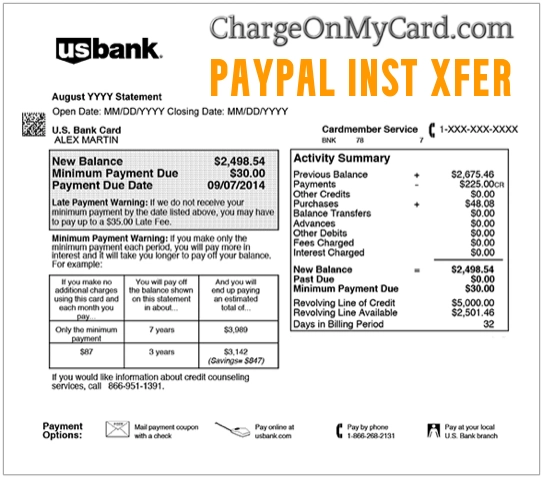
What Does PAYPAL INST XFER Mean on a Bank Statement?
PAYPAL INST XFER normally means PayPal Instant Transfer.
- INST is an abbreviation for instant.
- XFER is an abbreviation for transfer.
The descriptor identifies a PayPal transfer rather than one specific retail merchant. It may represent money moving:
- From your PayPal balance to a linked bank account
- From your PayPal balance to an eligible debit card
- From your linked bank account to fund a PayPal payment
- From your linked bank account into your PayPal balance
- Between PayPal and another eligible financial account
The amount, transaction direction, PayPal Activity details, and bank-entry type are needed to determine which explanation applies.
How to Tell Which Direction the PayPal Transfer Went
Look at how the entry is classified by your bank.
If PAYPAL INST XFER Is a Credit or Deposit
A positive amount or deposit most likely means money was transferred from PayPal to your bank account or eligible debit card.
This may happen when you:
- Withdraw money from your PayPal balance
- Transfer money received from another PayPal user
- Transfer proceeds from an online sale
- Move a refund or other available PayPal balance to your bank
- Select the instant-transfer option instead of a standard withdrawal
If PAYPAL INST XFER Is a Debit or Withdrawal
A negative amount, ACH debit, or withdrawal may mean that PayPal pulled money from your linked bank account.
This may involve:
- A PayPal purchase funded through your bank
- Money sent to another PayPal user
- Money added to your PayPal balance
- A merchant invoice paid through PayPal
- An automatic payment funded by your bank
- A previous bank-funded payment that finished clearing
- A payment attempt that PayPal retried
If PAYPAL INST XFER Is Pending or on Hold
A pending entry or ACH hold may mean the bank has received an electronic transfer request but has not completed settlement.
The entry may later:
- Post as a completed debit
- Post as a completed credit
- Change wording when settled
- Disappear if the authorization expires
- Be reversed if the transfer fails
What Is a PayPal Instant Transfer?
A PayPal Instant Transfer generally allows an eligible user to move an available PayPal balance to a linked bank account or eligible debit card more quickly than a standard transfer.
When withdrawing money, PayPal may offer choices such as:
- In minutes: An instant transfer for which a fee applies
- In one to three business days: A standard bank transfer without the instant-transfer fee
Availability, timing, fees, and transfer limits depend on the account, destination, bank, card, transfer amount, and PayPal’s current terms.
Could PAYPAL INST XFER Be a Bank-Funded PayPal Payment?
Yes. PayPal may process a payment immediately for the recipient while the corresponding withdrawal from your linked bank account is still moving through the banking system.
This can make the bank debit appear later than the original purchase or payment date.
Examples include:
- An online purchase paid through PayPal checkout
- A payment sent to a friend or family member
- A merchant payment
- An invoice
- A donation
- An automatic or recurring payment
Open the matching entry in PayPal Activity to identify the merchant, recipient, payment date, bank account, and transaction status.
What Is ACH PAYPAL INST XFER?
ACH stands for Automated Clearing House, an electronic network used to transfer money between U.S. bank accounts.
An entry such as ACH PAYPAL INST XFER may represent:
- A PayPal debit from your linked bank account
- Money transferred into PayPal
- A bank-funded PayPal payment
- A PayPal withdrawal deposited into your bank
- A returned, retried, or reversed electronic transfer
Check whether the ACH entry is labeled as a debit or credit. That distinction is more informative than the phrase `INST XFER` by itself.
What Does ACH HOLD PAYPAL INST XFER Mean?
An ACH HOLD PAYPAL INST XFER entry most likely means your bank is temporarily holding funds while a PayPal-related ACH debit is pending.
A hold may occur while:
- The bank verifies available funds
- The ACH transfer is settling
- PayPal reviews the transaction
- A bank-funded payment is clearing
- A transfer is being returned or retried
The exact meaning of “hold” is determined by your bank. Contact the bank using the number printed on your card or statement when the status is unclear.
What Does PAYPAL INST XFER WEB Mean?
If your statement includes WEB, it may be the ACH classification for an entry authorized through the internet or a mobile device.
For example:
- PAYPAL INST XFER WEB
- ACH WEB PAYPAL INST XFER
- INSTSXFERWEB PAYPAL
- PAYPAL XFER WEB
The `WEB` wording normally describes how the electronic authorization was initiated. It does not necessarily identify a separate company or product.
What Does INST XFER SEC Mean?
In ACH records, SEC may refer to a Standard Entry Class code. These codes help financial institutions classify the type of electronic transaction.
For example, `WEB` is one SEC code used for certain internet- or mobile-authorized ACH entries.
If your bank displays `SEC`, `WEB`, or another technical code, ask the bank for:
- The complete company entry description
- The ACH company name
- The ACH company ID
- Whether the transaction is a debit or credit
- The Standard Entry Class code
- The settlement and effective dates
Why Did PAYPAL INST XFER Appear?
Common explanations include:
- You transferred your PayPal balance to your bank.
- You selected an instant withdrawal to a debit card.
- You made a PayPal payment using a linked bank account.
- You added money to your PayPal balance.
- You sent money to another PayPal user.
- An automatic payment used your linked bank account.
- A household member used a shared PayPal account.
- A previously initiated bank payment finally cleared.
- A failed bank debit was retried.
- Your PayPal or bank information may have been used without permission.
How to Find the PayPal Transfer
- Sign in directly through the official PayPal website or app.
- Open Activity.
- Search for the bank-statement amount.
- Compare the PayPal date with the bank posting date.
- Open the transaction details.
- Check whether it says transfer, withdrawal, payment, money added, automatic payment, or refund.
- Review the source and destination accounts.
- Check the transaction status and any fee.
- Repeat the search in any other PayPal account used by your household.
PayPal also allows customers to download account statements and custom transaction reports for a longer date range.
How to Download PayPal Statements and Transfer History
- Sign in to PayPal.
- Open Activity or History.
- Select the download or statements option.
- Choose the relevant date range.
- Generate the report.
- Compare the PayPal transfer ID, amount, date, fee, and status with your bank entry.
Downloaded transaction history can be helpful when an older transfer no longer appears near the top of your Activity feed.
Is PAYPAL INST XFER a Fee?
The complete entry usually represents the transfer itself, not merely a fee. However, PayPal generally charges a fee for an instant withdrawal to an eligible bank or debit card.
Review the transaction details for:
- The original transfer amount
- The instant-transfer fee
- The net amount sent to the destination
- The bank or card receiving the money
- The completion status
PayPal’s current fee may change and should be disclosed before the transfer is confirmed. Use the fee shown inside your PayPal account rather than relying on an older percentage posted elsewhere.
Why Is the Bank Deposit Smaller Than the PayPal Transfer?
If an instant-transfer fee was deducted, the amount reaching the bank may be lower than the available PayPal balance you chose to withdraw.
Other possibilities include:
- Only part of the balance was transferred.
- More than one transfer was initiated.
- A currency conversion occurred.
- A separate payment reduced the PayPal balance.
- The bank is displaying a net amount.
Open the transaction in PayPal Activity for the gross amount, applicable fee, and amount delivered.
Why Is the PayPal Instant Transfer Pending?
An instant transfer may be delayed because:
- The receiving bank is still processing it.
- The bank or debit card is not eligible.
- The transfer is under a PayPal security review.
- The linked account information is incorrect.
- The bank rejected the transfer.
- The PayPal account has a limitation.
- The transfer was initiated on a weekend or holiday.
PayPal says some withdrawals may be held for review. Check Activity and any PayPal email or account notification for the current status.
Can You Cancel a PAYPAL INST XFER?
It depends on the type and status of the transaction.
Pending or Unclaimed Personal Payment
A pending or unclaimed personal payment may be cancelable when a Cancel option appears in PayPal Activity.
Completed PayPal Payment
A completed payment normally cannot be canceled through the transfer screen. You may need to ask the recipient for a refund or use PayPal’s dispute process when appropriate.
Completed Withdrawal to Your Bank
A completed withdrawal generally cannot be canceled. After the money reaches the bank, you may be able to transfer it back to PayPal using an eligible linked bank account or debit card.
Pending Bank Debit
Do not ask the bank to block a recognizable PayPal debit without first checking PayPal Activity. A rejected bank payment may be retried, charged to a backup payment method, or create a negative PayPal balance.
How to Stop Future PayPal Transfers
- Identify the transaction inside PayPal Activity.
- Determine whether it is a withdrawal, personal payment, merchant payment, or automatic payment.
- Cancel a pending transaction only when PayPal provides that option.
- Review automatic payments and billing agreements.
- Cancel the merchant authorization when the charge is recurring.
- Review linked bank accounts and cards in your PayPal Wallet.
- Change your PayPal password if you do not recognize the activity.
- Contact PayPal and the bank when the transfer remains unauthorized.
Removing a payment method does not necessarily cancel an existing subscription or completed transfer. Cancel the underlying merchant agreement separately when applicable.
Why Did PayPal Try the Transfer More Than Once?
More than one bank entry may occur because:
- The original bank debit was returned.
- PayPal retried the bank-account payment.
- A backup payment method was used.
- You initiated more than one transfer.
- A pending hold and completed entry are both visible.
- Separate payments had the same amount.
- Duplicate or unauthorized activity occurred.
Check the status of every entry before treating a pending hold and final transaction as two completed charges.
What If PAYPAL INST XFER Is Not in Your PayPal Account?
If the entry appears at your bank but cannot be found in any PayPal account you control:
- Check every PayPal account and email address used by your household.
- Ask joint-account holders and authorized users.
- Search email for the exact amount and date.
- Ask the bank for the full ACH company name and ID.
- Contact PayPal through its official Contact Us page.
- Report the bank transaction if it remains unauthorized.
- Ask whether the bank account number or debit card should be replaced.
How to Report an Unauthorized PayPal Transfer
If the transfer appears inside your PayPal account:
- Open PayPal’s Resolution Center.
- Select Report a Problem.
- Choose the unfamiliar transaction.
- Select the unauthorized-activity option.
- Provide the requested information.
- Change your PayPal password.
- Review linked banks, cards, email addresses, and telephone numbers.
If the entry appears only at your bank, contact the bank as well as PayPal. The bank may need to investigate the ACH debit and secure the affected account.
PayPal Official Contact and Transfer Resources
- Official Website: paypal.com
- PayPal Activity: Review PayPal transactions
- Customer Service: 1-888-221-1161
- Contact PayPal: PayPal Contact Us
- Help Center: PayPal Help Center
- Resolution Center: PayPal Resolution Center
- Transfer Help: PayPal withdrawal instructions
- Unauthorized Activity: Report an unauthorized transaction
Watch Out for Fake PayPal Support Calls
Although 1-888-221-1161 is associated with PayPal support, caller ID can be spoofed. PayPal warns that it will not unexpectedly call from that number to request personal or account information.
Do not give an unexpected caller:
- Your PayPal password
- Your bank login
- Your complete card or bank-account number
- Your PIN
- A one-time security code
- Remote access to your device
- Gift-card numbers
- Cryptocurrency
- A transfer to a supposed safe account
End the call and contact PayPal through its official website or dial the verified number yourself.
Cardholder Report About PAYPAL INST XFER
One visible report on this page described an unrecognized entry containing wording similar to INSTSXFERWEB PAYPAL MAGAZINE.
That report does not confirm whether the payment involved a magazine subscription, a PayPal automatic payment, an ACH transfer, or unauthorized activity. The complete PayPal Activity record and the bank’s expanded ACH information would be needed to identify it.
Frequently Asked Questions About PAYPAL INST XFER
What does PAYPAL INST XFER mean?
It means PayPal Instant Transfer. It normally identifies electronic movement of money between PayPal and a linked bank account or debit card.
What does INST XFER mean?
`INST` means instant, and `XFER` means transfer.
What is PAYPAL INST XFER on my bank statement?
It may be a PayPal balance withdrawal deposited into your bank or a PayPal debit from the bank to fund a payment or balance transfer. Check whether the entry is a credit or debit.
What is a PayPal instant transfer?
It is an expedited transfer that can move an available PayPal balance to an eligible bank or debit card, normally faster than a standard withdrawal.
What does ACH PAYPAL INST XFER mean?
It identifies a PayPal-related transfer moving through the ACH bank network. Determine whether it is an ACH debit or credit.
What is ACH HOLD PAYPAL INST XFER?
It most likely means the bank has placed a temporary hold while a PayPal ACH transaction is pending.
What does PAYPAL INST XFER WEB mean?
`WEB` may be the ACH classification showing that the transfer authorization was initiated online or through a mobile device.
Is PAYPAL INST XFER a charge or deposit?
It can be either. A credit usually indicates money entering the bank, while a debit indicates money leaving the bank.
Does an instant transfer have a fee?
PayPal generally charges a fee for instant withdrawals. Review the fee displayed before confirming the transfer and in the completed transaction details.
Can I cancel a PayPal instant transfer?
A pending or unclaimed payment may be cancelable when PayPal provides a Cancel option. Completed payments and withdrawals generally cannot be canceled through the transfer screen.
How do I stop PAYPAL INST XFER?
Identify the transaction in PayPal Activity, cancel it if a valid cancellation option remains, review automatic payments, secure the account, and contact PayPal or the bank if it is unauthorized.
Why is my transfer still pending?
The bank may still be processing it, the transfer may be under review, the destination may be ineligible, or the transfer may have failed.
Why did PayPal debit my bank twice?
There may be a pending hold and completed debit, separate transfers, a retry after a rejected bank payment, or duplicate activity.
Should I dispute the transfer?
First review PayPal Activity and all authorized users. Report it through PayPal and the bank if no legitimate transaction explains it.
Related PayPal Charge Guides
- 4029357733 PayPal Charge on Credit Card or Bank Statement
- 2211 North First Street San Jose CA PayPal Charge
- PayPal Charges on Credit Card: PP Descriptor Guide
Related Resources
Help Other Cardholders Identify This Charge
If you saw PAYPAL INST XFER, ACH PAYPAL INST XFER, ACH HOLD PAYPAL INST XFER, PAYPAL INST XFER WEB, or another related descriptor, please share whether it was a bank debit, deposit, PayPal withdrawal, payment, balance addition, fee, pending hold, or unauthorized transfer.
Helpful details include the complete descriptor, whether it was a credit or debit, transaction status, transfer direction, and how PayPal or the bank resolved it.
Do not post complete bank-account numbers, card numbers, PayPal email addresses, transaction IDs, telephone numbers, passwords, PINs, security questions, or one-time authentication codes.
Why Rely on ChargeOnMyCard.com?
ChargeOnMyCard.com researches confusing credit-card, debit-card, ACH, digital-wallet, payment-platform, transfer, and bank-statement descriptors using current official company guidance, banking terminology, transaction clues, and cardholder reports when available.
Transfer descriptors can represent money moving in either direction. We focus on the debit-or-credit classification and official account activity needed to identify the specific transaction.
Disclaimer
ChargeOnMyCard.com is not affiliated with PayPal, PayPal Holdings, Inc., any payment recipient, merchant, bank, debit-card issuer, ACH operator, card network, payment processor, or financial institution. This page is for informational purposes only and is not financial, legal, banking, billing, transfer, refund, dispute, account-security, or fraud-prevention advice. Contact PayPal and your financial institution directly about a specific transaction.