
A COYNI MIAMI FL charge on a credit card, debit card, or bank statement may identify a purchase processed through the Coyni payment platform. Coyni may have handled the transaction even though a different store, dispensary, service provider, or other business supplied what was purchased.
The amount, date, receipt, and businesses visited around the transaction date are usually more useful than the Miami location alone. Coyni has operated as a payment intermediary, so the statement may not clearly display the underlying merchant’s familiar name.
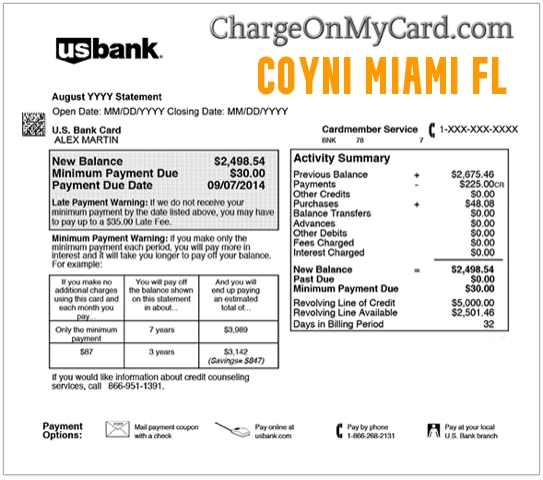
What Is the COYNI MIAMI FL Charge?
The transaction most likely involves Coyni, a payment and settlement platform that has offered payment-processing, digital-wallet, mobile point-of-sale, QR-code, bank-transfer, credit-card, debit-card, refund, and chargeback-management functions.
Coyni may be the payment company rather than the store or service provider that received the purchase.
The charge could represent:
- An in-person purchase from a merchant using Coyni
- A mobile point-of-sale transaction
- A purchase completed with a credit or debit card
- A QR-code or digital-wallet payment
- A transaction from a business whose familiar name is not displayed
- A delayed transaction submitted after the purchase date
- A pending authorization that later becomes a completed payment
- A purchase made by another authorized card user
- An actual duplicate completed payment
- An unauthorized use of the card or stored payment method
The statement descriptor alone normally does not reveal exactly what was purchased or which Coyni merchant completed the sale.
Why Does the Charge Say Miami, Florida?
The MIAMI FL wording may reflect historical company, processing, registration, or payment-routing information associated with Coyni. It does not necessarily mean that the cardholder made a purchase in Miami.
A merchant in another city or state may have used a payment provider whose location appeared on the statement.
Coyni’s current official website lists a San Diego, California contact address rather than the older Miami address. This suggests that the Miami wording should be treated as part of the payment descriptor, not as reliable proof of where the purchase occurred.
Possible COYNI Statement Variations
Banks and card issuers may shorten, capitalize, or rearrange merchant information.
Possible variations may include:
- COYNI
- COYNI MIAMI
- COYNI MIAMI FL
- COYNI MIAMI FLORIDA
- COYNI*MIAMI FL
- COYNI INC
- PENDING COYNI
- CHECKCARD COYNI MIAMI FL
- CHKCARD COYNI MIAMI FL
- POS DEBIT COYNI
Not every variation has been independently confirmed as an official Coyni descriptor. Use the complete description, amount, date, and expanded bank information to verify the transaction.
Is Coyni the Store That Charged Me?
Not necessarily.
Coyni has provided payment tools to businesses. This means the statement may show Coyni even though the cardholder remembers buying from another company.
A similar situation occurs when a payment processor, online marketplace, or merchant-of-record name appears instead of the familiar seller name.
To identify the underlying merchant, compare:
- The charge date
- The exact amount
- The time of the transaction, when available
- Recent receipts
- Text and email confirmations
- Businesses visited that day
- Digital-wallet activity
- Purchases made by other card users
Could COYNI MIAMI FL Be a Dispensary Purchase?
A recent dispensary purchase is one possibility worth checking, but it should not be assumed from the descriptor alone.
Coyni was part of the same payment-company family as QuickCard, a separate payment product that historically served businesses that had previously relied heavily on cash. The company disclosed that cannabis merchants represented a substantial majority of QuickCard’s processing volume before credit-card processing through QuickCard stopped in 2024.
This history does not prove that every COYNI MIAMI FL charge came from a dispensary. Coyni has also advertised more general merchant, card, bank-transfer, QR-code, digital-wallet, and mobile point-of-sale services.
Review:
- Dispensary receipts from the transaction date
- Other retail purchases made that day
- Text-message purchase confirmations
- Loyalty-account history
- Receipts from businesses using mobile checkout equipment
- Purchases made by another authorized cardholder
How to Verify a COYNI MIAMI FL Charge
- Copy the complete statement descriptor.
- Record the amount, date, and transaction status.
- Determine whether the charge is pending or completed.
- Review receipts from businesses visited on that date.
- Search email for the exact charged amount.
- Search text messages for receipts or checkout confirmations.
- Review any Coyni wallet or payment account you previously created.
- Check recent dispensary purchases when applicable.
- Review other stores that may have used a mobile point-of-sale system.
- Ask household members and other authorized card users.
- Contact the suspected merchant.
- Contact Coyni using the current official information below.
- Ask the issuer for the expanded merchant descriptor.
- Report the payment promptly if no authorized purchase can be identified.
What to Ask Coyni About the Transaction
Coyni may need enough information to locate the payment without receiving sensitive card credentials.
Provide:
- The complete COYNI descriptor
- The transaction date
- The charged amount
- The card type
- Only the last four card digits when requested through an official support channel
- The name of any suspected merchant
- Whether the transaction is pending or completed
Ask:
- Whether Coyni processed the payment
- Whether Coyni can identify the underlying merchant
- Whether the transaction was card-present or remote
- Whether a wallet or stored payment method was used
- Whether the merchant has already submitted a refund
- Whether another authorization is pending
Never send a full card number, CVV code, banking password, PIN, wallet password, or authentication code.
Current Coyni Contact Information
Coyni’s official website currently lists:
-
- Telephone: 855-201-1613
- Additional official-site telephone: 1-619-613-2112
- Email: support@coyni.com
- Hours: Monday–Friday, 9 a.m.–5 p.m. Pacific Time
- Address currently listed by Coyni: 3131 Camino Del Rio North, Suite 1400, San Diego, CA 92108
- Official website: Coyni.com
An older Miami address and the telephone number 1-888-356-0868 appeared in earlier Coyni information, but they are not the primary details currently displayed on Coyni’s official contact page.
How to Request a Refund
Start with the underlying merchant whenever it can be identified.
Coyni provides payment technology, while the merchant normally determines:
- Whether a purchase is refundable
- Whether merchandise must be returned
- Whether a service was completed
- Whether the sale was final
- Whether a partial refund applies
- When an approved refund will be submitted
Use these steps:
- Identify the merchant through the receipt, bank, or Coyni.
- Contact the merchant and explain the billing issue.
- Provide the date and amount.
- Ask for the merchant’s refund or return policy.
- Request written confirmation of any approved refund.
- Ask when the refund should appear on the original payment method.
- Keep the receipt, refund reference, and support messages.
- Contact Coyni if the merchant says a refund was submitted but cannot provide processing details.
- Contact the issuer if an approved refund does not appear.
Can You Cancel a Coyni Charge?
A completed purchase cannot normally be canceled in the same way as a subscription. A merchant may instead void the transaction or issue a refund.
When the charge is recurring:
- Identify the underlying merchant.
- Sign in to the merchant account.
- Cancel the membership, service, or recurring billing arrangement.
- Remove the stored payment method when appropriate.
- Save the cancellation confirmation.
- Verify the effective cancellation date.
Canceling a recurring arrangement does not automatically refund a payment that has already been completed.
Why Are There Multiple COYNI Charges?
More than one Coyni transaction may represent:
- Separate purchases made during the same visit
- A purchase and a tip
- Transactions from two different Coyni merchants
- Purchases made by different authorized card users
- A pending authorization and its completed replacement
- A declined attempt followed by an approved payment
- A corrected transaction amount
- An actual duplicate completed payment
- Repeated unauthorized transactions
Compare the status, amount, time, receipt, and merchant information for each entry.
What Is a Pending COYNI MIAMI FL Charge?
A pending transaction is an authorization that has not fully settled.
It may:
- Become the final completed purchase
- Update with additional merchant information
- Change when a tip or final amount is submitted
- Disappear when the authorization is released
- Be replaced by a completed transaction
Do not automatically treat a pending authorization and the completed charge that replaces it as two settled payments.
Contact the issuer when multiple completed transactions remain after pending entries have cleared.
What If You Do Not Recognize the Charge?
- Save a screenshot of the descriptor, amount, and date.
- Ask household members and authorized card users.
- Review receipts from the transaction date.
- Search email and text messages for the amount.
- Check Coyni and other payment-account activity.
- Ask the issuer for the expanded merchant information.
- Contact Coyni and request help identifying the merchant.
- Contact the merchant if one is identified.
- Lock the card if additional unexplained activity appears.
- Notify the financial institution promptly if no authorized purchase can be found.
- Ask whether the card or stored-payment token should be replaced.
Coyni is a real payment platform, but that does not prove that the cardholder authorized a particular transaction.
Credit Card Dispute Guidance
Contact the credit-card issuer promptly when:
- No authorized merchant or purchase can be identified
- The card was used without permission
- An actual duplicate completed payment remains unresolved
- The charged amount differs from the receipt
- The merchant cannot locate the payment
- An approved refund does not appear
- The transaction continued after confirmed cancellation of recurring billing
Keep copies of receipts, merchant communications, Coyni responses, cancellation confirmations, and refund records.
Official consumer guidance:
CFPB credit-card dispute guidance
Debit Card and Bank Account Guidance
Report an unauthorized debit-card or bank transaction immediately.
Ask the financial institution:
- Whether the transaction is pending or completed
- Whether another authorization is pending
- Whether a recurring-payment indicator is attached
- Whether a digital wallet or payment token was used
- Whether future payments can be blocked
- Whether the debit card should be replaced
Official consumer guidance:
CFPB unauthorized debit and bank-transaction guidance
Credit-card and debit-card dispute rights, procedures, and reporting deadlines differ.
Is Coyni Still Operating?
The Coyni website and business-access pages remain publicly available and continue to display payment-platform and contact information.
Coyni’s website still describes the platform as part of the RYVYL payment family. However, RYVYL Inc. changed its corporate name to RTB Digital, Inc. in May 2026 following a business combination.
This corporate change does not identify a particular transaction. Cardholders should rely on the exact payment date, amount, merchant information, receipt, and confirmation from official support rather than the parent-company name alone.
Consumer Reports and Experiences
There are currently no visible public reports on this ChargeOnMyCard.com page.
This means the page does not currently provide cardholder evidence identifying:
- A particular merchant
- A common transaction amount
- A recurring billing pattern
- A refund outcome
- A cancellation result
- An unauthorized-payment investigation
Do not treat the absence of comments as evidence that every Coyni payment is authorized or unauthorized.
ChargeOnMyCard.com cannot:
- Access Coyni accounts
- Identify a merchant from a card number
- Cancel a transaction
- Issue a merchant refund
- Recover a wallet account
- Replace a payment card
- Submit a bank dispute
Frequently Asked Questions About COYNI MIAMI FL
What is COYNI MIAMI FL on my credit card?
It may identify a purchase processed through the Coyni payment platform for another merchant. Check the amount, date, receipts, and expanded bank descriptor to identify the seller.
Is Coyni the business where I shopped?
Not necessarily. Coyni may have processed the payment while another business supplied the product or service.
Why does the transaction say Miami?
The Miami wording may reflect historical Coyni company or processing information. It does not prove that the purchase occurred in Miami.
Could it be a dispensary purchase?
It is one possibility worth checking. A related former RYVYL payment product historically processed substantial cannabis-merchant volume, but no official source reviewed for this article proves that every COYNI MIAMI FL descriptor came from a dispensary.
How can I find the merchant?
Compare the date and amount with receipts, search email and text messages, ask authorized users, contact Coyni, and request the expanded descriptor from the issuer.
Does Coyni control the merchant’s refund policy?
Usually, the underlying merchant decides whether a purchase qualifies for a return or refund. Coyni may provide the processing technology used to submit it.
Can Coyni reverse the payment?
A merchant may be able to void or refund a transaction through its payment tools. Contact the merchant and Coyni for the applicable transaction rather than assuming a reversal is available.
Why do I see a pending and completed Coyni charge?
The pending authorization may be replaced by the final completed payment. Wait for the pending entry to clear before counting both as settled charges.
Is COYNI MIAMI FL automatically fraud?
No. It may be an authorized merchant payment, a transaction made by another card user, or unauthorized card use. Investigate the specific charge before reaching a conclusion.
Can ChargeOnMyCard.com identify the store?
No. ChargeOnMyCard.com cannot access Coyni, merchant, card, wallet, or banking systems.
Related Payment-Processor and Charge Guides
- Stripe Charge on Credit Card: Merchant Identification and Billing Help
- CNSC BANK CARD Unclear Statement Descriptor
- How to Investigate an Unrecognized Credit Card, Debit Card, or Bank Charge
Coyni and Stripe are separate payment platforms. A charge from one should not be treated as evidence that the other processed the same transaction.
Help Other Cardholders Identify COYNI MIAMI FL
If you identified a COYNI MIAMI FL, COYNI MIAMI, or similar Coyni transaction, please share what the payment represented.
Helpful details include:
- The descriptor without private reference numbers
- The general amount
- The type of merchant
- Whether it was an in-person or online purchase
- Whether Coyni or the bank identified the merchant
- Whether the transaction was pending or completed
- Whether a duplicate payment was corrected
- Whether a refund was received
- How the issuer handled an unauthorized transaction
Do not post card numbers, card digits, bank account numbers, wallet credentials, email addresses, receipt barcodes, medical information, medical-cannabis patient details, order numbers, PINs, CVV codes, passwords, or authentication codes.
Why Rely on ChargeOnMyCard.com?
ChargeOnMyCard.com researches confusing credit-card, debit-card, payment-platform, merchant, pending-authorization, refund, chargeback, and bank-statement descriptors using current company information, official consumer resources, statement patterns, and visible cardholder reports.
We distinguish Coyni’s possible role as the payment platform from the separate merchant that supplied the product or service. We also explain the limitations of the Miami location and the historical relationship among Coyni, RYVYL, QuickCard, and the payment company now legally named RTB Digital.
Last reviewed: July 15, 2026.
Disclaimer
ChargeOnMyCard.com is not affiliated with Coyni, Coyni Inc., GreenBox POS, RYVYL, RTB Digital, QuickCard, any merchant using Coyni, any dispensary, cardholder, bank, credit union, card network, payment processor, or financial institution. This article is provided for informational purposes only and is not financial, legal, payment, cannabis, medical, refund, dispute, account-security, or fraud-prevention advice. Contact Coyni, the underlying merchant, and the financial institution directly regarding a specific transaction.