
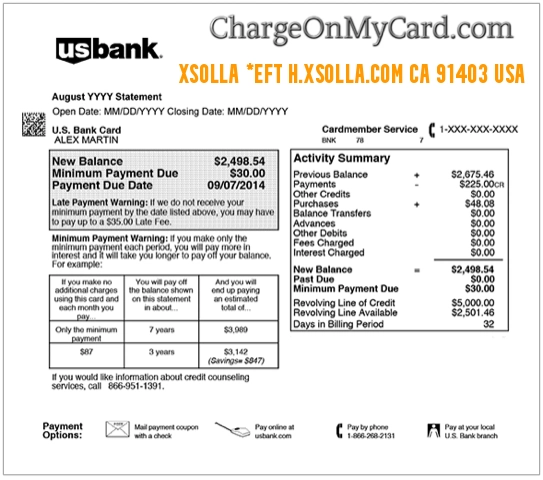
An XSOLLA *EFT, H.XSOLLA.COM CA 91403 USA, Xsolla Inc., or similar entry on a credit card, debit card, or bank statement is strongly associated with a video-game or digital-content payment processed through Xsolla.
Xsolla may process the payment or act as the merchant of record for a separate game, publisher, subscription, or online service. This means the statement can show Xsolla instead of the game title, virtual currency, downloadable content, or account the cardholder remembers using.
What Is the XSOLLA *EFT Charge?
The XSOLLA *EFT charge is associated with Xsolla, a company that provides payment and commerce services for video games and digital products.
Possible purchases include:
- A full digital game
- In-game currency
- Virtual coins, credits, gems, points, or tokens
- Downloadable content
- Expansion packs
- Skins, characters, weapons, or cosmetic items
- A battle pass or season pass
- A gaming subscription
- A game preorder
- A game key or activation code
- A digital bundle
- A purchase made through a game’s online store
Xsolla may appear on the statement even when the consumer never intentionally visited Xsolla’s main website. The checkout page inside the game or publisher’s website may have used Xsolla to complete the payment.
What Does XSOLLA *EFT Mean?
Xsolla officially recognizes Xsolla*EFT as one of the ways its transactions may appear on payment statements.
The descriptor can be interpreted cautiously:
- XSOLLA: Identifies the payment or commerce company involved in the purchase.
- Asterisk: May separate the processor name from the game, transaction channel, or shortened billing information.
- EFT: Commonly means electronic funds transfer, but Xsolla does not publish a complete definition of EFT within this specific descriptor.
Do not assume that `XSOLLA *EFT` automatically means:
- An ACH withdrawal
- A checking-account transfer
- A recurring subscription
- A wire transfer
- A cash withdrawal
The payment method, transaction type, game, and authorization status should be confirmed through the receipt, Xsolla Wallet, game account, and card issuer.
What Is H.XSOLLA.COM CA 91403 USA?
A longer descriptor may appear as:
XSOLLA *EFT H.XSOLLA.COM CA 91403 USA
The available clues are:
- H.XSOLLA.COM: An Xsolla-related web or billing-domain clue that Xsolla includes in examples of its statement descriptors.
- CA: California.
- 91403: The postal code used by Xsolla’s current U.S. headquarters in Sherman Oaks, California.
- USA: Indicates the U.S. billing or company location displayed by the card issuer.
Xsolla does not publicly define what the `H` in `H.XSOLLA.COM` represents. It should not be treated as a game code, account type, subscription code, or proof of a particular product.
Common Xsolla Statement Variations
Xsolla officially identifies several possible statement descriptions, while banks may further shorten or rearrange them.
Possible variations include:
- XSOLLA *EFT
- XSOLLA*EFT
- XSOLLA EFT
- XSOLLA *EFT H.XSOLLA.COM
- XSOLLA *EFT H.XSOLLA.COM CA
- XSOLLA *EFT H.XSOLLA.COM CA 91403
- XSOLLA *EFT H.XSOLLA.COM CA 91403 USA
- H.XSOLLA.COM
- H.XSOLLA.COM CA
- H.XSOLLA.COM CA 91403
- XSOLLA INC
- XSOLLA INC.
- XSOLLA USA
- XSOLLA_ROBLOX
- XSOLLA ROBLOX
- XSOLLA_MTG ARENA INTERNET
- XSOLLA *CIVILIZATION H.XSOLLA.COM.CA
- SURAWAY LTD
- PENDING XSOLLA
- PREAUTH XSOLLA
- CHECKCARD XSOLLA
- CHKCARD XSOLLA
- POS XSOLLA
The game or service may appear after Xsolla, but some statements show only Xsolla and its location.
Xsolla Is Usually the Payment Route, Not the Game
A typical transaction may work as follows:
- The consumer signs in to a game, publisher website, or digital store.
- The consumer selects a game, currency package, subscription, or digital item.
- Xsolla processes or manages the checkout.
- The game account receives the purchased content.
- The statement displays Xsolla instead of, or alongside, the game name.
This is similar to seeing a payment processor or merchant-of-record name instead of the product purchased.
Xsolla support may be able to identify the transaction, but the game publisher may still control:
- Delivery of the purchased content
- Transfer of items between game accounts
- Gameplay problems
- Account bans
- Missing virtual currency
- Game-specific subscription benefits
Why Did Xsolla Charge My Card?
Possible explanations include:
- You purchased a game.
- You bought virtual currency or game credits.
- You purchased downloadable content or an expansion.
- You bought a skin, item, character, or game upgrade.
- A gaming subscription renewed.
- A free or discounted subscription period converted to paid billing.
- You placed a preorder.
- You bought content for the wrong game account.
- A child, spouse, family member, roommate, employee, or friend used the payment method.
- The card remained saved in a game or browser account.
- A small card-verification authorization appeared.
- A declined or canceled payment remains temporarily pending.
- The same purchase was attempted more than once.
- The payment method was used without the cardholder’s permission.
What Does Xsolla_Roblox Mean?
Xsolla_Roblox is an officially recognized Xsolla statement variation associated with a Roblox-related payment processed through Xsolla.
It may involve:
- Robux
- A Roblox digital product
- An in-game purchase
- A Roblox-related subscription or account purchase
- A transaction made by a child or another household user
Check:
- Every Roblox account used in the household.
- Robux purchase history.
- Subscription and membership settings.
- Email receipts from Xsolla and Roblox.
- Purchases made from a phone, tablet, computer, console, or browser.
- Saved cards and parental-control settings.
Do not assume that every general Xsolla charge is from Roblox. Use the complete descriptor and receipt to identify the game.
Why Is There a Small Pending Xsolla Charge?
Xsolla says a small temporary transaction may appear when a card is added or saved for future purchases.
This can be used to verify that the payment method is valid.
The temporary amount may:
- Remain pending for a period controlled by the payment system or card issuer
- Be credited back automatically
- Disappear without becoming a completed purchase
- Appear beside a separate completed game purchase temporarily
Check the status before counting the verification amount and completed purchase as two charges.
Contact Xsolla and the card issuer if the small amount fully posts and does not reverse as expected.
Why Are There Several Xsolla Charges?
Multiple transactions may represent:
- Several separate in-game purchases
- More than one virtual-currency package
- A subscription plus an individual purchase
- Purchases made through different game accounts
- Purchases made by multiple household users
- A failed attempt followed by a successful payment
- A pending verification amount and completed purchase
- A preorder and later completed charge
- A duplicate payment
- Repeated unauthorized transactions
Compare the amount, time, status, game account, receipt, transaction number, and purchased content for each entry.
How to Identify the Game or Digital Purchase
- Record the complete descriptor, amount, date, and transaction status.
- Check whether the entry is pending or completed.
- Search every email account for “Xsolla” and the exact amount.
- Check the inbox and spam folder for messages from mailer@xsolla.com.
- Review Xsolla Wallet purchases and subscriptions.
- Review purchase history in every game account used in the household.
- Check virtual-currency balances and recently delivered game items.
- Review Apple Pay, Google Pay, PayPal, and other payment-wallet activity when applicable.
- Ask children, spouses, family members, roommates, employees, and other authorized users.
- Contact Xsolla with the date, amount, descriptor, and transaction number when available.
- Ask the bank for the full merchant record and authorization details.
How to Find an Xsolla Receipt
When an email address was entered during checkout, Xsolla says the receipt should be sent by email.
Search for:
- Xsolla
- mailer@xsolla.com
- The exact amount
- The game name
- Payment receipt
- Transaction number
- Virtual currency
- Subscription
- Preorder
- Refund
Check:
- Inbox
- Spam or junk folder
- Promotions folder
- Deleted messages
- Email accounts used by children or other game-account holders
If no receipt was delivered, Xsolla support may be able to locate the transaction using the game or service name, account email, payment date, and amount.
Current Xsolla Support and Contact Routes
For transaction identification, refunds, receipts, subscriptions, or unauthorized payments, start with:
- Xsolla Help Center: Official Xsolla consumer support
- Unknown charges: Xsolla unrecognized-charge help
- Xsolla Wallet: Review purchases, subscriptions, and support options
- Support email: support@xsolla.com
- U.S. complaints line: 1-877-987-9233
- California customers: 1-855-719-2087
Xsolla’s current U.S. address is:
Xsolla (USA), Inc.
15260 Ventura Boulevard, Suite 2230
Sherman Oaks, CA 91403 USA
Xsolla Wallet chat or the official support form is generally the most useful route for identifying a specific game transaction.
Do not send a password, full card number, bank login, game-account password, or authentication code.
How to Cancel an Xsolla Subscription
Most subscriptions processed directly through Xsolla can be managed through Xsolla Wallet.
- Sign in to Xsolla Wallet.
- Open the Subscription section.
- Identify the game or service.
- Review the renewal date and payment method.
- Cancel the subscription using the available control.
- Save the confirmation.
- Check whether access continues through the current billing period.
- Monitor the next statement to confirm billing stops.
Some subscriptions must be canceled through the game or publisher account rather than through Xsolla.
Check the receipt to determine who processed and controls the subscription.
Canceling future renewal does not automatically refund a payment that has already completed.
How to Request an Xsolla Refund
For a successful digital purchase:
- Sign in to Xsolla Wallet.
- Add or locate the purchase in the Purchases section.
- Open the payment details.
- Submit the refund-request form.
- Explain the reason accurately.
- Save the request confirmation.
- Monitor the Wallet and original payment method.
When the purchase cannot be added to Xsolla Wallet, contact Xsolla support and provide:
- The payment date
- The completed amount
- The full descriptor
- The game or service, when known
- The transaction number from the receipt
- The email address used during payment
A refund request is not a guarantee of approval. Eligibility may depend on the product, game, publisher, delivery status, purchase terms, timing, and whether the digital content was used.
What If the Purchase Was Made for the Wrong Account?
A purchase may have been applied to:
- The wrong game account
- A child’s account
- An old account
- A guest account
- An account using another email address
- The wrong game server or region
Check the receipt and contact the game’s support team. Some games may be able to transfer content, while others do not support transfers between accounts.
Xsolla can help identify the payment, but the game publisher may control whether virtual currency, items, or access can be moved.
What If the Payment Completed but the Purchase Is Missing?
- Confirm that the payment is completed rather than pending.
- Check the receipt for the game account and product.
- Restart the game or sign out and back in.
- Check whether the content was delivered to another account.
- Review the game’s purchase history.
- Contact the game’s support team about delivery.
- Contact Xsolla if no receipt was received or the payment cannot be located.
Payment processing and game-content delivery are related but separate issues. Xsolla may confirm the payment while the game publisher investigates delivery.
What If You Do Not Recognize the Xsolla Charge?
Xsolla recommends checking:
- Family members and friends who had access to the payment method
- Recent in-game purchases
- Active gaming subscriptions
- Pending card-verification charges
- Saved cards in game accounts
Then:
- Confirm whether the transaction is pending or completed.
- Search for Xsolla receipts in every relevant email account.
- Review Xsolla Wallet.
- Check all household gaming accounts.
- Ask every authorized card user privately.
- Contact Xsolla through its official unknown-charge page.
- Ask the card issuer for full transaction details.
- Lock or freeze the card when appropriate.
- Dispute the completed payment if it cannot be connected to an authorized purchase.
- Ask whether the card should be replaced.
- Change game and email passwords if account access is suspected.
Do not assume every unfamiliar Xsolla charge is fraudulent. A child, household user, saved game payment method, forgotten subscription, pending verification, or delayed digital purchase may explain it.
Debit-Card Guidance
An Xsolla debit-card transaction can reduce the available bank balance before the game or receipt is identified.
Ask the bank:
- Whether the payment is pending or completed
- Whether the transaction was online or recurring
- Whether a wallet token was used
- Whether the merchant supplied a transaction number
- Whether several authorization attempts occurred
- Whether the card should be locked or replaced
- How to report an unauthorized debit-card transaction
Do not dispute a recognized purchase merely because Xsolla appears instead of the game name. First match the receipt and account history.
Gaming and Financial Privacy Warning
Do not post:
- Full or partial card numbers
- Card-ending digits
- Security codes or PINs
- Bank-account numbers
- Complete Xsolla transaction numbers
- Game-account usernames
- Children’s names
- Email addresses
- Passwords
- One-time authentication codes
- Game inventory details
- Complete receipts or statement images
Use official support channels when private transaction information is required.
Consumer Reports and Experiences
There are currently zero visible public reports on this ChargeOnMyCard.com page.
The lack of reports does not establish whether every Xsolla transaction is authorized or unauthorized. Each cardholder must compare the payment with:
- Xsolla receipts
- Xsolla Wallet purchases
- Gaming-account history
- Virtual-currency balances
- Subscriptions
- Preorders
- Household and authorized-user activity
- The card issuer’s transaction details
ChargeOnMyCard.com cannot:
- Access an Xsolla Wallet
- Identify a game from a card number
- Cancel a gaming subscription
- Transfer virtual currency between accounts
- Deliver missing game content
- Approve an Xsolla refund
- Reverse a card payment
- Submit a bank dispute
Frequently Asked Questions About XSOLLA *EFT
What is XSOLLA *EFT on my credit-card statement?
It is associated with a game, in-game purchase, virtual currency, downloadable content, subscription, preorder, or other digital transaction processed through Xsolla.
Is Xsolla the game I purchased?
Not necessarily. Xsolla may process the payment or act as merchant of record for a separate game or publisher.
What does EFT mean?
EFT commonly means electronic funds transfer, but Xsolla does not publicly define every character in this descriptor. It does not automatically prove the payment was ACH.
What is H.XSOLLA.COM?
It is an Xsolla-related web or billing-domain clue included in Xsolla’s officially recognized statement examples. The exact meaning of the `H` prefix is not publicly documented.
Why does the charge say CA 91403?
Xsolla’s current U.S. headquarters is in Sherman Oaks, California 91403. The location may identify Xsolla’s billing entity rather than the game developer.
What is Xsolla_Roblox?
It is an Xsolla-processed Roblox-related payment. Check Roblox purchase history, Robux activity, subscriptions, receipts, and household accounts.
Is a small pending Xsolla charge permanent?
It may be a temporary card-verification authorization. Check whether it disappears or is credited back rather than becoming a completed payment.
Why are there two Xsolla charges?
They may be separate purchases, a subscription and an item, a pending verification and final payment, repeated attempts, multiple users, or an actual duplicate.
How do I identify the game?
Search for Xsolla receipts from `mailer@xsolla.com`, review Xsolla Wallet, check every gaming account, and contact Xsolla with the date and amount.
How do I cancel an Xsolla subscription?
Use the Subscription section in Xsolla Wallet when Xsolla controls the billing. Some subscriptions must be canceled through the game or publisher account.
How do I request a refund?
Locate the successful purchase in Xsolla Wallet and submit a refund request from its payment details. Contact Xsolla support if the purchase cannot be added.
Does canceling a subscription refund the latest payment?
Not automatically. Cancellation normally stops future renewal. A separate refund request may be required, and approval is not guaranteed.
Who should I contact about missing game content?
Contact the game publisher about delivery or account problems. Contact Xsolla about the payment, receipt, or transaction identification.
Should I dispute an Xsolla charge?
Dispute it after checking receipts, Wallet activity, game accounts, subscriptions, authorized users, and Xsolla support if no authorized purchase can be found.
Related Gaming and Digital-Payment Guides
- Large Digital Goods Merchant Charge: Games, Apps, and Subscriptions
- VALVE SOFTWARE Charge: Steam Game and Wallet Help
- LIMASSOL CYP Charge: Cyprus Merchant and Digital-Payment Help
- 4.WWW Charge: Online Merchant and PayPal Identification Help
- How to Investigate an Unrecognized Credit Card, Debit Card, or Bank Charge
A related gaming or digital-payment guide does not prove that Xsolla processed that specific transaction. Use the exact descriptor and receipt to identify the payment.
Help Other Consumers Identify XSOLLA *EFT
If you identified an XSOLLA *EFT, H.XSOLLA.COM CA 91403, Xsolla_Roblox, or similar payment, please share nonprivate information.
Helpful details include:
- The shortened descriptor
- The general amount
- Whether the entry was pending or completed
- The game or digital service
- Whether it involved virtual currency, an item, a game, or a subscription
- Whether a child or another authorized user made the purchase
- Whether a temporary verification amount appeared
- Whether a refund was requested
- How Xsolla, the game publisher, or the bank resolved it
Do not post card digits, transaction numbers, email addresses, game usernames, children’s names, passwords, authentication codes, receipts, or complete bank statements.
Why Rely on ChargeOnMyCard.com?
ChargeOnMyCard.com researches confusing credit-card, debit-card, gaming, digital-content, merchant-of-record, subscription, authorization, refund, and bank-statement descriptions using current company information, official support resources, payment terminology, and visible public reports.
We distinguish Xsolla from the underlying game, publisher, digital item, game account, subscription, pending verification, authorized user, duplicate payment, refund request, and potentially unauthorized transaction.
Last reviewed: July 15, 2026.
Disclaimer
ChargeOnMyCard.com is not affiliated with Xsolla, Xsolla (USA), Inc., Xsolla Wallet, Roblox, Valve, Steam, any game developer, publisher, platform, account holder, cardholder, bank, credit union, card network, digital wallet, or payment processor. This article is provided for informational purposes only and is not financial, legal, gaming, subscription, refund, account-security, payment, dispute, or fraud-prevention advice. Contact Xsolla, the applicable game publisher, and the financial institution directly regarding a specific transaction.