
If you found an AMAZON MKTPLACE, Amazon MKTPL, Amazon MKTPLACE PMTS, or AMZN.COM/BILL WA charge on your credit card, debit card, or bank statement, it is usually connected to an Amazon.com purchase, Amazon Marketplace order, Amazon Pay transaction, digital purchase, subscription, or saved payment method. The charge may be legitimate, but you should still verify it in your Amazon account before assuming you recognize it.
Consumer Reports and Experiences
Consumers commonly search for this charge using phrases such as amazon mktpl, amazon mktpl charge, amazon mktpl charges, amazon mktpl meaning, amazon mktplace, amazon mktplace charge, amazon mktplace payments, amazon mktplace pmts, and amazon mktplace pmts amzn com bill wa.
Many cardholders eventually match the charge to an Amazon order, Amazon Marketplace seller purchase, Amazon Pay checkout, Prime-related service, digital subscription, backordered item, split shipment, or another household member’s purchase. Other consumers report confusion because the charge amount does not match one single order, the statement uses shortened wording, or the charge posts days after the order was placed.
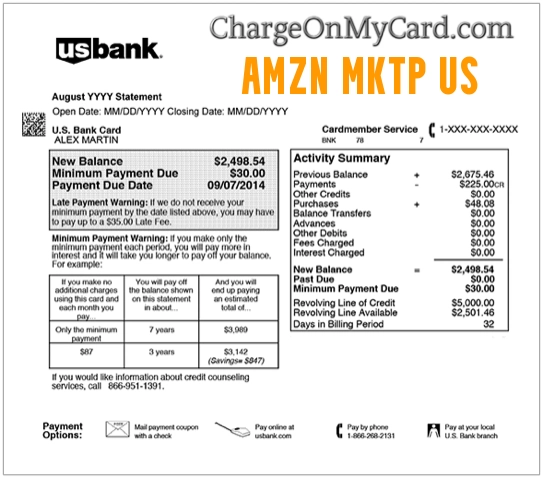
What Is the Amazon MKTPLACE Charge?
Amazon MKTPLACE is a common card-statement descriptor for Amazon Marketplace and Amazon.com-related purchases. It may appear when you buy an item sold by Amazon, a third-party Amazon Marketplace seller, or another merchant using Amazon Pay.
The descriptor may also appear for subscriptions, digital services, preorders, delayed shipments, replacement orders, partial shipments, or saved-card transactions. Because Amazon often ships items separately, one order can produce more than one charge or a charge that posts after the purchase date.
Common Amazon MKTPLACE Statement Variations
Amazon-related charges can appear in several different formats depending on the card issuer, payment network, Amazon service, or checkout type. Common and searched variations include:
- AMAZON MKTPLACE
- Amazon MKTPL
- Amazon MKTPL charge
- Amazon MKTPL charges
- Amazon MKTPLACE charge
- Amazon MKTPLACE payments
- Amazon MKTPLACE PM
- Amazon MKTPLACE PMT
- Amazon MKTPLACE PMTS
- Amazon MKTPLACE PMTS AMZN
- Amazon MKTPLACE PMTS AMZN COM BILL
- Amazon MKTPLACE PMTS AMZN COM BILL US
- Amazon MKTPLACE PMTS AMZN COM BILL WA
- Amazon MKTPLACE PMTS AMZN COM BILL WA 98109
- Amazon MKTPLACE PMTS AMZN COM/BILLWA
- AMZN.COM/BILL WA
- AMZN.COM/PMTS
- AMZN MKTP US
Why Amazon MKTPLACE May Be Charging You
An Amazon MKTPLACE or Amazon MKTPL charge may appear for several possible reasons:
- An Amazon.com order
- An Amazon Marketplace third-party seller purchase
- An Amazon Pay checkout on another website
- A Prime, Prime Video, Kindle, Audible, Amazon Music, or app-related charge
- A digital movie, book, game, app, or in-app purchase
- A Subscribe & Save order or recurring delivery
- A backordered or preordered item that shipped later
- A split shipment where each package is charged separately
- A replacement, return adjustment, or refund difference
- A saved card used by a spouse, child, employee, or authorized card user
- An unauthorized transaction if no one recognizes the charge
How to Identify an Amazon MKTPLACE Charge
Before filing a dispute, try to match the charge to your Amazon account and recent activity:
- Check Your Orders: Log in to Amazon and compare the charge amount and date with recent orders.
- Check archived orders: Some purchases may not be visible in your regular order list if they were archived.
- Review digital orders: Check Kindle, Prime Video, Amazon Music, app, game, and digital purchase history.
- Review Amazon Pay: If the charge says AMZN.COM/PMTS or appears to be from Amazon Pay, check Amazon Pay activity.
- Check subscriptions: Review Prime, Subscribe & Save, Channels, Audible, Kindle Unlimited, and other recurring services.
- Ask authorized users: A household member, employee, assistant, or child may have placed the order.
- Compare shipping dates: Amazon often charges when an item ships, not necessarily when the order is placed.
- Ask your bank for details: Your card issuer may show a fuller merchant descriptor, reference number, category, or phone number.
Amazon Marketplace Charge on Debit Card or Credit Card
An Amazon Marketplace charge on a debit card or credit card may appear when Amazon processes an order, third-party seller purchase, Amazon Pay transaction, digital order, subscription, or shipment-based payment. Some users search for what are Amazon Marketplace charges, what does Amazon Marketplace mean, or how to check Amazon Marketplace charges because the statement line may not show the product name, seller name, or order number.
To check the charge, compare the statement amount and date with Amazon Orders, archived orders, digital orders, subscriptions, Amazon Pay Activity, household users, and saved payment methods. Amazon and Amazon Pay charges can also appear as separate amounts when orders ship in multiple packages, when an item was backordered, or when a payment authorization is held before the final charge posts.
How to Stop Amazon Marketplace Charges
If the Amazon Marketplace charge is from a subscription, recurring delivery, Prime-related service, Subscribe & Save item, digital service, or Amazon Pay authorization, cancel or update it through the correct Amazon account or Amazon Pay Activity page. If the charge does not appear in any Amazon account you control, contact Amazon support and your card issuer. Ask whether the charge is pending, posted, authorized by another card user, or potentially unauthorized.
Official Amazon Contact and Support Information
For questions about an Amazon MKTPLACE, AMZN.COM/BILL WA, Amazon Pay, or Amazon Marketplace charge, start with official Amazon resources:
- Amazon Website: Amazon.com
- Amazon Customer Service: Amazon Help & Contact Us
- Identify an Amazon Charge: Amazon charge identification help
- Amazon Pay Unknown Charges: Amazon Pay unauthorized charges help
- Amazon Customer Service Phone: 1-888-280-4331
- Report Amazon Scam Messages: Report a scam to Amazon
Use Amazon’s official website, Amazon app, or the phone number shown on Amazon’s own help pages before sharing account or payment information. Do not call random numbers from search ads, texts, emails, or comment sections.
Amazon MKTPLACE vs. Amazon Pay vs. Prime Charges
Amazon MKTPLACE usually points to Amazon.com or Amazon Marketplace purchases. AMZN.COM/PMTS is often associated with Amazon Pay or Amazon payment processing. Prime Video, Amazon Music, Audible, Kindle, and other digital services may use their own Amazon-related descriptors.
If you do not see the charge in your regular Amazon orders, check Amazon Pay, digital orders, Prime subscriptions, household accounts, and archived orders before assuming the charge is fraudulent.
Refunds, Returns, and Disputes
If the charge matches an Amazon order, use Amazon’s official order page to request a return, refund, replacement, or billing review. Keep the order number, charge date, charge amount, tracking details, and any Amazon support messages.
If the charge is from an Amazon Marketplace seller, Amazon support may direct you to the order details, seller communication, return window, A-to-z Guarantee process, or Amazon Pay dispute options depending on how the purchase was made.
If you cannot match the charge to any Amazon account, Amazon Pay transaction, digital order, subscription, or authorized card user, contact your card issuer. Ask whether the charge is pending or posted, request the full merchant descriptor, and ask whether you should file a billing dispute or fraud claim.
When to Treat an Amazon MKTPLACE Charge as Possible Fraud
Treat the charge as suspicious if:
- No one in your household recognizes the order
- The charge does not appear in Amazon orders, Amazon Pay, digital orders, or subscriptions
- The charge appears multiple times with no matching purchases
- The amount is small and looks like a test charge
- You receive a suspicious email or text claiming an Amazon order was placed or canceled
- A caller asks for your password, one-time code, full card number, gift card number, or banking login
- You are asked to pay outside Amazon to fix an order or refund issue
Go directly to Amazon.com, the Amazon app, Amazon Pay, or your bank’s official website instead of clicking links in suspicious messages. If your Amazon account may be compromised, change your password and enable two-step verification.
Related Resources for Amazon Billing and Scam Questions
If you are researching an Amazon MKTPLACE charge, Amazon customer service issue, corporate complaint, or possible Amazon scam message, these related resources may help. These links are not official Amazon support channels unless clearly labeled as Amazon’s own resources above.
- Amazon customer service information on CustomerServiceNumbers.com
- Amazon corporate office and headquarters information
- Amazon “order has been cancelled” scam warning on ThinkItsAScam.com
- ZeroStars.org consumer reviews and complaints
Related Online Shopping and Subscription Charge Guides
These related ChargeOnMyCard.com guides may also help if you are reviewing unfamiliar online shopping, app, marketplace, or subscription billing descriptors:
- Prime Video 888-802-3080 WA charge
- WMT Plus charge on bank statement
- Apple billing descriptor
- Paddle.net charge
- META PPGF charge
- Help.MAX.com charge on credit card
- FSPRG.COM charge and FastSpring billing
Frequently Asked Questions About Amazon MKTPLACE Charges
What is Amazon MKTPLACE on my credit card?
Amazon MKTPLACE is usually a card-statement descriptor for Amazon.com or Amazon Marketplace purchases. It may also appear for orders from third-party sellers on Amazon.
What does Amazon MKTPL mean?
Amazon MKTPL is a shortened version of Amazon Marketplace. Banks often shorten merchant names, so Amazon Marketplace may appear as Amazon MKTPL, Amazon MKTPLACE, AMZN MKTP, or a similar variation.
Why does my statement show AMZN.COM/BILL WA?
AMZN.COM/BILL WA is a common Amazon-related billing descriptor. The WA usually refers to Washington, where Amazon is based, and the charge may relate to an Amazon order, Amazon Pay transaction, digital service, or subscription.
What is Amazon MKTPLACE PMTS?
Amazon MKTPLACE PMTS usually points to an Amazon Marketplace or Amazon payment transaction. Check Amazon orders, Amazon Pay activity, digital purchases, subscriptions, and authorized card users to identify the exact source.
Why is there more than one Amazon MKTPLACE charge?
Amazon may charge separately when items ship in different packages, when a preorder or backordered item ships later, or when multiple Amazon services bill separately. Compare each charge to order and shipment details.
How do I contact Amazon about an Amazon MKTPLACE charge?
Use Amazon’s official Help & Contact Us page, your Amazon account, the Amazon app, or official Amazon Pay support. Do not rely on random numbers from search results, emails, texts, or comments.
Should I dispute an Amazon MKTPLACE charge?
If you cannot match the charge to any Amazon order, Amazon Pay transaction, digital purchase, subscription, archived order, or authorized user, contact your card issuer. Ask for full merchant details and follow your bank’s dispute or fraud process.
Why Trust ChargeOnMyCard.com?
ChargeOnMyCard.com helps consumers identify unfamiliar credit card, debit card, and bank statement charges. Our guides are based on available company information, official resources when available, payment clues, statement descriptors, and reports from cardholders. We focus on helping readers determine whether a charge may be legitimate, recurring, mistaken, or potentially unauthorized.
Share Your Experience
Did an Amazon MKTPLACE, Amazon MKTPL, Amazon MKTPLACE PMTS, AMZN.COM/BILL WA, or AMZN.COM/PMTS charge appear on your statement? Share the exact wording, amount, date, card type, and whether you matched it to an Amazon order, Amazon Pay transaction, digital purchase, or subscription. Do not post your full card number, Amazon password, order number, address, phone number, email address, one-time code, or other private information.
Page Update Note
This Amazon MKTPLACE charge guide was reviewed and updated on July 7, 2026 with clearer Amazon Marketplace, Amazon Pay, AMZN.COM/BILL WA, subscription, fraud, and dispute guidance.
ChargeOnMyCard.com Disclaimer
ChargeOnMyCard.com is not affiliated with Amazon.com, Amazon Marketplace, Amazon Pay, Amazon Prime, or Amazon.com, Inc. This page is for consumer information, reviews, and complaint discussion only. Always contact Amazon, Amazon Pay, your bank, or your card issuer directly for official help with billing, refunds, disputes, and fraud claims.