
A PPINC USD HR charge on your credit card, debit card, or bank statement may be connected to PayPal Inc., a PayPal-processed payment, a person-to-person transfer, a merchant checkout, a PayPal card-verification charge, or another payment-processor style transaction. The descriptor can be confusing because it may show an abbreviated company name, currency code, location clue, or processor code instead of the merchant or person you paid.
Common statement wording may include PPINC USD HR, PPINCUSD HR, PPINCUSDHR, PPINC CAD HR, PPINC GBP HR, PPINC USD CE, PPINC USD CE 3, PPINC US CE, PPINC LLC, PPINC San Jose CA, or PPINC USD HR San Jose CAUS. If you recently used PayPal, added a card, sent money, paid a merchant, used a PayPal-linked card, or made an online purchase, the charge may be legitimate. If you do not recognize it, check your PayPal activity, email receipts, card alerts, and authorized card users.
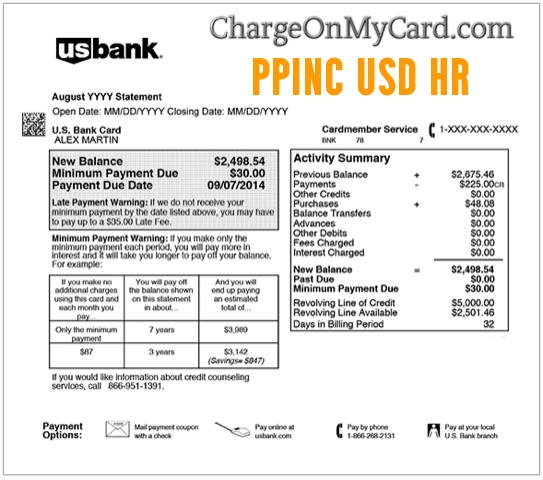
What Is the PPINC USD HR Charge?
PPINC USD HR appears to be a payment-style statement descriptor that may be associated with PayPal Inc. or a PayPal-related transaction. “PPINC” may be shorthand for PayPal Inc., while USD, CAD, or GBP may point to the currency involved in the transaction.
At this time, we could not verify a single official company page that clearly explains every PPINC USD HR, PPINC USD CE, or PPINC San Jose CA variation. Because of that, treat the descriptor as a clue and verify it against your PayPal account, bank statement, receipts, and authorized users.
Common PPINC Statement Variations
- PPINC USD HR
- PPINCUSD HR
- PPINCUSDHR
- PPINC CAD HR
- PPINC GBP HR
- PPINC USD CE
- PPINC USD CE 3
- PPINC US CE
- PPINC LLC
- PPINC San Jose CA
- PPINC San Jose CAUS
- PPINC USD HR San Jose CAUS
- PPINC USD P2P
- PayPal Inc charge
- PayPal San Jose charge
The exact wording may vary by bank, card issuer, PayPal account, currency, region, person-to-person payment, merchant payment, pending authorization, card verification, refund, reversal, or payment processor routing.
Why PPINC May Charge Your Card
- You used PayPal to pay a merchant online.
- You sent money to another person through PayPal.
- You received or sent a person-to-person payment that used a card as the funding source.
- You added or updated a card in your PayPal account, triggering a small verification authorization.
- You used a PayPal-linked debit card, credit card, or wallet payment method.
- You paid through a merchant checkout that used PayPal or a PayPal-owned payment service.
- You made a purchase in another currency, causing a currency-code descriptor such as USD, CAD, or GBP.
- A spouse, family member, employee, or authorized card user made a PayPal-related payment.
- Your PayPal account or card information may have been used without permission.
Is the PPINC USD HR Charge Legit?
A PPINC USD HR charge may be legitimate if it matches a PayPal payment, merchant purchase, card verification, transfer, refund, or authorized-user transaction. PayPal is a real payment company, and many online payments can show processor-style wording rather than the public-facing merchant name.
However, a PayPal-related or processor-style descriptor does not automatically mean the specific charge was authorized by you. If the charge does not appear in your PayPal activity, no authorized user recognizes it, or the amount does not match anything you purchased, verify it quickly with PayPal and your card issuer.
Could PPINC Mean PayPal Inc?
PPINC may be a shortened statement form for PayPal Inc., especially when the charge also includes clues such as San Jose CA, CAUS, currency codes, or payment-style wording. PayPal is associated with San Jose, California, and provides consumer, business, card, PayPal Checkout, Venmo, and merchant payment services.
Because statement descriptors can be shortened or routed through different processors, do not rely only on the abbreviation. Confirm the transaction by checking PayPal activity, email receipts, the amount, the date, and the card used.
PPINC USD HR, Currency Codes, and International Payments
The USD, CAD, or GBP part of the descriptor may refer to the transaction currency. Some PayPal-related payments involve currency conversion, international merchants, digital services, app purchases, subscriptions, marketplace purchases, or cross-border payments.
If the amount looks different than expected, check whether currency conversion, exchange-rate spread, PayPal fees, foreign transaction fees, or card-issuer fees were involved. Compare the posted amount with the PayPal transaction details and your card issuer’s conversion details.
Could PPINC Be a Card Verification Charge?
PayPal says it may place a small temporary charge when you add or edit a card in your PayPal account. These verification charges are usually temporary and may show as pending before they are reversed or fall off the statement.
If the PPINC charge is small, pending, or close to the date you added a card to PayPal, check your PayPal Wallet, card-verification messages, and account activity. If the charge posts permanently or you did not add a card, contact PayPal and your card issuer.
Could PPINC Be a P2P or Person-to-Person Payment?
Some PPINC-style descriptors may be connected to a person-to-person payment, sometimes shown with wording such as P2P. This may happen when a card funds a transfer, repayment, shared bill, gift, donation, or payment to another person.
Check PayPal activity, email confirmations, text messages, and payment notes. Also ask authorized card users whether they sent money to a friend, family member, contractor, seller, fundraiser, or local business.
PayPal Official Support and Contact Options
- PayPal Website: paypal.com
- PayPal Help Center: PayPal Help Center
- PayPal Resolution Center: PayPal Resolution Center
- Report Unauthorized Activity: PayPal unauthorized transaction help
- Report Fraud: PayPal report fraud page
- PayPal Activity: Sign in to your PayPal account and check Activity for matching payments, authorizations, refunds, and transfers.
Use PayPal’s official website, official app, Resolution Center, your card issuer’s secure app, or the number printed on the back of your card. Do not rely on random phone numbers from search ads, pop-ups, social media posts, or unofficial directories.
How to Verify a PPINC USD HR Charge
- Check whether the charge is pending, posted, refunded, reversed, or repeated.
- Write down the exact descriptor, amount, date, currency, location, and any phone number shown by your bank.
- Sign in to PayPal and review Activity, Wallet, automatic payments, subscriptions, transfers, refunds, and card-verification activity.
- Search your email for PayPal, PPINC, PayPal Inc, receipt, payment, transfer, verification, subscription, refund, and the exact charge amount.
- Check whether the amount matches a merchant checkout, person-to-person payment, donation, subscription, marketplace purchase, or online service.
- Ask authorized card users whether they used PayPal, added the card to PayPal, sent money, or paid an online merchant.
- Check for similar PayPal, Venmo, marketplace, or payment-processor charges near the same date.
- If the charge remains unclear, contact PayPal and your card issuer.
What If the Charge Does Not Appear in PayPal?
If the PPINC charge appears on your card but does not appear in your PayPal account, try checking alternate PayPal accounts, old email addresses, household accounts, business accounts, and authorized users. A card could also have been used in another person’s PayPal account.
If no PayPal account you control shows the charge, contact your card issuer. Ask whether the card may have been used through a third-party wallet, whether the card should be replaced, and whether the charge can be disputed.
What If the PPINC Charge Is Small?
A small PPINC charge may be a verification authorization, especially if you recently added or updated a card in PayPal. Small authorizations can appear temporarily and then disappear or reverse.
If the charge posts permanently, repeats, or appears when you did not add a card, treat it as suspicious and contact PayPal or your card issuer.
What If the Charge Is Recurring?
If PPINC appears more than once, check PayPal automatic payments, subscriptions, billing agreements, recurring donations, software subscriptions, memberships, app purchases, and merchant agreements. A recurring merchant may bill through PayPal even if the statement uses a shortened PPINC descriptor.
Cancel unwanted automatic payments directly through PayPal and the merchant when possible. Save confirmation screenshots and emails in case another charge appears.
Could the PPINC USD HR Charge Be Fraud?
A PPINC USD HR charge is not automatically fraud. It may be a PayPal-related payment, person-to-person transfer, merchant checkout, card verification, refund, authorization, subscription, or authorized-user transaction.
However, it may be unauthorized if you never used PayPal, cannot find a matching PayPal activity record, no authorized user recognizes it, the charge repeats unexpectedly, your card was added to an unknown PayPal account, or other unfamiliar charges appear around the same time.
How to Dispute a PPINC Charge
If the charge is unauthorized, duplicated, recurring after cancellation, or not connected to any PayPal account or merchant you recognize, gather your evidence before disputing it. Useful records include the statement descriptor, amount, date, PayPal Activity screenshots, Wallet activity, automatic-payment records, email receipts, cancellation messages, and bank alerts.
Report unauthorized PayPal activity through PayPal’s Resolution Center if the transaction appears in your PayPal account. If the charge only appears on your card or bank statement and you cannot identify it, contact your card issuer using the number on the back of your card. For credit-card billing errors, send any required written dispute promptly and keep copies of your evidence.
Watch Out for Fake PayPal and PPINC Support Numbers
Unknown-charge searches can attract fake support numbers, refund scams, phishing pages, and impersonators pretending to be PayPal. Scammers may ask for your full card number, login, remote computer access, or a one-time security code.
Do not share your full card number, bank login, PayPal password, email password, Social Security number, PIN, one-time code, or remote computer access with anyone who contacts you unexpectedly. Use PayPal’s official app, official Help Center, Resolution Center, or your card issuer’s secure app.
Frequently Asked Questions About PPINC USD HR Charges
What is PPINC USD HR on my credit card?
PPINC USD HR on your credit card may be a PayPal-related or payment-processor style descriptor. It may involve a PayPal payment, transfer, card verification, merchant checkout, or unauthorized transaction.
Does PPINC mean PayPal Inc?
PPINC may be shorthand for PayPal Inc., but we could not verify one official descriptor page that explains every PPINC variation. Check PayPal Activity and your card details to confirm.
What is PPINC USD CE 3?
PPINC USD CE 3 appears to be another PPINC-style descriptor variation. It may involve a payment processor, currency code, account activity, or authorization. Verify it through PayPal and your card issuer.
Why does the charge say San Jose CAUS?
San Jose, CA may appear because PayPal is associated with San Jose, California, or because of payment-processor routing. The location does not always mean the purchase physically happened in San Jose.
Could PPINC be a PayPal card-verification charge?
Yes, a small PPINC charge could be related to a PayPal card-verification authorization if you recently added or edited a card. Check whether the charge is pending or reversed.
What if PPINC is not in my PayPal account?
Check alternate PayPal accounts, old email addresses, family accounts, and authorized users. If no account shows the charge, contact your card issuer because the card may have been used through another account.
Can I stop future PPINC charges?
If the charge is from a PayPal automatic payment or subscription, cancel it through PayPal and the merchant. If the charge is unauthorized or cannot be identified, ask your card issuer about replacing the card or blocking future charges.
Should I dispute a PPINC charge?
First try to match the charge to PayPal Activity, email receipts, automatic payments, subscriptions, card verification, or authorized users. If it remains unauthorized or unresolved, contact your card issuer.
Related PayPal, Payment Processor, and Statement Descriptor Guides
- 4029357733 PayPal Charge
- 2211 North First Street San Jose CA Charge
- Venmo 855-812-4430 payment charge
- WPY 855-469-3729 VA Charge
- PNP BillPayment Charge
- Paddle.net Charge on Credit Card
- FSPRG.COM FastSpring Charge
- 2CO.com Charge on Credit Card
Help Other Cardholders Identify This Charge
If you saw a PPINC USD HR, PPINCUSDHR, PPINC USD CE, PPINC USD CE 3, PPINC CAD HR, PPINC GBP HR, PPINC San Jose CA, or similar charge on your credit card, debit card, PayPal account, or bank statement, please share your experience in the comments.
Helpful details include the exact descriptor, amount, whether it was a PayPal payment, P2P transfer, card verification, subscription, merchant purchase, refund, duplicate charge, or unauthorized transaction, and how you resolved it. Do not post full card numbers, account passwords, PayPal login details, email addresses, addresses, phone numbers, transaction IDs, PINs, one-time codes, or other private information.
Why Rely on ChargeOnMyCard.com?
ChargeOnMyCard.com helps consumers identify confusing credit-card, debit-card, ACH, PayPal, payment-processor, online-service, subscription, wallet, and bank-statement descriptors by researching merchant names, processor patterns, official support options, billing clues, and user-reported charge information when available. Our goal is to help cardholders determine whether a charge is likely legitimate, mistaken, recurring, refunded, disputed, or potentially unauthorized.
Disclaimer
ChargeOnMyCard.com is not affiliated with PPINC, PayPal, PayPal Inc., Venmo, any PayPal merchant, payment processor, bank, or card issuer. This page is for informational purposes only and should not be treated as financial, legal, billing, refund, payment-processing, fraud-prevention, or banking advice. If you believe a charge is unauthorized, contact your bank or credit card issuer directly.