
If you found a Lagosec Inc charge on your credit card, debit card, PayPal account, or bank statement, it is usually connected to a subscription or purchase from Nord Security.
Lagosec, Inc. is a payment-services company listed in Nord’s terms. It may process payments for products such as NordVPN, NordPass, NordLocker, Dedicated IP services, or a bundled Nord subscription.
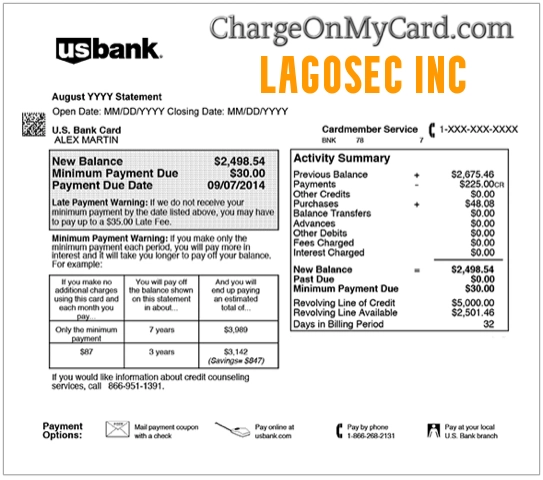
The charge can be confusing because your statement may display Lagosec Inc, Lagosec, PayPal Lagosec, or Lagosec Inc PayPal charge instead of the Nord product you remember purchasing.
Consumer Reports and Experiences
Consumers commonly report recognizing the Lagosec Inc charge after checking Nord Account and finding an active NordVPN, NordPass, NordLocker, Dedicated IP, or bundled Nord subscription.
Some cardholders report that the charge was an automatic renewal for a service purchased months or years earlier. Others say they did not recognize the Lagosec name because they expected the statement to say NordVPN, NordPass, NordLocker, or PayPal.
PayPal-related searches are also common. A charge may appear as Lagosec PayPal charge, PayPal Lagosec Inc, PayPal Lagosec, or Lagosec Inc PayPal charge if PayPal was used as the payment method for a Nord subscription.
Have you seen a Lagosec Inc charge? Share the amount, whether it involved NordVPN or another Nord service, whether it was a PayPal payment, whether it was a renewal, and how you resolved it in the comments below. Do not post your complete card number, PayPal login, Nord Account password, email address, or other private information.
What Is the Lagosec Inc Charge?
Lagosec, Inc. is associated with Nord payment services. It may appear when a Nord product or subscription is purchased or renewed.
The charge may be connected to:
- NordVPN
- NordPass
- NordLocker
- A NordVPN Dedicated IP address
- A bundled Nord Security subscription
- A new Nord subscription purchase
- An automatically renewing Nord subscription
- A PayPal billing agreement or automatic payment
- An account upgrade or plan extension
- A purchase made by another authorized cardholder
Possible statement variations include:
- Lagosec Inc
- Lagosec, Inc.
- LAGOSEC
- LAGOSEC INC DE
- LAGOSEC NORDVPN
- Lagosec PayPal charge
- PayPal Lagosec Inc
- PayPal Lagosec
- Lagosec Inc PayPal charge
- PAYPAL *LAGOSEC
- PAYPAL *LAGOSEC INC
- PP*LAGOSEC
- Lagosec followed by a transaction number
Is Lagosec Inc NordVPN?
Lagosec Inc is not the consumer-facing name of the VPN product. It is a payment-services company associated with the Nord organization.
A Lagosec charge is often connected to NordVPN, but it may also relate to NordPass, NordLocker, a Dedicated IP address, a bundle, or another product managed through Nord Account.
The quickest way to identify the exact product is to sign in to Nord Account and review your subscriptions, billing history, invoices, and renewal settings.
What Is a Lagosec PayPal Charge?
A Lagosec PayPal charge usually means PayPal was used to pay for a Nord product or subscription.
This can happen when you choose PayPal at checkout for NordVPN, NordPass, NordLocker, or another Nord product. The charge may appear in PayPal activity and may also pass through to the credit card, debit card, or bank account connected to PayPal.
PayPal wording may appear as:
- PayPal Lagosec
- PayPal Lagosec Inc
- Lagosec PayPal charge
- Lagosec Inc PayPal charge
- PAYPAL *LAGOSEC INC
- PP*LAGOSEC
If PayPal was used, check both your Nord Account and your PayPal Activity. The Nord Account may show the product and renewal date, while PayPal may show the funding source and any automatic payment agreement.
Why Is Lagosec Inc Charging Me?
NordVPN Subscription Renewal
The most common explanation is an automatically renewing NordVPN subscription.
Many Nord purchases create an ongoing subscription. Unless automatic renewal is canceled, the payment method may be charged when the current subscription period expires.
A renewal can be surprising when:
- The original purchase was made one or two years earlier
- The introductory price was lower than the renewal price
- The account is no longer used regularly
- The purchaser forgot that automatic renewal was enabled
- The billing descriptor displays Lagosec instead of NordVPN
- The charge flows through PayPal instead of appearing only as a card charge
NordPass Subscription
The charge may be for NordPass, Nord’s password-management service. NordPass subscriptions can also renew automatically unless canceled through Nord Account or the app-store billing system used for the purchase.
NordLocker Subscription
NordLocker provides encrypted cloud-storage and file-protection services. Paid NordLocker plans can be managed through Nord Account and may appear under a Nord payment-services company.
Nord Security Bundle
Nord sells plans that combine more than one product. A bundle may include services such as:
- NordVPN
- NordPass
- NordLocker
- Threat-protection features
- Identity or cybersecurity tools
The total charge may therefore be larger than the price of a basic NordVPN plan.
Dedicated IP Renewal
A Dedicated IP address is an additional NordVPN service that can have its own subscription period or renewal. Review the products listed in Nord Account to determine whether one is active.
Another Authorized User Made the Purchase
A family member, employee, business partner, or another authorized card or PayPal user may have purchased a Nord product using the payment method.
How to Confirm the Lagosec Inc Charge
1. Review Your Nord Account
Sign in to Nord Account and open the billing section.
- Nord Account: Manage Nord subscriptions and billing
Check:
- Active subscriptions
- Subscription expiration dates
- Automatic-renewal status
- Billing history
- Invoices and receipts
- NordVPN, NordPass, and NordLocker products
- Dedicated IP or bundle services
- The payment method used for the charge
2. Review PayPal Activity
If the statement mentions PayPal or if your card is linked to PayPal, sign in to PayPal and review recent activity.
Look for:
- Lagosec Inc
- NordVPN
- Nord Security
- NordPass
- NordLocker
- Automatic payments
- Billing agreements
- Recurring payments
- The same amount and date shown on your card statement
You may also need to check PayPal’s automatic payments or subscriptions area to see whether Lagosec or Nord has permission to bill PayPal in the future.
3. Search Your Email
Search every email account you use for:
- NordVPN
- Nord Security
- Nord Account
- NordPass
- NordLocker
- Lagosec
- PayPal Lagosec
- Subscription renewal
- Payment confirmation
- Invoice
- Receipt
- Automatic payment
4. Check App-Store Subscriptions
A subscription purchased through an app store may be billed by Apple, Google, or Amazon instead of Lagosec.
Review:
- Apple App Store subscriptions
- Google Play subscriptions
- Amazon Appstore subscriptions
- PayPal automatic payments
If Lagosec appears on the statement, the subscription was more likely purchased directly through a Nord website or checkout page, or through PayPal connected to that checkout.
5. Ask Other Card or PayPal Users
Ask authorized users whether they purchased a VPN, password manager, cloud-storage plan, Dedicated IP, cybersecurity bundle, or Nord subscription using the card or PayPal account.
How to Cancel a Lagosec or Nord Subscription
If the subscription was purchased directly through Nord:
- Sign in to Nord Account.
- Open the Billing section.
- Locate the active subscription.
- Select the option to cancel automatic renewal.
- Complete the confirmation steps.
- Check your email for cancellation confirmation.
The cancellation process can be used for directly purchased NordVPN, NordPass, NordLocker, Dedicated IP, and eligible bundle subscriptions.
Important: Canceling automatic renewal normally prevents the next charge. It does not necessarily issue a refund for a payment that has already been processed.
Canceling a Lagosec PayPal Automatic Payment
If the charge was billed through PayPal, also review PayPal automatic payments.
- Sign in to PayPal.
- Open Settings.
- Go to Payments.
- Open Automatic Payments, Subscriptions, or Saved Businesses.
- Look for Lagosec, NordVPN, Nord Security, or a related Nord merchant.
- Cancel or update the automatic payment if you no longer want PayPal billed.
- Then confirm cancellation directly in Nord Account as well.
Canceling the PayPal billing agreement may stop future PayPal charges, but you should also cancel the underlying Nord subscription so the account does not remain active or unpaid.
Subscriptions Purchased Through Apple, Google, or Amazon
If the subscription was purchased through an app store, it generally must be canceled through that store:
- Apple: Settings → Your Name → Subscriptions
- Google Play: Payments & subscriptions → Subscriptions
- Amazon: Manage subscriptions through the Amazon account used for the purchase
Can I Get a Refund From NordVPN?
NordVPN offers a 30-day money-back guarantee for qualifying new subscription purchases.
The standard guarantee generally applies to the initial purchase, not to later automatic renewals. Local consumer laws may provide additional rights in some locations.
Refund handling also depends on where the subscription was purchased:
- Direct Nord purchase: Contact Nord customer support.
- PayPal payment: Start with Nord support and review the PayPal transaction details.
- Apple App Store: Request the refund through Apple.
- Google Play: Contact Nord support or use Google Play when eligible.
- Amazon Appstore: Contact Amazon.
- Third-party retailer: Contact the retailer that sold the subscription.
To request help with a direct Lagosec or Nord payment, use Nord’s official customer-support system.
How to Contact Nord About a Lagosec Charge
NordVPN provides customer support through live chat and email. It does not currently provide telephone customer support.
- NordVPN support: NordVPN Support Center
- Billing and unexpected charges: Nord Billing Support
- Contact options: Use the live-chat or email buttons at the bottom of an official support article
- Nord Account: my.nordaccount.com
Nord may request the following information to identify an unfamiliar payment:
- The first six and last four digits of the card
- The cardholder’s name
- The transaction amount
- The transaction date
- A screenshot showing the statement transaction
- PayPal transaction details when PayPal was used
Never send the full card number, card security code, PayPal password, online-banking password, or Nord Account password.
Lagosec Inc Company Information
- Company: Lagosec, Inc.
- Associated services: NordVPN, NordPass, NordLocker, Dedicated IP, bundles, and other Nord products
- Customer support: Provided through the applicable Nord product’s official support center
Use Nord’s official support pages rather than relying on an unverified phone number found in search results, ads, social-media posts, or suspicious emails.
Is the Lagosec Inc Charge Fraudulent?
Not necessarily. Lagosec Inc is associated with legitimate Nord services, and many charges are valid subscription purchases or renewals.
The charge should be investigated as potentially unauthorized if:
- You have never purchased NordVPN or another Nord product
- No authorized cardholder or PayPal user recognizes the transaction
- You cannot find a Nord Account associated with your email addresses
- The charge does not appear in your Nord billing history
- The PayPal transaction does not match a Nord subscription
- The amount does not match any subscription or invoice
- Multiple Lagosec charges appear unexpectedly
- The charge continues after confirmed cancellation
- Your payment-card or PayPal information may have been compromised
What to Do If You Did Not Authorize the Charge
- Check all email addresses for a Nord Account.
- Review NordVPN, NordPass, NordLocker, Apple, Google, Amazon, and PayPal subscriptions.
- Check PayPal automatic payments if the charge involved PayPal.
- Contact Nord through its official live chat or email form.
- Provide the transaction date, amount, and limited payment details requested by support.
- Ask whether Nord can identify the account associated with the payment.
- Cancel any unknown subscription connected to your card or PayPal account.
- Contact PayPal if PayPal was used and the charge remains unauthorized.
- Contact your bank or card issuer using the number printed on the card.
- Dispute the transaction if it remains unauthorized.
- Ask whether the card should be replaced.
- Monitor the account for additional suspicious transactions.
NordVPN Impersonation and Phishing Warning
Scammers sometimes create fake websites, apps, emails, or support messages that imitate NordVPN or other Nord products.
Be cautious of:
- Misspelled NordVPN domains
- Unexpected renewal invoices
- Fake technical-support phone numbers
- Emails requesting passwords or card security codes
- Emails requesting PayPal login information
- Attachments claiming to contain a NordVPN invoice
- Requests to pay with gift cards, cryptocurrency, or wire transfer
- Search ads pretending to be Nord support
Use only the official Nord website and support center when investigating the charge.
How Consumers Resolved the Charge
Consumers commonly resolve Lagosec Inc charges by:
- Finding a NordVPN subscription in Nord Account
- Identifying an automatic annual renewal
- Discovering a NordPass or NordLocker subscription
- Finding a bundled Nord Security plan
- Finding a Dedicated IP renewal
- Confirming a PayPal automatic payment
- Canceling automatic renewal in Nord Account
- Canceling a PayPal automatic payment when PayPal was used
- Requesting a qualifying refund
- Contacting Nord support to locate the associated account
- Disputing an unauthorized payment with PayPal, the card issuer, or the bank
Frequently Asked Questions
What is Lagosec Inc?
Lagosec Inc is a payment-services company associated with Nord products. It may appear when NordVPN, NordPass, NordLocker, Dedicated IP, or another Nord subscription is purchased or renewed.
Is Lagosec Inc the same as NordVPN?
Not exactly. NordVPN is the consumer service, while Lagosec Inc may appear as the legal payment or billing entity on the card or PayPal statement.
What is a Lagosec PayPal charge?
A Lagosec PayPal charge usually means PayPal was used to pay for a Nord product or subscription. Check Nord Account billing history and PayPal Activity to identify the transaction.
Why does my PayPal say Lagosec Inc?
PayPal may show Lagosec Inc when it is the payment entity connected to a Nord subscription. Review PayPal automatic payments and Nord Account billing details.
Could Lagosec be NordPass or NordLocker?
Yes. Nord Account can cover NordVPN, NordPass, NordLocker, and related services. Review Nord Account to identify the exact subscription.
Why did Lagosec charge me again?
Most Nord subscriptions purchased directly with standard payment methods renew automatically unless automatic renewal is canceled.
Why is the renewal more expensive than the original purchase?
The original purchase may have included an introductory or promotional price. A later renewal may be billed at the then-current standard subscription price.
Does deleting the NordVPN app cancel the subscription?
No. Removing the app does not normally cancel billing. Automatic renewal must be canceled through Nord Account, PayPal, or the app store where the subscription was purchased.
Does Lagosec have a customer-service phone number?
NordVPN says it does not provide telephone customer support. Use the official Nord support center’s live-chat or email options.
Can Nord identify which account used my card or PayPal?
Nord support may be able to investigate using the transaction date, amount, cardholder name, limited card information, or PayPal transaction details. Do not send full passwords or complete card numbers.
Can I receive a refund for an automatic renewal?
Nord’s standard 30-day guarantee generally applies to qualifying initial purchases rather than later renewals. Contact support because refund rights may depend on the purchase platform, circumstances, and applicable law.
Should I replace my card?
Not when the charge matches a subscription you authorized. If the payment is unauthorized and Nord, PayPal, or your bank cannot resolve it, ask your issuer whether replacement is necessary.
Related Credit Card and Bank Charges
- FSPRG.COM FastSpring Charge
- Paddle.net Charge on Credit Card
- Mobitech Software Charge on Credit Card
- Social Online Payments LLC Charge
- 1 Infinite Loop CA Apple Charge
- Relax Mantra Charge On Credit Card
- Gofantix Charge On Credit Card
- PrimeDefender.com Security Subscription Charge
Related Consumer Resources
- Need help locating official customer-service information for VPNs, software subscriptions, or billing companies? Search CustomerServiceNumbers.com.
- Looking for a company headquarters address, corporate office, or mailing information? Visit CorporateOfficeHeadquarters.com.
- Want to share a company review, subscription complaint, or billing experience? Visit ZeroStars.org.
- Concerned about a fake NordVPN website, phishing email, renewal invoice, or impersonation scam? Visit ThinkItsAScam.com for scam alerts and consumer warnings.
Why Trust ChargeOnMyCard.com?
ChargeOnMyCard.com helps consumers investigate unfamiliar statement descriptors using official company terms, billing resources, payment information, and experiences reported by cardholders.
Consumer reports are especially useful for Lagosec Inc because they help identify which Nord product caused the charge, whether PayPal was involved, whether it was a renewal, how much was billed, and whether the customer successfully canceled or obtained a refund.
Share Your Lagosec Inc Experience
Was your charge connected to NordVPN, NordPass, NordLocker, a Dedicated IP address, a bundle, PayPal, a renewal, or an unauthorized transaction? Share the amount, subscription type, payment method, renewal period, and how the issue was resolved. Please exclude all private account and financial information.
Disclaimer
ChargeOnMyCard.com is an independent consumer-information website and is not affiliated with Lagosec Inc, Nord Security, NordVPN, NordPass, NordLocker, PayPal, or any financial institution. Subscription terms, prices, billing entities, payment methods, and refund policies may change. Confirm the individual transaction through Nord Account, official Nord support, PayPal if applicable, and your card issuer.