
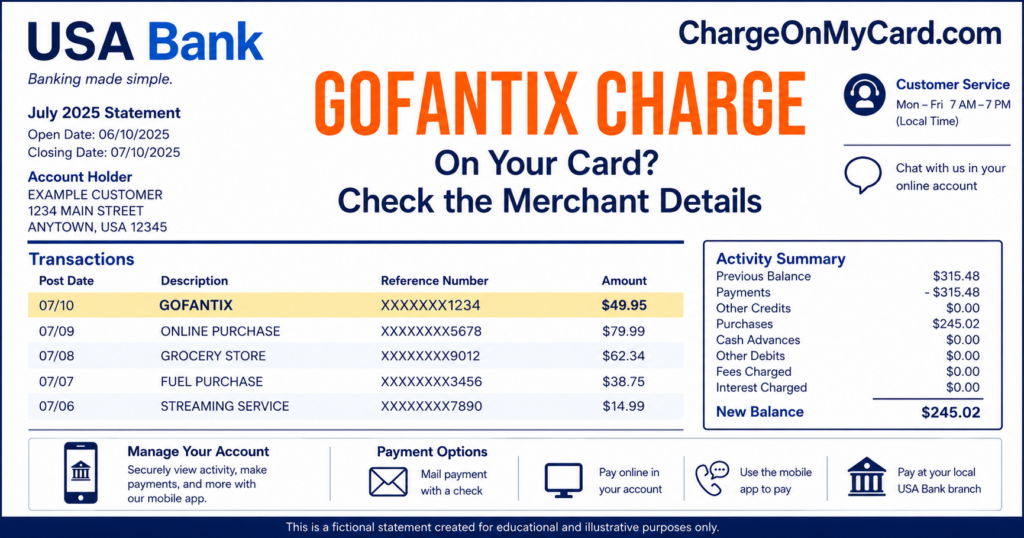
A GOFANTIX charge, GOFANTIX* charge, or similar wording on a credit card, debit card, Apple Pay, Google Pay, or bank statement is strongly associated with a ticket or school-related payment made through GoFan.
GoFan is widely used by schools, athletic associations, teams, clubs, and event organizers. The payment may be for sports tickets, a school performance, dance, camp, graduation activity, parking, concessions, fundraising, or another school or community event.
What Is the GOFANTIX Charge?
The descriptor usually points to a payment processed through GoFan, a digital ticketing and event-payment platform in the PlayOn family of brands.
A GOFANTIX transaction may represent:
- A high-school or middle-school sporting-event ticket
- A playoff, championship, tournament, or athletic-association ticket
- A performing-arts, band, choir, theatre, or school-concert ticket
- A homecoming, prom, dance, or formal-event payment
- A school camp, clinic, or youth-sports registration
- A graduation or commencement-related payment
- Event parking
- A booster-club payment
- A fundraiser or donation
- A concession or onsite card purchase
- A transcript, diploma, activity, or other school fee collected through GoFan
- Multiple tickets purchased in one order
- A service or convenience fee included with the ticket order
- A purchase made by a parent, student, spouse, family member, employee, coach, or another authorized card user
- A pending authorization followed by a completed payment
- An actual duplicate completed payment
- An unauthorized use of the card
The statement may not show the complete event name, school, team, ticket quantity, attendee, purchaser, or email address used for the order.
Why Does the Charge Say GOFANTIX Instead of GoFan?
Card statements have limited space and may combine:
- The GoFan ticketing name
- The host school or organization
- An athletic association
- A shortened event name
- The GoFan website
- A processing location
The wording may appear as `GOFANTIX` because it combines the GoFan name with ticket-related wording such as “tix.”
Publicly observed statement formats include:
- GOFANTIX
- GOFANTIX*
- GOFANTIX* SCHOOL NAME
- GOFANTIX* ATHLETIC ASSOCIATION
- GOFANTIX* WIAA
- GOFANTIX* SCHSL
- GOFANTIX* WANDO HIGH S
- GOFANTIX* FORT MILL SC
- GOFANTIX* YORK COMPREH
- GOFAN.CO GA
- GOFAN TICKETS
- GOFAN HIGH SCHOOL TIX
- CHECKCARD GOFANTIX
- CHKCARD GOFANTIX
- PENDING GOFANTIX
- POS PURCHASE GOFANTIX
Not every variation is guaranteed to be a GoFan purchase. Verify the full descriptor, date, amount, school, event, and receipt.
What Does GOFAN.CO GA Mean?
A GOFANTIX transaction may include `GOFAN.CO` and `GA`.
`GOFAN.CO` points to the GoFan ticketing website. The Georgia location may reflect company or payment-processing information rather than the state where the event occurred.
A Wisconsin, South Carolina, Washington, Illinois, or other out-of-state school event can therefore appear with `GA` in the payment details.
What Can You Buy Through GoFan?
GoFan is used for more than football and basketball tickets.
Possible purchases include:
- Football, basketball, baseball, softball, volleyball, soccer, wrestling, lacrosse, track, swimming, and other athletic events
- State playoffs and championship events
- Band, choir, orchestra, and theatre performances
- Homecoming and prom tickets
- Graduation events
- School camps and clinics
- Youth and club sports
- Season passes and multi-event ticket packages
- Reserved seating when offered
- Parking
- Booster-club activities
- Fundraising contributions
- Concessions and onsite purchases
- School activity or administrative fees
How to Identify the Event Behind a GOFANTIX Charge
- Copy the complete statement descriptor.
- Record the transaction date and amount.
- Determine whether the charge is pending or completed.
- Look for a school, team, association, city, or shortened event name after `GOFANTIX*`.
- Search every email account for `GoFan`, `gofan.co`, `tickets`, `event`, `order confirmation`, and the exact amount.
- Check spam, promotions, archived, and deleted email folders.
- Search text messages for GoFan ticket reminders.
- Review recent school games, performances, dances, camps, graduations, and other events.
- Ask students, parents, family members, coaches, employees, and other authorized card users.
- Review tickets in the GoFan app or My Tickets page.
- Check Apple Pay or Google Pay when the wallet was used.
- Contact GoFan support if no receipt can be located.
- Ask the card issuer for the expanded merchant descriptor when necessary.
How to Find Your GoFan Tickets
GoFan tickets may be available through:
- The original confirmation email
- A reminder email
- A reminder text message
- The GoFan app
- The GoFan My Tickets page
- The account used to buy the tickets
Official ticket access:
An account is not always required to make a purchase. Check the email address entered during checkout even when no GoFan account was created.
Why Is the Amount Higher Than the Ticket Price?
The final charge may include:
- More than one ticket
- A GoFan convenience fee
- Reserved seating
- Parking
- An event add-on
- A fundraiser contribution
- A concession or merchandise purchase
- Taxes when applicable
GoFan’s general fee information currently states:
- For tickets priced at $10 or less, the attendee convenience fee is generally $1.
- For tickets priced over $10, the fee is generally $1 plus 5% of the ticket price.
The exact checkout total and event listing control. Compare the card charge with the final order summary rather than only the advertised ticket price.
Is GOFANTIX a Recurring Subscription?
Usually not.
Most GOFANTIX payments are one-time tickets, registrations, passes, donations, or school-event purchases.
A larger payment may represent:
- A season pass
- A multi-event ticket package
- A camp or clinic registration
- A school activity fee
- Several tickets purchased together
Do not assume repeated GOFANTIX charges are a subscription. They may involve separate games, events, students, schools, or purchases.
Why Are There Multiple GOFANTIX Charges?
More than one transaction may represent:
- Tickets for separate events
- Tickets for different family members
- Multiple school activities
- A ticket purchase and a separate parking payment
- A ticket order and concession purchase
- A failed-looking checkout followed by another attempt
- A pending authorization and completed payment
- An actual duplicate completed order
- Repeated unauthorized card use
Compare each transaction with the GoFan receipts, ticket quantities, event names, dates, and transaction status.
What Is a Pending GOFANTIX Charge?
A pending transaction has not fully settled.
It may:
- Become the completed GoFan payment
- Update with the school or event name
- Change to the final order amount
- Disappear if the checkout failed or the authorization was released
- Be replaced by a completed transaction
Do not automatically count a pending authorization and the completed transaction that replaces it as two settled charges.
If two transactions both complete and only one order exists, contact GoFan support and the card issuer.
Can You Cancel a GoFan Ticket?
GoFan ticket purchases are generally final rather than subscriptions that can be canceled at any time.
The applicable rules may depend on:
- The host school or organization
- The event listing
- Whether the event has already occurred
- Whether the ticket has been used or redeemed
- Whether the event was canceled
- Whether the wrong event was purchased
Do not redeem or transfer a ticket while requesting a refund review.
Can You Get a Refund for the Wrong Event?
GoFan support may review a wrong-event purchase when:
- The event has not yet occurred.
- The tickets have not been used.
- The purchaser contacts support promptly.
- The order can be located.
Use the official support chat and provide:
- The email address used for the order
- The school or organization
- The incorrect event
- The intended event
- The purchase date
- The charge amount
Refund approval is not guaranteed.
What Happens When a GoFan Event Is Canceled?
When the host school or organization marks an event canceled, GoFan says refunds are issued after the cancellation is reviewed by its finance team.
The refund may not begin until the host organization updates the event status.
If an event appears canceled but no refund has been received:
- Check the event page and school announcement.
- Check email for a cancellation or refund notice.
- Confirm that the school marked the event canceled in GoFan.
- Contact the host school when the event still appears active.
- Contact GoFan support with the ticket order details.
- Monitor the original payment method for the credit.
What If the Event Was Rescheduled?
A rescheduled ticket may remain valid for the new date.
Review:
- The updated event page
- The ticket confirmation
- The school or association announcement
- Any GoFan email or text update
A schedule change does not automatically guarantee a refund. Contact GoFan or the host organization when the new date cannot be attended.
Current GoFan Support Information
- Official website: GoFan
- Fan Support Center: GoFan Ticketing Fan Support
- Contact support: Submit a GoFan support request
- My Tickets: Find GoFan tickets
GoFan says chat through its support center is generally the quickest way to reach Fan Support.
Do not rely on telephone numbers found in search advertisements, comments, unofficial directories, or social-media replies.
What If No One Recognizes the GOFANTIX Charge?
- Save the complete descriptor, date, amount, and transaction status.
- Search all household email accounts for GoFan receipts.
- Ask every authorized card user.
- Check recent school, sports, theatre, dance, camp, graduation, and community activities.
- Look for a school or association name in the expanded transaction details.
- Check Apple Pay and Google Pay activity.
- Contact GoFan through its official support center.
- Ask whether the payment can be matched to an order without disclosing unnecessary private information.
- Ask the card issuer for the complete merchant data.
- Lock the card if additional unexplained transactions appear.
- Report the payment promptly if no authorized purchase can be identified.
- Ask whether the card or stored payment token should be replaced.
GoFan is a legitimate ticketing company, but that does not establish that the cardholder authorized a particular order.
Credit Card Dispute Guidance
Contact the credit-card issuer promptly when:
- No authorized GoFan purchase can be identified
- The card was used without permission
- An actual duplicate completed payment remains unresolved
- The amount differs from the order receipt
- GoFan cannot locate the transaction
- A canceled-event refund does not appear
Keep ticket receipts, event notices, cancellation announcements, support communications, and refund confirmations.
Official consumer guidance:
CFPB credit-card dispute guidance
Debit Card and Bank Account Guidance
Report an unauthorized debit-card or bank transaction promptly.
Ask the financial institution:
- Whether the transaction is pending or completed
- Whether another GOFANTIX authorization is pending
- Whether Apple Pay, Google Pay, or a stored token was used
- Whether the transaction was online or card-present
- Whether future transactions can be blocked
- Whether the debit card should be replaced
Official consumer guidance:
CFPB unauthorized debit and bank-transaction guidance
School and Student Privacy Warning
A GoFan purchase may involve a school, student, team, performance, camp, or event involving minors.
Do not post:
- Student or attendee names
- Ticket QR codes or barcodes
- Order numbers
- Exact student schedules
- Private school-account information
- Email addresses or telephone numbers
- Card numbers or card digits
- Home addresses
- Passwords, PINs, CVV codes, or authentication codes
Consumer Reports and Experiences
There are currently no visible public reports on this ChargeOnMyCard.com page.
The page therefore does not currently provide public cardholder evidence identifying:
- A common school or event
- A typical charge amount
- A repeated duplicate-payment problem
- A common refund delay
- A confirmed unauthorized-use pattern
- A final bank or GoFan resolution
The absence of reports does not establish whether an individual transaction was authorized or unauthorized.
ChargeOnMyCard.com cannot:
- Access GoFan orders
- Identify an event from a card number
- Retrieve a ticket
- Cancel an order
- Issue a refund
- Access a school’s event system
- Replace a payment card
- Submit a bank dispute
Frequently Asked Questions About GOFANTIX Charges
What is GOFANTIX on my credit card?
It is strongly associated with a ticket, event, school activity, camp, dance, performance, fundraiser, parking, or other payment processed through GoFan.
What is GOFANTIX used for?
GoFan is used for school athletics, performances, dances, camps, graduation, parking, booster clubs, concessions, fundraising, and other events or activities.
Why does my statement say GOFANTIX?
The descriptor combines GoFan with ticket-related wording and may include the school, athletic association, event host, or processing location.
What does GOFAN.CO GA mean?
It points to the GoFan website and a Georgia payment or company location. It does not necessarily mean the event occurred in Georgia.
How do I find the tickets?
Check the confirmation email, reminder email, reminder text, GoFan app, and GoFan My Tickets page.
Can someone buy tickets without a GoFan account?
Yes. A purchaser can buy GoFan tickets using an email address without necessarily creating an account.
Why is the amount higher than the advertised ticket price?
The total may include multiple tickets, convenience fees, reserved seating, parking, donations, concessions, or other add-ons.
Is GOFANTIX a subscription?
Normally not. It is usually a one-time ticket, registration, pass, school fee, or event payment.
Can I get a refund?
GoFan purchases are generally final. Limited refunds may be available for canceled events, certain wrong-event purchases raised before the event, duplicates, or other approved circumstances.
What happens if the event is canceled?
GoFan says canceled-event refunds are issued after the host organization marks the event canceled and the cancellation is reviewed.
Why are there two GOFANTIX charges?
They may represent separate events, multiple orders, a pending authorization and completed payment, a failed checkout retry, or an actual duplicate.
Can ChargeOnMyCard.com find my tickets or refund me?
No. ChargeOnMyCard.com cannot access GoFan, school, ticket, refund, card, or banking systems.
Related Ticketing, Registration, and Payment Guides
- EB BOTTOMS UP Charge: Eventbrite Ticket or Registration Help
- TM Ticketmaster Charge: Event Tickets, Fees, and Refund Help
- TELECHARGE SVCE Charge: Theatre Tickets and Order Help
- Stripe Charge: Find the Business That Processed the Payment
- How to Investigate an Unrecognized Credit Card, Debit Card, or Bank Charge
Event payments may display the ticketing company, event organizer, school, venue, payment processor, service telephone number, or a shortened event name.
Help Other Cardholders Identify a GOFANTIX Charge
If you identified a GOFANTIX, GOFANTIX*, GOFAN.CO GA, or similar charge, please share what type of event or activity it represented.
Helpful nonprivate details include:
- The descriptor without private reference numbers
- The general amount
- The school, organization, or athletic association when appropriate
- Whether it involved sports, a performance, dance, camp, graduation, parking, concessions, or fundraising
- Whether it was pending or completed
- Whether a duplicate order was found
- Whether an event was canceled
- Whether GoFan issued a refund
- How the issuer resolved an unauthorized payment
Do not post student names, exact schedules, ticket barcodes, QR codes, order numbers, email addresses, card numbers, card digits, home addresses, passwords, PINs, CVV codes, or authentication codes.
Why Rely on ChargeOnMyCard.com?
ChargeOnMyCard.com researches confusing credit-card, debit-card, school-event, sports-ticket, ticketing-platform, payment-processor, pending-authorization, refund, and bank-statement descriptors using current official company resources, public descriptor evidence, statement clues, and visible cardholder reports.
We distinguish the GoFan ticketing platform from the school, team, athletic association, event host, or activity that received the payment while helping readers identify the correct ticket, event, purchaser, fee, duplicate transaction, refund, or potentially unauthorized charge.
Last reviewed: July 15, 2026.
Disclaimer
ChargeOnMyCard.com is not affiliated with GoFan, PlayOn, 2080 Media Inc., Stripe, any school, school district, athletic association, team, event organizer, student, parent, purchaser, cardholder, bank, credit union, card network, payment processor, or financial institution. This article is provided for informational purposes only and is not financial, legal, ticketing, school, event, refund, dispute, privacy, account-security, or fraud-prevention advice. Contact GoFan, the event host, and the financial institution directly regarding a specific transaction.