
If you see a STEAMGAMES.COM charge on your credit card, debit card, PayPal account, or bank statement, it is usually connected to a purchase from Steam, the gaming platform operated by Valve Corporation. The same type of charge may also appear as STEAMPOWERED.COM BELLEVUE WA, Steam Games, Valve Software, or a variation such as steamgames.com 4259522 bellevue usa.
A SteamGames.com or SteamPowered.com Bellevue WA charge is not automatically fraud. It may be a legitimate Steam game purchase, Steam Wallet funding, DLC purchase, in-game item, Community Market transaction, Steam gift, subscription, hardware purchase, or transaction made by another authorized card user. However, if you do not recognize the amount, Steam account, device, game, or purchase date, verify it quickly through Steam Support and your card issuer.
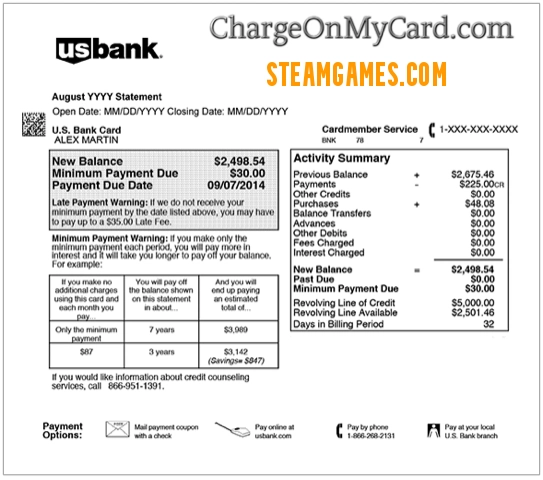
STEAMPOWERED.COM Bellevue WA and STEAMGAMES.COM Charge: What It May Mean
STEAMGAMES.COM and STEAMPOWERED.COM BELLEVUE WA are statement descriptors commonly associated with Steam or Valve Corporation purchases. Steam is a major online gaming platform where users can buy games, software, downloadable content, in-game items, Steam Wallet funds, gifts, subscriptions, and hardware such as Steam Deck accessories.
The charge may not show the exact game title or Steam account that made the purchase. Instead, your bank may show a shorter billing descriptor such as STEAMGAMES.COM, STEAMPOWERED.COM, VALVE SOFTWARE, or a Bellevue, Washington location because Valve is based in Bellevue.
If you or someone with access to your card uses Steam on a PC, Steam Deck, mobile app, or gaming account, the charge may be legitimate. If no one recognizes the charge, review Steam purchase history, email receipts, family users, PayPal activity, and your card issuer’s merchant details before deciding whether to dispute it.
Common SteamGames.com and SteamPowered.com Statement Descriptor Variations
Card and bank statements may shorten merchant names, add location details, show phone-number-like fragments, or display different labels for credit, debit, pending, and refund transactions. Possible variations include:
- STEAMGAMES.COM
- STEAMGAMES COM
- STEAMGAMES
- STEAM GAMES.COM
- STEAM GAMES COM
- STEAMGAMES.COM CHARGE
- STEAMGAMES COM CHARGE
- STEAMGAMES.COM CHARGES
- STEAMGAMES.COM PURCHASE
- STEAMGAMES.COM 4259522
- STEAMGAMES.COM 4259522 BELLEVUE
- STEAMGAMES.COM 4259522 BELLEVUE USA
- STEAMGAMES.COM 42595 UNAUTHORIZED CHARGES
- STEAMPOWERED.COM BELLEVUE WA
- STEAMPOWERED.COM BELLEVUE
- STEAMPOWERED.COM WA
- STEAMPOWERED.COM CHARGE
- STEAMPOWERED COM BELLEVUE WA
- VALVE SOFTWARE
- VALVE CORPORATION
- STEAM PURCHASE
- STEAM WALLET
- PO BOX 1688 BELLEVUE WA 98009
- NE 4TH STREET BELLEVUE WA CHARGE
- CHKCARD STEAMGAMES.COM
- CHECKCARD STEAMGAMES.COM
- POS Debit STEAMGAMES.COM
- POS PURCHASE STEAMGAMES.COM
- POS REFUND STEAMGAMES.COM
- PRE-AUTH STEAMGAMES.COM
- PENDING STEAMGAMES.COM
- Visa Check Card STEAMGAMES.COM
The exact wording can vary by bank, card network, payment method, country, and whether the transaction is pending, posted, refunded, or disputed.
Why a SteamGames.com Charge May Appear
A STEAMGAMES.COM or STEAMPOWERED.COM Bellevue WA charge may appear for several reasons, including:
- Steam game purchase: You or another card user may have bought a game, software title, preorder, or bundle from the Steam Store.
- Downloadable content: The charge may relate to DLC, expansions, maps, characters, cosmetics, or bonus content.
- Steam Wallet funds: Someone may have added funds to a Steam Wallet using your card or PayPal account.
- In-game purchase: The charge may relate to in-game currency, skins, items, passes, or other digital content.
- Community Market purchase: Steam users can buy and sell certain in-game items through the Steam Community Market.
- Steam gift: A game or gift card may have been purchased and sent to another Steam user.
- Subscription or recurring billing: Some games, software, or services on Steam may involve recurring subscriptions.
- Steam hardware: The charge may relate to Steam Deck, Valve Index, accessories, replacement parts, or other hardware orders.
- PayPal or digital wallet payment: Steam purchases may be made with PayPal or another saved payment method.
- Family or authorized-user purchase: A child, spouse, family member, employee, or other authorized user may have made the purchase.
- Unauthorized card use: If no one recognizes the charge, your card or Steam account may have been used without permission.
Official Steam and Valve Contact Information
For Steam billing, refunds, account recovery, and unrecognized charges, use Steam Support first. Valve’s public contact guidance directs customer service and technical support questions for Steam or Valve games to Steam Support.
- Steam Support: Steam Support Help Site
- Steam unrecognized charges help: I have charges from Steam that I do not recognize
- Steam refunds: Steam Refunds
- Steam account details and purchases: Steam Account Details
- Valve contact page: Valve Contact
- Valve Corporation address listed in Steam refund materials: 10400 NE 4th St., Suite 1400, Bellevue, WA 98004
Important: Steam account and billing help should be handled through Steam Support. Be cautious with phone numbers, chat messages, Discord messages, fake support profiles, or ads claiming to be Steam Support. Do not share your full card number, Steam password, Steam Guard codes, recovery codes, PayPal login, or banking login with anyone.
How to Verify a STEAMGAMES.COM or STEAMPOWERED.COM Charge
Use these steps to determine whether the Steam charge is legitimate:
- Check Steam purchase history. Sign in to Steam and review recent purchases, Wallet transactions, gifts, subscriptions, Market activity, refunds, and hardware orders.
- Search your email. Look for “Steam,” “Valve,” “SteamGames,” “SteamPowered,” “Steam Wallet,” “Steam receipt,” “Valve Software,” “Community Market,” or the exact charge amount.
- Check PayPal or wallet activity. If you use PayPal, Apple Pay, Google Pay, or another payment method, compare those records with the statement charge.
- Ask authorized card users. Check with children, spouses, family members, employees, or anyone else who may use the card or Steam account.
- Check Steam Family settings. Family members or shared devices may explain a purchase you do not immediately recognize.
- Review Steam Wallet activity. A statement charge may be for Wallet funds rather than a specific game title.
- Look for Community Market transactions. Some charges may relate to skins, cards, cases, or game items.
- Check whether the charge is pending. Pending authorizations may disappear, change amount, or post later as a final transaction.
- Use Steam Support for Steam-related issues. If the charge appears in a Steam account, open a Steam Support request.
- Contact your bank or card issuer if still unknown. Ask for the full merchant descriptor, merchant category, transaction type, and dispute options.
How to Request a Steam Refund
If you recognize the Steam purchase but want a refund, start with Steam’s official refund process. Steam says users can request a refund for many Steam purchases for any reason if the request is made within the required return period and, for games, the title has been played for less than two hours.
Refund rules can vary by purchase type. Steam has separate guidance for downloadable content, in-game purchases, preorders, Steam Wallet funds, renewable subscriptions, hardware, bundles, gifts, and video content.
To request a refund:
- Go to Steam Support.
- Sign in to the Steam account used for the purchase.
- Select the purchase or transaction that matches the statement charge.
- Choose the refund or purchase-problem option that applies.
- Save any confirmation, ticket number, email, or screenshot.
If the charge does not appear in any Steam account you control, use Steam’s unrecognized-charge help and contact your card issuer.
Is SteamGames.com Legit?
Many people search “is steamgames.com legit” because the descriptor looks different from the name “Steam.” In most cases, STEAMGAMES.COM, STEAMPOWERED.COM BELLEVUE WA, Valve Software, or Steam Games is a legitimate Steam/Valve billing descriptor.
That said, a legitimate descriptor does not mean every charge is authorized. If someone used your card on their Steam account, if a child made purchases without permission, or if your card information was stolen, the charge may still be unauthorized even though the merchant descriptor is real.
What To Do If the SteamGames.com Charge Is Unauthorized
If the SteamGames.com or SteamPowered.com charge is not yours, act quickly:
- Check every Steam account you control for matching purchases, Wallet funds, gifts, subscriptions, or Market transactions.
- Use Steam Support if the charge appears in your Steam account or you believe your Steam account was compromised.
- Secure your Steam account. Change your password, review account activity, check the email address, and enable or review Steam Guard.
- Ask household members whether they made the purchase, especially children or family members using shared devices.
- Lock your card through your bank app if unauthorized card use is possible.
- Call the number on the back of your card if the charge does not appear in any Steam account you control.
- Ask whether the charge is pending or posted. Some card issuers handle pending and posted transactions differently.
- Request the full merchant details. Ask your issuer for the descriptor, merchant category, billing location, and transaction type.
- Dispute the charge if appropriate. If you did not authorize it, ask your bank or card issuer about the correct dispute or fraud-reporting process.
- Request a replacement card if needed. If the card number may be compromised, your issuer may recommend issuing a new card.
- Keep records. Save Steam Support tickets, bank dispute numbers, emails, screenshots, receipts, and call dates.
Chargeback caution: If a Steam purchase is connected to your own Steam account, opening a bank chargeback may affect account access or purchasing privileges. When possible, start with Steam Support and Steam’s refund process before disputing a recognized Steam account purchase through your bank. If the card was used without permission and does not belong to any Steam account you control, contact your card issuer right away.
SteamGames.com Debit Card Charge vs. Credit Card Charge
If the SteamGames.com charge appears on a debit card, the funds may already have left your checking account. Contact your bank quickly if the charge is unauthorized, repeated, or does not match a Steam purchase.
If the charge appears on a credit card, contact your credit card issuer and ask about billing dispute rights, documentation, and deadlines. Keep copies of Steam receipts, Steam Support messages, refund confirmations, and any written dispute you file.
Frequently Asked Questions About SteamGames.com and SteamPowered.com Charges
What is STEAMGAMES.COM on my credit card?
STEAMGAMES.COM on a credit card is usually a billing descriptor for Steam or Valve Corporation. It may relate to a Steam game, DLC, Steam Wallet funds, gift, subscription, in-game purchase, Community Market activity, hardware order, or another Steam transaction.
What is STEAMPOWERED.COM Bellevue WA?
STEAMPOWERED.COM Bellevue WA is another Steam/Valve statement descriptor. Bellevue, Washington appears because Valve Corporation is based in Bellevue. The charge may be connected to a Steam Store, Steam Wallet, Steam account, or Steam hardware transaction.
What does steamgames.com 4259522 bellevue usa mean?
Steamgames.com 4259522 Bellevue USA appears to be a longer bank-statement variation of a Steam/Valve billing descriptor. It may include shortened location or phone-style details. Check your Steam purchase history and email receipts to match the amount and date.
Why does my statement say SteamGames.com instead of Steam?
Card statements often show a billing domain, legal entity, processor label, or location instead of the brand name you recognize. A Steam purchase may therefore appear as STEAMGAMES.COM, STEAMPOWERED.COM, Valve Software, or Steam Games.
Is SteamGames.com legit?
SteamGames.com is commonly associated with Steam/Valve billing. However, if you did not make the purchase and no authorized user recognizes it, the charge could still be unauthorized card use.
Why did Steam charge me if I do not have a Steam account?
Your card may have been used on someone else’s Steam account, used through PayPal, used by a family member, or used without permission. If the charge does not appear in any Steam account you control, contact your card issuer and use Steam’s unrecognized-charge support route.
How do I get a refund from Steam?
Go to Steam Support, sign in, select the purchase, and follow the refund request process. Steam’s standard refund guidance generally covers many game/software purchases within 14 days of purchase and under two hours of playtime, with separate rules for other purchase types.
Should I dispute a SteamGames.com charge?
Do not dispute it automatically if it may match a real Steam purchase, child purchase, gift, Wallet funding, or authorized-user transaction. First check Steam purchase history, email receipts, PayPal activity, and authorized users. If you still cannot identify it, contact your card issuer and ask about dispute options.
Can a Steam charge be from a child or family member?
Yes. A child, family member, or other authorized user may make Steam purchases on a shared device, shared card, family account, or saved payment method. Check Steam Family settings and purchase history before assuming the charge is fraud.
What should I do if I see repeated SteamGames.com charges?
Check for recurring subscriptions, multiple game purchases, Steam Wallet funding, Community Market activity, or unauthorized use. Secure your Steam account, review saved payment methods, and contact your card issuer if the charges are not recognized.
Related Charge Guides
Other game, app, digital purchase, payment processor, and online service descriptor guides that may help when comparing unfamiliar charges:
- Google Supercell Charge on Credit Card
- 1600 Amphitheatre Pkwy G.co Payhelp CA Charge
- 7700 Eastport Parkway PayPal Charge on Bank Statement
- EverAI Charge on Credit Card
- W8TECH SA Charge on Credit Card
- SPStore Gold Charge on Credit Card
Share Your Experience With a SteamGames.com Charge
Have you seen a STEAMGAMES.COM, steamgames.com 4259522 bellevue usa, STEAMPOWERED.COM BELLEVUE WA, Valve Software, Steam Games, or similar charge on your credit card, debit card, PayPal account, or bank statement? Share the exact descriptor, amount range, whether it was pending or posted, and whether it matched a Steam game purchase, Wallet funding, gift, subscription, child purchase, refund issue, or unauthorized transaction.
Privacy warning: Do not post your full card number, bank account number, CVV, Steam login, Steam Guard code, recovery code, PayPal login, email address, phone number, home address, order number, transaction ID, or banking details in a public comment.
Why Trust ChargeOnMyCard.com?
ChargeOnMyCard.com helps consumers research confusing credit card, debit card, PayPal, Cash App, Venmo, Zelle, app-store, gaming, and bank statement descriptors. We review available merchant information, official support resources, public charge patterns, statement wording, and consumer-safety guidance to help readers understand what a charge may be and how to verify it safely.
Disclaimer
ChargeOnMyCard.com is an independent consumer information website and is not affiliated with Steam, Valve Corporation, SteamPowered.com, SteamGames.com, PayPal, any game publisher, payment processor, bank, or card issuer. This page is for educational purposes only. Always verify charges directly with Steam Support, the merchant if safely identifiable, your bank, or your credit card issuer before taking action.