
A FLIFF INC charge, FLIFF charge, or FLIFF INC KING OF PRUSSIA charge on a credit card, debit card, or bank statement likely relates to Fliff, a sports-prediction and gaming platform operated by Fliff Inc.
The payment may represent a purchase of Fliff Coins for Fliff’s social-sports gaming product or a deposit connected with Fliff Pick’Em daily fantasy sports. Fliff’s official terms say direct website purchases normally appear on statements as FLIFF. Purchases made through a mobile app may instead be processed by Apple, Google, or another payment provider.
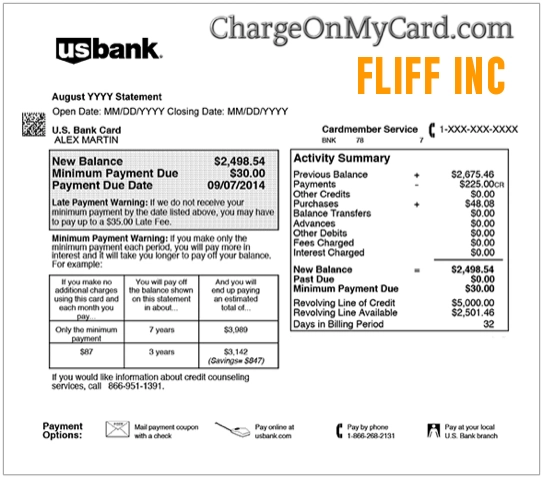
What Is the FLIFF INC Charge?
Fliff Inc. operates sports-prediction products that allow eligible adults to participate in social gaming, promotional sweepstakes, and certain daily fantasy sports contests.
A FLIFF charge may represent:
- A purchase of Fliff Coins
- A purchase completed through the Fliff website
- An in-app purchase processed by Apple or Google
- A Fliff Pick’Em deposit
- A payment made through Apple Pay
- A payment processed by another Fliff payment provider
- Several separate purchases made within the app
- A purchase made by another authorized user
- A purchase made by a minor who had access to the account or payment method
- An unauthorized use of the card
The statement descriptor does not identify the Fliff username, device, game, contest, payment provider, amount of Fliff Coins, or person who completed the transaction.
Does Fliff Officially Use the FLIFF Statement Descriptor?
Yes. Fliff’s published terms state that purchases made directly through its website appear on card statements as FLIFF.
A bank may expand or reformat the wording as:
- FLIFF
- FLIFF INC
- FLIFF INC KING OF PRUSSIA
- FLIFF KING OF PRUSSIA PA
- GETFLIFF
- GETFLIFF.COM
- PENDING FLIFF
- CHECKCARD FLIFF
- CHKCARD FLIFF INC
- POS DEBIT FLIFF
Fliff does not currently publish a complete list of every possible bank variation. Compare the amount and date with the Fliff account and confirmation email.
What Is Fliff?
Fliff currently offers more than one sports-gaming product, and the type of payment matters.
Fliff Social Sportsbook
The social-sports product uses two virtual currencies:
- Fliff Coins: Used for social play and not redeemable as ordinary deposited money.
- Fliff Cash: Promotional sweepstakes entries that may be used in eligible promotional games and may become redeemable for prizes when applicable requirements are met.
Fliff says ordinary cash is not deposited into the social-sports wallet. Users may purchase Fliff Coins, but free Fliff Coins and alternative free methods of participation are also available.
Fliff Pick’Em
Fliff Pick’Em is a separate daily fantasy sports contest product. Where available, it may accept deposits through:
- Credit cards
- Debit cards
- Apple Pay
- ACH bank transfer
A Fliff Pick’Em payment should therefore be distinguished from a purchase of Fliff Coins in the social product.
What Are Fliff Coins?
Fliff Coins are virtual coins used for social gameplay. Purchasing Fliff Coins does not create a withdrawable cash balance.
Fliff’s terms describe a purchase as a limited license to use the coins within the platform. The purchase price is shown before checkout, and the account may receive an on-screen confirmation and an email receipt.
A Fliff Coins purchase may occur through:
- The Fliff website
- The Apple App Store
- Google Play
- Another payment provider available within the platform
Why Did Fliff Charge My Card?
Possible explanations include:
- You purchased Fliff Coins through the website.
- You purchased Fliff Coins through the mobile app.
- You funded a Fliff Pick’Em account where that product is available.
- You made several separate coin purchases.
- A purchase was completed using a saved payment method.
- Another authorized household member used the device or account.
- A minor accessed the account or stored card.
- The purchase was made under another Fliff username or email address.
- The card or account was compromised.
Fliff Coin purchases are not documented as automatic monthly subscriptions. Repeated charges may therefore represent separate purchases rather than a subscription renewal.
How to Verify a FLIFF INC Charge
- Copy the complete statement descriptor.
- Record the exact amount and transaction date.
- Determine whether the entry is pending or completed.
- Sign in to every Fliff account that may use the card.
- Review wallet, cashier, purchase, deposit, and contest records available in the account.
- Search email for a Fliff purchase confirmation.
- Check Apple purchase history.
- Check Google Play purchase history.
- Review Apple Pay and linked bank activity when applicable.
- Ask household members and authorized card users.
- Contact Fliff support with the transaction date and amount.
- Contact the financial institution if no authorized account or purchase can be identified.
Search email for:
- Fliff
- GetFliff
- Fliff Coins
- Pick’Em
- Purchase confirmation
- Payment confirmation
- Apple receipt
- Google Play receipt
- The exact charged amount
Could an Apple or Google Purchase Look Different?
Yes. A purchase made through the Fliff mobile app may be governed and processed by Apple, Google, or another payment provider.
Depending on the payment route, the statement could display:
- FLIFF
- Apple billing wording
- Google billing wording
- The name of another payment processor
Check the app-store purchase history before concluding that a payment is unrelated to Fliff.
Does Fliff Provide Refunds?
Refund rules depend on how the payment was made.
Direct Website Fliff Coin Purchases
Fliff’s published terms describe direct website purchases as final and state that refunds are not issued for those Fliff Coin purchases.
Apple or Google Purchases
Purchases completed through Apple or Google are governed by the applicable app store’s payment and refund policies.
Contact Fliff support when:
- The wrong Fliff account received the purchase.
- The coins did not appear.
- Two completed charges appear for one attempted purchase.
- An Apple or Google transaction cannot be matched.
- The cardholder did not authorize the purchase.
Pick’Em Deposits
Pick’Em deposits, contest entries, withdrawals, and refunds may be governed by separate fantasy-sports rules and the payment provider used for the transaction. Contact Fliff support before assuming that the Fliff Coin refund language applies to a Pick’Em transaction.
What Happens If You Dispute a Fliff Charge?
Fliff’s terms state that a chargeback may result in the Fliff account being suspended. The company may also treat the disputed amount as money owed when it believes the original purchase was authorized.
Before disputing an apparently authorized purchase:
- Check the Fliff account.
- Check Apple or Google purchase history.
- Ask other authorized users.
- Contact Fliff support.
- Save the merchant response.
This does not mean that a cardholder should ignore genuinely unauthorized activity. Contact the card issuer promptly when the card was used without permission or when Fliff cannot identify an authorized account.
Current Fliff Contact Information
- Company: Fliff Inc.
- Address: 840 First Avenue, Suite 400, King of Prussia, PA 19406
- Email: support@getfliff.com
- Support availability: Published as 24 hours a day, seven days a week
- Contact form: Contact Fliff support
- Website: GetFliff.com
- Help Center: Fliff Help Center
Fliff does not currently publish a general customer-service telephone number on its primary contact page. Be cautious with supposed Fliff telephone numbers found in advertisements, comments, forums, or unverified search results.
How to Close a Fliff Account
Fliff publishes the following account-deletion process:
- Sign in to the Fliff app.
- Open Profile.
- Open the menu in the upper-right corner.
- Select Settings.
- Locate the account-deletion text.
- Select the link to close the account.
- Submit the account-deletion request.
- Wait for Fliff to process the request.
Official instructions:
Deleting an account does not automatically reverse completed purchases or cancel a card dispute already in progress.
How to Limit or Stop Future Fliff Activity
Fliff publishes responsible-gaming tools that may include:
- Daily purchase limits
- Weekly purchase limits
- Monthly purchase limits
- Play limits
- Session reminders
- One-day cool-off periods
- Seven-day cool-off periods
- Thirty-day cool-off periods
- Longer self-exclusion periods
- Permanent account closure
Requests may be submitted through the Fliff contact route or by emailing customer support, depending on the selected restriction.
Official information:
Fliff responsible social gaming tools
What If the Purchase Was Made by a Minor?
Fliff is intended for adults who meet the applicable age and location requirements.
If a minor accessed the account or stored payment method:
- Secure the Fliff account.
- Change the account password.
- Remove or secure saved payment methods.
- Contact Fliff support immediately.
- Review Apple and Google parental controls.
- Contact the financial institution if the card use was unauthorized.
Do not publicly post the minor’s identity, account information, or card details.
What If You Never Used Fliff?
- Save the complete descriptor, amount, and date.
- Ask every authorized card user.
- Search personal and household email accounts.
- Check Apple and Google purchase history.
- Check whether the payment card was stored on another device.
- Contact Fliff support and request transaction identification.
- Change passwords if an account may have been compromised.
- Lock the card if additional suspicious activity appears.
- Notify the financial institution promptly.
- Ask whether the card or payment token should be replaced.
A genuine Fliff merchant descriptor does not prove that the cardholder personally authorized the transaction.
Credit Card Dispute Guidance
Contact the credit-card issuer promptly when:
- No authorized Fliff account can be identified
- The card was used without permission
- An actual duplicate completed payment remains unresolved
- Fliff cannot locate the transaction
- The amount differs from the purchase confirmation
- An approved reversal does not appear
Keep the statement, account records, purchase confirmations, app-store receipts, support ticket, and merchant response.
Official consumer guidance:
CFPB credit-card dispute guidance
Debit Card and Bank Account Guidance
Report an unauthorized debit-card or bank transaction immediately.
Ask the financial institution:
- Whether the transaction is pending or completed
- Whether another Fliff authorization is pending
- Whether Apple Pay or another payment token was used
- Whether future merchant purchases can be blocked
- Whether the card should be replaced
- What documentation is required for the claim
Official consumer guidance:
CFPB unauthorized debit and bank-transaction guidance
Credit-card and debit-card protections, procedures, and reporting deadlines differ.
Protect Your Account and Identity Information
Fliff may require identity and payment verification. Do not post sensitive details in a public review or comment.
Do not share:
- A Social Security number
- A photograph of a driver’s license or identification document
- A selfie used for identity verification
- A Fliff username or account email
- A complete card or bank-account number
- A transaction or withdrawal reference
- A password, PIN, CVV, or authentication code
Consumer Reports and Experiences
There are currently zero visible public reviews on this ChargeOnMyCard.com page.
ChargeOnMyCard.com has not received visible cardholder confirmation establishing:
- Whether a reported payment was a Fliff Coin purchase
- Whether it was a Pick’Em deposit
- Whether Apple or Google processed it
- Whether another authorized person made the purchase
- Whether a refund or reversal was requested
- Whether any transaction was unauthorized
ChargeOnMyCard.com cannot:
- Access Fliff accounts
- Identify a player from a card number
- Reverse a purchase
- Withdraw Fliff Coins or Fliff Cash
- Close an account
- Issue a refund
- Replace a payment card
- Submit a bank dispute
Frequently Asked Questions About FLIFF INC Charges
What is FLIFF INC on my credit card?
It likely identifies a payment to Fliff Inc., such as a Fliff Coins purchase or a transaction connected with Fliff Pick’Em.
Does Fliff officially use the descriptor FLIFF?
Yes. Fliff’s published terms say direct website purchases appear on statements as FLIFF.
Why does the charge mention King of Prussia?
Fliff Inc. lists its business address in King of Prussia, Pennsylvania. The location does not necessarily show where the account holder made the purchase.
Is Fliff a sportsbook?
Fliff describes its primary product as a social sportsbook using Fliff Coins and promotional Fliff Cash. Its separate Pick’Em daily fantasy sports product can involve deposits and real-money prizes where available.
Is a Fliff charge a subscription?
Not ordinarily. Fliff Coin purchases are individual purchases. Several charges may represent several separate transactions rather than recurring membership billing.
Can Fliff Coins be withdrawn as cash?
No. Fliff Coins are virtual coins used for social gameplay and do not have ordinary cash value.
Can I receive a refund?
Direct website Fliff Coin purchases are described as final. Apple and Google purchases follow the applicable app-store rules. Contact support about errors, duplicate transactions, or unauthorized use.
Why does my statement show Apple or Google instead?
A mobile in-app purchase may be processed through Apple or Google rather than directly through Fliff.
What happens if I dispute a Fliff payment?
Fliff’s terms say a chargeback can result in account suspension. This should not prevent you from reporting genuinely unauthorized card use to the issuer.
How do I close my Fliff account?
Open Profile, Menu, Settings, and use the account-closing link. You may also contact Fliff support.
Can ChargeOnMyCard.com reverse the payment?
No. ChargeOnMyCard.com cannot access Fliff, Apple, Google, payment, account, refund, or banking systems.
Related Charge Guides
Help Other Cardholders Identify FLIFF INC
If you saw FLIFF INC, FLIFF, FLIFF INC KING OF PRUSSIA, or another variation, please share what the payment represented.
Helpful nonprivate details include:
- The descriptor without transaction references
- The general amount
- Whether it was a Fliff Coins purchase or Pick’Em deposit
- Whether Fliff, Apple, Google, or another provider processed it
- Whether a purchase confirmation was found
- Whether another authorized user made the transaction
- Whether support corrected a duplicate payment
- How the issuer resolved an unauthorized payment
Do not post Social Security numbers, identification documents, account emails, usernames, card details, bank details, passwords, PINs, CVV codes, or authentication codes.
Why Rely on ChargeOnMyCard.com?
ChargeOnMyCard.com researches confusing credit-card, debit-card, app-purchase, sports-gaming, daily-fantasy, virtual-coin, payment-provider, and bank-statement descriptors using current merchant terms, official support resources, consumer-protection guidance, statement patterns, and visible cardholder reports.
We distinguish Fliff Coin purchases, app-store payments, and Pick’Em deposits from the separate question of which account, device, payment provider, authorized user, duplicate transaction, or unauthorized person caused a specific payment.
Last reviewed: July 2026.
Disclaimer
ChargeOnMyCard.com is not affiliated with Fliff Inc., Fliff, Fliff Pick’Em, Apple, Google, Persona, any player, contest participant, cardholder, bank, credit union, card network, payment provider, or financial institution. This article is provided for informational purposes only and is not financial, legal, gaming, gambling, sweepstakes, daily-fantasy, refund, identity-verification, account-security, dispute, or fraud-prevention advice. Participation eligibility, availability, and rules vary by product and location. Contact Fliff, the applicable payment provider, and the financial institution directly regarding a specific transaction.