
A 1601 Willow Road Menlo Park CA charge on your credit card, debit card, or bank statement may be connected to Meta, the company behind Facebook, Instagram, Messenger, Meta Pay, Meta Quest, and other products. The address was historically associated with Facebook and Meta’s Menlo Park campus.
The address alone does not identify the exact purchase. The charge could involve Meta Pay, advertising, Meta Verified, a Meta Quest or Oculus purchase, an app, a game, an in-app transaction, a device order, or another Meta service. Compare the amount and date with each relevant Meta account before deciding whether the transaction was authorized.
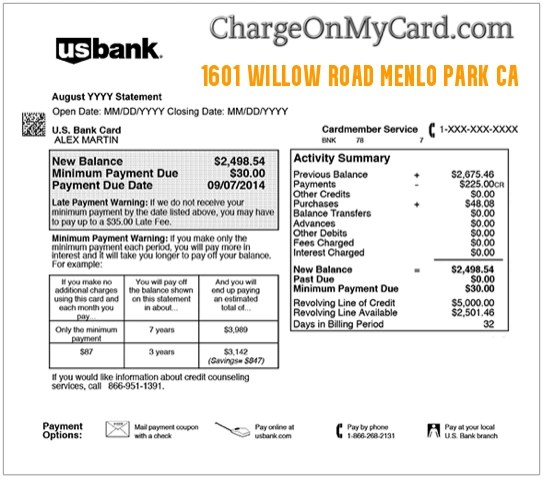
What Is the 1601 Willow Road Menlo Park CA Charge?
1601 Willow Road, Menlo Park, California 94025 was an address historically associated with Facebook and Meta. A card or bank statement displaying that address may therefore involve a payment processed through a Meta-owned product or service.
Possible explanations include:
- A Meta Pay purchase or transaction
- A Facebook or Instagram advertising charge
- A Meta Verified subscription
- A Meta Quest or older Oculus game purchase
- A Meta Horizon app or in-app purchase
- A Meta Quest subscription
- A Meta Store device or accessory order
- A Facebook purchase or donation
- A transaction made by another authorized account user
- A temporary payment authorization
- An unauthorized use of a saved payment method
The transaction should not be treated as confirmed simply because the address is connected to Meta. Review the complete descriptor, account history, amount, date, and payment method.
Is 1601 Willow Road Facebook or Meta?
Yes, the address has a documented historical connection to Facebook and Meta. However, it is no longer Meta’s current principal executive-office address.
The address history can be summarized as follows:
- 1601 Willow Road: An older Meta and Facebook corporate and campus address
- 1 Hacker Way: The current address used for the Meta East Campus that was previously addressed as 1601 Willow Road
- 1 Meta Way: Meta Platforms, Inc.’s current principal executive-office address
A payment processor or bank may still display older merchant-profile information. Therefore, seeing 1601 Willow Road does not necessarily mean the payment is old or that the card was physically used at that location.
Common 1601 Willow Road Statement Variations
- 1601 WILLOW ROAD
- 1601 WILLOW RD
- 1601 WILLOW ROAD MENLO PARK
- 1601 WILLOW ROAD MENLO PARK CA
- 1601 WILLOW ROAD MENLO PARK CA 94025
- 1601 WILLOW ROAD MENLO PARK CA 94025 USA
- 1601 WILLOW RD MENLO PARK CA
- 1601 WILLOW RD MENLO PARK CAUS
- MENLO PARK CAUS
- MENLO PARK CA CREDIT CARD CHARGE
- FACEBOOK MENLO PARK CA
- META MENLO PARK CA
- OCULUS MENLO PARK CA
- Meta or Facebook name followed by 1601 Willow Road
The bank may shorten, compress, rearrange, or remove punctuation from the original merchant information.
Why Does My Statement Show an Address Instead of a Product?
Credit-card and bank descriptors may include a company’s legal address, old business address, corporate telephone number, payment processor, or account-registration information instead of the product name the customer remembers.
You might remember purchasing:
- A Meta Quest game
- An Instagram or Facebook subscription
- A Facebook advertisement
- A Meta Verified subscription
- A Quest headset or accessory
- An in-app item
- A donation
- A Marketplace item
The outside statement may display an address connected to Meta rather than a clear product description.
Could the Charge Be From Meta Pay?
Yes. Meta Pay supports eligible payments and transactions across Meta products and participating services. Depending on availability and location, Meta Pay may be used for purchases, donations, orders, and other supported transactions.
To review Meta Pay activity:
- Sign in to the Facebook account that may have made the payment.
- Open Settings and privacy.
- Open Accounts Center.
- Select Meta Pay.
- Review the transaction history under Activity or Transactions.
- Open the matching amount for additional details.
Some payment activity may instead appear under Orders and payments, depending on the account and device.
How to Report an Unrecognized Meta Pay Charge
If a matching unauthorized transaction appears in Meta Pay:
- Open the transaction.
- Select Get Help with This Payment.
- Select the available contact or reporting option.
- Choose live chat or email when offered.
- Follow the instructions to submit the report.
- Save the case number and response.
Before reporting it, ask whether a family member, friend, employee, coworker, or other authorized user made the purchase using the saved payment method.
Could It Be a Facebook or Instagram Advertising Charge?
Yes. Businesses, page administrators, creators, employees, and agencies may run advertising through Facebook, Instagram, or Meta Ads Manager.
An advertising charge could result from:
- A Facebook ad campaign
- An Instagram promotion
- A boosted post
- A campaign managed by an employee or agency
- A shared advertising account
- A billing threshold being reached
- A scheduled monthly billing date
- Several smaller advertising costs combined into one payment
How to Find a Meta Ads Charge
- Open Meta Ads Manager on a desktop browser.
- Go to Billing and payments.
- Select Payment activity.
- Choose the relevant date range.
- Compare each payment with the amount on the card or bank statement.
- Review the ad-account name and payment method.
- Download the available receipt.
If you have access to multiple advertising accounts, check each account separately. Also ask any employees, contractors, partners, or agencies who can run campaigns.
Could the Charge Be From Meta Verified?
Possibly. Meta Verified is a recurring subscription offered for eligible Facebook and Instagram accounts.
A Meta Verified payment may involve:
- A monthly subscription renewal
- A subscription for a Facebook profile
- A subscription for an Instagram profile
- More than one subscribed profile
- A temporary authorization hold
- A subscription purchased through Apple or Google
Review the payment history connected to the Meta Verified subscription and compare the amount, date, payment status, and subscribed profile.
Why Are There Multiple Meta Verified Charges?
Multiple entries may occur because:
- More than one profile has a subscription.
- A Facebook and Instagram profile are billed separately.
- A pending authorization and completed payment are both visible.
- Separate subscriptions renew on similar dates.
- A payment failed and was attempted again.
- Unauthorized subscription activity occurred.
If one entry is marked pending, it may be a temporary authorization rather than a second completed payment.
How to Cancel Meta Verified
Use the subscription-management area shown inside the Facebook or Instagram account, or the Apple App Store or Google Play Store when the subscription was purchased there.
Meta advises canceling at least 24 hours before the next scheduled payment date to avoid another billing cycle.
Save the cancellation confirmation and note the date when subscription benefits are expected to end.
Could the Charge Be From Meta Quest or Oculus?
Yes. Searches for the address may also involve Meta Quest or the older Oculus brand. Possible purchases include:
- Meta Quest games
- Virtual-reality apps
- Downloadable content
- In-app purchases
- App subscriptions
- Meta Horizon digital items
- Quest headset purchases
- Controllers, straps, cases, or other accessories
Older receipts and statement records may use Oculus terminology even though the current product branding is Meta Quest.
How to Review Meta Quest and Horizon Purchases
For games, apps, and digital content:
- Open the Meta Horizon app.
- Select Menu.
- Scroll to Payment and subscriptions.
- Select Transaction history.
- Open the matching purchase.
- Review the item, amount, account, and refund option.
For a headset, device, or accessory order, sign in to your Meta account and review your device-order history.
Could the Charge Be a Meta Store Hardware Order?
Yes. A Meta Store transaction may involve:
- A Meta Quest headset
- Ray-Ban Meta or other supported smart glasses
- A replacement controller
- A charging accessory
- A carrying case or strap
- A warranty replacement fee
- Separate shipments from one order
Compare the card charge with the Meta Store order confirmation, shipment notice, and device-order history.
Could It Be a Facebook Purchase or Donation?
Depending on the features available to the account and location, Meta-related payments may also involve:
- A Facebook purchase
- A Marketplace checkout order
- A charitable donation
- A fundraiser contribution
- A digital creator purchase
- A transaction through a participating online store
Review Meta Pay, Orders and payments, email receipts, and the activity for the relevant Facebook or Instagram account.
How to Identify the Exact 1601 Willow Road Charge
- Copy the complete statement descriptor exactly.
- Record the amount, date, status, and payment method.
- Check Meta Pay transaction history.
- Check every Meta advertising account.
- Review Meta Verified subscriptions.
- Review Meta Quest and Horizon transaction history.
- Review Meta Store device orders.
- Search email for Facebook, Instagram, Meta, Oculus, Quest, and the exact amount.
- Ask family members, employees, agencies, and other authorized users.
- Ask the card issuer for the expanded merchant information.
What Information Can the Bank Provide?
Ask your bank or card issuer for:
- The complete merchant name
- The merchant ID
- The merchant category code
- The merchant telephone number
- The payment processor
- The complete merchant address
- Whether the transaction was recurring
- Whether the card was present
- Whether the purchase was made online
- Whether a digital-wallet token was used
- Whether there were additional authorization attempts
The extended record may include Facebook, Instagram, Meta Ads, Meta Pay, Oculus, Quest, or another product name omitted from the shortened statement.
What If the Charge Is Pending?
A pending Meta-related entry may be a temporary authorization instead of a completed charge.
This may occur when:
- A payment method is being verified.
- A subscription is starting or renewing.
- An advertising payment is processing.
- A Meta Store order has not shipped.
- A merchant checks that sufficient funds are available.
- A failed payment is being attempted again.
Check whether the entry later disappears or is replaced by one completed charge. Contact the card issuer if a pending authorization remains longer than expected.
Why Are There Two 1601 Willow Road Charges?
Two entries could represent:
- Two separate Meta purchases
- More than one advertising account
- More than one Meta Verified subscription
- A pending hold and completed payment
- Separate digital purchases
- A hardware order divided into shipments
- A failed payment that was retried
- A duplicate transaction
- Unauthorized account activity
Compare each charge separately with the matching Meta account and payment history.
What If the Charge Is Not in Any Meta Account?
If no authorized Facebook, Instagram, Meta Pay, Ads Manager, Meta Verified, Quest, Horizon, Oculus, or Meta Store account shows the transaction:
- Check all email addresses and Meta accounts used by the household or business.
- Ask every authorized cardholder.
- Search email for the exact amount and date.
- Request expanded merchant information from the bank.
- Use Meta’s official unrecognized-payment reporting tools.
- Contact the bank or card issuer if the charge remains unidentified.
- Ask whether the card should be locked or replaced.
Is 1601 Willow Road a Legitimate Meta Address?
It is a real address historically associated with Facebook and Meta. The campus is now generally addressed as 1 Hacker Way, and Meta currently lists its principal executive offices at 1 Meta Way.
A legitimate company address does not prove that your particular transaction was authorized. Verify the individual charge using the appropriate account history.
Meta Corporate Address and Telephone Context
- Current principal executive office: 1 Meta Way, Menlo Park, CA 94025
- Historic address: 1601 Willow Road, Menlo Park, CA 94025
- Current East Campus address: 1 Hacker Way, Menlo Park, CA 94025
- Corporate telephone: 1-650-543-4800
The corporate telephone number is not a general Facebook, Instagram, advertising, Quest, or consumer billing-support line. Use the support route for the product connected to the transaction.
Official Meta Payment and Billing Resources
- Meta Pay Help: Meta Pay Help Center
- Meta Pay Activity: Find Meta Pay transactions
- Unrecognized Payment: Report an unrecognized Meta charge
- Meta Ads Billing: Find Meta ad charges
- Meta Ads Receipts: View Meta advertising receipts
- Meta Quest Purchases: View Meta account purchase history
- Meta Store Orders: Review Meta device orders
- Meta Verified Help: Meta Verified support
Could the 1601 Willow Road Charge Be Fraud?
The address is not automatically evidence of fraud. The transaction may be a valid Meta payment with an unfamiliar or outdated address descriptor.
The individual transaction may be unauthorized if:
- No Meta account contains a matching payment.
- No authorized cardholder recognizes it.
- No receipt or order can be found.
- An unfamiliar advertising account used the card.
- A new subscription appeared without permission.
- Several unexpected Meta charges appeared.
- The payment method was added to an unfamiliar account.
- Other unknown transactions appeared at the same time.
How to Secure Meta Accounts and Payment Methods
- Change passwords for the relevant Meta accounts.
- Change the password for the connected email account.
- Enable two-factor authentication.
- Review saved payment methods.
- Remove cards or accounts you do not recognize.
- Review active sessions and devices.
- Check Meta Pay and advertising activity.
- Review Meta Verified and Quest subscriptions.
- Contact Meta and the affected card issuer.
Watch Out for Fake Meta and Facebook Support
Unknown Meta and Facebook charges may lead consumers to fake support numbers, impersonation pages, and refund scams.
Do not provide an unexpected caller, message, or unofficial website with:
- Your Facebook or Instagram password
- Your complete card number
- Your bank login
- Your PIN
- A one-time security code
- Remote access to your computer or phone
- Gift-card numbers
- Cryptocurrency
- A second payment to receive a refund
Use the official Meta, Facebook, Instagram, or Quest account and support pages listed above.
Frequently Asked Questions About 1601 Willow Road Charges
What is the 1601 Willow Road Menlo Park CA charge?
It may be a Meta-related payment involving Meta Pay, Facebook or Instagram ads, Meta Verified, Meta Quest, Oculus, Meta Horizon, or a Meta Store order.
What business is at 1601 Willow Road Menlo Park CA?
The address was historically associated with Facebook and Meta’s Menlo Park campus. The campus is now addressed as 1 Hacker Way.
Is 1601 Willow Road Meta’s current headquarters?
No. Meta’s current principal executive-office address is 1 Meta Way, Menlo Park, CA 94025.
Could the charge be from Facebook?
Yes. It could involve Meta Pay, Facebook advertising, a donation, a purchase, Meta Verified, or another supported Facebook transaction.
Could the charge be from Instagram?
Possibly. Instagram advertising, a promoted post, Meta Verified, or another transaction connected through Meta may explain the payment.
Could the charge be from Oculus?
Yes. Oculus is the older branding associated with Meta Quest. Check Meta Horizon transaction history for games, apps, subscriptions, and in-app purchases.
What is the 1601 Willow Road phone number?
Meta’s verified corporate number is 1-650-543-4800, but it is not a general consumer billing-support line.
Why does the charge show an old address?
The payment processor, bank, or merchant account may still contain an older corporate or campus address.
How do I find a Meta Pay transaction?
Open Accounts Center, select Meta Pay, and review Activity or Transactions. Some accounts may instead show payments under Orders and payments.
How do I identify a Facebook advertising charge?
Open Billing and payments in Meta Ads Manager, review Payment activity, and compare the reference, amount, and date with the statement.
Why are there two Meta charges?
They may be separate purchases, multiple subscriptions, different advertising accounts, a temporary authorization and completed payment, or duplicate activity.
What if the charge is not in any Meta account?
Check all household and business accounts, request expanded merchant details from the bank, report the unrecognized payment to Meta, and contact the card issuer if it remains unauthorized.
Should I dispute the charge?
First compare the payment with Meta Pay, Ads Manager, Meta Verified, Quest, Horizon, and Meta Store histories. Contact the card issuer promptly if no authorized transaction explains it.
Related Meta Charge Guide
Help Other Cardholders Identify This Charge
There are currently no visible cardholder reviews identifying a specific purchase behind this address descriptor.
If you saw 1601 WILLOW ROAD, 1601 WILLOW RD MENLO PARK CA, MENLO PARK CAUS, FACEBOOK MENLO PARK, OCULUS MENLO PARK, or a related description, please share what the payment was connected to.
Helpful details include whether it involved Meta Pay, Facebook or Instagram advertising, Meta Verified, Meta Quest, Oculus, a game, an app, a device order, a donation, a pending authorization, or unauthorized activity.
Do not post complete card numbers, bank-account numbers, personal email addresses, advertising account IDs, order numbers, transaction references, passwords, PINs, or one-time security codes.
Why Rely on ChargeOnMyCard.com?
ChargeOnMyCard.com researches confusing credit-card, debit-card, advertising, subscription, digital-content, payment-platform, location-based, and bank-statement descriptors using current official company resources, corporate records, transaction clues, and cardholder reports when available.
Older company addresses may remain in payment-processing records after a business changes its official address. We explain the historical connection while directing cardholders to the correct product-specific payment history and support route.
Disclaimer
ChargeOnMyCard.com is not affiliated with Meta Platforms, Facebook, Instagram, Messenger, WhatsApp, Threads, Meta Pay, Meta Verified, Meta Quest, Oculus, Meta Horizon, Meta Store, any advertiser, payment processor, bank, card network, or financial institution. This page is for informational purposes only and is not financial, legal, banking, advertising, subscription, return, refund, dispute, account-security, or fraud-prevention advice. Contact Meta and your financial institution directly about a specific transaction.