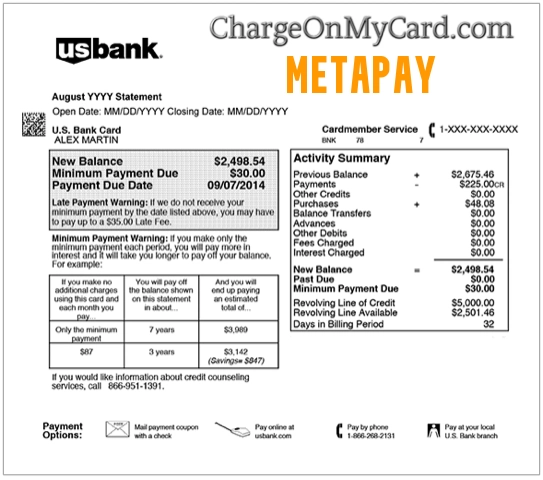
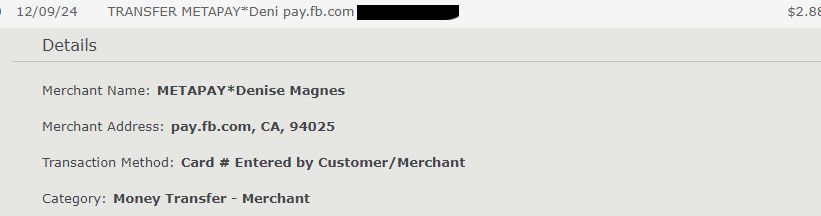
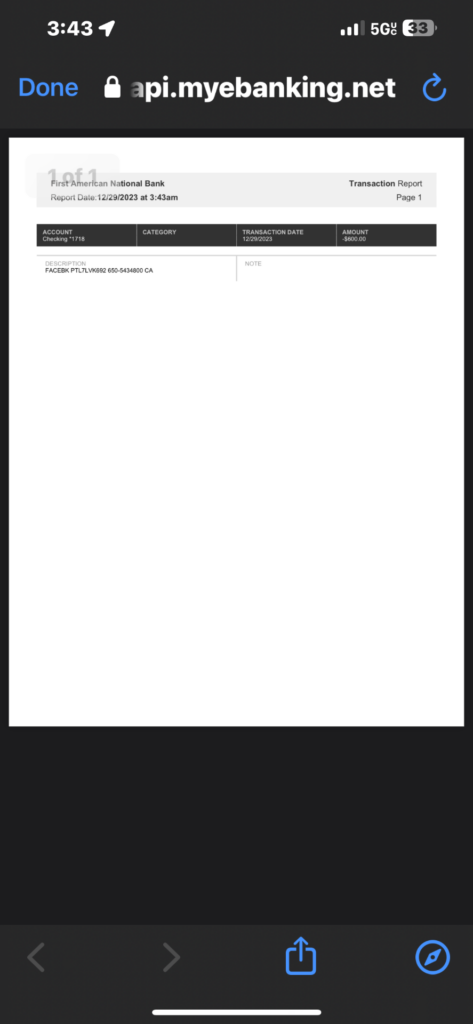
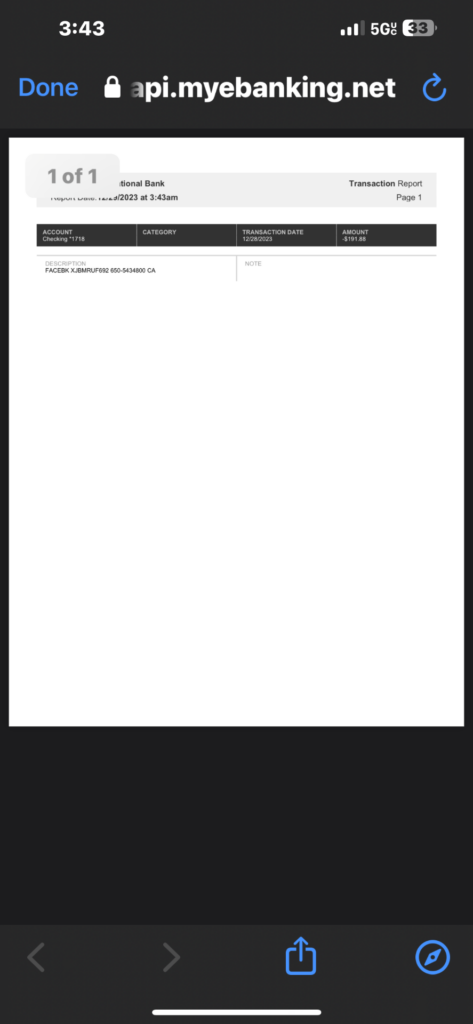
A MetaPay charge on a credit card, debit card, or bank statement usually means that a payment was processed through Meta Pay, the payment service formerly called Facebook Pay. The transaction may involve Facebook, Instagram, Messenger, a participating shop, a donation, Stars, an in-app purchase, a subscription, advertising, or a payment sent to another person.
A legitimate Meta Pay service does not prove that every individual transaction was authorized. If you do not recognize a MetaPay Facebook charge, compare the complete descriptor, amount, date, and name after the asterisk with every relevant Meta account before contacting your card issuer.

What Is MetaPay on My Bank Statement?
Meta Pay is Meta’s payment service. It was previously called Facebook Pay.
Depending on the features available to the account and country, Meta Pay may be used for:
- A Facebook purchase
- An Instagram shop order
- A Marketplace transaction using supported checkout
- A payment sent through Messenger
- A donation to a charity or fundraiser
- Facebook Stars
- A game or in-app purchase
- A creator-related purchase or subscription
- A Meta Verified subscription
- A purchase from a participating online merchant
- A temporary payment-method verification
- A purchase made by another authorized card user
- An unauthorized use of a saved payment method
The outside statement may show Meta Pay instead of the Facebook page, Instagram account, seller, recipient, creator, fundraiser, advertisement, game, or product that you remember.
Is Meta Pay Legitimate?
Yes. Meta Pay is an official payment service operated within Meta’s payment system and supported across eligible Meta products.
It is important to distinguish between:
- The payment service: Meta Pay is real.
- The individual transaction: A particular payment may or may not have been authorized by the cardholder.
A transaction can be unfamiliar because:
- The statement uses Meta Pay instead of the seller’s public name
- The person after the asterisk is the recipient
- Another household or business user made the payment
- A Facebook or Instagram advertising account used the card
- A subscription renewed
- The card was saved in an old Meta account
- The account or payment method was used without permission
Do not call every unfamiliar Meta Pay transaction a scam. Investigate the matching Meta account and contact the issuer promptly when the transaction remains unauthorized.
Common MetaPay Statement Variations
Reported or possible statement wording includes:
- METAPAY
- META PAY
- METAPAY*NAME
- METAPAY*MERCHANT
- METAPAY*VIRTUAL
- METAPAY*REFERENCE
- METAPAY-REFERENCE
- METAPAY FACEBOOK
- METAPAY INSTAGRAM
- METAPAY STARS
- METAPAY*PAYMENT
- PAY.FB.COM
- PAY.FB.CO
- FB.ME/CC
- FACEBK *PAYMENT
- FACEBOOK PAY
- TERMINAL VBASE2 METAPAY*NAME
- CHECKCARD METAPAY
- POS DEBIT METAPAY
- PENDING METAPAY
- RECURRING METAPAY
These are not all confirmed universal Meta descriptors. Banks can shorten, rearrange, capitalize, or add transaction-processing text.
Copy the complete wording from your own account, including:
- The text after the asterisk
- Any web address
- Any location abbreviation
- Any reference code
- Whether the transaction is pending, completed, reversed, or credited
What Does the Name After METAPAY* Mean?
A name or word after the asterisk may identify:
- A person who received a payment
- A Facebook or Instagram seller
- A merchant or shop
- A creator
- A fundraiser or donation recipient
- A digital product or service
- An internal transaction reference
For example:
METAPAY*RECIPIENT NAME PAY.FB.COM
The name is an investigative clue. It does not by itself prove that the named person personally obtained the card information or committed wrongdoing.
Do not publish a private person’s name, transaction ID, profile URL, or payment reference in the comments.
What Is METAPAY*VIRTUAL on a Bank Statement?
A METAPAY*VIRTUAL bank-statement entry may involve a merchant, digital item, creator, recipient, campaign, or internal reference using the word “Virtual.”
It does not automatically mean:
- A virtual credit card was used
- The payment involved virtual reality
- The charge came from Meta Quest
- The merchant was named Virtual
- The payment was fraudulent
Open the matching Meta Pay transaction and ask the issuer for expanded merchant information before drawing a conclusion from the word alone.
Why Did MetaPay Charge My Card?
You Bought Something Through Facebook or Instagram
The transaction may involve:
- A product from a Facebook or Instagram shop
- A Marketplace order using supported checkout
- An item promoted through an advertisement
- A creator product
- An in-app item
- A digital purchase
Search for:
- An order confirmation
- A shipment notification
- The seller or shop name
- The transaction amount
- Meta Pay
- Facebook Pay
You Sent Money Through Messenger
In supported locations, Meta Pay can be used to send or receive money through Messenger.
A person-to-person payment may show:
- MetaPay followed by a recipient’s name
- A payment reference
- PAY.FB.COM or similar Meta payment wording
Review the Messenger conversation and transaction history. Also ask whether another authorized user sent the payment.
You Bought Facebook Stars
Facebook Stars are digital items that can be purchased and sent to eligible creators.
A Stars transaction might involve:
- A one-time Stars purchase
- Several separate purchases during a stream
- A purchase made by a child or family member
- A charge through Apple or Google instead of Meta Pay
Review Facebook payment activity and the applicable Apple or Google purchase history when the charge is not shown directly through Meta Pay.
You Made a Donation or Fundraiser Contribution
Meta Pay may be used for eligible:
- Charitable donations
- Personal fundraiser contributions
- Birthday fundraisers
- Other supported donation features
Search email and Meta payment history for the fundraiser or organization name.
A Meta Verified Subscription Renewed
Meta Verified is a recurring subscription for eligible Facebook and Instagram accounts.
A charge may involve:
- A Facebook profile subscription
- An Instagram profile subscription
- Separate subscriptions for more than one profile
- A monthly renewal
- A backup payment method being charged
- A temporary authorization
Meta Verified purchased through Apple or Google may appear with an Apple or Google descriptor rather than MetaPay.
You Paid for Facebook or Instagram Advertising
A Meta-related payment may involve:
- A Facebook advertisement
- An Instagram promotion
- A boosted post
- A campaign created by an employee or agency
- A shared advertising account
- A billing threshold
- A scheduled billing date
Advertising charges should be compared with Meta Ads Manager rather than only with ordinary Meta Pay activity.
You Purchased From a Participating Online Store
Meta Pay has also been offered as a checkout method for participating online merchants.
You may remember the seller’s website but see Meta Pay on the statement because Meta Pay supplied or processed the saved payment method.
Review:
- Recent online orders
- Email receipts
- Browser history
- Packages and shipment notices
- The seller name shown inside Meta Pay
Another Authorized Person Used the Card
The transaction may have been made by:
- A spouse or partner
- A child or family member
- Another authorized cardholder
- An employee or coworker
- An advertising agency
- Someone using a shared Facebook or Instagram account
- Someone using a device where the card was saved
Check authorized users before reporting the transaction as fraud when it is safe and practical to do so.
How to Identify a MetaPay Charge
Use the following process:
- Copy the complete descriptor exactly as displayed.
- Record the amount, date, currency, and transaction status.
- Note the person, merchant, or word shown after the asterisk.
- Sign in to every Facebook account that may use the card.
- Review Meta Pay or Orders and payments activity.
- Check every connected Instagram account.
- Review Messenger payment conversations.
- Check Meta Ads Manager and Instagram promotion billing.
- Review Meta Verified subscriptions.
- Check Stars, games, donations, Marketplace, and shop purchases.
- Search every email account for the exact amount and transaction date.
- Ask household members, employees, agencies, and other authorized users.
- Ask the card issuer for expanded merchant information.
Do not post card digits, transaction IDs, payment references, account email addresses, recipient profiles, advertising-account IDs, or private messages publicly.
How to Find Meta Pay Transactions
Meta’s menus can differ by account, device, and rollout.
One current route is:
- Sign in to Facebook.
- Open Settings and privacy.
- Open Settings.
- Select Accounts Center.
- Select Meta Pay.
- Open Activity or Transactions.
- Select the matching amount for more information.
Another available route may be:
- Open the Facebook menu.
- Select Settings and privacy.
- Select Orders and payments.
- Review Activity.
- Open the matching transaction.
Official resource:
How to Report MetaPay Unauthorized Charges
When a matching transaction appears inside Meta Pay:
- Open the transaction.
- Select Get Help with This Payment.
- Select the available contact or reporting option.
- Choose email or live chat when offered.
- Explain that you do not recognize or authorize the transaction.
- Provide only the information requested through the official support process.
- Save the case number and support response.
Official reporting resource:
Some users may not see the same menus. Meta also provides a payment-support form:
Contact the card issuer promptly if:
- The transaction is not shown in any Meta account
- The payment method was added to an unfamiliar account
- Several unauthorized charges are appearing
- The card information may be compromised
- Meta cannot identify or resolve the transaction
- A reporting deadline may be approaching
How to Remove a Card From Meta Pay
To remove a saved payment method:
- Open Meta Pay.
- Select Manage or Payment methods.
- Select Options beside the card or account.
- Select Delete payment method.
- Confirm the removal.
Official instructions:
Removing a payment method may not:
- Cancel a Meta Verified subscription
- Cancel an outside merchant subscription
- Reverse a completed payment
- Cancel an advertising balance
- Refund a purchase
- Remove a card stored in a different Meta account
- Stop a pending transaction that has already been authorized
Confirm the status of the underlying purchase, subscription, advertisement, or agreement separately.
How to Cancel MetaPay Billing
Meta Pay itself is a payment service rather than one universal monthly subscription. You must identify what generated the payment.
Cancel Meta Verified
Use the Meta Verified subscription-management settings for the applicable Facebook or Instagram profile.
If the subscription was purchased through Apple or Google, cancel it through that platform.
Meta recommends canceling at least 24 hours before the next payment date to avoid another billing cycle.
Stop Advertising Billing
Review the applicable Meta advertising account:
- Open Meta Ads Manager.
- Go to Billing and payments.
- Review Payment activity.
- Check active campaigns and promotions.
- Pause or stop advertisements that should no longer run.
- Review any outstanding balance.
- Remove the payment method when Meta permits it and no required balance remains.
Removing a card without stopping an active campaign does not necessarily end advertising costs.
Cancel a Seller or App Subscription
When the payment involves a shop, application, creator service, or participating online merchant:
- Identify the seller through transaction history.
- Open the verified seller or subscription account.
- Cancel the recurring plan.
- Request written confirmation.
- Confirm the effective cancellation date.
- Monitor for another payment.
Person-to-Person Payments
Open the transaction and review its status. Use the available Meta support option immediately when the payment was sent without authorization.
Do not contact or send additional money to a stranger who claims that a refund requires another transaction.
Can I Get a Meta Pay Refund?
Refund eligibility depends on what the transaction involved.
Possible routes include:
- The seller for a shop or Marketplace order
- Meta support for an eligible protected transaction
- The applicable fundraiser or donation process
- Meta Verified support
- Meta Ads billing support
- Apple or Google for purchases billed through their platforms
- The card issuer for an unauthorized or unresolved transaction
Meta’s purchase protection does not automatically cover every type of payment. Person-to-person payments, donations, digital items, advertisements, and subscriptions may follow different rules.
When requesting a refund:
- Open the matching transaction.
- Identify the seller, product, recipient, or service.
- Use the transaction’s official help option.
- Explain why a refund is requested.
- Cancel future billing separately when applicable.
- Request written confirmation.
- Monitor the original payment method for the credit.
A refund for one payment does not necessarily cancel future billing.
What Is a Small MetaPay Charge or MetaPay Code?
Meta may create a temporary transaction when verifying a payment method.
The transaction can contain a verification code that the user retrieves from the card or bank activity and enters through Meta Pay.
A small charge could also be:
- A Stars purchase
- A small donation
- A person-to-person payment
- A digital item
- An advertising authorization
- An unauthorized card test
Check whether the transaction:
- Contains a verification code
- Remains pending
- Disappears or reverses
- Matches a transaction inside Meta Pay
- Was followed by additional unfamiliar activity
Contact the issuer if a small unexplained transaction completes or is followed by other attempts.
Why Are There Several MetaPay Charges?
Multiple entries may represent:
- Several person-to-person payments
- Separate Stars purchases
- More than one shop order
- Several donations
- More than one Meta Verified subscription
- Facebook and Instagram profiles billed separately
- Different advertising accounts
- A pending authorization and completed payment
- A failed payment retry
- Duplicate processing
- Repeated unauthorized use
Open each transaction separately. Do not assume that every MetaPay entry belongs to one account or recipient.
What If the MetaPay Amount Is Negative?
Some banks display refunds, reversals, incoming payments, or credits as negative amounts.
A negative MetaPay amount may represent:
- A refund
- A reversed payment
- An incoming payment
- A corrected transaction
- A bank-specific display format
Check whether the entry increased or decreased the available balance. Do not assume a negative amount is money taken from the account without confirming the statement format.
Is a MetaPay Charge the Same as a Facebook Ads Charge?
Not always.
A MetaPay charge may involve an ordinary purchase or payment, while a Facebook or Instagram advertising transaction should be checked in Meta Ads Manager.
To review advertising charges:
- Open Meta Ads Manager on a desktop browser.
- Go to Billing and payments.
- Select Payment activity.
- Choose the relevant date range.
- Compare the transaction reference, amount, and date.
- Check every advertising account you can access.
Official resources:
Ask employees, contractors, agencies, and page administrators who may have advertising access.
Current Official Meta Pay Support
- Meta Pay: Official Meta Pay page
- Meta Pay Help Center: Meta payment help
- Transaction history: Find Meta Pay transactions
- Unrecognized charge: Report an unrecognized Meta charge
- Payment support: Meta Payments Support form
- Payment methods: Add or remove a payment method
Meta does not publish one universal general telephone number for every Facebook, Instagram, Messenger, shop, advertising, subscription, or Meta Pay billing issue.
The telephone number 1-650-543-4800 is associated with Meta’s corporate operations. It should not be treated as a general Meta Pay transaction-support line.
Use the support route connected with the individual transaction.
What If I Never Used Meta Pay?
If neither you nor another authorized user recognizes the payment:
- Confirm whether the entry is pending, completed, credited, or reversed.
- Save the full descriptor, amount, and date.
- Review every Facebook and Instagram account.
- Check Accounts Center and Meta Pay activity.
- Review Messenger payment conversations.
- Check Meta Ads Manager.
- Review Meta Verified, Stars, games, shops, and donations.
- Search every email account for Meta, Facebook, Instagram, and the exact amount.
- Ask authorized cardholders and account users.
- Report the transaction through Meta’s official unauthorized-charge process.
- Remove unfamiliar payment methods or accounts.
- Change the Meta and email passwords if account access may be compromised.
- Enable two-factor authentication.
- Lock the card if more attempts are appearing.
- Contact the issuer using the number printed on the card.
- Ask whether the card number should be replaced.
A transaction missing from all Meta accounts may indicate that the card was added to another person’s account or that the statement descriptor is incomplete.
Should I Contact Meta Before Disputing the Charge?
Contacting Meta first may help when:
- The transaction appears in Meta Pay
- You need the seller or recipient name
- You recognize the account but not the amount
- You suspect duplicate billing
- You want to cancel an eligible subscription
- You are requesting an ordinary merchant refund
Contact the issuer immediately when:
- The card was used without permission
- The transaction is not present in any Meta account
- Several attempts are appearing
- The account may have been taken over
- Meta cannot identify or resolve the payment
- A debit-card reporting deadline may be approaching
A Meta support case, merchant refund, subscription cancellation, and bank dispute are different processes.
Credit Card and Debit Card Dispute Guidance
Official consumer resources include:
- CFPB credit-card dispute guidance
- FTC credit-card billing and dispute guidance
- CFPB debit-card and bank-transaction guidance
Credit cards, debit cards, bank accounts, prepaid cards, and person-to-person payments can have different protections and reporting deadlines. Follow the instructions from the institution where the transaction appeared.
Watch Out for Fake Meta Pay Support
Unknown Meta charges can attract fake Facebook support pages, telephone numbers, refund agents, and account-recovery scams.
Never give an unexpected caller, message, or website:
- Your Facebook or Instagram password
- Your email password
- Your complete card number
- Your bank login
- Your PIN or CVV code
- A one-time authentication code
- Remote access to your computer or phone
- Gift-card numbers
- Cryptocurrency
- A payment supposedly needed to release a refund
Do not call an unrelated telephone number merely because it appeared in search results for Meta Pay.
Consumer Reports and Experiences
There are currently eight visible cardholder reports on this ChargeOnMyCard.com page, submitted between December 2023 and October 2025.
The visible reports include:
- Descriptors containing METAPAY followed by a person’s name or reference
- PAY.FB.COM, PAY.FB.CO, or FB.ME/CC wording
- Reported amounts of $1.88 and $2.88
- Repeated reported $5 entries
- One commenter describing approximately $35 in accumulated small charges
- One alleged $278.18 transaction
- Cards reportedly being locked or canceled
- Commenters stating that they did not authorize the activity
Some comments show negative amounts. Depending on the bank’s display format, a negative amount could be a credit, refund, reversal, or incoming payment rather than money withdrawn.
These reports are individual accounts and have not been independently verified. They do not establish:
- Who controlled the Meta account
- Who entered the card information
- Whether a person named in a descriptor committed wrongdoing
- Whether all transactions involved the same Meta feature
- Whether every MetaPay transaction is unauthorized
ChargeOnMyCard.com cannot access Meta accounts, identify private recipients, cancel payments, remove cards, issue refunds, stop advertising, or submit bank disputes.
Frequently Asked Questions About MetaPay Charges
What is MetaPay?
Meta Pay is Meta’s payment service, formerly called Facebook Pay. It supports eligible purchases and transactions through Facebook, Instagram, Messenger, and other participating services.
What is a MetaPay charge on a credit card?
It may represent a Facebook or Instagram purchase, Messenger payment, donation, Stars purchase, subscription, advertisement, game, in-app item, or participating merchant transaction.
What is a MetaPay charge on a debit card?
It generally has the same possible explanations, but debit-card reporting procedures and deadlines may differ from credit-card disputes.
Is MetaPay the same as Facebook Pay?
Yes. Facebook Pay was renamed Meta Pay.
What does a name after METAPAY* mean?
It may identify a payment recipient, seller, merchant, creator, fundraiser, digital service, or transaction reference.
What is METAPAY*VIRTUAL?
The word Virtual may be a recipient, merchant, product, campaign, or internal reference. It does not by itself prove that a virtual card or Meta Quest product was involved.
Why did MetaPay charge me $1.88 or $2.88?
It could be a small purchase, Stars transaction, donation, verification entry, person-to-person payment, or unauthorized card test. Check Meta Pay activity and the transaction status.
Does Meta Pay charge a fee?
Meta states that it does not charge a general fee simply for using Meta Pay. A charge normally represents the underlying payment, purchase, donation, subscription, or service.
Is MetaPay a monthly subscription?
Meta Pay itself is a payment service. A recurring charge may involve Meta Verified, a creator subscription, an application, or an outside merchant agreement.
How do I find the transaction?
Open Accounts Center and Meta Pay, or Orders and payments, and review Activity. Also check Messenger, Meta Ads Manager, Meta Verified, Stars, shops, and connected Instagram accounts.
How do I cancel MetaPay?
Identify the product that generated the charge. Cancel the applicable subscription, advertisement, shop membership, or merchant agreement. Removing the saved card alone may not cancel it.
How do I report an unauthorized Meta Pay charge?
Open the transaction, choose Get Help with This Payment, and follow the available email or chat route. Contact the card issuer promptly when the charge remains unauthorized.
Can I get a refund?
Refund eligibility depends on whether the payment involved a shop order, person-to-person payment, donation, Stars, advertisement, subscription, or other transaction.
Is 650-543-4800 Meta Pay support?
It is a Meta corporate telephone number, not a universal Meta Pay consumer-billing line. Use the official transaction-support and payment-help routes.
Can ChargeOnMyCard.com identify the recipient?
No. ChargeOnMyCard.com cannot access Meta transaction or account records.
Related Meta Charge Guides
- 1601 Willow Road Menlo Park CA Charge: Meta, Facebook, or Quest?
- How to Investigate an Unrecognized Card or Bank Charge
- 4029357733 PayPal Charge
- WPY and WePay Charge
The 1601 Willow Road guide covers an older Meta-related address descriptor that can involve Meta Pay, advertising, Meta Verified, Quest, hardware, or other Meta products.
Help Other Cardholders Identify MetaPay
If you saw METAPAY, META PAY, METAPAY*VIRTUAL, PAY.FB.COM, FB.ME/CC, or another variation, please share what the transaction involved.
Helpful details include:
- The descriptor format without a private name or reference
- The general amount
- Whether it was pending, completed, reversed, or credited
- Whether it involved Facebook, Instagram, Messenger, Stars, advertising, a shop, or a subscription
- Whether the payment appeared in Meta Pay activity
- Whether Meta identified the recipient or seller
- Whether the card was removed or replaced
- How Meta or the issuer resolved it
Do not post card numbers, card digits, transaction IDs, recipient names, profile URLs, bank-account information, advertising-account IDs, email addresses, passwords, PINs, CVV codes, or authentication codes.
Why Rely on ChargeOnMyCard.com?
ChargeOnMyCard.com researches confusing credit-card, debit-card, person-to-person payment, social-commerce, advertising, subscription, digital-content, and bank-statement descriptors using current official payment resources, statement patterns, and visible cardholder reports.
We distinguish Meta Pay’s verified role as a legitimate payment service from the separate question of whether an individual transaction was authorized. Readers should verify their specific charge through Meta and their financial institution.
Last reviewed: July 2026.
Disclaimer
ChargeOnMyCard.com is not affiliated with Meta Platforms, Meta Payments, Meta Pay, Facebook, Instagram, Messenger, Meta Verified, Facebook Stars, Meta Ads, Marketplace, any seller, creator, fundraiser, recipient, advertiser, payment processor, card network, bank, credit union, financial institution, or cardholder. This article is provided for informational purposes only and is not financial, legal, banking, advertising, subscription, cancellation, refund, privacy, account-security, dispute, or fraud-prevention advice. Contact Meta, the applicable merchant or recipient, and your financial institution directly regarding a specific transaction.