
A TMF*Billing.Fool.com charge on your credit card, debit card, or bank statement is usually connected to The Motley Fool, a financial media and investing research company that offers premium subscription services. The charge may appear after you purchase, renew, or automatically renew a Motley Fool premium membership.
Common descriptors include TMF*Billing.Fool.com, TMF*Motley Fool, TMF billing, TMF Motley Fool charge, TMF*Billing.Fool.com 855-695-3665 VA, or a similar variation. If you recognize a Motley Fool subscription, the charge may be legitimate. If you do not recognize it, check your account and card activity before assuming it is fraud.
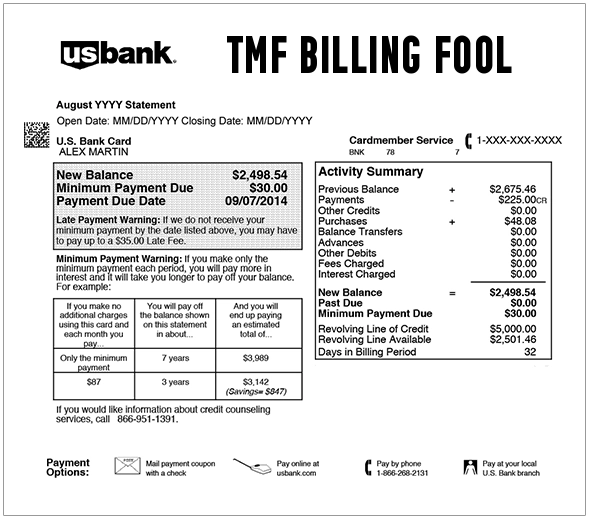
What Is the TMF*Billing.Fool.com Charge?
TMF*Billing.Fool.com is an official billing descriptor associated with The Motley Fool’s premium services. The Motley Fool’s support site explains that a TMF*Billing.Fool.com 855-695-3665 charge may appear when someone recently became a member or renewed a membership for one of its premium services.
The abbreviation TMF commonly stands for The Motley Fool. If you signed up for a stock-picking service, investing newsletter, portfolio service, retirement service, or premium investing subscription, the billing may show as TMF instead of spelling out the full company name.
Common TMF and Motley Fool Statement Variations
- TMF*Billing.Fool.com
- TMF Billing Fool
- TMF billing.fool.com
- TMF*Billing
- TMF*Billing.Fool.com 855-695-3665 VA
- TMF*Billing.Fool.com 8556953665 VA
- TMF Motley Fool
- TMF*Motley Fool
- TMF Motley Fool charge
- TMF The Motley Fool
- Motley Fool charge
The exact wording may vary by card issuer, bank, payment processor, billing cycle, and whether the charge is pending or fully posted.
Why TMF Billing Fool May Appear on Your Card
- You purchased a Motley Fool premium investing service.
- Your Motley Fool membership renewed automatically.
- You signed up for a promotional offer that later renewed at a regular rate.
- You purchased a stock-picking, portfolio, retirement, options, or premium investing subscription.
- You have more than one Motley Fool premium service attached to the same account.
- A spouse, family member, employee, bookkeeper, business partner, or authorized card user used your card.
- A previous subscription renewed after you forgot it was active.
- Your card information may have been used without permission.
Is TMF*Billing.Fool.com a Legitimate Charge?
Yes, TMF*Billing.Fool.com can be a legitimate Motley Fool billing descriptor. The Motley Fool’s own support pages reference both TMF*Billing.Fool.com 855-695-3665 and TMF*Motley Fool as credit card statement descriptors for premium-service membership purchases or renewals.
That does not mean every charge is automatically authorized. You should still verify the charge if you do not recognize the subscription, the amount is different than expected, the membership renewed without you realizing it, or no authorized card user remembers signing up.
Why the Amount May Be Higher Than Expected
The Motley Fool often offers promotional pricing for new members or certain premium services. If your first year was discounted, a later renewal may be billed at a higher regular rate. You may also have purchased more than one service, upgraded a membership, or enrolled in a premium package.
Check your Motley Fool account, email receipts, and renewal notices to confirm the exact service, renewal date, amount, and billing terms.
Automatic Renewal and Subscription Billing
The Motley Fool says premium subscriptions are set to automatically renew. That means a charge may appear even if you did not manually approve a payment on the charge date. In many cases, the charge reflects an existing membership renewal rather than a new purchase.
If you no longer want the service, log in to your Motley Fool account and review your membership settings. If you have trouble managing the subscription online, contact Motley Fool Member Services.
How to Verify a TMF Billing Fool Charge
- Check whether the charge is pending or fully posted.
- Search your email for Motley Fool, TMF, billing.fool.com, Stock Advisor, Rule Breakers, premium service, renewal, receipt, refund, or the exact amount charged.
- Log in to your Motley Fool account and review your active memberships.
- Look for renewal notices or promotional-offer terms.
- Ask authorized card users whether they purchased or renewed a Motley Fool service.
- Compare the card charge with your membership billing date.
- Contact Motley Fool Member Services if you need help identifying the service.
- Contact your bank or card issuer if the charge cannot be matched to an authorized subscription.
The Motley Fool Official Contact Information
- Official Website: fool.com
- Motley Fool Support Center: Motley Fool Support
- Customer Service Page: Contact Motley Fool Member Support
- Member Services Phone: 888-665-3665
- Member Services Email: help@fool.com
- Billing Questions Email: billingquestions@fool.com
- Contact Page: The Motley Fool contact page
- Mailing Address: The Motley Fool, 2000 Duke St., Ste 315/316, Alexandria, VA 22314
How to Cancel a Motley Fool Subscription
To cancel or manage a Motley Fool subscription, start by logging in to your Motley Fool account and checking your account settings or membership page. Motley Fool’s support guidance says membership changes, including cancellations and turning off automatic renewal, can be handled through the account settings page.
If you cannot locate the subscription or have trouble canceling online, contact Motley Fool Member Services through the official support page, phone number, or contact form.
Refunds and 30-Day Membership Fee Questions
Motley Fool says refund policies can vary by service and offer. Some premium services may allow a 30-day membership fee refund if cancellation is requested within the first 30 days of purchase. Other services or third-party offers may have different refund rules.
Before requesting a refund, gather the service name, charge date, amount, account email, renewal notice, and any promotion terms that applied when you signed up.
What To Do If You Recognize the Charge
If the TMF charge matches a Motley Fool service you use, save your receipt, renewal notice, membership details, and cancellation or auto-renewal settings. If the amount looks different than expected, check whether the charge was a renewal, upgrade, additional service, or regular-price renewal after a promotional period.
If you no longer want the subscription, cancel or turn off automatic renewal through your Motley Fool account and save the confirmation.
What To Do If You Do Not Recognize the Charge
- Search all email accounts for Motley Fool receipts, renewal reminders, and account messages.
- Ask all authorized card users whether they signed up for an investing service.
- Check whether the card was used for a business, investing, retirement, or newsletter subscription.
- Contact Motley Fool Member Services and ask whether the charge can be matched by name, email, date, amount, or partial card details.
- Do not post your full card number, account password, Social Security number, brokerage login, or one-time code.
- If Motley Fool cannot identify an authorized account, contact your bank or card issuer.
- For suspected fraud, ask your issuer whether to lock the card, replace the card number, and dispute the transaction.
Could the TMF Motley Fool Charge Be Fraud?
A TMF*Billing.Fool.com or TMF*Motley Fool charge is not automatically fraud. It is often a legitimate Motley Fool premium-service purchase or renewal. However, it should be treated as potentially unauthorized if no one in your household or business recognizes it and Motley Fool cannot match it to an authorized account.
Use only Motley Fool’s official website, official support pages, or your bank’s official app or phone number. Avoid clicking suspicious refund, cancellation, or investment-warning links in unexpected emails or texts.
Frequently Asked Questions About TMF Billing Fool Charges
What is TMF billing fool on my credit card?
TMF billing fool is usually a descriptor for The Motley Fool premium subscription billing. It may appear when you purchase, renew, or automatically renew a Motley Fool investing service.
What is TMF*Billing.Fool.com 855-695-3665 VA?
TMF*Billing.Fool.com 855-695-3665 VA is a Motley Fool billing descriptor referenced by The Motley Fool’s own support pages. It generally indicates a premium-service membership purchase or renewal.
What is TMF Motley Fool charge?
A TMF Motley Fool charge may be connected to a Motley Fool premium investing service, subscription renewal, membership upgrade, or automatic renewal.
Why did Motley Fool charge me again?
The charge may be an automatic renewal. Motley Fool says premium subscriptions are set to automatically renew, so a new charge may appear when the renewal period begins.
How do I cancel a Motley Fool subscription?
Log in to your Motley Fool account and review your account settings or membership page. If you cannot cancel online or need help, contact Motley Fool Member Services through the official support page.
Can I get a refund from Motley Fool?
Refund rules vary by service and offer. Motley Fool says some premium services may allow a 30-day membership fee refund if cancellation is requested within the first 30 days, while other offers may have different terms.
Is TMF*Billing.Fool.com fraud?
Not automatically. It is often a legitimate Motley Fool subscription or renewal charge. Treat it as potentially unauthorized if no authorized card user recognizes it and Motley Fool cannot match it to an account.
Related Subscription, Membership, and Online Billing Charge Guides
- USAT Media Co News Subscription and Renewal Charge
- CRSCR Charge on Credit Card
- TLG Shopper recurring charge
- Audible subscription charge
- Cleeng LLC Charge on Credit Card
- ProBiller Charge on Credit Card
- Shopify Charge on Credit Card or Debit Card Statement
Help Other Cardholders Identify This Charge
If you saw a TMF*Billing.Fool.com, TMF*Motley Fool, TMF billing fool, TMF Motley Fool, or similar charge on your credit card, debit card, or bank statement, please share your experience in the comments. Helpful details include the exact descriptor, amount, whether it was a new subscription or renewal, whether automatic renewal was involved, and how you resolved it. Do not post full card numbers, passwords, PINs, brokerage account details, Social Security numbers, one-time codes, or personal contact information.
Why Rely on ChargeOnMyCard.com?
ChargeOnMyCard.com helps consumers identify confusing credit-card, debit-card, ACH, and bank-statement descriptors by researching merchant names, subscription billing patterns, renewal charges, payment processors, and official support options. Our goal is to help cardholders determine whether a charge is likely legitimate, mistaken, recurring, or potentially unauthorized.
Disclaimer
ChargeOnMyCard.com is not affiliated with The Motley Fool, Fool.com, TMF*Billing.Fool.com, any Motley Fool premium service, any payment processor, bank, or card issuer. This page is for informational purposes only and should not be treated as financial, legal, investment, subscription, or banking advice. If you believe a charge is unauthorized, contact your bank or credit card issuer directly.