
If GoSQ.com, SQ*, or SQU*SQ* appears on your credit card, debit card, or bank statement, it usually indicates that a merchant used Square to process the payment. Square may be the payment processor rather than the seller name you remember.
The descriptor alone does not identify the exact seller, and it does not prove that the charge is fraudulent. Look for a business name after SQ*, then use Square’s official receipt lookup and your bank’s transaction details to verify the payment.
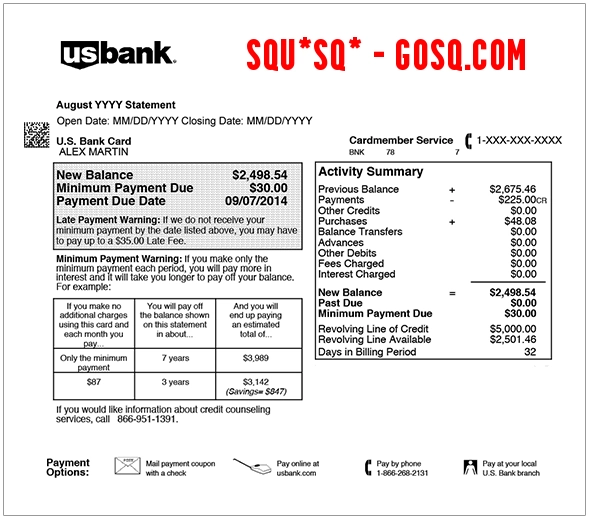
What Is the GoSQ.com, SQ*, or SQU*SQ* Charge?
Confirmed: GoSQ.com and the SQ* prefix are associated with payments processed through Square. The text after SQ* may be the merchant’s business name or a shortened version of it.
Possible explanation: The seller may be a restaurant, food truck, salon, contractor, market vendor, nonprofit, repair service, local store, or online business that accepted the payment through Square.
What remains unknown: GoSQ.com, SQ*, or a state abbreviation by itself is not enough to confirm which merchant received the money. The seller must be identified from the complete descriptor, receipt, date, amount, location, or information supplied by the card issuer.
Common Square Statement Variations
Banks and card issuers may shorten or rearrange a Square descriptor. Reported and searched variations include:
- SQU*SQ*
- SQU*SQ* charge on bank statement
- SQ*
- SQ * followed by a seller name
- SQ*GoSQ.com
- SQ GoSQ
- GoSQ.com
- GoSQ.com charge
- GoSQ.com charge on credit card
- GoSQ.com receipt
- Checkcard SQ
- SQC*BR 8774174551 CA
- 877-417-4551 or 8774174551
A merchant-specific descriptor such as SQ* followed by a company name should be investigated using that company name. It does not mean that the named company is Square.
Why a Square Charge May Appear
- A purchase from a small business using a Square reader or point-of-sale system
- A restaurant, coffee shop, food truck, farmers market, craft fair, or event purchase
- A salon, spa, barber, contractor, repair service, or appointment deposit
- A Square invoice, online checkout, or payment link
- A donation, fundraiser, membership, or recurring payment collected by a Square seller
- A tip, tax, deposit, cancellation fee, or final balance that changed the expected amount
- A payment made by a spouse, family member, employee, or other authorized card user
- An unauthorized transaction if nobody permitted to use the card recognizes it
How to Identify the Seller Behind the Charge
- Read the complete descriptor. Look for a merchant name immediately after SQ* and note any phone number, city, state, or website.
- Use Square’s official receipt lookup. Go directly to Square’s receipt lookup and enter only the information requested on that official page.
- Search email and text messages. Search for “Square,” “GoSQ,” “receipt,” “invoice,” the exact amount, and the transaction date.
- Review recent purchases. Check food trucks, local shops, market vendors, salons, contractors, events, online invoices, and appointment deposits.
- Check digital wallets and authorized users. Review Apple Pay, Google Pay, Cash App, Venmo, PayPal, and anyone permitted to use the card.
- Compare the final amount. Include tax, tip, service fees, deposits, partial refunds, and any difference between the authorization date and posting date.
- Ask the card issuer for more detail. Request the complete merchant descriptor, merchant category, transaction method, phone number, city, state, and authorization information.
What Is 877-417-4551 on a Square Descriptor?
877-417-4551, the unpunctuated form 8774174551, or a masked version ending in 4551 may appear as a phone-number-style element in Square-related descriptors reported by cardholders. It can be useful as a statement clue, but it does not identify the individual seller.
We could not verify 877-417-4551 as Square’s current official support number. Do not rely on it for account help or disclose card details to someone who answers an unfamiliar number. Use Square’s official receipt lookup and the number printed on the back of your card.
Official Square Help and Fake Support Warning
- Cardholder receipt lookup: Square receipt lookup
- Square Support: official Square support options
- Square seller support: 1-855-700-6000. Square states that account-specific support is for account owners and authorized representatives, so a cardholder who is not the seller may need to work through the merchant or card issuer.
Do not use a number from an advertisement, unsolicited text, email, or lookalike support page. Never give a caller your full card number, bank password, PIN, gift card number, or one-time security code. If someone contacts you about a “Square refund” and asks for remote access or a security code, end the contact and use an official channel.
Why Does GoSQ.com Show FL, NV, CA, or Another State?
Searches for this charge often include state abbreviations such as GoSQ.com FL, NV, CA, MA, CT, GA, TX, VA, TN, NY, or WI. The code may relate to merchant information or the way the issuer formats the transaction; it does not establish that GoSQ.com is a separate merchant in that state.
Use the state only as one clue. Match it with the seller name, amount, date, receipt, and any additional transaction information supplied by the bank.
Refunds, Returns, and Recurring Payments
If you recognize the seller but the amount is wrong, contact that seller first. Square processed the payment, but the seller generally controls its own returns, refunds, cancellations, tips, item corrections, and service policies. Compare the receipt with the posted amount before requesting a correction.
There is no single Square cancellation process for every GoSQ.com charge. If the payment is recurring, identify the business behind SQ* and use that business’s verified cancellation method. Do not cancel an unrelated Square account or call an unverified number simply because Square appears in the descriptor.
What to Do If the Charge Is Unauthorized
If no authorized card user recognizes the seller or payment, contact the bank or card issuer immediately using its official app or the number on the back of the card. Ask whether to lock or replace the card, whether related transactions are present, and whether the case should be filed as an unauthorized transaction or a billing dispute.
Credit card dispute
Call the credit card issuer promptly. The Consumer Financial Protection Bureau’s credit card dispute guidance says that protecting federal billing-error rights can also require a written notice within 60 calendar days after the charge appeared on the statement. Follow the instructions and address on your statement, and keep copies and call records.
Debit card or bank-account dispute
Report an unauthorized debit immediately because the timing rules differ from credit cards and waiting can reduce your protection. The CFPB advises monitoring the account closely, contacting the provider quickly, and replacing a compromised card when appropriate. See the CFPB’s guidance for suspicious credit or debit transactions.
For a broader checklist, see ChargeOnMyCard.com’s guide to an unrecognized card or bank-statement charge.
Frequently Asked Questions
GoSQ.com: what is it?
GoSQ.com is associated with payments processed through Square. The charge usually comes from a separate merchant that used Square, so identify the seller from the text after SQ*, the receipt, and your bank’s complete transaction details.
What does SQ mean on a bank or credit card statement?
SQ usually indicates Square payment processing. If a business name follows SQ*, that text may identify the seller that accepted the payment.
Is SQU*SQ* a scam?
Not necessarily. Many SQU*SQ* transactions are legitimate payments to merchants using Square. Treat it as potentially unauthorized only when no permitted card user recognizes the transaction and the receipt and merchant details do not explain it.
How do I find a GoSQ.com receipt?
Use Square’s official receipt lookup with the transaction details requested there. Also search your email and text messages for Square receipts, invoices, and the exact amount.
Why is there a random code after SQ*?
It may be a shortened merchant name or another descriptor element. Do not guess what it means. Ask the card issuer for the complete merchant descriptor and transaction details.
What if the statement shows 1455 Market Street?
That address has historically appeared in searches involving Square and Block. Review the separate 1455 Market Street charge guide, but confirm the actual seller from the transaction details rather than assuming the address proves who made the charge.
Should I dispute a GoSQ.com or SQ* charge?
First try to match it to a seller, receipt, authorized user, invoice, tip, or deposit. If nobody authorized the transaction or you still cannot identify it, contact the card issuer promptly and follow its dispute or fraud process.
Consumer Reports and Experiences
Did your statement show SQU*SQ*, SQ*, GoSQ.com, SQC*BR, 877-417-4551, a state code, or a merchant name? Share the exact descriptor, amount, general date, card type, city or state shown, and whether Square’s receipt lookup helped you identify the seller. These reports are user-submitted and should be treated as unverified until supported by a receipt, merchant record, or card-issuer information.
Do not post your full card or bank-account number, login, address, phone number, email address, password, PIN, receipt number, or one-time security code.
Disclaimer
ChargeOnMyCard.com is not affiliated with Square, Block, GoSQ.com, any Square seller, any bank, or any card issuer. This guide provides general charge-identification information and is not legal or financial advice. Verify the merchant through official Square and card-issuer channels.