
A 1455 Market Street charge on your credit card, debit card, or bank statement may be associated with Square, its parent company Block, Inc., Cash App, or payment activity processed through one of those services. Square publicly identified 1455 Market Street in San Francisco as its headquarters, and the address continues to appear in some Block legal information.
However, the address by itself does not identify the exact merchant, product, transfer, or purchase. A Square-processed payment may have been made to an independent business, while a Cash App transaction may involve a transfer, Cash App Card purchase, Cash App Pay payment, subscription, or another account user. Verify the full transaction details before assuming that the charge came directly from Square or Cash App.
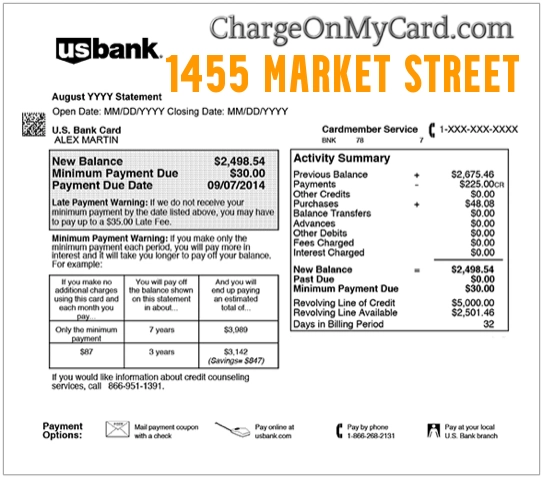
What Is the 1455 Market Street Charge?
1455 Market Street, San Francisco, California is an office-building address historically associated with Square, Inc., which changed its corporate name to Block, Inc. Block operates several financial and technology brands, including Square, Cash App, Afterpay, TIDAL, Bitkey, and Proto.
A transaction containing this address may be connected to:
- A Square service or Square account
- A purchase processed through Square for an independent merchant
- A Cash App transaction or Cash App Card purchase
- A Cash App Pay purchase
- A Block-related product or service
- A recurring payment collected through Square
- An old merchant record that still contains Square’s San Francisco address
- A business unrelated to Block that has used the same office building
At this time, we could not verify a single official company, website, phone number, or purchase type that clearly explains every 1455 Market Street charge. The complete statement descriptor, amount, date, phone number, merchant category, and transaction method are needed to identify the source.
Why Is 1455 Market Street Associated With Square?
Square announced in 2013 that it had moved its corporate headquarters to 1455 Market Street, Suite 600, San Francisco, CA 94103. Square later changed its corporate name to Block, Inc., while continuing to operate the Square brand.
Some current Block and Square legal pages still list 1455 Market Street for specific legal or administrative purposes. Other Block materials now list a different company address in Oakland. This means 1455 Market Street may still appear in merchant databases, payment records, legal documents, or older card-processing information even when it is no longer the most current general corporate address.
Is the Charge From Cash App?
It may be related to Cash App because Cash App is a Block brand, but the address alone does not prove that conclusion.
Check Cash App if:
- The amount appears in your Cash App Activity tab.
- You used your Cash App Card near the transaction date.
- You sent money to another Cash App user.
- You purchased from a merchant using Cash App Pay.
- A family member or authorized user accessed your account.
- A pending Cash App Card authorization matches the amount.
- A Cash App purchase was later adjusted, reversed, or refunded.
If the charge does not appear in your Cash App activity, it may instead involve a Square-processed merchant or another card transaction.
Could It Be a Square-Processed Purchase?
Yes. Square provides payment-processing tools to restaurants, retailers, service providers, contractors, online sellers, appointment-based businesses, and many other independent merchants.
When you pay a business that uses Square, your statement may show Square-related information instead of the merchant name you expected. In most cases, Square is the payment processor and the independent seller is the actual merchant that provided the product or service.
Search your receipts and email for:
- Square receipt
- Squareup
- The exact charge amount
- The transaction date
- A recent restaurant, salon, repair, retail, or professional-service purchase
- A recurring invoice or card-on-file payment
- A digital receipt sent by text message
Common 1455 Market Street Statement Variations
- 1455 MARKET STREET
- 1455 MARKET ST
- 1455 MARKET STREET SAN FRANCISCO
- 1455 MARKET ST SAN FRANCISCO CA
- 1455 MARKET STREET SF CA
- SQUARE 1455 MARKET STREET
- BLOCK 1455 MARKET STREET
- CASH APP 1455 MARKET STREET
- SQ 1455 MARKET ST
- 1455 Market Street card purchase
- 1455 Market Street debit
- 1455 Market Street recurring charge
The exact wording may vary by bank, card issuer, merchant account, payment processor, card network, transaction type, or statement-character limit.
Why the Actual Merchant Name May Be Missing
Card statements are built from information submitted through merchants, processors, acquiring banks, and card networks. The line you see may contain:
- A legal business name
- A payment processor’s information
- A corporate or administrative address
- A shortened merchant name
- A parent-company name
- A website domain
- A phone number
- A city associated with payment processing
This is why you may recognize the purchase after reviewing your receipt even though “1455 Market Street” did not initially look familiar.
How to Verify a 1455 Market Street Charge
- Copy the complete descriptor. Record every word, number, space, and location shown by your bank.
- Check the transaction status. Determine whether it is pending, posted, reversed, refunded, or duplicated.
- Compare the amount with recent purchases. Include tips, taxes, shipping fees, and adjusted authorizations.
- Search for Square receipts. Check email and text messages for receipts generated through Square.
- Review Cash App Activity. Look for transfers, Cash App Card payments, Cash App Pay transactions, and pending purchases.
- Ask authorized users. A spouse, family member, employee, or other cardholder may recognize the purchase.
- Review recurring payments. Check subscriptions, appointments, invoices, memberships, and card-on-file services.
- Ask your bank for expanded data. Request the complete merchant name, phone number, merchant category, website, and transaction method.
- Contact the correct service. Use Cash App support only when Cash App activity matches, or Square support when the transaction appears Square-related.
How to Check Cash App for the Transaction
- Open Cash App.
- Select the Activity tab.
- Review transactions near the date of the card charge.
- Select a transaction to view its merchant and payment details.
- Check pending and completed Cash App Card transactions.
- Review Cash App Pay purchases and person-to-person payments.
- Confirm whether another person had access to the account or card.
A Cash App Card merchant authorization may initially be higher or lower than the final amount. Restaurants, hotels, gas stations, rental companies, and similar businesses may place temporary authorizations that later change when the transaction is finalized.
Official Cash App Contact Information
- Official Website: cash.app
- Cash App Support: Cash App Help Center
- Cash App Support Phone: 1-800-969-1940
- In-App Support: Open Cash App, select the profile icon, select Support, and choose the relevant issue.
- Cash App Card Disputes: Dispute a Cash App Card purchase
- Scam Reporting: Recognize and report Cash App scams
Cash App states that 1-800-969-1940 is the only phone number customers can call for Cash App Support. Cash App representatives should not ask for your password, PIN, complete card number, or one-time sign-in code.
Official Square Contact Information
- Official Website: squareup.com
- Square Support Center: Square Support
- Square Customer Support: 1-855-700-6000
- Square Payments Help: Square payment information
- Block Corporate Website: block.xyz
If Square only processed a purchase for an independent merchant, Square may direct you to resolve a product, service, cancellation, or refund issue with that merchant.
What If the Transaction Shows a Phone Number?
A phone number shown beside 1455 Market Street may provide a stronger clue than the address alone. Ask your bank whether the number came directly from the merchant record.
Do not assume that an unrelated number found in search results belongs to Square, Block, or Cash App. In particular, we could not verify a connection between 1-833-782-3729 and the 1455 Market Street descriptor.
Use only contact information confirmed through an official company website or your bank.
What If the Charge Is Pending?
A pending charge may be a temporary authorization rather than the final transaction. The merchant name, address, and amount can change when the transaction settles.
Pending authorizations may occur with:
- Gas stations
- Hotels
- Restaurants and tips
- Rental-car companies
- Online orders awaiting shipment
- Cash App Card purchases
- Square merchants adjusting the final total
Wait until the transaction posts unless your bank recommends immediate action or you believe your card information has been compromised.
What If the Charge Appears More Than Once?
Two similar transactions may represent:
- A pending authorization and a completed charge
- Two separate purchases
- A duplicate merchant submission
- A recurring subscription or invoice
- A retry after an earlier payment appeared to fail
- Transactions from two authorized users
Check whether one entry disappears or reverses after settlement. If two completed charges remain, contact the merchant or your card issuer.
What If You Recognize Cash App but Not the Payment?
Check whether the transaction was:
- A person-to-person payment
- A Cash App Card purchase
- A Cash App Pay merchant transaction
- An automatic subscription charged to the Cash App Card
- A transaction made by someone with access to your device
- A payment made from an older Cash App account
Secure the account by changing access credentials, reviewing connected devices, enabling available security features, and contacting Cash App through the app or its verified support number.
How to Dispute a Cash App Card Transaction
Cash App instructs users to start a Cash App Card purchase dispute through the app:
- Select the profile icon.
- Select Support.
- Choose Cash App Card.
- Select the dispute-purchase option.
- Follow the instructions to start the dispute.
You can also select the transaction from the Activity tab and report the issue when that option is available. Save screenshots, receipts, merchant correspondence, cancellation records, and refund promises.
What If You Never Used Cash App or Square?
If you do not have a Cash App or Square account, the transaction could still be a purchase from an independent merchant that uses Square to process payments. Think about recent restaurants, service providers, online sellers, markets, salons, contractors, and small retailers.
If no purchase matches:
- Lock or freeze the card through your bank’s official app if appropriate.
- Call the number printed on the back of the card.
- Ask for the expanded merchant descriptor.
- Ask whether the transaction was online, in person, or made through a digital wallet.
- Ask whether additional attempted charges are present.
- Follow the issuer’s unauthorized-transaction process.
- Ask whether the card should be replaced.
Could the 1455 Market Street Charge Be Fraud?
A 1455 Market Street charge is not automatically fraudulent. The address has a documented relationship with Square and Block and may be part of a legitimate payment record.
However, the specific transaction may be unauthorized if:
- No cardholder recognizes the purchase.
- No receipt or account activity matches the amount.
- The charge appears repeatedly without permission.
- The merchant cannot identify the transaction.
- Your Cash App or Square account shows unfamiliar activity.
- Other unrecognized charges appear around the same time.
How to Dispute a 1455 Market Street Charge
First determine whether the charge appears inside Cash App, came from a Square merchant, or exists only on your bank statement. The correct dispute route depends on where and how the payment occurred.
Gather:
- The complete descriptor
- The date and amount
- The transaction status
- Cash App or Square activity screenshots
- Square receipts
- Merchant communications
- Cancellation or refund records
- Information provided by your bank
Contact the merchant when you recognize the purchase but have a refund, product, cancellation, or duplicate-billing problem. Contact Cash App for a Cash App transaction. Contact your card issuer if the transaction remains unidentified or unauthorized.
Watch Out for Fake Cash App and Square Support Numbers
Cash App and Square searches attract impersonators, fake refund agents, phishing sites, and remote-access scams. A scammer may claim that your account is compromised and ask you to send a “verification payment” or move money to a supposedly secure account.
Never provide an unexpected caller with:
- Your Cash App PIN or password
- Your complete card or bank-account number
- A one-time security or sign-in code
- Your Social Security number
- Remote access to your device
- Gift cards or cryptocurrency
- A payment sent to “verify” your identity
Cash App’s verified customer-call number is 1-800-969-1940. Use the official app or website rather than a number supplied in an advertisement or unsolicited message.
Frequently Asked Questions About 1455 Market Street Charges
What is 1455 Market Street on my credit card?
1455 Market Street is a San Francisco address historically associated with Square, now Block, Inc. A charge containing the address may involve Square, Cash App, another Block service, a Square-processed merchant, or an unrelated business.
Is 1455 Market Street connected to Cash App?
Cash App is a Block brand, and Block has used the 1455 Market Street address. However, the address alone does not prove that a particular charge came from Cash App.
Is 1455 Market Street connected to Square?
Yes. Square officially announced 1455 Market Street as its San Francisco headquarters in 2013, and the address still appears on some Block and Square legal materials.
Why does the statement show an address instead of the store name?
The merchant or processor may have supplied a corporate, legal, administrative, or payment-processing address. Ask your bank for the complete merchant record.
Could this be a purchase from a small business?
Yes. Square processes payments for many independent businesses. Review Square receipts and recent restaurant, retail, service, appointment, and online purchases.
What is the official Cash App phone number?
Cash App states that 1-800-969-1940 is its only customer-call number. In-app chat is also available through Cash App Support.
What is the official Square support number?
Square currently lists 1-855-700-6000 for U.S. customer support.
Is 18337823729 connected to 1455 Market Street?
We could not verify a connection between 1-833-782-3729 and 1455 Market Street, Square, Block, or Cash App. Do not use that number unless your bank or an official company source confirms it.
Should I dispute the charge?
First review Cash App activity, Square receipts, recent purchases, subscriptions, and authorized users. Contact your bank if the charge remains unauthorized or cannot be identified.
Related Charge Guides
Related Resources
Help Other Cardholders Identify This Charge
If you saw 1455 MARKET STREET, 1455 MARKET ST SAN FRANCISCO, SQUARE 1455 MARKET STREET, or a similar descriptor, please share what the transaction was connected to in the comments.
Helpful details include the complete descriptor, amount, whether it appeared in Cash App, whether you found a Square receipt, the type of merchant, whether it was pending or posted, and how you resolved it.
Do not post your complete card number, bank-account number, Cash App handle, home address, telephone number, email address, password, PIN, Social Security number, receipt number, or one-time security code.
Why Rely on ChargeOnMyCard.com?
ChargeOnMyCard.com researches confusing credit-card, debit-card, ACH, digital-wallet, payment-processor, address-based, and bank-statement descriptors. We compare transaction wording with official company information, payment processes, support options, and cardholder reports when available.
An address may be associated with multiple businesses or remain in older merchant records after a company moves. We identify documented connections while avoiding unsupported claims that every transaction belongs to one company.
Disclaimer
ChargeOnMyCard.com is not affiliated with Block, Inc., Square, Cash App, Afterpay, 1455 Market Street, any building owner or tenant, any independent Square merchant, payment processor, bank, card network, or financial institution. This page is for informational purposes only and is not financial, legal, banking, billing, refund, dispute, or fraud-prevention advice. Contact the merchant, Cash App, Square, or your card issuer directly about a specific transaction.