
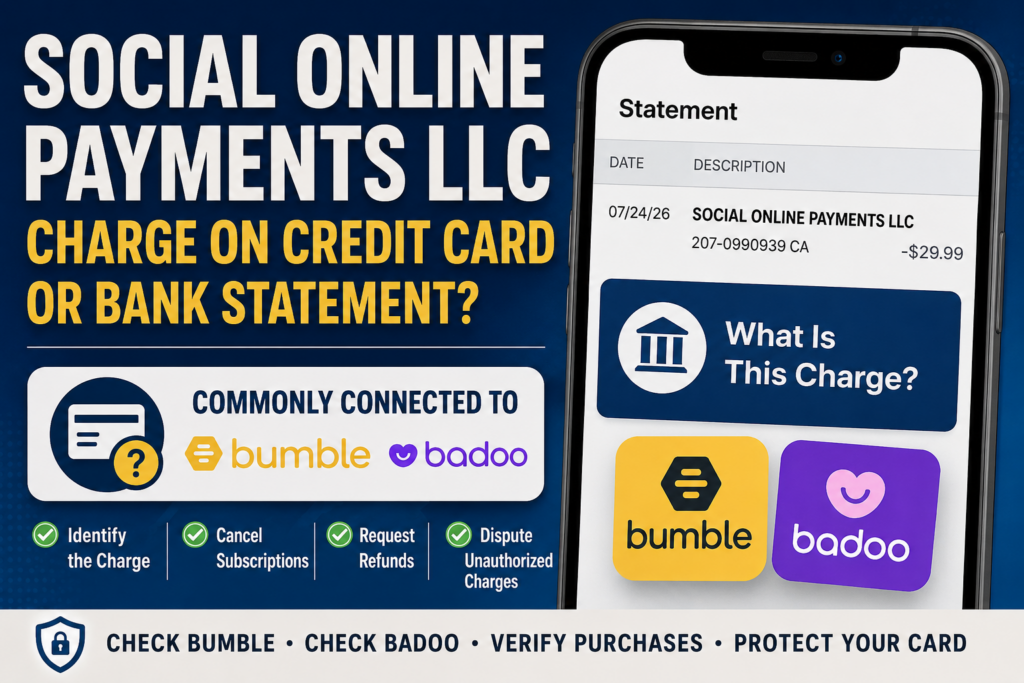
If you found a Social Online Payments LLC charge on your credit card, debit card, PayPal activity, or bank statement, it is most commonly associated with a payment for Bumble or Badoo.
The transaction may represent a dating-app subscription, automatic renewal, premium upgrade, one-time feature, or Badoo credit purchase. The statement can be confusing because it may display the legal payment company rather than the Bumble or Badoo name you recognize.
Quick answer: Check your Bumble and Badoo accounts, Apple subscriptions, Google Play subscriptions, PayPal automatic payments, email receipts, and other authorized card users. If nobody recognizes the transaction, contact your bank or card issuer promptly.
What Is the Social Online Payments Charge?
A Social Online Payments charge is generally a billing descriptor connected with the Bumble corporate group. Bumble’s official legal information identifies Social Online Payments entities as part of the group that operates Bumble and related services.
The charge is most likely connected to one of the following:
- Bumble Boost
- Bumble Premium
- Bumble Premium+
- A one-time Bumble paid feature
- Badoo Premium
- Badoo Extra
- Badoo credits
- A Bumble or Badoo free trial that converted to a paid plan
- An automatically renewed dating-app subscription
- A purchase made directly by card, PayPal, Apple Pay, or through the Bumble or Badoo website
The descriptor alone does not prove that the transaction was authorized. It identifies the billing entity but may not show which account, profile, email address, phone number, subscription, or card user made the purchase.
Consumer Reports and Experiences
Consumers frequently search for Social Online Payments after finding the unfamiliar company name on a Visa, Mastercard, American Express, Discover, debit-card account, PayPal-linked card, or bank statement.
Common sources of confusion include:
- Expecting the statement to say Bumble or Badoo
- Forgetting about an automatic subscription renewal
- Deleting the app without canceling the subscription
- Using a different email address or phone number for the dating account
- Purchasing through Apple, Google Play, PayPal, or a web browser
- A spouse, family member, or other authorized card user making the purchase
- A trial converting into a paid subscription
- A one-time feature or credit purchase being mistaken for a recurring plan
At the time of this update, no reader reports had been published in the comments on this page. Readers can share how they identified or resolved the charge near the bottom of the article, but should not post private account, dating-profile, or card information.
Common Social Online Payments Statement Variations
The wording can be shortened or altered by the bank, card issuer, payment platform, country, or available statement space. Possible variations include:
- SOCIAL ONLINE PAYMENTS
- SOCIAL ONLINE PAYMENTS LLC
- SOCIAL ONLINE PAYMENTS L.L.C.
- SOCIAL ONLINE PAYMENTS LIMITED
- SOCIAL ONLINE PAYMENTS LTD
- SOCIAL ONLINE PAYMENTS INC
- SOCIAL ONLINE PAYMENTS LL
- SOCIAL ONLINE PAYMENTS LI
- SOCIAL ONLINE PAYMENTS II
- SOCIAL ONLINE PAYMENT
- SOCIAL ONLINE PAYMENT CHARGE
- SOCIAL ONLINE PAYMENTS CHARGE
- SOCIAL ONLINE PAYMENTS 207-0990939
- SOCIAL ONLINE PAYMENTS LL 207-0990939 CA
- BUMBLE 207-0990939 CA
- BUMBLE SOCIAL ONLINE PAYMENTS
- BADOO SOCIAL ONLINE PAYMENTS
- SOCIAL ONLINE PAYMENTS followed by a transaction or reference number
Variations ending in LL, LI, or what appears to be II may be shortened statement versions, font-related misreadings, or incomplete renderings of LLC or Limited. They should not automatically be treated as separate merchants.
What Is Social Online Payments 207-0990939 CA?
Some cardholders search for a descriptor containing Social Online Payments 207-0990939 CA, Social Online Payments LL 207-0990939 CA, or Bumble 207-0990939 CA.
This wording has appeared in connection with reported Bumble transactions. However, 207-0990939 is not formatted as a normal ten-digit United States telephone number and should not be treated as a verified customer-service number.
The digits may be a shortened billing reference, processor information, or another part of the bank’s expanded merchant descriptor. Ask the bank to provide the complete merchant information if the app, website, amount, or account still cannot be identified.
For assistance, use the official Bumble or Badoo support forms listed later in this guide rather than calling an unverified number found in a search result or social-media post.
What Is Social Online Payments LLC?
Social Online Payments LLC is a legal company within the Bumble corporate group. Related Social Online Payments entities may be used to collect or process payments for Bumble, Badoo, and associated paid services.
The exact entity shown can depend on the customer’s country, payment channel, account, and transaction. A United States statement may show Social Online Payments LLC or L.L.C., while other transactions may show Social Online Payments Limited, Ltd., Inc., or a shortened version.
This is why a recognizable Bumble or Badoo purchase can appear under a less familiar corporate name.
What Is Social Online Payments on a Bank Statement?
Social Online Payments on a bank statement usually indicates a Bumble- or Badoo-related digital purchase, subscription, renewal, or premium feature.
Start by comparing the transaction amount and date with:
- Your Bumble subscription details
- Your Badoo payment settings
- Apple App Store subscriptions and purchase history
- Google Play subscriptions and order history
- PayPal activity and automatic payments
- Email receipts from Bumble, Badoo, Apple, Google, or PayPal
- Purchases made by another authorized user of the card
A direct card or website purchase is more likely to display the merchant’s payment-company name. A purchase billed through Apple or Google may instead display an Apple- or Google-related descriptor, although the exact wording depends on the payment route and bank.
Why Did Social Online Payments Charge My Card?
Possible explanations include:
- A new subscription: Someone enrolled in Bumble Boost, Bumble Premium, Bumble Premium+, Badoo Premium, or Badoo Extra.
- An automatic renewal: An existing weekly, monthly, or longer-term plan renewed.
- A free-trial conversion: A promotional period ended and converted into a paid plan.
- A one-time purchase: The transaction covered a premium feature, profile boost, credit package, or another digital item.
- A different account: The purchase may be attached to another email address, telephone number, Apple Account, Google Account, or dating profile.
- An authorized card user: A spouse, partner, relative, or other person with permission to use the card made the purchase.
- A delayed or retried transaction: The transaction posted later than the original purchase or after an earlier authorization attempt.
- Unauthorized card use: Someone used the card or saved payment information without permission.
How to Identify a Social Online Payments Transaction
- Open the expanded bank transaction. Look for the complete merchant name, amount, date, city, country, recurring-payment indicator, reference number, and any contact information supplied to the bank.
- Search all email accounts. Search for “Social Online Payments,” “Bumble,” “Badoo,” “subscription,” “premium,” “receipt,” “Apple,” “Google Play,” and “PayPal.”
- Check Bumble. Open the Bumble profile and review Subscription Details, purchase information, and the next renewal date.
- Check Badoo. Open Badoo and review Plans, Payment Settings, and active paid features.
- Check Apple subscriptions. On an iPhone or iPad, open Settings, tap your name, and select Subscriptions.
- Check Google Play. Open Google Play, tap the profile icon, and select Payments & subscriptions followed by Subscriptions.
- Check PayPal. Review recent activity and automatic payments for Bumble, Badoo, or Social Online Payments.
- Ask authorized users privately. Because this may involve a dating service, discuss it discreetly rather than posting personal details publicly.
- Ask the bank for more information. The issuer may be able to provide an expanded descriptor, merchant category, transaction type, recurring-payment status, or authorization details that are not visible online.
How to Cancel a Bumble Subscription
The correct cancellation method depends on how the Bumble subscription was purchased.
Cancel Bumble Through Apple
- Open Settings on the iPhone or iPad.
- Tap the account holder’s name.
- Tap Subscriptions.
- Select Bumble.
- Tap Cancel Subscription.
Cancel Bumble Through Google Play
- Open the Google Play Store.
- Tap the profile icon.
- Select Payments & subscriptions.
- Select Subscriptions.
- Choose Bumble.
- Tap Cancel Subscription.
Cancel Bumble When Paying by Card, PayPal, or Apple Pay
In the Bumble app:
- Open Bumble and tap the profile icon.
- Select Subscription Details.
- Tap Manage Your Subscription.
- Choose the cancellation option.
On the Bumble website:
- Sign in at Bumble.com.
- Click the profile picture in the upper-left area.
- Select the active Bumble Premium or Boost subscription.
- Choose the cancellation option.
See Bumble’s current subscription cancellation instructions if the menus have changed or the account cannot be accessed.
Important: Do not assume that uninstalling Bumble, becoming inactive, or deleting a profile will reliably cancel billing through every payment platform. Cancel the subscription through the original billing method first.
How to Cancel a Badoo Subscription
Cancel Badoo Through Apple
- Open Settings.
- Tap the account holder’s name.
- Select Subscriptions.
- Select Badoo.
- Tap Cancel Subscription.
Cancel Badoo Through Google Play
- Open the Google Play Store.
- Tap the profile icon.
- Select Payments & subscriptions.
- Select Subscriptions.
- Choose Badoo.
- Tap Cancel Subscription.
Cancel Badoo When Paying by Card or PayPal
In the Badoo app:
- Open Badoo and tap the profile icon.
- Tap Plans.
- Select Cancel Subscription.
On the Badoo website:
- Sign in at Badoo.com.
- Click the profile picture.
- Open Settings.
- Select Payment Settings.
- Choose the cancellation option.
See Badoo’s current subscription cancellation instructions for additional help.
How to Request a Refund
Canceling a subscription normally stops a future renewal. It does not automatically refund a charge that has already been processed.
Apple App Store Purchase
Apple handles refund decisions for purchases billed through the Apple App Store. Visit Apple’s Report a Problem service, sign in with the Apple Account used for the purchase, select the transaction, and follow the refund-request prompts.
Google Play Purchase
Open Google Play, review the purchase or subscription, and use the available refund or problem-reporting option. Eligibility may depend on the purchase, location, and time elapsed.
Direct Bumble Purchase
For a Bumble purchase made directly by credit card, debit card, Apple Pay, PayPal, or Bumble Web, use the official Bumble support request form.
Bumble recommends including:
- The order number
- The email address or mobile number connected to the account
- The Bumble User ID, when available
- The payment method
- A brief explanation of the refund request
Direct Badoo Purchase
For a Badoo purchase made by card, PayPal, or through Badoo Web, use the official Badoo support request form.
Refund approval is not guaranteed. It can depend on the platform, purchase type, country, applicable terms, and circumstances. Cancel future renewals separately while the refund request is being reviewed.
Social Online Payments Merchant Contact Information
Bumble Support
- Help Center: Bumble Support
- Support Request: Submit a Bumble request
- Cancellation Instructions: Cancel a Bumble subscription
- Refund Instructions: Request a Bumble refund
- Cancellation Notice Address Listed in Bumble Terms: Bumble, Attn.: Cancellations, P.O. Box 300940, Austin, TX 78703
Badoo Support
- Help Center: Badoo Support
- Support Request: Submit a Badoo request
- Cancellation Instructions: Cancel a Badoo subscription
- Refund Instructions: Request a Badoo refund
Telephone warning: We did not find a verified billing-support telephone number on the official Bumble or Badoo support pages. Badoo states that its customer support is provided through official online and in-app channels rather than by phone. Do not provide passwords, verification codes, full card numbers, or dating-account information to an unsolicited caller.
What to Do If the Charge Is Unauthorized
If neither you nor another authorized card user can connect the charge to Bumble, Badoo, Apple, Google Play, PayPal, or another account, treat it as potentially unauthorized.
- Lock or temporarily freeze the card through the bank’s app if that option is available.
- Contact the number printed on the back of the card or use the bank’s secure messaging system.
- Tell the issuer that you do not recognize the Social Online Payments transaction.
- Ask for the complete merchant descriptor and recurring-payment information.
- Dispute the transaction if it was not authorized.
- Ask whether the card should be replaced.
- Ask how future recurring or merchant-token transactions from the same biller can be blocked.
- Continue checking the account for additional charges, reversals, or small test transactions.
For a debit-card transaction, act quickly because the money may have been removed directly from the checking account. Follow the bank’s instructions and keep copies of confirmations, screenshots, emails, support tickets, and cancellation notices.
Frequently Asked Questions
What is Social Online Payments charge on credit card?
A Social Online Payments charge on a credit card is most commonly connected to a Bumble or Badoo subscription, renewal, premium feature, or digital purchase processed through a Social Online Payments entity.
What is Social Online Payments LLC?
Social Online Payments LLC is a company within the Bumble corporate group. Its legal name may appear on card and bank statements instead of the more recognizable Bumble or Badoo brand.
What is Social Online Payments LLC on a bank statement?
It usually indicates a Bumble- or Badoo-related payment. Review the amount, transaction date, app accounts, app-store subscriptions, PayPal activity, receipts, and other authorized card users.
Is Social Online Payments Bumble?
Social Online Payments is associated with the Bumble corporate group and may process Bumble payments. Not every Bumble purchase will necessarily use this exact statement descriptor.
Is Social Online Payments Badoo?
It may be connected to Badoo Premium, Badoo Extra, Badoo credits, or another Badoo paid feature. Badoo is part of Bumble Inc.
What is Social Online Payments 207-0990939 CA?
This is a reported statement variation that has appeared with Bumble-related billing. The number is not formatted as a standard United States phone number and should not be used as a verified support contact.
Why does the charge say Social Online Payments LL, LI, or II?
The bank may have shortened the full legal company name. Fonts, limited statement space, and transcription can also cause LLC or Limited to appear as LL, LI, or II.
Why is Social Online Payments charging me every month?
A Bumble or Badoo subscription may be renewing automatically. Check the platform through which the original subscription was purchased and cancel it there.
Does deleting Bumble or Badoo cancel the subscription?
Do not rely on deleting the app or profile alone. Cancel the subscription through Apple, Google Play, Bumble, Badoo, PayPal, or the original billing platform before deleting the account.
Can I get a refund from Social Online Payments?
Refund eligibility depends on the purchase method, location, timing, and applicable terms. Apple handles Apple App Store refunds, while Google Play handles eligible Google purchases. Direct Bumble and Badoo purchases should be submitted to the appropriate official support team.
Is Social Online Payments a scam?
Social Online Payments is a legitimate company name associated with the Bumble corporate group. However, a legitimate merchant descriptor can still appear on an unauthorized transaction. Verify the account and dispute the charge if nobody authorized it.
What if I have never used Bumble or Badoo?
Check other card users, old accounts, Apple, Google Play, PayPal, and email receipts. If no authorized person or account explains the transaction, contact the card issuer and report it as unrecognized.
Related Consumer Resources
- What to Do About an Unrecognized Credit Card or Bank Statement Charge
- Credit Card Charge Codes and Statement Descriptor Directory
- 402-935-7733 PayPal Charge on a Credit Card or Bank Statement
- 1600 Amphitheatre Parkway and Google Billing Charges
Why Rely on ChargeOnMyCard.com?
ChargeOnMyCard.com researches confusing credit-card, debit-card, PayPal, subscription, app, payment-processor, and bank-statement descriptors using current merchant information, official support resources, billing terminology, and experiences reported by cardholders.
We cannot access Bumble, Badoo, Apple, Google, PayPal, bank, card, dating-profile, or subscription accounts. Only the merchant, payment platform, cardholder, authorized user, or financial institution can confirm the exact transaction.
Page Update Note: This page was substantially updated on July 25, 2026, to verify the Social Online Payments connection, address the 207-0990939 CA and shortened statement variations, and add current Bumble and Badoo identification, cancellation, refund, support, dispute, and privacy guidance.
Privacy and Safety Warning
Dating-service billing can involve sensitive personal information. Do not post your full name, dating-profile name, email address, telephone number, home address, order number, bank account number, full card number, security code, login credentials, verification code, or complete transaction reference in the comments.
Disclaimer
ChargeOnMyCard.com is an independent informational website and is not affiliated with Social Online Payments LLC, Social Online Payments Limited, Bumble Inc., Bumble, Badoo, Apple, Google, Google Play, PayPal, any bank, credit union, card network, payment processor, cardholder, purchaser, or account holder. Merchant descriptors, subscription terms, support options, and refund policies can change. Confirm all information through the official merchant or financial institution before taking action.
Share Your Experience
Did you identify a Social Online Payments, Social Online Payments LLC, Social Online Payments LL, Social Online Payments LI, or 207-0990939 CA charge?
Share the general descriptor, amount, whether it was Bumble or Badoo, how the purchase was billed, and whether cancellation, a refund request, or a bank dispute resolved the issue. Remove all private account, payment, dating-profile, and transaction-reference information before posting.