
A GNC charge on your credit card, debit card, PayPal account, or bank statement may be connected to a GNC.com order, in-store purchase, supplement subscription, Subscribe to Save order, myGNC Rewards or PRO Access membership, refund, return, partial shipment, or billing adjustment. The charge may also appear with the phone number 1-877-GNC-4700, 877-462-4700, or wording such as GNC.com Pittsburgh PA.
If you recently bought vitamins, supplements, protein powder, wellness products, energy products, workout supplements, or other items from GNC, the charge may be legitimate. If you do not recognize it, verify the order, account, subscription, store receipt, payment method, and authorized card users before disputing the transaction.
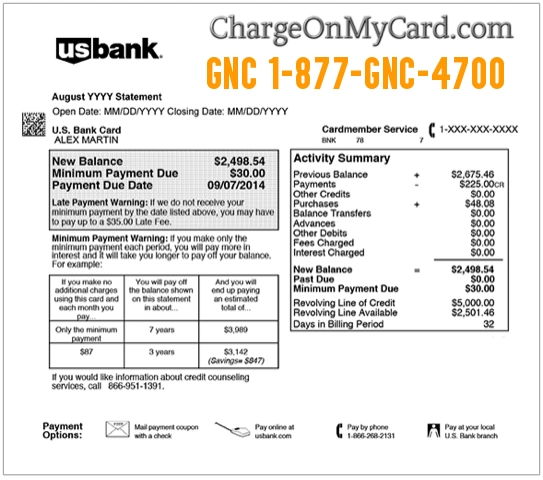
What Is the GNC Charge on a Credit Card?
The GNC charge usually refers to a purchase or payment connected to GNC, the health, nutrition, vitamin, and supplement retailer. A statement descriptor may show GNC, GNC.com, GNC Pittsburgh PA, 1-877-GNC-4700, 877-462-4700, or another shortened version of the merchant name.
The charge may come from an online order, a local GNC store, a subscription order, a rewards or membership-related purchase, a return, a refund, or a saved payment method. In some cases, the statement wording may not show the specific store or product purchased.
Common GNC Statement Descriptor Variations
The exact wording may vary depending on your bank, card issuer, store location, payment processor, or online order type. Possible variations include:
- GNC
- GNC.COM
- GNC.COM PITTSBURGH PA
- GNC PITTSBURGH PA
- GNC 1-877-GNC-4700
- 1-877-GNC-4700
- 877-GNC-4700
- 877-462-4700
- GNC LIVE WELL
- GNC SUBSCRIPTION
- GNC SUBSCRIBE TO SAVE
- GNC STORE
- GNC ONLINE
- GNC REFUND
- CHKCARD GNC
- CHECKCARD GNC
- POS Debit GNC
- POS PURCHASE GNC
- PRE-AUTH GNC
- PENDING GNC
Why GNC May Appear on Your Statement
A GNC charge may appear for several reasons:
- You placed an online order at GNC.com.
- You made an in-store purchase at a GNC retail location.
- You bought vitamins, supplements, protein powder, pre-workout products, wellness products, or energy products.
- A Subscribe to Save order processed automatically.
- You used a saved payment method on your GNC account.
- You paid for a myGNC Rewards or PRO Access-related purchase or benefit.
- A partial shipment, backordered item, or delayed shipment triggered a later charge.
- A return, refund, exchange, or adjustment was processed.
- A spouse, family member, employee, gym member, coach, athlete, or authorized card user made the purchase.
- The charge is incorrect, duplicated, or unauthorized.
Official GNC Contact Information
If the GNC charge may be legitimate, check your GNC account, order confirmation, store receipt, or subscription settings before filing a dispute.
- Official Website: GNC.com
- GNC Help Center: GNC Help Center
- Customer Service: 1-877-GNC-4700 / 1-877-462-4700
- Email: customer-service@gnc-hq.com
- Online Order Help: View Your Online Order
- Returns: GNC Returns Help
- Corporate Address: General Nutrition Corporation, 300 Sixth Avenue, Pittsburgh, PA 15222
When contacting GNC, have your order number, transaction date, amount, descriptor, email address used for the order, store location if known, and the last four digits of the card ready. Do not provide your full card number, account password, bank login, or one-time security code.
How to Verify a GNC Charge
Use these steps before filing a dispute:
- Search your email. Look for “GNC,” “GNC.com,” “Live Well,” “Subscribe to Save,” “order confirmation,” “shipment,” “return,” or the exact charge amount.
- Check your GNC account. Review recent orders, saved payment methods, subscriptions, rewards, returns, and shipment history.
- Compare the amount. Include shipping, tax, discounts, rewards, partial shipments, backordered items, and refunds.
- Review store purchases. Check receipts from local GNC stores, mall locations, airports, shopping centers, or franchise locations.
- Look for subscriptions. A Subscribe to Save order may renew automatically unless cancelled or changed in your account.
- Ask authorized card users. A family member, spouse, employee, athlete, coach, gym member, or household user may have purchased supplements or wellness products.
- Check PayPal or mobile wallets. If you paid through PayPal, Apple Pay, Google Pay, or a saved wallet, another account may show more detail.
- Contact GNC. Ask whether the descriptor and amount match an online order, store purchase, subscription, refund, or adjustment.
- Contact your card issuer if still unknown. Your bank may be able to provide merchant category, authorization method, location, and dispute options.
How to Cancel a GNC Subscribe to Save Order
If the GNC charge came from a recurring Subscribe to Save order you no longer want, log in to your GNC account and review your subscription settings. GNC’s subscription help directs customers to sign in, go to subscriptions or Subscribe to Save, and manage or cancel the subscription from the account page.
- Go to GNC.com and sign in.
- Open your account page.
- Look for “Subscriptions” or “Subscribe to Save.”
- Select the item or shipment you want to manage.
- Cancel, pause, skip, or update the subscription if those options are available.
- Save a screenshot or email confirmation after making changes.
If the next shipment has already processed, contact GNC customer service as soon as possible and ask whether the order can be cancelled, returned, or refunded.
What to Do If the GNC Charge Is Unauthorized
If you cannot connect the GNC charge to an online order, store purchase, subscription, refund, return, household member, or authorized card user, contact your bank or card issuer promptly.
- Lock or freeze your card if your bank offers that option.
- Call the number on the back of your card.
- Ask whether the transaction was online, in-store, recurring, mobile-wallet based, manually entered, or card-present.
- Request the full merchant details tied to the authorization.
- Ask whether any additional supplement, retail, or test charges were attempted.
- Change your GNC password if you have an account and suspect unauthorized access.
- Check PayPal, Apple Pay, Google Pay, and browser-saved payment methods.
- Request a replacement card if your card details may have been compromised.
- Dispute the charge if it was unauthorized, duplicated, incorrect, or cannot be verified.
If the charge is still pending, your bank may ask you to wait until it posts before opening a formal dispute. Continue monitoring your account while you verify the transaction.
FAQs About GNC Charges
What does GNC 1-877-GNC-4700 mean on my credit card?
GNC 1-877-GNC-4700 usually refers to a GNC purchase, online order, store transaction, subscription order, return, refund, or account-related payment. The number is GNC’s customer service number.
Is a GNC charge legitimate?
It may be legitimate if you or an authorized card user bought supplements, vitamins, protein, wellness products, or other items from GNC.com or a GNC store. If no one recognizes it, verify the charge with GNC and your card issuer.
Why does my statement say GNC.com Pittsburgh PA?
GNC is associated with Pittsburgh, Pennsylvania, so online orders or corporate billing descriptors may include Pittsburgh PA even if the product was shipped to another location or purchased online.
Why did GNC charge me again?
A repeat charge may be from a Subscribe to Save order, recurring subscription, partial shipment, delayed shipment, separate order, backordered item, or payment retry. Check your GNC account and email receipts.
How do I cancel a GNC subscription?
Sign in to your GNC account, open your subscription or Subscribe to Save settings, and cancel or manage the item. Keep confirmation of the change in case another shipment or charge appears.
Can a GNC refund show as a separate transaction?
Yes. Returns, exchanges, rewards adjustments, and partial refunds may appear separately from the original purchase. Refund timing can vary by payment method and bank.
Should I dispute a GNC charge?
Dispute the charge if you confirm it was unauthorized, duplicated, incorrect, or cannot be matched to a real GNC order, store purchase, subscription, return, refund, or authorized card user.
Related Charge Guides
- Klarna Charge on Credit Card
- PAYPAL INST XFER Charge on Bank Statement
- 402-935-7733 PayPal Charge
- AMZN.COM/BILL WA Charge
Share Your Experience
Did a GNC, GNC.com, GNC Pittsburgh PA, 1-877-GNC-4700, or 877-462-4700 charge appear on your credit card, debit card, PayPal account, Apple Pay, Google Pay, or bank statement? Share the exact descriptor, amount range, purchase type if known, and whether it was connected to an online order, store purchase, subscription, refund, or unauthorized transaction.
Privacy reminder: Do not post your full card number, bank account number, order number, address, email address, phone number, password, tracking number, rewards account number, or other private information in the comments.
Why Trust ChargeOnMyCard.com?
ChargeOnMyCard.com helps consumers identify confusing credit card, debit card, ACH, bank statement, PayPal, online retail, subscription, mobile wallet, and payment processor descriptors. Our goal is to explain what a charge may be, how to verify it safely, and what steps to take if the transaction is unfamiliar, recurring, incorrect, duplicated, delayed, or unauthorized.
Disclaimer
ChargeOnMyCard.com is not affiliated with GNC, General Nutrition Corporation, GNC Holdings, PayPal, Apple, Google, any bank, any card issuer, or any payment processor. This guide is for informational purposes only. Always verify charges directly with GNC or your financial institution if you believe a transaction is unauthorized or incorrect.