
A COMENITY PAY OH WEB PYMT ID charge or debit on your bank statement may be connected to a payment made toward a Comenity Bank, Comenity Capital Bank, or Bread Financial credit-card account. This statement wording commonly appears for online payments, ACH payments, EasyPay payments, scheduled payments, or web payments made toward a store credit card or private-label credit card.
Common statement wording may include COMENITY PAY OH, COMENITY PAY OH WEB PYMT, COMENITY PAY OH WEB PYMT ID, Comenity OH Web Payment, ACH Comenity Pay OH, ACH Debit Comenity Pay OH, ACH Hold Comenity Pay, Cardmember Serv Web Pymt, or a similar payment descriptor. If you recently paid a store credit card, used Bread Financial Account Center, used Comenity EasyPay, scheduled an ACH payment, or paid a credit-card bill online, the charge may be legitimate.
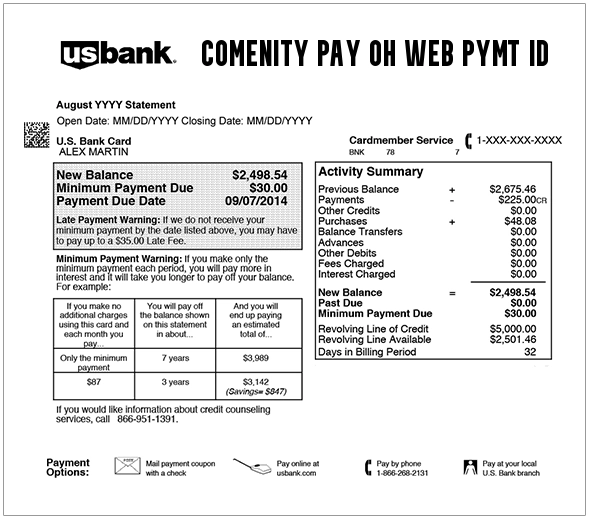
What Is the COMENITY PAY OH WEB PYMT ID Charge?
COMENITY PAY OH WEB PYMT ID usually means a payment was made to Comenity or Bread Financial for a credit-card account. “WEB PYMT” is short for web payment, which means the transaction may have been initiated online through an account portal, payment page, mobile app, or EasyPay-style payment option.
The OH portion often points to Ohio, where Comenity/Bread payment processing and mailing addresses are commonly associated. The descriptor may not show the retail brand connected to the card, so a payment for a store card may appear as Comenity Pay rather than the store name.
Common Comenity Pay Statement Variations
- COMENITY PAY OH WEB PYMT ID
- COMENITY PAY OH
- COMENITY PAY OH WEB PYMT
- Comenity OH Web Payment
- Comenity Pay OH Web Payment
- Comenity Pay OH Web Pymt
- ACH Comenity Pay OH
- ACH Debit Comenity Pay OH
- ACH Hold Comenity Pay
- ACH Hold Comenity Pay OH Web Payment
- ACH Hold Comenity Pay OH Web Pymt
- Cardmember Serv Web Pymt
- Cardmember Serv Web Payment
- Cardmember Serv Elect Payment
- Comenity Card Check Pymt
- Comenity Bank Payment
- Bread Financial Payment
The exact wording may vary by bank, checking account, debit account, ACH processor, card brand, payment method, EasyPay, Account Center, phone payment, pending hold, reversal, or returned payment.
Why Comenity Pay May Appear on Your Statement
- You paid a Comenity Bank or Comenity Capital Bank credit-card bill online.
- You used Bread Financial Account Center to make a payment.
- You used Comenity EasyPay without signing in to a full online account.
- You scheduled an ACH debit from your checking account.
- You made a payment by phone or through automated customer care.
- You paid a store credit card, retail credit card, private-label card, or co-branded Mastercard, Visa, or American Express account.
- You made a payment for a family member, spouse, employee, or authorized user.
- A scheduled payment, returned payment, reversal, or ACH hold appeared on your account.
- Your bank account or card information may have been used without permission.
Is COMENITY PAY OH WEB PYMT ID Legit?
COMENITY PAY OH WEB PYMT ID may be legitimate if it matches a payment you made toward a Comenity, Bread Financial, or store-branded credit-card account. Many retail credit cards are issued or serviced through Comenity Bank or Comenity Capital Bank, which are Bread Financial companies.
However, a legitimate bank or payment descriptor does not automatically mean the specific debit was authorized by you. If you do not recognize the account, amount, date, or payment method, verify the transaction before assuming it is valid.
Comenity Bank, Comenity Capital Bank, and Bread Financial
Comenity Bank and Comenity Capital Bank are associated with Bread Financial. Many older consumers still recognize the name Comenity, while newer account pages and statements may use Bread Financial branding.
A payment may therefore involve a retailer, a store credit card, Comenity Bank, Comenity Capital Bank, Bread Financial, Bread Pay, or an Account Center portal. The statement may show only the payment processor or bank name instead of the retail card brand.
What Is Comenity EasyPay?
Comenity EasyPay is a payment option that lets some cardholders pay a Comenity credit-card bill without signing in to a full online account. If you used EasyPay, your bank statement may show a Comenity Pay, Comenity OH, or web-payment descriptor.
This can be confusing because you may remember paying a specific store card, while your bank only shows COMENITY PAY OH WEB PYMT ID.
What Is ACH Comenity Pay OH?
ACH Comenity Pay OH or ACH Debit Comenity Pay OH generally means a payment was withdrawn from a bank account through the ACH network. This often happens when you use a checking account and routing number to pay a credit-card bill online.
If your bank shows an ACH hold, the payment may be pending or scheduled. Check your Comenity/Bread account and your bank account to confirm whether the payment posted, failed, reversed, or is still processing.
Why the Retail Store Name May Not Appear
A Comenity Pay charge may be connected to a store card, but your bank statement may not show the store name. For example, a payment for a retail credit card may appear under Comenity, Bread Financial, Cardmember Serv, or ACH Comenity instead of the brand you actually use.
This is especially common with store cards, private-label cards, and co-branded cards where the retailer markets the card but Comenity Bank, Comenity Capital Bank, or Bread Financial services the account.
Retail Credit Cards That May Be Connected to Comenity or Bread
Comenity and Bread Financial have serviced many store, retail, medical, travel, sports, and co-branded credit-card programs. The exact list can change, and some programs move banks over time, so always verify using your current card, statement, or official account portal.
Examples that consumers often associate with Comenity or Bread Financial include store or branded cards connected to retailers and programs such as BJ’s, Victoria’s Secret, Wayfair, Sephora, GameStop, Sportsman’s Guide, Boscov’s, David’s Bridal, Frontgate, Blue Nile, Kay Jewelers, Zales, Torrid, Lane Bryant, J.Crew, LOFT, Ann Taylor, Buckle, Famous Footwear, Floor & Decor, IKEA, Petco, Ulta, and certain sports, travel, and financing cards.
If you are searching for a specific card such as BJ’s Comenity Bank, Blue Nile Comenity, Comenity Bank David’s Bridal, Comenity Frontgate, Comenity GameStop payment, Comenity Sportsman’s Guide, or Comenity card check pymt, use the official Bread Financial card search or the account URL printed on your statement.
Comenity and Bread Financial Official Contact Information
- Bread Financial Website: breadfinancial.com
- Find Your Credit Card Account: Bread Financial credit-card account search
- Bread Financial Help Center: Bread Financial Help Center
- Credit Card Contact Help: Get in touch for credit-card help
- Comenity Mastercard Account Center: Comenity Mastercard Account Center
- Phone Payments Listed by Bread Financial: 1-855-796-9632
- TDD/TTY Listed by Bread Financial: 1-888-819-1918
For a specific store card, use the Customer Care number on the back of your card, your statement, or the bottom of the Account Center page. Different Comenity/Bread credit-card programs can have different customer-service numbers, mailing addresses, and hours.
How to Verify a COMENITY PAY OH WEB PYMT ID Charge
- Check whether the payment is pending, posted, returned, reversed, or duplicated.
- Write down the exact descriptor, amount, date, and bank account used.
- Search your email for Comenity, Bread Financial, EasyPay, Account Center, web payment, payment confirmation, ACH, store card, and the exact amount.
- Log in to Bread Financial or the Comenity account center for any store cards you use.
- Check payment history, scheduled payments, AutoPay, saved bank accounts, and returned-payment notices.
- Look at the back of your card or statement to confirm whether it is issued by Comenity Bank or Comenity Capital Bank.
- Ask a spouse, family member, employee, or authorized user whether they made a payment.
- If the debit remains unfamiliar, contact Comenity/Bread or your bank.
What If You Recognize the Payment?
If the COMENITY PAY OH WEB PYMT ID debit matches a payment you authorized, save the confirmation number, statement, and payment receipt. Make sure the payment was applied to the correct card account and that no duplicate payment was scheduled.
If you use more than one Comenity/Bread credit card, verify that the payment went to the intended account. A payment for one store card may not apply to another card, even if both are serviced by Comenity or Bread Financial.
What If You Paid the Wrong Comenity Account?
If you accidentally paid the wrong store-card account, contact the card issuer or customer care number for that specific account. Keep the bank debit record, confirmation number, account name, amount, and date.
Do not assume the payment can automatically transfer from one Comenity/Bread card to another. Each card program may have its own account number, payment address, and servicing path.
What If There Is an ACH Hold?
An ACH Hold Comenity Pay entry may mean a payment is pending at your bank. The payment may not be fully posted to your credit-card account yet. Check both your bank account and your Comenity/Bread payment history.
If the hold remains longer than expected, or if the payment posts twice, contact your bank and the card issuer. Keep screenshots from both accounts.
What If You Do Not Recognize the Comenity Payment?
- Check whether you or another authorized user has any Comenity, Comenity Capital Bank, Bread Financial, or store credit-card accounts.
- Review store cards, retail cards, medical financing accounts, sports cards, travel cards, and co-branded cards.
- Search all email addresses for Comenity, Bread, EasyPay, payment confirmation, and account alerts.
- Check whether a payment was scheduled through AutoPay or EasyPay.
- Contact the card issuer listed on the back of the card or statement if you can identify the account.
- Contact your bank if money was withdrawn from your bank account without authorization.
- For suspected fraud, ask whether to block future ACH debits, dispute the transaction, close or replace the account, and monitor for additional activity.
Could COMENITY PAY OH WEB PYMT ID Be Fraud?
A COMENITY PAY OH WEB PYMT ID debit is not automatically fraud. It may be a legitimate Comenity, Bread Financial, EasyPay, Account Center, or store-credit-card payment.
However, it may be unauthorized if you do not have any Comenity/Bread accounts, cannot find a matching payment confirmation, no authorized user recognizes it, the payment came from a bank account you did not intend to use, or other unfamiliar debits appear around the same time.
How to Dispute a Comenity Pay Charge or ACH Debit
If the payment was unauthorized, duplicated, withdrawn from the wrong account, or not applied to the correct card, gather your evidence before disputing it. Useful records include the statement descriptor, payment date, amount, bank account, payment confirmation number, Comenity/Bread payment history, email receipts, returned-payment messages, and screenshots.
Contact Comenity/Bread if the payment may be tied to a valid credit-card account. Contact your bank immediately if the ACH debit was unauthorized or if you do not recognize the payment at all. For credit-card billing errors, written disputes should be sent promptly to the billing-inquiries address listed by the issuer.
Watch Out for Fake Comenity and Bread Financial Support Numbers
Unknown-charge searches can attract fake support numbers, refund scams, credit-card account phishing, and debt-collection scams. Use Bread Financial’s official website, the Comenity Account Center, the number on the back of your card, your statement, your bank’s secure app, or your card issuer’s official support options.
Do not share your full card number, bank login, Comenity password, Bread Financial password, Social Security number, PIN, one-time security code, or remote computer access with anyone who contacts you unexpectedly.
Frequently Asked Questions About COMENITY PAY OH WEB PYMT ID
What is COMENITY PAY OH WEB PYMT ID?
COMENITY PAY OH WEB PYMT ID usually means an online or ACH payment was made toward a Comenity Bank, Comenity Capital Bank, or Bread Financial credit-card account.
What is Comenity Pay OH?
Comenity Pay OH is a payment descriptor that may appear when a Comenity or Bread Financial credit-card payment is processed from your bank account or card.
What does ACH Comenity Pay OH mean?
ACH Comenity Pay OH means the payment likely moved through the ACH banking network, often from a checking account used to pay a Comenity/Bread credit-card bill.
What is Comenity EasyPay?
Comenity EasyPay is a payment option that lets some cardholders pay a Comenity credit-card bill without signing in to a full online account.
Why does my statement say Comenity instead of the store name?
The retail card may be issued or serviced by Comenity Bank, Comenity Capital Bank, or Bread Financial. Your bank statement may show the issuer or payment processor rather than the store brand.
What is Cardmember Serv Web Pymt?
Cardmember Serv Web Pymt is a similar credit-card payment descriptor. It may indicate an online payment made to a card issuer or card-servicing account.
What if I do not have a Comenity card?
Check whether you have a store card, retail card, medical financing account, or co-branded card issued by Comenity or Bread. If no authorized account matches, contact your bank about an unauthorized ACH debit or payment.
Should I dispute a COMENITY PAY OH WEB PYMT ID charge?
First try to match the debit to a Comenity/Bread card account, EasyPay confirmation, scheduled payment, AutoPay, or authorized user. If it remains unauthorized or unresolved, contact your bank or card issuer.
Related Credit Card, ACH, and Payment Descriptor Guides
- UnionWorkersCredit.com Charge or Fee
- PNP BillPayment Charge
- ADVS ED SERV PPD Student-Loan Auto Pay and ACH Payment
- WPY 855-469-3729 VA Charge
- PPINC USD HR Charge
- 4029357733 PayPal Charge
- FID BKG SVC LLC MONEYLINE Charge
- Victoria’s Secret Credit Card Charge
Help Other Cardholders Identify This Charge
If you saw COMENITY PAY OH WEB PYMT ID, Comenity Pay OH, Comenity Pay OH Web Pymt, ACH Comenity Pay OH, ACH Hold Comenity Pay, Cardmember Serv Web Pymt, or a similar descriptor on your bank statement, please share your experience in the comments.
Helpful details include the exact descriptor, amount, whether it was a store-card payment, EasyPay payment, ACH debit, scheduled payment, AutoPay, duplicate payment, returned payment, or unauthorized transaction, and how you resolved it. Do not post full card numbers, bank account numbers, passwords, Social Security numbers, addresses, phone numbers, email addresses, confirmation numbers, PINs, one-time codes, or other private information.
Why Rely on ChargeOnMyCard.com?
ChargeOnMyCard.com helps consumers identify confusing credit-card, debit-card, ACH, bank-payment, store-card, retail-card, payment-processor, and bank-statement descriptors by researching merchant names, issuer names, payment patterns, official support options, and user-reported charge information when available. Our goal is to help cardholders determine whether a charge is likely legitimate, mistaken, recurring, refunded, disputed, or potentially unauthorized.
Disclaimer
ChargeOnMyCard.com is not affiliated with Comenity Bank, Comenity Capital Bank, Bread Financial, Bread Pay, EasyPay, any retail card issuer, store-card program, bank, payment processor, or card issuer. This page is for informational purposes only and should not be treated as financial, legal, credit, debt, billing, refund, fraud-prevention, or banking advice. If you believe a payment or charge is unauthorized, contact your bank or card issuer directly.