
If you found FID BKG SVC LLC MONEYLINE on your bank statement, checking account, debit-card activity, or financial records, it is usually connected to an electronic funds transfer involving Fidelity Investments.
The transaction may represent money moved between your bank account and a Fidelity brokerage, retirement, cash management, or investment account. The descriptor can be confusing because it may appear as an ACH debit or credit without clearly saying “Fidelity Investments.”
Consumer Reports and Experiences
Consumers commonly report seeing FID BKG SVC LLC MONEYLINE after transferring money to or from a Fidelity account. Some recognize the transaction as a deposit into a brokerage account, a withdrawal from a Fidelity account, an IRA contribution, a recurring investment transfer, or a movement of cash connected to a Fidelity Cash Management Account.
Others do not recognize the descriptor because the transaction appears on their bank statement before they connect it to a Fidelity transfer. In some cases, another household member, business partner, spouse, or authorized account user may have initiated the transfer.
Have you seen this transaction? Share the amount, whether it was a debit or deposit, the descriptor variation, and how you confirmed it in the comments below. Do not post your full bank account number, Fidelity account number, Social Security number, confirmation number, or other private information.
What Is FID BKG SVC LLC MONEYLINE?
FID BKG SVC LLC MONEYLINE is generally associated with Fidelity Brokerage Services LLC and Fidelity MoneyLine, an electronic funds transfer service used to move money between a bank account and a Fidelity account.
The transaction may involve:
- A transfer from your bank account to Fidelity
- A transfer from Fidelity to your bank account
- A Fidelity brokerage account deposit
- A Fidelity Cash Management Account transaction
- An IRA contribution or distribution
- A recurring automatic investment transfer
- A scheduled withdrawal or deposit
- A retirement or workplace-account-related transfer
- A transfer initiated by another authorized account holder
The key detail is whether the entry is a debit from your bank account or a credit into your bank account.
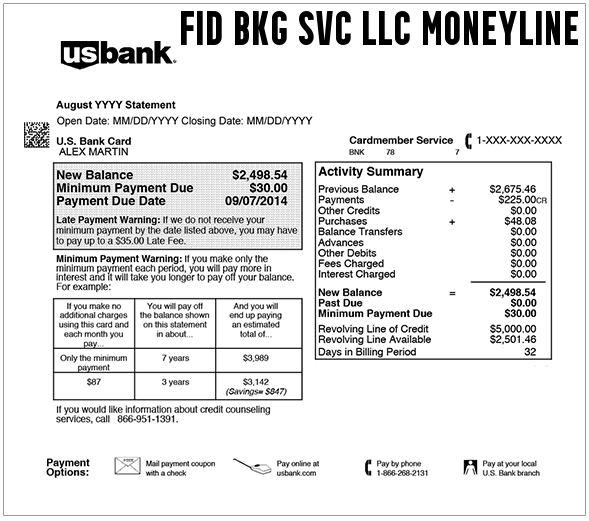
Common Statement Variations
The transaction may appear in several different ways depending on your bank:
- FID BKG SVC LLC MONEYLINE
- FID BKG SVC LLC MONEYLINE PPD
- FID BKG SVC LLC DES: MONEYLINE
- FID BKG SVC LLC / MONEYLINE
- FID BKG SVC MONEYLINE
- FID BKG SVC LLC MONEYLINE X
- MONEYLINE FID BKG
- MONEYLINE FID BKG SVC LLC
- MONEYLINE FID BKG SVC LLC PPD
- FID BKG SVC LLC MONEYLINE PPD ID: 1035141383
- FID BKG SVC LLC MONEYLINE PPD ID: 0368004600
- fid bkg svc llc moneyline
Some banks may add an ACH company ID, payment reference, or PPD code. Do not post those identifiers publicly, because they may help trace your transaction.
What Does “MoneyLine” Mean?
MoneyLine is Fidelity’s electronic funds transfer service. It allows money to move through the Automated Clearing House, or ACH, between a linked bank account and a Fidelity account.
In plain language, this is usually not a credit-card merchant purchase. It is more often a bank transfer connected to Fidelity.
Examples include:
- You moved cash from your checking account into Fidelity.
- You withdrew cash from Fidelity back to your bank.
- You set up a recurring transfer to invest automatically.
- You made a retirement contribution.
- You transferred funds into a Cash Management Account.
- You received a distribution, redemption, or cash movement from Fidelity.
What Does PPD Mean?
PPD is commonly used in ACH transactions and generally refers to a prearranged payment and deposit entry.
When you see FID BKG SVC LLC MONEYLINE PPD, the transaction is likely an ACH transfer that was set up through Fidelity or authorized in connection with a Fidelity account.
That does not automatically mean the transaction is unauthorized or fraudulent. It means the bank is displaying the ACH-style descriptor rather than a familiar consumer-facing name.
Why Is Fidelity MoneyLine Taking Money From My Bank Account?
A Transfer Into a Fidelity Account
The most common explanation is that money was transferred from a linked bank account into a Fidelity brokerage, retirement, or cash management account.
Check whether you recently:
- Funded a new Fidelity account
- Transferred cash for investing
- Made an IRA contribution
- Started an automatic investment plan
- Moved money into a Cash Management Account
- Added money before buying stocks, mutual funds, ETFs, or CDs
A Recurring Investment or Automatic Transfer
You may have set up a recurring transfer to move money from your bank account to Fidelity weekly, every other week, monthly, quarterly, or on another schedule.
Recurring transfers can be forgotten because they may continue long after the original setup date.
A Transfer Back to Your Bank
If the entry is a deposit or credit into your bank account, it may represent money moved from Fidelity back to your bank.
This could be connected to:
- A withdrawal from a Fidelity account
- A retirement distribution
- A sale of investments followed by a cash transfer
- A cash-management transaction
- A transfer from a Fidelity account owned by you or your household
A Transfer Made by an Authorized Account User
A spouse, joint account holder, trustee, custodian, business partner, advisor, or authorized user may have initiated the transfer.
If the transfer involves a joint bank account, ask all owners and authorized users before assuming it is fraud.
A Workplace or Retirement Account Transaction
Some users may see Fidelity-related money movement connected to workplace benefits, 401(k) rollovers, distributions, health savings accounts, or retirement plans.
If your employer uses Fidelity or NetBenefits, review both Fidelity.com and NetBenefits activity.
How to Confirm the FID BKG SVC LLC MONEYLINE Transaction
1. Check Whether It Was a Debit or Credit
Start by identifying whether money left your bank account or entered it.
- Debit: Money likely moved from your bank to Fidelity.
- Credit: Money likely moved from Fidelity to your bank.
2. Sign In to Fidelity
Log in to your Fidelity account and review recent transfer activity.
- Fidelity login: Fidelity.com
- Fidelity transfer support: Money Movement and Transfers
Check:
- Recent transfers
- Pending activity
- Recurring activity
- Transfer confirmations
- Linked bank accounts
- Retirement account contributions or distributions
- Cash Management Account activity
3. Check NetBenefits
If the transaction may involve a workplace account, retirement plan, pension, HSA, or employer benefit, sign in to NetBenefits as well.
- Fidelity NetBenefits: NetBenefits Login
4. Search Your Email
Search your inbox for:
- Fidelity transfer
- MoneyLine
- Transfer confirmation
- Electronic funds transfer
- ACH
- Recurring transfer
- IRA contribution
- Cash Management Account
- NetBenefits
5. Ask Other Authorized Users
Ask anyone with access to the bank account or Fidelity account whether they scheduled a transfer.
6. Ask Your Bank for Full ACH Details
Your bank may have information not displayed in online banking, such as:
- The ACH company name
- The ACH company ID
- The trace number
- The payment category
- The effective date
- Whether the transfer is recurring
Do not post ACH trace numbers, account numbers, or reference numbers publicly.
Fidelity Contact Information
- Fidelity customer service: 800-343-3548
- Compromised-account support: 800-544-6666
- Official contact page: Fidelity Contact Us
- Phone number directory: Fidelity Phone Numbers
- Report a security issue: Fidelity Security Support
- Official website: Fidelity.com
Use Fidelity’s official website or the phone number shown on your account documents. Do not call a phone number from a suspicious text message, email, pop-up, or search ad claiming that your Fidelity account is at risk.
Is FID BKG SVC LLC MONEYLINE Fraudulent?
Usually not when it matches a Fidelity transfer, investment contribution, withdrawal, recurring transfer, or retirement-account transaction.
However, it should be investigated immediately if:
- You do not have a Fidelity account
- No authorized bank-account user recognizes the transaction
- The transfer does not appear in your Fidelity activity
- The amount does not match your records
- A linked bank account was added without your permission
- You received suspicious Fidelity emails or texts
- More than one unexplained transfer appears
- Your bank or Fidelity account may have been compromised
What to Do If You Do Not Have a Fidelity Account
If you see FID BKG SVC LLC MONEYLINE but do not have a Fidelity account:
- Ask all bank-account owners and authorized users whether they use Fidelity.
- Contact your bank and request the full ACH details.
- Ask whether the transaction was linked to your bank account number or debit card.
- Call Fidelity using its official number and ask whether the transfer can be traced.
- Report the transaction to your bank as unauthorized if no one recognizes it.
- Ask your bank about ACH dispute deadlines.
- Change your online-banking password.
- Review your account for additional unauthorized transfers.
- Ask whether the bank account should be restricted, closed, or replaced.
What to Do If Your Fidelity Account May Be Compromised
If the transaction appears inside Fidelity but you did not authorize it:
- Call Fidelity immediately at its official support number.
- Change your Fidelity password.
- Change the password on the email account connected to Fidelity.
- Review linked bank accounts and remove anything unfamiliar.
- Review recent transfers, trades, and account-profile changes.
- Ask Fidelity to secure the affected account.
- Contact your bank and report the unauthorized ACH transaction.
- Monitor both Fidelity and bank activity for several weeks.
Do not share one-time passcodes, account login details, or verification codes with anyone who contacts you unexpectedly.
Can You Stop Future MoneyLine Transfers?
You may be able to stop or edit scheduled transfers by reviewing recurring activity in your Fidelity account.
Common steps include:
- Sign in to Fidelity.
- Open the transfers or activity section.
- Review scheduled or recurring transfers.
- Cancel or modify any transfer you no longer want.
- Save the confirmation.
- Verify the change with Fidelity if the transfer is close to its scheduled date.
If the transfer is unauthorized, contact both Fidelity and your bank rather than relying only on canceling a future scheduled transfer.
How Consumers Resolved the Transaction
Consumers commonly resolve FID BKG SVC LLC MONEYLINE transactions by:
- Finding a matching Fidelity transfer confirmation
- Identifying a recurring investment transfer
- Matching the debit to an IRA contribution
- Confirming a withdrawal from Fidelity back to a bank account
- Discovering that a spouse or joint account holder initiated the transfer
- Reviewing NetBenefits or workplace-account activity
- Calling Fidelity for transfer details
- Asking the bank for ACH trace information
- Disputing the transfer when no Fidelity account or authorization exists
Frequently Asked Questions
What is FID BKG SVC LLC MONEYLINE?
It is generally an ACH money-transfer descriptor associated with Fidelity Brokerage Services LLC and Fidelity MoneyLine, used to move money between a bank account and a Fidelity account.
Is FID BKG SVC LLC MONEYLINE Fidelity?
In most cases, yes. It is commonly associated with Fidelity Investments, Fidelity Brokerage Services, and Fidelity account transfers.
Is this a credit-card purchase?
Usually no. This descriptor most often appears as an ACH or bank-account transfer rather than a traditional credit-card merchant purchase.
Why does it say PPD?
PPD is commonly used for prearranged ACH payments and deposits. The bank may show PPD when a Fidelity transfer was scheduled or authorized electronically.
Why did Fidelity take money from my bank?
The debit may represent a transfer into a Fidelity account, recurring investment, IRA contribution, or other authorized electronic funds transfer. Check Fidelity activity and bank details to confirm.
Why did Fidelity deposit money into my bank?
A credit may represent a withdrawal, distribution, redemption, cash transfer, or other movement of money from Fidelity to your linked bank account.
What if I cannot find the transaction in Fidelity?
Check all Fidelity accounts, NetBenefits, and all email addresses. Then ask your bank for the full ACH details and contact Fidelity for help tracing the transaction.
Should I dispute it with my bank?
Dispute it if you confirm that neither you nor an authorized user approved the transfer. Because ACH dispute deadlines may apply, contact your bank promptly.
Should I close my bank account?
Not if the transaction matches an authorized Fidelity transfer. If the transfer is unauthorized, follow your bank’s fraud instructions, which may include restricting or replacing the account.
Related Credit Card and Bank Charges
- ACHMA VISB BILL PYMNT
- PayPal 4029357733 descriptor
- PVER3.US 888-605-6664 Charge
- 700 Nicollet Mall Sezzle Charge
- Lagosec Inc NordVPN Charge
Related Consumer Resources
- Need customer-service contact information for financial companies, brokerages, banks, or payment services? Search Fidelity on CustomerServiceNumbers.com.
- Looking for corporate headquarters, mailing addresses, or company office details? Visit Fidelity on CorporateOfficeHeadquarters.com.
- Want to share a review, complaint, or customer experience about a company? Visit ZeroStars.org.
- Concerned about a fake investment platform, phishing message, or suspicious transfer request? Visit ThinkItsAScam.com for scam warnings and consumer alerts.
Why Trust ChargeOnMyCard.com?
ChargeOnMyCard.com helps consumers identify unfamiliar bank and card-statement descriptors using official company information, billing explanations, and reports from account holders.
For ACH-style descriptors such as FID BKG SVC LLC MONEYLINE, reader reports are especially useful because they help identify whether the transaction was a transfer, deposit, withdrawal, recurring investment, retirement-account contribution, or unauthorized debit.
Share Your FID BKG SVC LLC MONEYLINE Experience
Did the transaction match a Fidelity transfer, IRA contribution, withdrawal, recurring investment, NetBenefits account, or unauthorized bank debit? Share the amount, whether it was a debit or credit, and how you confirmed or resolved it below. Please exclude private financial and account information.
Disclaimer
ChargeOnMyCard.com is an independent consumer-information website and is not affiliated with Fidelity Investments, Fidelity Brokerage Services LLC, National Financial Services LLC, any bank, or any payment network. This page is provided for informational purposes only. Verify all account activity directly with Fidelity and your financial institution.