
A VISANET SAN FRANCISCO CA pending charge on your Visa credit card, debit card, or bank account may be a temporary card-verification request rather than an ordinary purchase from a company named VisaNet.
VisaNet is Visa’s global payment-processing network. If the transaction is pending for $0, a merchant, app, subscription service, or digital wallet may be checking whether the card is valid before saving it or attempting a later payment. If the entry has a nonzero amount or becomes fully posted, contact the card issuer for the complete originating merchant information.
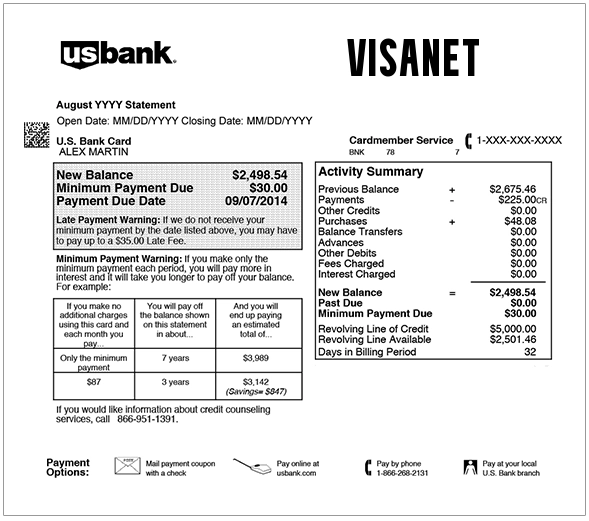
What Is the VisaNet San Francisco CA Charge?
VisaNet is the electronic network Visa uses to help authorize, process, clear, and settle Visa transactions.
VisaNet can be involved when a Visa card is used for:
- An online purchase
- An in-store purchase
- A recurring subscription
- A digital-wallet transaction
- An ATM transaction
- A card-on-file payment
- A merchant account-verification request
VisaNet is generally not the company that sold the product or service.
A `VISANET SAN FRANCISCO CA` entry may therefore mean that the bank is temporarily displaying Visa’s network information instead of—or before—the complete originating merchant details.
What Does a VisaNet San Francisco CA Pending Charge Mean?
The meaning depends mainly on:
- The amount
- Whether the entry is pending or completed
- Whether you recently entered or updated your card somewhere
- Whether the bank can identify an originating merchant
If the Amount Is $0
A pending $0 VisaNet entry may be a card account verification.
A merchant or service may send a zero-dollar authorization to check whether:
- The card number is valid
- The card account is open
- The card is not reported lost or stolen
- The expiration date is acceptable
- The billing address matches
- The CVV information is valid
- The card can be saved for future payments
A successful zero-dollar verification generally does not transfer money.
However, an unrecognized verification should still be investigated because it means someone or some service may have attempted to validate the card information.
If the Amount Is Small but Not $0
A pending amount such as $1 or another low value could be:
- A temporary merchant authorization
- A payment-method check
- A small actual purchase
- A test submitted by someone using the card without permission
- An incorrectly formatted verification request
Do not assume every small charge is harmless.
Check whether it:
- Disappears
- Is reversed
- Changes to another merchant name
- Becomes a completed transaction
- Is followed by additional attempts
If the Amount Is Fully Posted
A completed nonzero charge needs an identifiable merchant.
Ask the card issuer for:
- The complete merchant name
- The merchant telephone number
- The merchant address
- The merchant category
- The authorization date and time
- Whether the transaction was online, recurring, card-present, or wallet-based
- Any payment facilitator or processor information
VisaNet by itself is not a sufficient explanation for a completed purchase.
What Is VisaNet?
VisaNet is Visa’s global transaction-processing system.
It connects:
- Visa card issuers
- Banks and credit unions
- Merchant-acquiring institutions
- Payment processors
- Approved technology partners
- Merchants accepting Visa cards
VisaNet helps route authorization messages between the merchant side of a transaction and the institution that issued the card.
For example:
- A customer enters a Visa card on a website.
- The merchant or payment processor submits an authorization request.
- VisaNet routes the request to the card issuer.
- The issuer approves or declines it.
- The result is returned through the network.
VisaNet is therefore part of the payment path, not necessarily the seller.
Visa documentation identifies BASE II as part of its clearing and settlement infrastructure. If your transaction says VBASE2 or TERMINAL VBASE2 instead, see our guide to the VBASE2 or BASE II charge on a credit card statement.
Why Does It Say San Francisco, California?
Visa is headquartered in San Francisco, California.
The San Francisco wording may reflect:
- Visa’s corporate or network information
- An issuer-generated merchant description
- Transaction-enrichment data supplied by the bank
- A processing or network location
It does not necessarily mean:
- The card was physically used in San Francisco
- The merchant is located in San Francisco
- Visa itself sold something to the cardholder
- The cardholder has a separate VisaNet account
Only the issuing bank can confirm what data caused the exact wording to appear.
Common VisaNet Statement Variations
Possible or publicly searched variations include:
- VISANET SAN FRANCISCO CA
- VISANET, SAN FRANCISCO, CA
- PENDING VISANET SAN FRANCISCO CA
- VISANET SAN FRANCISCO CA $0.00
- VISANET SAN FRANCISCO
- VISANET CA
- VISA SAN FRANCISCO CA
- VISA NETWORK AUTHORIZATION
- VISANET ACCOUNT VERIFICATION
- VISANET TRANSACTION
These are comparison and search variations, not a complete official descriptor list.
Copy the exact wording, amount, date, and status before contacting the card issuer.
Why Did VisaNet Verify My Card?
You Added a Card to a Website or App
A verification may occur after adding a card to:
- An online store
- A food-delivery app
- A rideshare account
- A streaming service
- A utility account
- A travel-booking site
- A gaming platform
- A subscription service
The merchant may verify the card before allowing future purchases.
You Updated an Existing Payment Method
A card check may be triggered when:
- You changed the card number
- You updated the expiration date
- You changed the billing address
- You added a replacement card
- A merchant refreshed stored payment details
You Added the Card to a Digital Wallet
Adding a card to a wallet or payment app may involve several security and verification steps.
Review recent activity in:
- Apple Wallet
- Google Wallet
- Samsung Wallet
- PayPal
- Venmo
- Cash App
- Other payment or money-transfer apps
Do not assume the VisaNet wording proves that a particular wallet initiated the verification. Check each account directly.
You Started a Free Trial or Subscription
A service may validate the card when:
- A free trial begins
- A subscription is created
- A recurring billing method is updated
- A paused subscription restarts
- A failed renewal is retried
Search email for recent trial, subscription, and payment-method confirmations.
A Hotel, Rental Company, or Other Merchant Checked the Card
Certain businesses use authorizations or account checks before final billing.
Examples can include:
- Hotels
- Car-rental companies
- Gas stations
- Restaurants
- Travel services
These businesses may also place an estimated monetary hold rather than a $0 verification.
Someone Else Entered the Card Information
An unfamiliar entry may mean:
- A family member used the card
- An employee or authorized user saved it to an account
- An old account still contains the card
- The card information was entered without permission
Ask all authorized card users before treating the activity as fraud, but do not delay contacting the issuer when the verification remains unexplained.
How to Identify the Source of a VisaNet Pending Charge
1. Record the Complete Transaction
Save:
- The exact descriptor
- The amount
- The date and time
- Whether it is pending or completed
- Any telephone number
- Any reference supplied by the bank
- Whether the transaction was marked online, recurring, or wallet-based
Do not post complete transaction references or card details publicly.
2. Review Your Recent Online Activity
Think about whether you recently:
- Entered the card on a new website
- Updated a subscription
- Added the card to an app
- Created a digital wallet
- Booked travel
- Started a free trial
- Changed a billing address
- Received a replacement card
3. Search Your Email
Search for:
- Payment method added
- Card verified
- Subscription confirmation
- Free trial
- Wallet added
- Order confirmation
- The date of the VisaNet entry
Check spam, promotions, archived mail, work accounts, and shared family accounts.
4. Check Saved Cards and Digital Wallets
Review:
- Recently added wallet devices
- Authorized devices
- Stored cards on shopping sites
- Subscription payment methods
- Money-transfer apps
- Browser-saved payment information
Remove unfamiliar devices or saved payment methods.
5. Contact the Card Issuer
The issuer is the bank or credit union whose name appears on the card.
Call the number printed on:
- The back of the card
- The official banking app
- The card statement
- The bank’s verified website
Ask:
- Was this a zero-dollar verification?
- Which merchant or processor initiated it?
- Was a digital wallet involved?
- Was the verification approved or declined?
- Is another charge expected to follow?
- Should the card be locked or replaced?
Should I Worry About a $0 VisaNet Pending Charge?
A recognized $0 verification may be routine.
For example, it may follow immediately after you:
- Added the card to a legitimate account
- Updated a subscription
- Saved the card to a trusted website
- Added it to a digital wallet
An unrecognized verification should not be ignored.
Take prompt action when:
- You did not enter the card anywhere
- You have not updated a payment method
- Several verification attempts appear
- Other unfamiliar merchant names appear
- The card has not been used recently
- A nonzero charge follows
- The bank sends a fraud alert
A zero-dollar entry may not remove funds, but it can indicate that the card information was tested.
What If the VisaNet Pending Entry Disappears?
A verification or temporary authorization may disappear without becoming a completed transaction.
Continue to monitor the account when:
- The entry was expected
- No money was withdrawn
- No additional suspicious activity appears
- The issuer confirms it was a legitimate account check
If the source remains unknown, ask the issuer to document the attempt even if it disappears.
What If the VisaNet Entry Becomes a Real Charge?
If a nonzero amount posts:
- Open the completed transaction.
- Check whether the descriptor changed to a merchant name.
- Compare it with recent purchases and subscriptions.
- Ask all authorized card users.
- Request expanded merchant details from the issuer.
- Contact the identified merchant when appropriate.
- Report it as unauthorized if no one approved it.
Do not attempt to dispute “VisaNet” as the seller until the issuer identifies the originating merchant or confirms that the transaction cannot be matched.
VisaNet Is Not CARDMEMBER SERV WEB PYMT
The old version of this article incorrectly combined these two descriptions.
VISANET SAN FRANCISCO CA generally relates to Visa’s transaction network or a Visa authorization record.
CARDMEMBER SERV WEB PYMT generally describes an ACH or online payment from a checking account toward a credit card serviced by Cardmember Service, Elan Financial Services, or a partner institution.
For that separate descriptor, use:
CARDMEMBER SERV WEB PYMT on a Bank Statement
Do not use Visa’s contact information to investigate an Elan or Cardmember Service ACH payment.
What Is a VisaNet Account?
Most cardholders do not have a separate consumer “VisaNet account.”
VisaNet is the network used behind the scenes. Your actual card account is normally managed by:
- A bank
- A credit union
- A card issuer
- A financial-technology company
- A prepaid-card provider
Use the issuer’s app, website, statement, and customer-service number for account-specific questions.
What Is a VisaNet Transaction?
A VisaNet transaction is a payment or authorization message routed through Visa’s network.
It can include:
- A purchase authorization
- A declined transaction
- A $0 account verification
- A recurring payment request
- A refund or credit
- Clearing and settlement information
The consumer statement should normally identify the merchant when a purchase fully posts. Ask the issuer for clarification when only the VisaNet network name remains.
What to Do If the Entry Is Unauthorized
If no authorized user recognizes the VisaNet activity:
- Lock or freeze the card through the banking app when available.
- Call the card issuer immediately.
- Report the verification or charge as unauthorized.
- Ask whether the card number should be replaced.
- Review all recent pending and completed transactions.
- Check digital wallets for unfamiliar devices.
- Change passwords for banking, email, and affected merchant accounts.
- Turn on transaction alerts.
- Monitor replacement-card activity.
For a Visa debit card, also review the linked checking account for other electronic withdrawals or transfers.
Current Visa Contact Information
For transaction-specific questions, contact the financial institution that issued the card first.
- Official Visa website: Visa
- About VisaNet: VisaNet Payment Network
- Visa contact page: Contact Visa
- U.S. Visa Global Customer Assistance: 1-800-847-2911
- Collect-call assistance: +1-303-967-1096
- Visa security information: Visa Card Security
Visa Corporate Headquarters
Visa Inc.
300 Toni Stone Crossing
San Francisco, CA 94158
USA
Do not mail transaction disputes, card details, or fraud reports to the corporate address.
Visa says account and transaction information should be requested from the card-issuing institution.
Watch Out for Fake Visa Support
Searches for unfamiliar Visa charges can lead to fake support numbers and impersonation attempts.
Never provide an unexpected caller or unofficial website with:
- Your complete card number
- Your CVV or PIN
- Your online-banking password
- Your email password
- A one-time security code
- Remote access to your device
- Gift-card numbers
- Cryptocurrency
- A payment to unlock or protect the account
Use the number printed on the back of the card or Visa’s official contact page.
Credit Card and Debit Card Dispute Guidance
Investigating a pending verification and disputing a completed unauthorized transaction are different processes.
Consumer Reports and Experiences
There are currently zero visible consumer reports on this ChargeOnMyCard.com page.
No visitor has provided:
- The amount of a VisaNet entry
- Whether it was $0
- Whether it was pending or completed
- The originating merchant
- A digital-wallet connection
- A subscription or trial
- A bank explanation
- A replacement-card outcome
- A completed unauthorized-transaction dispute
ChargeOnMyCard.com cannot access VisaNet, Visa, card-issuer, merchant, wallet, bank, authorization, or dispute records. It cannot identify a private merchant account, release a pending authorization, cancel a card, replace a card, or file a dispute.
Frequently Asked Questions About VisaNet San Francisco CA
What is VisaNet San Francisco CA on my card?
It may be a Visa-network authorization or account-verification record. VisaNet is Visa’s payment network, not ordinarily the merchant that sold a product.
What is a VisaNet San Francisco CA pending charge?
When the amount is $0, it may be a merchant’s card-account verification. When the amount is nonzero, ask the issuer whether it is a temporary authorization or completed purchase.
Why does VisaNet show San Francisco?
Visa is headquartered in San Francisco. The location may reflect network, company, or bank-enrichment data rather than the location of the originating merchant.
Is a $0 VisaNet transaction a real charge?
A proper zero-dollar account verification normally does not transfer money, but it still shows that someone or some service attempted to validate the card.
Why did I receive a $0 verification?
You may have added or updated the card on a website, app, subscription, digital wallet, or other card-on-file service.
Should I report an unfamiliar $0 VisaNet entry?
Yes. Contact the card issuer when no authorized user recognizes it, particularly when multiple attempts or other unfamiliar charges appear.
How long will the pending entry remain?
Timing varies by issuer and authorization type. Ask the bank when it expects the entry to disappear, reverse, or be replaced by final merchant information.
What if the transaction disappears?
It may have been a temporary verification. Continue monitoring the card and ask the issuer to identify the source if it was not expected.
What if the VisaNet charge posts with an amount?
Ask the issuer for the complete originating merchant details and dispute it promptly if it remains unauthorized.
Is VisaNet a merchant?
VisaNet is primarily Visa’s transaction-processing network. The actual merchant is the company that initiated the purchase or verification.
Do I have a VisaNet account?
Usually no. Your Visa card account is managed by the issuing bank, credit union, prepaid provider, or other financial institution.
Can Visa identify the merchant for me?
Visa directs cardholders with transaction-specific questions to the institution that issued the card because the issuer maintains the account and statement information.
Is CARDMEMBER SERV WEB PYMT the same as VisaNet?
No. Cardmember Serv Web Pymt normally describes a credit-card bill payment or ACH withdrawal and should be investigated separately.
What is Visa’s customer-service number?
Visa currently publishes 1-800-847-2911 for U.S. Global Customer Assistance. The card issuer remains the primary contact for a specific transaction.
Related Card and Bank-Statement Guides
- CARDMEMBER SERV WEB PYMT: ACH and Credit Card Payment
- How to Investigate an Unrecognized Card or Bank Charge
Help Other Cardholders Identify VisaNet San Francisco CA
If you saw VISANET SAN FRANCISCO CA, PENDING VISANET, or another variation, share what the entry involved.
Helpful details include:
- The complete descriptor without private references
- Whether the amount was $0 or another amount
- Whether it was pending or completed
- Whether you had recently added the card to an account or wallet
- Whether the bank identified an originating merchant
- Whether the entry disappeared or became a completed charge
- How the issuer resolved it
Do not post card numbers, bank-account details, transaction references, device identifiers, account emails, passwords, PINs, CVV codes, or authentication codes.
Why Rely on ChargeOnMyCard.com?
ChargeOnMyCard.com researches confusing credit-card, debit-card, payment-network, pending-authorization, account-verification, and bank-statement descriptions using current official network information, transaction procedures, and visible consumer reports.
We distinguish VisaNet’s verified role as Visa’s payment-processing network from the unknown merchant or account that initiated an individual authorization. Cardholders should verify their specific transaction through the financial institution that issued the card.
Last reviewed: July 2026.
Disclaimer
ChargeOnMyCard.com is not affiliated with Visa Inc., Visa, VisaNet, any card issuer, bank, credit union, merchant, digital-wallet provider, payment processor, card network, or financial institution. This article is provided for informational purposes only and is not financial, legal, banking, payment-processing, account-security, dispute, privacy, or fraud advice. Contact the card issuer and applicable merchant directly regarding a specific authorization or transaction.