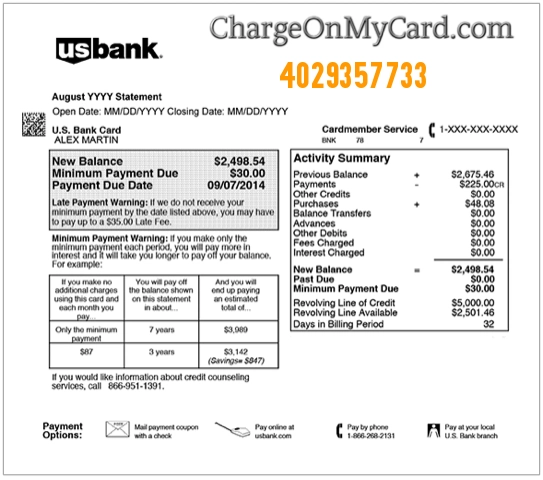
A 4029357733 charge on your credit card, debit card, or bank statement is usually connected to PayPal. The number 402-935-7733 may appear when you make a purchase through PayPal, when a merchant uses PayPal to process card payments, or when a PayPal-connected payment is charged to your linked bank account or card.
Common statement wording may include 4029357733, 402-935-7733, 402 935 7733, PayPal 4029357733, PayPal 402-935-7733, PAYPAL *MERCHANT 4029357733, 402-935-7733 PayPal charge, or a similar descriptor. If you recently used PayPal, bought from an online store, paid a subscription, donated, transferred money, or checked out with PayPal as the payment method, the charge may be legitimate. If you do not recognize it, check your PayPal Activity, email receipts, merchant names, automatic payments, and authorized card users.
What Is the 4029357733 PayPal Charge?
4029357733 is a phone-number-style billing descriptor associated with PayPal. PayPal says this number may appear on a bank or credit-card statement when a purchase is made with PayPal or when the merchant you are shopping with uses PayPal as its credit-card processor.
This means PayPal may not be the actual seller. PayPal may simply be the payment service that processed the transaction for another merchant, online store, subscription, donation, invoice, marketplace seller, or digital service.
Common 4029357733 Statement Variations
- 4029357733
- 402-935-7733
- 402 935 7733
- 402.935.7733
- PayPal 4029357733
- PayPal 402-935-7733
- 402-935-7733 PayPal charge
- PAYPAL *MERCHANT 4029357733
- PAYPAL *STORENAME 402-935-7733
- PP*MERCHANT 4029357733
- PayPal debit 4029357733
- Addebito PayPal 4029357733
- 4029357733 CA
- 4029357734 or 4029357735
Similar numbers such as 4029357734 or 4029357735 may be typos, bank formatting differences, or separate statement details. Always compare the exact descriptor, amount, date, and merchant information shown by your bank.
Why 4029357733 May Appear on Your Card
- You paid through PayPal at online checkout.
- A merchant used PayPal as its card processor.
- You paid a PayPal invoice or money request.
- You made a subscription or recurring payment through PayPal.
- A PayPal automatic payment or billing agreement renewed.
- You donated to a charity, fundraiser, creator, or online campaign through PayPal.
- You bought from an online store, marketplace seller, or social media ad that used PayPal.
- You used a linked debit card, credit card, or bank account inside PayPal.
- A spouse, family member, employee, assistant, or authorized card user used PayPal.
- Your PayPal account, card, or payment information may have been used without permission.
Is 4029357733 a Legitimate PayPal Charge?
4029357733 is commonly associated with PayPal, so the descriptor itself is not automatically fraud. Many legitimate online payments show PayPal and this number on a bank or card statement.
However, the number alone does not prove that you authorized the specific transaction. If you do not recognize the merchant name, amount, PayPal account, subscription, or purchase, you should investigate it through PayPal and your card issuer.
PayPal May Be the Processor, Not the Seller
One of the most important things to understand is that PayPal may have processed the payment for another seller. Your statement may show PayPal 4029357733, while the actual purchase was from a clothing store, software company, digital subscription, donation page, marketplace seller, or small online merchant.
Check your PayPal Activity for the same date and amount. PayPal may show the merchant name, invoice number, seller email, order details, shipping address, or transaction ID that your bank statement does not show.
How to Verify a 4029357733 PayPal Charge
- Check whether the charge is pending or fully posted.
- Write down the exact descriptor, amount, date, and card or bank account charged.
- Log in to PayPal directly by typing paypal.com into your browser or using the official PayPal app.
- Open PayPal Activity and search for the same date and amount.
- Review the seller name, merchant email, invoice, order ID, shipping address, and funding source.
- Check PayPal Automatic Payments for recurring subscriptions or billing agreements.
- Search your email for PayPal, receipt, invoice, order confirmation, subscription, renewal, donation, or the exact amount charged.
- Ask authorized card users whether they used PayPal or checked out through an online store.
- If the charge does not appear in your PayPal account, contact your card issuer and ask whether the merchant used PayPal as a card processor.
PayPal Automatic Payments and Subscriptions
A 4029357733 charge may be tied to a recurring PayPal payment. This can happen with streaming services, apps, software, website tools, donations, memberships, creator subscriptions, online courses, dating sites, security software, VPN services, or other recurring merchants.
In PayPal, review your automatic payments or preapproved payments. Cancel any merchant you no longer recognize or no longer want. Save screenshots or confirmation emails if you cancel a recurring PayPal payment.
What If the Charge Is Not in Your PayPal Activity?
If the 4029357733 charge does not appear in your PayPal account, it may still be connected to PayPal as a processor. Some online merchants process a card payment through PayPal without requiring the buyer to log in to a PayPal account.
In that case, check the merchant name next to PayPal on your card statement. Search your email for the amount, date, product, shipment notice, or store name. If you still cannot identify the charge, contact your bank or card issuer using the number on the back of your card.
PayPal *COSMORTUMBL or Cosmor Tumblr Pte. Ltd. Charge
Some cardholders may see a PayPal-related descriptor such as PAYPAL *COSMORTUMBL, COSMORTUMBL, CSMORTUMBL, COSMOR TUMBLR PTE. LTD., or cosmortumbl 4029357733 on a credit card, debit card, PayPal account, or bank statement.
This type of descriptor may mean PayPal processed a payment for an online merchant rather than PayPal itself selling the product. If you see this wording, check your PayPal Activity, email receipts, online shopping history, shipment records, and authorized card users. Search for purchases involving shoes, clothing, online boutiques, social media ads, or unfamiliar ecommerce stores.
At this time, we could not verify a single current official website, phone number, email, or support page that clearly explains every Cosmortumbl-related charge. If you do not recognize the payment, contact PayPal through your PayPal account and contact your bank or card issuer using the number on the back of your card.
Lagosec Inc PayPal Charge
Some users searching for PayPal 4029357733 also see merchant-specific PayPal descriptors such as Lagosec Inc PayPal charge. In many cases, the best way to identify the seller is to open the PayPal transaction details and compare the merchant name to your subscriptions, invoices, and online purchases.
If the merchant name is unfamiliar, search your email for the merchant name and amount. Also check whether it is connected to a VPN, software subscription, app, online service, or automatic renewal.
Official PayPal Contact and Support Information
- Official Website: paypal.com
- PayPal Help Center: PayPal Help Center
- Why 402-935-7733 Appears: PayPal statement number explanation
- Contact PayPal Customer Service: PayPal customer service help
- Resolution Center: PayPal Resolution Center
- Report Fraud and Unauthorized Activity: PayPal fraud reporting
- Phone Number Associated With PayPal Customer Service: 1-402-935-7733
For security, log in to PayPal directly rather than clicking links in unexpected emails or text messages. If the charge is only on your card statement and not in your PayPal account, contact your card issuer as well.
What To Do If You Recognize the Charge
If the 4029357733 charge matches a PayPal purchase, save the receipt, transaction ID, merchant name, and order details. If it is a subscription or automatic payment you no longer want, cancel it through PayPal or directly with the merchant.
If the charge was from an online store, keep shipping records, order confirmations, refund messages, and tracking numbers until the order is fully resolved.
What To Do If You Do Not Recognize the Charge
- Log in to PayPal directly and review your Activity.
- Search for the same amount and date on all PayPal accounts you may have used.
- Check PayPal Automatic Payments for recurring billing agreements.
- Search email and spam folders for PayPal receipts or merchant invoices.
- Ask all authorized card users whether they used PayPal.
- Do not call random PayPal support numbers from search ads, pop-ups, or emails.
- If the charge is in PayPal, use PayPal’s Resolution Center or fraud-reporting steps.
- If the charge is not in PayPal or appears unauthorized, contact your bank or card issuer.
How to Report an Unauthorized PayPal Charge
If the payment appears in your PayPal account and you did not authorize it, use PayPal’s Resolution Center to report the transaction. Select the payment, choose the correct problem type, and follow the prompts. Also change your PayPal password and review your security settings.
If the charge appears only on your bank or card statement, contact the card issuer using the number on the back of your card. Ask whether the transaction should be disputed, whether the card should be locked or replaced, and whether any other PayPal-related transactions are pending.
PayPal Phishing and Fake Support Number Warning
Be careful with emails, texts, pop-ups, search ads, or social media comments claiming that your PayPal account was charged and telling you to call a support number. Scammers often use fake PayPal support numbers to steal passwords, one-time codes, card details, or remote access to your device.
Do not share your PayPal password, full card number, bank login, Social Security number, PIN, one-time security code, or remote computer access with anyone who contacts you unexpectedly. Go directly to PayPal’s website or app instead.
Could the 4029357733 Charge Be Fraud?
A 4029357733 charge is not automatically fraud. It may be a legitimate PayPal payment, online order, merchant-processed card transaction, invoice, donation, subscription, or automatic payment.
However, treat it as potentially unauthorized if you cannot find it in PayPal, no authorized card user recognizes it, the merchant name is unfamiliar, the item was never ordered, the charge repeats unexpectedly, or your card issuer cannot connect it to a valid purchase.
Frequently Asked Questions About 4029357733 PayPal Charges
What is 4029357733 on my credit card?
4029357733 on your credit card is commonly associated with PayPal. It may appear when PayPal processes a purchase or when a merchant uses PayPal as its card processor.
Is 402-935-7733 PayPal?
Yes, PayPal says 402-935-7733 is a phone number associated with PayPal Customer Service and may appear on statements for PayPal-processed payments.
Why does my statement show PayPal 4029357733 instead of the store name?
The seller may have used PayPal to process the payment. Your bank may show PayPal and 4029357733, while PayPal Activity may show the actual merchant, seller email, invoice, or order details.
What if the 4029357733 charge is not in my PayPal account?
The merchant may have used PayPal as a card processor without requiring a PayPal login. Check your email receipts and contact your card issuer for the full merchant details.
What is PayPal *COSMORTUMBL?
PayPal *COSMORTUMBL or cosmortumbl 4029357733 may be a PayPal-processed online merchant charge. Check PayPal Activity, email receipts, shipping records, and online shopping history.
How do I cancel a recurring PayPal 4029357733 charge?
Log in to PayPal, review Automatic Payments or preapproved payments, select the merchant, and cancel future billing. Also contact the merchant directly if needed.
Should I dispute a 4029357733 charge?
First try to match the charge to PayPal Activity, a merchant receipt, subscription, invoice, donation, or authorized card user. If it remains unauthorized or unexplained, contact PayPal and your card issuer about a dispute.
Can 4029357733 be a scam?
The number itself is associated with PayPal, but scammers may still use PayPal, fake merchant names, phishing messages, or fake support numbers. Verify the transaction directly through PayPal and your card issuer.
Related PayPal, Payment Processor, and Digital Wallet Charge Guides
- PAYPAL INST XFER Charge
- Lagosec Inc PayPal Charge
- Active Interest Media Holdco PayPal Charge
- MetaPay Charge on Credit Card
- Venmo 855-812-4430 Charge
- Paddle.net Charge on Credit Card
- FSPRG.COM FastSpring Charge
- 2CO.com Charge on Credit Card
- 2211 N First Street San Jose PayPal-Related Charge
Help Other Cardholders Identify This Charge
If you saw 4029357733, 402-935-7733, 402 935 7733, PayPal 4029357733, PayPal 402-935-7733, PAYPAL *COSMORTUMBL, CSMORTUMBL, or a similar PayPal-related charge on your credit card, debit card, PayPal account, or bank statement, please share your experience in the comments.
Helpful details include the exact descriptor, amount, whether it appeared in PayPal Activity, whether it was a merchant purchase, subscription, donation, invoice, automatic payment, refund issue, phishing issue, or unauthorized charge, and how you resolved it. Do not post full card numbers, PayPal passwords, transaction IDs, order numbers, addresses, phone numbers, email addresses, PINs, one-time codes, or other private information.
Why Rely on ChargeOnMyCard.com?
ChargeOnMyCard.com helps consumers identify confusing credit-card, debit-card, ACH, PayPal, payment-processor, and bank-statement descriptors by researching merchant names, payment processors, subscription billing patterns, trial renewals, online purchases, and official support options when available. Our goal is to help cardholders determine whether a charge is likely legitimate, mistaken, recurring, refunded, or potentially unauthorized.
Disclaimer
ChargeOnMyCard.com is not affiliated with PayPal, PayPal Holdings, Inc., Cosmortumbl, Cosmor Tumblr Pte. Ltd., any PayPal merchant, online seller, payment processor, bank, or card issuer. This page is for informational purposes only and should not be treated as financial, legal, billing, refund, PayPal account, fraud-prevention, or banking advice. If you believe a charge is unauthorized, contact PayPal and your bank or credit card issuer directly.