
A PRIMCAST LLC charge on a credit card, debit card, PayPal account, or bank statement likely relates to hosting, server, bandwidth, cloud-computing, or streaming-infrastructure services purchased through Primcast.
Primcast provides technology infrastructure rather than a typical consumer movie or television subscription. The payment may relate to a dedicated server, GPU server, website hosting, radio or video streaming, CDN service, storage, bandwidth, or another prepaid business technology plan.
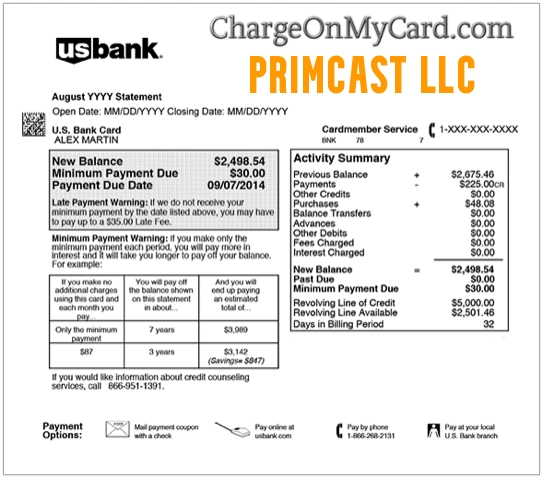
What Is the PRIMCAST LLC Charge?
Primcast LLC is connected with Primcast, a technology company providing server, hosting, bandwidth, and streaming infrastructure.
The charge may represent:
- A dedicated or bare-metal server
- A virtual or cloud-server product
- A GPU server
- Website or application hosting
- Storage or bandwidth service
- Radio-streaming infrastructure
- Video-streaming infrastructure
- Content-delivery network service
- Event-streaming or video-on-demand service
- A monthly, quarterly, annual, or custom billing cycle
- A server upgrade or additional resource purchase
- A service ordered by an employee, developer, or contractor
- An unauthorized use of the payment method
The descriptor alone may not identify the server, domain, website, application, streaming station, invoice, account email, or employee connected with the payment.
Is Primcast a Consumer Video-Streaming Service?
Not in the same sense as Netflix, Hulu, or a sports-streaming subscription.
Primcast primarily sells technical infrastructure that customers can use to host or deliver their own websites, applications, radio stations, video channels, streams, files, and computing workloads.
A Primcast payment may therefore be a business or professional expense connected with:
- A website
- An online radio station
- A live video broadcast
- A software application
- A game server
- A development project
- Artificial-intelligence or GPU computing
- A client hosting account
- A company server managed by an outside contractor
Possible Primcast Statement Variations
The wording may vary according to the bank, payment processor, country, and payment method.
Possible shortened forms may include:
- PRIMCAST LLC
- PRIMCAST
- PRIMCAST.COM
- PRIMCAST HOSTING
- PRIMCAST SERVER
- PENDING PRIMCAST LLC
- CHECKCARD PRIMCAST LLC
- CHKCARD PRIMCAST
- POS DEBIT PRIMCAST LLC
- PAYPAL PRIMCAST
Primcast does not currently publish an official list of card-statement descriptors. Verify the complete wording through the invoice, Primcast account, and expanded merchant data from the financial institution.
Why Did Primcast Charge My Card?
Common explanations include:
- A new server or hosting service was activated.
- A prepaid service entered its next billing cycle.
- A monthly, quarterly, or annual plan renewed.
- Additional bandwidth, storage, memory, processing, or server resources were ordered.
- A service was upgraded.
- A developer, employee, business partner, or contractor used the company card.
- An older project or website remains active.
- A former employee created the account.
- A second Primcast account exists under another email address.
- The card was used without permission.
Is PRIMCAST LLC a Recurring Charge?
It can be.
Primcast’s service terms allow several billing frequencies, including:
- Monthly
- Quarterly
- Annual
- Another billing period specified for the individual service
Services are generally prepaid. If the account is not canceled before the applicable billing cycle ends, another payment may become due.
Stopping use of the server, website, streaming service, or account does not necessarily cancel future billing.
How to Verify a Primcast Charge
- Copy the complete statement descriptor.
- Record the amount, currency, and transaction date.
- Determine whether the entry is pending or completed.
- Search all personal and business email accounts for Primcast invoices.
- Sign in to the Primcast account.
- Review active servers, hosting plans, streaming services, and invoices.
- Check the billing cycle and next invoice date.
- Review PayPal, ACH, and cryptocurrency records when applicable.
- Ask employees, developers, contractors, and business partners.
- Check whether a former website, radio station, application, or client project remains active.
- Contact Primcast technical support if the payment remains unclear.
- Contact the financial institution if no authorized service can be identified.
Search email for:
- Primcast
- Server
- Hosting
- Streaming
- Bandwidth
- GPU
- Invoice
- Renewal
- Provisioning
- The exact charged amount
Check for a Business or Contractor Account
Primcast services may be ordered by someone other than the cardholder.
Ask whether the payment was made by:
- A company owner
- An employee
- A website developer
- An IT administrator
- A streaming technician
- A marketing agency
- A former employee or contractor
- A client using a shared company card
Before canceling, determine whether the service supports an active website, server, email system, broadcast, application, database, or client account.
Why Are There Multiple Primcast Charges?
Multiple entries may represent:
- More than one server
- Separate hosting and streaming services
- Several business accounts
- A recurring invoice and an upgrade
- Additional bandwidth or storage
- A pending authorization and the completed payment
- A failed payment followed by another attempt
- An actual duplicate completed transaction
- Repeated unauthorized use
Compare each transaction with the individual invoice number, service name, server, billing period, and account email.
What Is a Pending PRIMCAST LLC Charge?
A pending entry may:
- Become the final completed service payment
- Update with a longer merchant descriptor
- Disappear after an authorization reversal
- Be replaced after another payment attempt
Do not automatically count a pending authorization and its completed replacement as two settled charges.
Contact the issuer promptly if:
- Both transactions complete
- The amounts differ without explanation
- Several unfamiliar technology charges appear
- The card or account credentials may have been compromised
How to Cancel Primcast Service
Primcast’s current terms state that termination requires written notice. Send the request through an official support channel and keep the written response.
- Identify the exact account and service.
- Back up any files, databases, streams, or server configurations.
- Determine whether the service supports an active business system.
- Contact Primcast technical support in writing.
- Provide the account email and relevant service or invoice information.
- Request cancellation before the next billing cycle.
- Allow at least five business days for the written termination notice.
- Ask for the final service and billing date.
- Save the cancellation confirmation.
- Monitor the next statement.
Do not cancel a server until necessary files and systems have been backed up or moved. Service termination may result in loss of access to hosted data.
Does Canceling Primcast Automatically Provide a Refund?
No.
Canceling normally prevents future billing or ends the service under the applicable terms. It does not automatically reverse a prepaid charge.
Primcast’s current refund policy generally limits refunds to:
- A service Primcast cannot provision or deliver because of an issue within Primcast’s control
- A written request submitted within three calendar days of initial service activation
Additional restrictions may apply to:
- Build-to-order servers
- Special-order hardware
- Used or unused prepaid service time
- Client-side software or configuration problems
- Third-party network issues
- Cryptocurrency payments
Refund eligibility and calculations depend on the service, timing, usage, payment method, and Primcast’s current policy.
How to Request a Primcast Refund or Billing Review
- Contact Primcast through live chat, email, or technical support.
- Provide the account email and invoice number.
- Identify the service and activation date.
- Explain the billing or service problem.
- Complete reasonable troubleshooting when the issue concerns service delivery.
- Submit the refund request in writing.
- Ask for the decision and amount in writing.
- Keep all invoices, chat transcripts, emails, and cancellation records.
Suggested message:
I am contacting you about a PRIMCAST LLC charge dated [date] for [amount]. Please identify the account, invoice, service, billing cycle, and activation or renewal date connected with the payment. I am requesting [cancellation, correction, duplicate-charge review, or refund review] because [brief explanation]. Please confirm the final service date, future billing status, and refund decision in writing.
Do not send a complete card number, CVV, PIN, password, private server credentials, cryptocurrency keys, or authentication codes.
What If the Payment Was Made With Cryptocurrency?
Primcast accepts cryptocurrency for certain services.
Its current refund policy states that cryptocurrency payments are final and nonrefundable. A billing credit approved for a cryptocurrency transaction may be issued as account credit rather than returned to a cryptocurrency wallet.
Review the payment method before assuming that an approved adjustment will be returned in cash or cryptocurrency.
Current Primcast Contact Information
- Business: Primcast LLC / Primcast
- Technical support: 1-646-213-0346
- Technical-support email: support@primcast.com
- Sales: 1-646-201-4076
- Sales email: sales@primcast.com
- Live chat: Available through the official Primcast website
- Official website: Primcast.com
- Contact page: Contact Primcast
- Support center: Primcast Support
- United States address: 34-18 Northern Blvd., Suite 408, Long Island City, NY 11101
The older 1-646-490-9655 number has been removed from this article because it is not listed on Primcast’s current official contact page.
What If You Never Purchased Primcast Service?
- Save the complete descriptor, amount, and date.
- Ask employees, contractors, developers, and authorized card users.
- Search every business and personal email account.
- Review PayPal and ACH records.
- Contact Primcast and request transaction identification.
- Ask whether the payment can be matched to an account or invoice.
- Change relevant business and email passwords if account misuse is suspected.
- Lock the card if additional suspicious activity appears.
- Notify the financial institution promptly if no authorized service can be found.
- Ask whether the card number or payment token should be replaced.
A genuine Primcast merchant descriptor does not prove that the cardholder authorized the service.
Credit Card Dispute Guidance
Contact the credit-card issuer promptly when:
- No authorized Primcast account or invoice can be identified
- The card was used without permission
- An actual duplicate completed payment remains unresolved
- Billing continued after confirmed cancellation
- The amount differs from the Primcast invoice
- Primcast cannot locate the transaction
- An approved refund or credit does not appear
For an ordinary service or billing disagreement, contact Primcast first and retain the written response. For genuinely unauthorized card use, contact the card issuer promptly.
Official consumer guidance:
CFPB credit-card dispute guidance
Debit Card and Bank Account Guidance
Report an unauthorized debit-card or bank transaction immediately.
Ask the financial institution:
- Whether another Primcast authorization is pending
- Whether the payment is marked as recurring
- Whether the card or payment token should be replaced
- Whether additional merchant or invoice information is available
- What documentation is required for the claim
Official guidance:
CFPB unauthorized debit and bank-transaction guidance
Credit-card, debit-card, ACH, PayPal, and cryptocurrency procedures and protections differ.
Consumer Reports and Experiences
There are currently zero visible public reviews on this ChargeOnMyCard.com page.
ChargeOnMyCard.com has not received visible cardholder confirmation establishing:
- Which Primcast service produced a reported charge
- Whether a server, hosting, or streaming account was involved
- Whether the payment was a new purchase or renewal
- Whether an employee or contractor placed the order
- Whether a refund was requested
- Whether any transaction was unauthorized
ChargeOnMyCard.com cannot:
- Access Primcast accounts
- Identify an invoice from a card number
- Cancel a server or hosting service
- Back up or transfer customer data
- Approve a refund or account credit
- Replace a payment card
- Submit a bank dispute
Frequently Asked Questions About PRIMCAST LLC Charges
What is PRIMCAST LLC on my credit card?
It likely identifies a Primcast hosting, dedicated-server, cloud, bandwidth, storage, or streaming-infrastructure payment.
Is Primcast like Netflix?
No. Primcast primarily provides hosting and streaming infrastructure that businesses and broadcasters use to deliver their own content and technology services.
Does Primcast bill automatically?
Primcast supports monthly, quarterly, annual, and other specified prepaid billing cycles. A service may renew unless it is canceled before the next billing period.
How do I cancel Primcast?
Contact Primcast support in writing, identify the service, and provide at least five business days’ notice. Back up any required data before the service ends.
Will Primcast refund the current charge?
Not automatically. Its current refund policy is limited and depends on the service, activation date, provisioning, payment method, and reason for the request.
Can a developer or employee have created the charge?
Yes. Hosting and server services are often purchased by developers, IT administrators, contractors, agencies, or former employees using a company payment method.
What if I never ordered Primcast service?
Contact Primcast to identify the account and notify the financial institution promptly if no authorized service or account holder can be found.
Can ChargeOnMyCard.com cancel the server?
No. ChargeOnMyCard.com cannot access Primcast accounts, servers, invoices, refunds, or banking systems.
Related Hosting and Technology Charge Guides
- DNH*GoDaddy.com Charge: Domain, Hosting, Renewal, and Refund Help
- WWW HOVER COM Charge
- 2CO.com and 2Checkout Charge
- How to Investigate an Unrecognized Credit Card, Debit Card, or Bank Charge
GoDaddy is a separate hosting and domain company and is not affiliated with Primcast.
Help Other Cardholders Identify PRIMCAST LLC
If you saw PRIMCAST LLC, PRIMCAST.COM, or another Primcast variation, please share what the payment represented.
Helpful details include:
- The descriptor without private transaction references
- The general amount and currency
- Whether it was hosting, a server, GPU service, or streaming infrastructure
- The billing frequency
- Whether an invoice was found
- Whether an employee or contractor ordered the service
- Whether cancellation was confirmed
- Whether Primcast issued a refund or account credit
- How the issuer resolved an unauthorized payment
Do not post card numbers, card digits, server addresses, account emails, invoice numbers, login credentials, API keys, cryptocurrency keys, passwords, PINs, CVV codes, or authentication codes.
Why Rely on ChargeOnMyCard.com?
ChargeOnMyCard.com researches confusing credit-card, debit-card, hosting, server, cloud-computing, business-technology, streaming-infrastructure, recurring-billing, and bank-statement descriptors using current merchant information, official billing policies, consumer-protection guidance, statement patterns, and visible cardholder reports.
We distinguish the likely connection between PRIMCAST LLC and Primcast technology services from the separate question of which server, hosting account, streaming service, business user, contractor, renewal, duplicate payment, or unauthorized purchaser caused a specific transaction.
Last reviewed: July 2026.
Disclaimer
ChargeOnMyCard.com is not affiliated with Primcast LLC, Primcast Europe SRL, any server customer, broadcaster, website operator, developer, contractor, PayPal, cryptocurrency service, cardholder, bank, credit union, card network, payment processor, or financial institution. This article is provided for informational purposes only and is not financial, legal, hosting, server-management, data-backup, refund, privacy, dispute, cybersecurity, or fraud-prevention advice. Contact Primcast and the financial institution directly regarding a specific service or transaction.