
An MSFT charge, MICROSOFT charge, or MSBILL.INFO charge on a credit card, debit card, or bank statement usually represents a Microsoft purchase or subscription. It may involve Microsoft 365, Copilot Pro, OneDrive, Xbox, an app or game, an in-game purchase, or an order from the Microsoft Store.
Microsoft also says unfamiliar charges can result from recurring billing, purchases made by family members, retried payments, preorders, split shipments, and in-app purchases. Check the complete descriptor, amount, Microsoft account history, and subscription list before reporting the transaction as unauthorized.
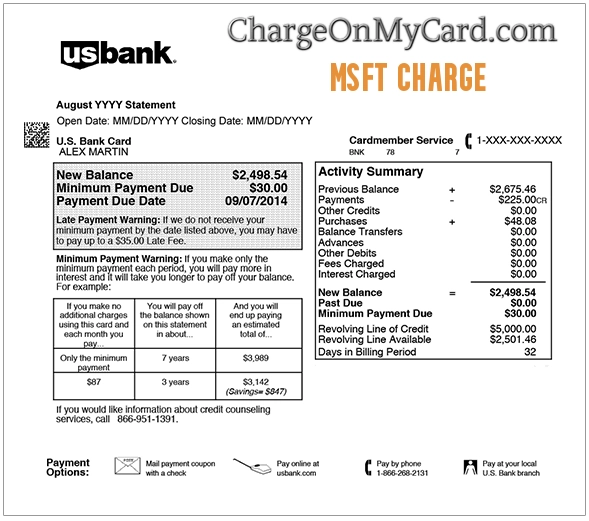
What Is the MSFT Charge on a Credit Card?
MSFT is commonly used as an abbreviation for Microsoft.
The transaction may represent:
- A Microsoft 365 subscription
- A Copilot Pro subscription
- Additional OneDrive storage
- An Xbox Game Pass subscription
- An Xbox game or add-on
- An in-game purchase
- An app or game purchased through Microsoft Store
- A Windows product or service
- A Surface device or accessory
- An Xbox console, controller, or accessory
- A preorder that was charged when the item shipped
- Part of an order that shipped separately
- A previously declined payment that was retried
- A purchase made by a family member or another authorized user
- A duplicate, incorrect, or unauthorized transaction
The outside statement may not show:
- The Microsoft product name
- The Microsoft account email address
- The Xbox gamertag
- The subscription renewal period
- The family member who made the purchase
- Whether the transaction was an app, game, subscription, or physical order
What Is MSBILL.INFO on a Bank Statement?
MSBILL.INFO is billing wording associated with Microsoft purchases and subscriptions.
A charge may appear as:
- MICROSOFT* MSBILL.INFO
- MICROSOFT*STORE MSBILL.INFO
- MICROSOFT 365 MSBILL.INFO
- MICROSOFT*XBOX MSBILL.INFO
- MSFT MSBILL.INFO
- MICROSOFT REDMOND WA
- ONE MICROSOFT WAY MSBILL.INFO WA
The domain-style wording does not mean the cardholder necessarily visited a website called MSBILL.INFO. It functions as part of Microsoft’s payment description.
Use Microsoft’s official billing-investigation tools rather than searching for an unrelated company named “MS Bill.”
Common Microsoft Statement Variations
Reported Microsoft billing descriptions include:
- MSFT
- MSFT ONLINE
- MSFT ONLINE STORE
- MSFT WA
- MSFT CHARGE
- MICROSOFT
- MICROSOFT*
- MICROSOFT*STORE
- MICROSOFT STORE
- MICROSOFT REDMOND WA
- MICROSOFT STORE REDMOND WA
- MICROSOFT SUBSCRIPTION
- MICROSOFT 365
- MICROSOFT*XBOX
- MSBILL.INFO
- MICROSOFT MSBILL.INFO WA
- ONE MICROSOFT WAY MSBILL.INFO WA
- RECURRING MICROSOFT
- CHECKCARD MICROSOFT
- POS DEBIT MICROSOFT
- PENDING MICROSOFT
- MICROSOFT REFUND
Banks may shorten Microsoft to `MSFT`, remove punctuation, add a location, or include transaction-status wording.
What Does Microsoft Redmond WA Mean?
A descriptor such as:
MICROSOFT REDMOND WA
or:
ONE MICROSOFT WAY MSBILL.INFO WA
usually reflects Microsoft’s corporate or payment-location information.
Microsoft’s corporate address is:
Microsoft Corporation
One Microsoft Way
Redmond, WA 98052
The Redmond wording does not necessarily mean:
- You visited Washington
- The purchase was made at a physical Microsoft store
- The card was physically used in Redmond
- A Microsoft employee entered the payment
An online purchase or recurring subscription can still display Redmond, Washington, on the statement.
Why Did Microsoft Charge My Card?
A Subscription Renewed
The charge may be a monthly or annual renewal for:
- Microsoft 365 Basic
- Microsoft 365 Personal
- Microsoft 365 Family
- Microsoft 365 Premium
- Copilot Pro
- OneDrive storage
- Xbox Game Pass
- Clipchamp or another Microsoft service
Check the Services & subscriptions page for:
- The product name
- The next billing date
- The billing frequency
- The payment method
- Whether recurring billing is turned on
A Family Member Used the Card
A Microsoft payment may have been made by:
- A spouse or partner
- A child
- Another family-group member
- Another authorized cardholder
- Someone using a shared Xbox console
- Someone using a computer where the card was saved
Possible family purchases include:
- Xbox games
- Game add-ons
- In-game currency
- Apps
- Movies or digital content
- A new subscription
Ask authorized users and review Microsoft Family and Xbox activity before filing a fraud claim.
A Previously Declined Payment Was Retried
Microsoft may retry a payment that was previously declined.
This can make a charge appear:
- Several days after the original purchase attempt
- After the cardholder believed the order had failed
- After the payment method was updated
- Near another successful payment
Compare the final completed charge with declined or failed attempts in the account history.
A Preorder or Split Order Shipped
Microsoft may not complete the charge for a preorder until the product is released or shipped.
A physical order can also be split into separate shipments. That may produce:
- More than one charge
- Different charge dates
- Several amounts that add up to the original order total
- A charge long after the order was placed
Review the order details and shipment status before treating the amounts as duplicates.
An App or In-Game Purchase Was Made
The charge may involve:
- A Windows app
- A PC game
- An Xbox game
- Downloadable content
- An in-game item
- Virtual currency
- An upgrade or add-on
The name of the game or app may not appear clearly on the bank statement.
The Card Was Used Without Permission
The payment may be unauthorized when:
- No Microsoft account shows the charge
- No family member recognizes it
- No matching order, subscription, or Xbox purchase exists
- Several unfamiliar Microsoft transactions are appearing
- The account shows suspicious sign-ins
- The cardholder has never stored the card with Microsoft
Use Microsoft’s Investigate tool and contact the card issuer promptly.
How to Investigate an MSFT or MSBILL.INFO Charge
Follow these steps:
- Copy the complete statement descriptor.
- Record the amount, date, currency, and transaction status.
- Open Microsoft’s official unfamiliar-charge investigation page.
- Sign in to the Microsoft account most likely used for the purchase.
- Open Manage your payments and select Investigate.
- Review Microsoft Store order history.
- Review Services & subscriptions.
- Review Xbox purchase history.
- Check other Microsoft, Outlook, Hotmail, Xbox, work, and school accounts.
- Ask family members and other authorized cardholders.
- Check whether a physical order was split into several shipments.
- Check whether a declined transaction was later retried.
- Contact Microsoft Support if the transaction remains unclear.
- Contact the card issuer if no authorized purchase can be found.
Do not post Microsoft account emails, Xbox gamertags, order numbers, card digits, transaction references, or security codes publicly.
Official Microsoft Billing Tools
- Investigate an unfamiliar charge: Microsoft unfamiliar-charge guidance
- Manage payments: Review Microsoft payment methods and investigate charges
- Order history: Review Microsoft purchases and invoices
- Services and subscriptions: Review Microsoft subscriptions
- Microsoft Support: Contact Microsoft Support
- Microsoft Store billing help: Microsoft Store and billing support
Type Microsoft’s official address directly into the browser rather than following an unsolicited billing email, text message, popup, or advertisement.
What If the Charge Is Not in My Microsoft Account?
A missing transaction does not immediately prove that the charge is fraudulent.
Possible explanations include:
- You signed in to the wrong Microsoft account
- A different Outlook or Hotmail account was used
- A family member used the card
- The purchase was made through Xbox under another gamertag
- A work or school Microsoft account was used
- The purchase used guest checkout
- Apple or Google processed the subscription
- The statement entry is still pending
Try:
- Every Microsoft email address you use.
- Old Outlook, Hotmail, Live, and MSN accounts.
- Accounts used on Xbox consoles.
- Accounts used on family computers.
- Work or school accounts.
- The Microsoft Guest Order Lookup for hardware purchases.
Microsoft’s Manage your payments investigation tool may help locate another Microsoft account using the same card.
How to Review Microsoft Store Order History
Microsoft order history can include:
- Microsoft Store purchases
- Apps
- PC games
- Subscriptions
- Surface and Xbox hardware
- Accessories
- Preorders
- Returns and refunds
To review it:
- Sign in at Microsoft Order History.
- Select Payment & billing.
- Select Order history.
- Choose the relevant date range.
- Compare completed orders with the statement amount.
- Open Order details to view or print the invoice.
An order marked in progress may not yet have posted to the card.
How to Check Xbox Purchases
An MSFT or Microsoft charge can come from Xbox even when the word Xbox is missing from the statement.
Review:
- Xbox Game Pass subscriptions
- Game purchases
- Downloadable content
- In-game currency
- Game upgrades
- Purchases made by a child or family member
Use the Microsoft account associated with the Xbox gamertag. Check every console account that has access to the stored card.
How to Stop a Recurring Microsoft Charge
To turn off recurring billing:
- Sign in to Services & subscriptions.
- Find the subscription.
- Select Manage.
- Select Turn off recurring billing or Cancel.
- Read the expiration and refund information.
- Complete every confirmation step.
- Save the confirmation email or screenshot.
- Verify that the page now shows an expiration date or Turn on recurring billing.
Turning off recurring billing normally prevents the next renewal but allows use until the displayed expiration date.
If the subscription says it is billed by Apple, Google Play, or another partner, use that provider’s subscription-management system.
Deleting an app, signing out, removing a device, or replacing the card does not by itself confirm that the Microsoft subscription was canceled.
Does Canceling Microsoft Provide a Refund?
Not always.
Refund eligibility can depend on:
- The Microsoft product
- The purchase date
- The country or region
- The subscription term
- Whether the product was used
- Whether Microsoft or a third party processed the payment
- The applicable return or cancellation policy
For subscriptions:
- Sign in to Services & subscriptions.
- Find the subscription.
- Select Manage.
- Select Cancel or Upgrade or Cancel.
- Follow the prompts.
- Check whether a refund option is offered.
Canceling recurring billing outside an eligible refund period may only stop future renewal.
How to Request a Microsoft Store Refund
The process depends on what was purchased.
Subscriptions
Use Services & subscriptions and check the cancellation and refund options for the applicable product.
Apps and PC Games
Use the Microsoft Store refund process for apps and games.
Xbox Games and Digital Content
Use the Xbox digital-game refund request route.
Physical Products
Find the order in Microsoft Order History and select Request a return when that option is available.
Guest Orders
Use Microsoft Guest Order Lookup with the order number and email address used during checkout.
After an approved refund, check Order History for its status. The card issuer may take additional time to display the credit.
Why Are There Two Microsoft Charges?
Two entries may represent:
- Two different Microsoft accounts
- Two subscriptions
- A family member’s purchase
- An Xbox purchase and a Microsoft 365 renewal
- Two parts of a split shipment
- A preorder and another order
- A pending authorization and completed charge
- A failed attempt followed by a successful retry
- Two intentionally purchased subscription periods
- An actual duplicate transaction
Check several months of order history and bank statements. Charges appearing close together are not necessarily duplicates if they belong to different billing periods or products.
If two completed charges appear but only one purchase exists:
- Check other Microsoft accounts.
- Check family members’ accounts.
- Use Manage your payments and select Investigate.
- Contact Microsoft Support.
- Contact the card issuer if the duplicate is not corrected.
What Is a Pending MSFT Charge?
A pending Microsoft entry may:
- Become the completed purchase
- Change to a more detailed Microsoft descriptor
- Disappear if the payment did not complete
- Relate to a preorder or shipment
- Be followed by a successful retry
Do not count a pending and completed entry as two final payments until both fully post.
Contact the issuer when a pending amount remains beyond its normal processing period.
Why Is the Microsoft Charge a Different Amount?
A different amount may result from:
- Tax
- A subscription price change
- A different subscription tier
- A monthly versus annual plan
- Part of a split order
- An in-app purchase
- Foreign-currency conversion
- More than one item
- A family member’s purchase
- An unauthorized transaction
Use the invoice or order details to compare the subtotal, tax, total, and payment date.
Is 866-561-0647 a Microsoft Billing Number?
The number `866-561-0647` appears in some searches connected with Microsoft billing questions.
ChargeOnMyCard.com could not verify that number through Microsoft’s current official:
- Billing investigation page
- Store-support page
- Account-support page
- Subscriptions page
- Contact directory
Do not provide payment or Microsoft-account information to that number solely because it appeared in a search result or statement lookup.
Begin with Microsoft’s official website, Manage your payments, or the official Contact Support page.
Current Microsoft Contact Information
- Unfamiliar-charge investigation: Investigate a Microsoft billing charge
- Account and billing support: Microsoft account and billing help
- Contact Support: Contact Microsoft
- Microsoft Store Sales Support: 1-800-642-7676
- Corporate address: Microsoft Corporation, One Microsoft Way, Redmond, WA 98052
- Corporate website: Microsoft
The Store Sales Support number is useful for Microsoft Store orders, sales, physical-product purchases, and certain return questions. Microsoft’s online Investigate tool is generally the better first route for identifying an unknown MSFT or MSBILL.INFO charge.
Do not call a number supplied by an unexpected popup, email, text, or incoming caller.
What If I Never Purchased Anything From Microsoft?
If neither you nor another authorized person recognizes the payment:
- Save the complete descriptor, amount, and date.
- Check whether the charge is pending or completed.
- Use Microsoft’s Manage your payments investigation tool.
- Check every personal, work, school, and Xbox account.
- Ask family members and authorized cardholders.
- Review Apple and Google Play subscriptions.
- Review the Microsoft account Recent activity page.
- Secure the account if suspicious sign-ins appear.
- Remove or update compromised payment methods.
- Lock the card if additional unfamiliar charges are appearing.
- Call the issuer using the telephone number printed on the card.
- Report the transaction as unauthorized.
- Ask whether the card should be replaced.
A genuine Microsoft descriptor does not prove that the cardholder authorized the transaction.
How to Secure a Microsoft Account
If the charge may be connected with unauthorized account access:
- Open the official Microsoft Recent activity page.
- Review unfamiliar locations, devices, and sign-ins.
- Select Secure your account for suspicious activity.
- Change the Microsoft account password.
- Use a unique password not used on another website.
- Review recovery email addresses and telephone numbers.
- Turn on two-step verification.
- Sign out of unfamiliar devices.
- Review saved payment methods.
Microsoft may send legitimate account-security messages from the `accountprotection.microsoft.com` domain. Do not trust a message merely because it uses Microsoft logos or mentions One Microsoft Way.
Should I Contact Microsoft Before Disputing?
Contact Microsoft first when:
- You recognize owning Microsoft products
- The amount may be a subscription renewal
- A family member may have made the purchase
- You need to identify an Xbox or in-app purchase
- The charge may involve a preorder or split shipment
- You want to cancel recurring billing
- You are requesting an ordinary refund
Contact the issuer promptly when:
- No authorized Microsoft account can be identified
- The card was used without permission
- Several unfamiliar transactions appear
- The Microsoft account shows suspicious access
- Microsoft cannot locate the transaction
- A debit-card reporting deadline may be approaching
A Microsoft cancellation, Microsoft refund, card replacement, and bank dispute are separate processes.
Credit Card and Debit Card Dispute Guidance
Official consumer resources include:
- CFPB credit-card dispute guidance
- FTC credit-card billing and dispute guidance
- CFPB unauthorized debit and bank-transaction guidance
- FTC sample dispute letter
Credit cards, debit cards, bank accounts, and digital wallets can have different procedures and reporting deadlines.
Watch Out for Fake Microsoft Support
Microsoft support scams may use:
- A browser popup claiming the computer is infected
- An incoming telephone call
- A fake Microsoft invoice
- A false subscription-renewal email
- A message demanding immediate cancellation payment
- A fake refund offer
Never provide an unexpected caller or website with:
- Your complete card number
- Your bank-account number
- Your Microsoft password
- Your email password
- Your PIN or CVV code
- A one-time verification code
- Remote access to your computer or phone
- Gift-card numbers
- Cryptocurrency
- A second payment supposedly required to release a refund
Microsoft does not need gift cards or cryptocurrency to cancel a Microsoft 365, Xbox, or Store charge.
Do not assume an incoming call is genuine merely because the caller ID displays a real Microsoft number. Telephone numbers can be spoofed.
Consumer Reports and Experiences
There are currently zero visible cardholder reports on this ChargeOnMyCard.com page.
No visitor has yet provided:
- The complete MSFT or MSBILL.INFO descriptor
- The charged amount
- The Microsoft product or subscription
- Whether a family member made the purchase
- Whether the charge appeared in Microsoft order history
- Whether recurring billing was active
- Whether Microsoft approved a refund
- Whether the issuer treated the payment as unauthorized
ChargeOnMyCard.com cannot access Microsoft accounts, Xbox histories, subscriptions, orders, refunds, security activity, or financial systems.
Frequently Asked Questions About MSFT Charges
What is MSFT on my bank statement?
MSFT usually identifies Microsoft. The payment may involve a subscription, Xbox purchase, app, game, in-app purchase, hardware order, or Microsoft Store transaction.
What is MSBILL.INFO?
MSBILL.INFO is Microsoft-related billing wording that may appear with a Microsoft purchase or subscription.
What is Microsoft Redmond WA on my card?
It usually reflects Microsoft’s Redmond, Washington, corporate or payment-location information rather than a store the cardholder physically visited.
What is One Microsoft Way MSBILL.INFO WA?
One Microsoft Way is Microsoft’s corporate address in Redmond. The transaction may still be an online purchase or recurring subscription.
Why is Microsoft charging me every month?
A Microsoft 365, Copilot Pro, OneDrive, Xbox Game Pass, or other Microsoft subscription may have recurring billing enabled.
How do I find the product?
Review Manage your payments, Microsoft Order History, Services & subscriptions, Xbox purchase history, and every Microsoft account used by the household.
Why is the charge not in my order history?
You may be signed in to the wrong Microsoft account, another family member may have used the card, or a third-party billing provider may control the subscription.
Why did Microsoft charge me twice?
There may be two accounts, two subscriptions, a family purchase, split shipments, a pending and completed entry, or an actual duplicate.
How do I cancel a Microsoft subscription?
Open Services & subscriptions, select Manage for the applicable subscription, and choose Cancel or Turn off recurring billing.
Does turning off recurring billing give me a refund?
Not automatically. It generally stops the next renewal. Refund eligibility depends on the product, timing, region, and payment provider.
How do I request a refund?
Use the product-specific refund route for subscriptions, apps, Xbox games, or physical Store products. Check Order History for the result.
Is 1-800-642-7676 a Microsoft number?
Microsoft currently publishes 1-800-642-7676 for Microsoft Store and Sales Support in the United States.
Is 866-561-0647 a verified Microsoft number?
ChargeOnMyCard.com could not verify that number through Microsoft’s current official support and billing pages. Use Microsoft’s official website instead.
What should I do if I never bought anything?
Use Microsoft’s Investigate tool, check every Microsoft and Xbox account, secure the account, and contact the card issuer if the payment remains unauthorized.
Can ChargeOnMyCard.com cancel the charge?
No. ChargeOnMyCard.com cannot access Microsoft, Xbox, subscription, refund, or banking systems.
Related Charge Guide
This broader guide explains how to check authorized users, recurring subscriptions, pending transactions, merchant details, saved payment methods, and issuer disputes.
Help Other Cardholders Identify MSFT Charges
If you saw MSFT, MICROSOFT, MSBILL.INFO, MICROSOFT REDMOND WA, or another variation, please share what the payment represented.
Helpful details include:
- The descriptor format without private references
- The general amount
- The Microsoft product or subscription
- Whether the payment repeated monthly or annually
- Whether the charge appeared in Microsoft order history
- Whether another family member made the purchase
- Whether recurring billing was turned off
- Whether Microsoft approved a refund
- How the issuer resolved an unauthorized payment
Do not post card numbers, card digits, Microsoft account emails, Xbox gamertags, order numbers, transaction references, passwords, PINs, CVV codes, or authentication codes.
Why Rely on ChargeOnMyCard.com?
ChargeOnMyCard.com researches confusing credit-card, debit-card, software, gaming, app, subscription, online-store, hardware, and bank-statement descriptors using current official merchant resources, billing guidance, statement patterns, and visible cardholder reports.
We distinguish Microsoft’s verified products and billing systems from the separate question of whether a particular purchase or subscription was understood and authorized.
Last reviewed: July 2026.
Disclaimer
ChargeOnMyCard.com is not affiliated with Microsoft Corporation, Microsoft Store, Microsoft 365, Copilot, OneDrive, Xbox, Xbox Game Pass, any Microsoft family member or account holder, Apple, Google, any card network, payment processor, bank, credit union, or financial institution. This article is provided for informational purposes only and is not financial, legal, software, cybersecurity, subscription, gaming, refund, privacy, account-security, dispute, or fraud-prevention advice. Contact Microsoft and the applicable financial institution directly regarding a specific transaction.