
A DRI*AVAST SOFTWARE 952-908-4089 charge, DRI AVAST SOFTWARE charge, or similar wording on a credit card, debit card, PayPal, or bank statement is strongly associated with an Avast software purchase or subscription that was historically processed through Digital River. The payment may represent an initial Avast purchase, annual automatic renewal, paid trial conversion, additional security product, or subscription associated with another email address. The `DRI*AVAST` wording is best treated as a legacy billing descriptor because Avast’s current payment systems may use different merchant names and processors.
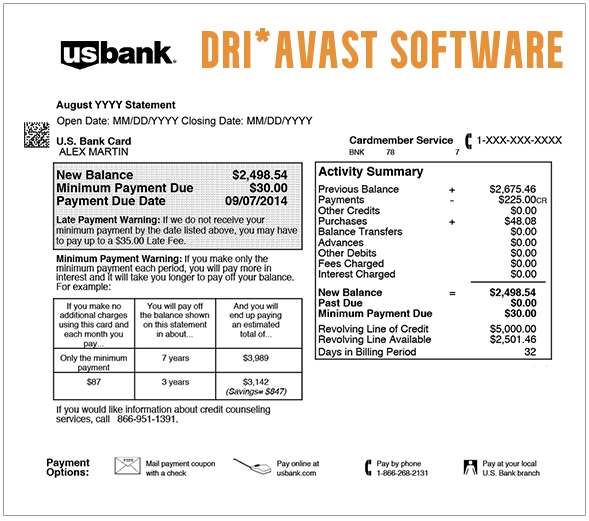
What Is the DRI*AVAST SOFTWARE Charge?
The charge most likely represents an Avast cybersecurity product or subscription. Possible explanations include:
- An initial purchase of Avast antivirus or security software
- An annual Avast subscription renewal
- A free or discounted trial that converted to a paid plan
- An Avast One, Avast Premium Security, Avast Cleanup, Avast SecureLine VPN, or other paid product
- A subscription purchased through an offer inside an Avast application
- An additional Avast product added to an existing account
- A subscription connected with another email address
- A purchase made by another authorized card user
- A household or business account using the same payment method
- A pending authorization followed by a completed transaction
- An actual duplicate completed payment
- An unauthorized use of the card or Avast account
The statement descriptor normally does not identify the Avast account email, product, device, order number, subscription term, renewal date, or person who approved the purchase.
What Does DRI Mean?
In this older descriptor, DRI is commonly associated with Digital River, a company that historically processed software purchases and subscription renewals for Avast and other technology companies. The companies had different roles:
- Avast: Supplied the antivirus, cybersecurity, VPN, cleanup, privacy, or related software.
- Digital River: Historically handled parts of the online checkout, payment, order, tax, and subscription process.
This explains why a cardholder may remember Avast but see Digital River or `DRI` wording on the statement. Avast’s current billing systems may use Gen Digital, Avast Software s.r.o., Nexway, Cleverbridge, Noventiq, Apple, Google, or other wording. Do not assume every new Avast purchase will appear as DRI*AVAST.
What Is 952-908-4089?
The telephone number 952-908-4089 appeared within older DRI*AVAST billing descriptors. Possible formats include:
- 952-908-4089
- 9529084089
- 952 908 4089
The number should be treated as part of the legacy transaction description, not as verified current Avast customer support. Use Avast’s current official account and support pages rather than relying on an old telephone number copied from a statement, forum, advertisement, or search result.
Common DRI*AVAST Statement Variations
Banks and payment services may shorten, combine, or rearrange the merchant information. Possible or reported variations include:
- DRI*AVAST SOFTWARE
- DRI AVAST SOFTWARE
- DRI*AVAST SOFTWARE 952-908-4089
- DRI*AVAST SOFTWARE 952-908-4089 MN
- DRIAVAST 9529084089
- DRI-AVAST SOFTWARE
- DRI AVAST SOFT
- DRI*AVAST SOFTW
- DRI*AVAST SOFTWAR
- DR AVAST SOFTWARE
- PAYPAL *DR AVAST SOFTWA
- DIGRIV AVAST
- DIGITAL RIVER AVAST
- PENDING DRI*AVAST
- CHECKCARD DRI AVAST
- CHKCARD DRI*AVAST SOFTWARE
Not every variation has been independently confirmed as a current Avast descriptor. Compare the complete wording with Avast account history, emails, order records, and the charged amount.
Why Did Avast Charge My Card?
An Avast Subscription Renewed Automatically
Avast sells paid products as continuous subscriptions. Unless renewal is canceled before the billing date, the saved payment method may be charged for another subscription period. Longer subscriptions may be billed before the current term visibly expires. This can make a legitimate renewal appear early. Check:
- The current subscription expiration date
- The next payment date
- The date the renewal was processed
- The updated expiration date after renewal
- The email address used for the Avast account
A Trial Converted to a Paid Subscription
Some Avast trials require payment information before activation. If the trial is not canceled before it ends, the payment method may be charged for the next subscription period. Search email for:
- Avast trial
- Subscription confirmation
- Order confirmation
- Upcoming payment
- Renewal reminder
- The exact charged amount
The Introductory Discount Ended
The first subscription period may use a reduced promotional price. The renewal can be charged at the regular price then in effect. The new amount may differ because of:
- An introductory discount ending
- A product or plan change
- Taxes
- Currency conversion
- A different subscription length
- Multiple Avast products
You Have More Than One Avast Account
A cardholder may have subscriptions linked to:
- An older email address
- A work email address
- A spouse or family member
- A previous computer
- A secondary mobile device
- A misspelled email address used at checkout
Canceling a subscription under one account does not automatically cancel a different order associated with another email address.
You Purchased More Than One Avast Product
Separate transactions may represent different products, such as:
- Antivirus or Avast One
- Avast Premium Security
- Avast Cleanup
- Avast SecureLine VPN
- Avast AntiTrack
- Avast Driver Updater
- A family or multi-device plan
Another Authorized User Purchased Avast
A spouse, family member, employee, caregiver, or another person with permission to use the payment method may have purchased or renewed the software.
The Payment Was Not Authorized
Treat the transaction as potentially unauthorized when:
- No matching order appears in any Avast account.
- No authorized user recognizes it.
- No receipt or renewal email can be located.
- Avast Support cannot identify the order.
- Several unexplained software transactions appear.
How to Verify a DRI*AVAST SOFTWARE Charge
- Copy the complete statement descriptor.
- Record the amount, currency, and transaction date.
- Determine whether the entry is pending or completed.
- Sign in to the official Avast Account.
- Review active subscriptions.
- Open the order or payment-history section.
- Compare the payment date and amount with the statement.
- Download the invoice when available.
- Check the next payment and expiration dates.
- Repeat the search using every likely email address.
- Search email and spam folders for Avast or Digital River receipts.
- Ask household members and authorized card users.
- Check PayPal only when PayPal appears in the transaction or payment account.
- Contact Avast through its official support portal.
- Contact the financial institution promptly if no authorized order can be identified.
How to Review Avast Orders, Payments, and Invoices
Official Avast account access: Sign in to your Avast Account After signing in:
- Open the subscriptions or order-history area.
- Review all active and expired subscriptions.
- Select the relevant purchase.
- Compare the order date and payment amount.
- Download the invoice when available.
- Record the Order ID.
The account displays only purchases associated with the email address used to sign in. Repeat the process with other likely email addresses when the transaction is not visible. Official billing help: Avast purchase and billing help
How to Cancel an Avast Subscription
For a directly managed Avast subscription:
- Sign in to the Avast Account associated with the purchase.
- Open Manage subscriptions.
- Locate the relevant Avast product.
- Select Unsubscribe.
- Follow every confirmation step.
- Save the confirmation email or screenshot.
- Confirm that the account no longer shows a future payment date.
When the subscription cannot be located or managed through the account, use Avast’s official support route: Contact Avast Support Available support methods can vary by product, issue, availability, and region.
Does Uninstalling Avast Stop the Billing?
No. Removing Avast from a computer, phone, or tablet does not automatically:
- Cancel the subscription
- Turn off automatic renewal
- Remove the saved payment method
- Request a refund
- Cancel another Avast product
Cancel the subscription through the account or official support process.
Cancellation and Refunds Are Separate
Canceling or unsubscribing normally prevents a future renewal. It does not automatically:
- Reverse a completed charge
- Refund the current subscription period
- Refund previous renewal payments
- Resolve a duplicate transaction
- Complete a bank dispute
Submit a separate refund request for any payment that has already settled.
Avast Refund Eligibility
Avast currently offers a 30-day money-back guarantee for qualifying consumer subscriptions purchased through:
- The official Avast website
- An Avast application on Windows or Mac
- Google Play
Different rules may apply to:
- Apple App Store purchases
- Retail-store purchases
- Third-party resellers
- Legacy Digital River orders
- Business products
- Requests submitted after the applicable period
Because DRI*AVAST is a legacy reseller descriptor, Avast Support may need to identify the original order and determine which refund terms apply.
How to Request an Avast Refund
- Locate the transaction in the Avast Account.
- Record the Order ID, payment date, amount, and product.
- Turn off renewal when future billing is not wanted.
- Select the available refund option beside the eligible order.
- Choose the reason for the request.
- Complete the support or confirmation process.
- Save the support case number.
- Monitor the account for a refund-in-progress message.
- Save the refund confirmation email.
- Check the original payment method for the credit.
Official refund instructions: Request an Avast subscription refund Avast says approved credit-card, debit-card, and PayPal refunds can take up to seven business days. Other payment methods may take up to 14 business days.
What If the Order Is Not in Your Avast Account?
Possible explanations include:
- The purchase uses another email address.
- The checkout email was misspelled.
- A family member placed the order.
- The order was historically processed through a reseller.
- The subscription belongs to a different Avast account.
- The transaction is not an authorized Avast purchase.
When contacting Avast, prepare:
- Your name
- All likely email addresses
- The transaction date
- The exact amount and currency
- The complete statement descriptor
- The card network
- Only the last four card digits when requested through the official support system
Do not send the full card number, CVV code, password, activation key, Social Security number, or authentication code.
Why Was Avast Charged Before the Subscription Expired?
Avast may bill a one-, two-, or three-year subscription up to 35 days before the next subscription period begins. The payment can therefore appear while the existing term still seems active. Compare:
- The original expiration date
- The renewal billing date
- The new expiration date
- The renewal reminder email
- The next renewal price
Why Are There Multiple DRI*AVAST Charges?
More than one charge may represent:
- Different Avast products
- Different Avast accounts
- A personal and family plan
- A renewal and separate new purchase
- A pending authorization and completed transaction
- A failed payment followed by another attempt
- An actual duplicate completed payment
- Repeated unauthorized use of the card
Avast says eligible duplicate orders may sometimes be combined to extend the subscription or refunded after review.
What Is a Pending DRI*AVAST Charge?
A pending entry has not fully settled. It may:
- Become the completed Avast payment
- Update with a longer merchant description
- Disappear if the authorization is released
- Be replaced by the final transaction
Do not automatically count a pending authorization and its completed replacement as two settled payments.
Fake Avast Invoice Versus an Actual Card Charge
A fake email claiming that Avast renewed a subscription does not necessarily mean money was taken from the account. Scammers may send:
- Fake Avast invoices
- False renewal notices
- Messages showing an alarming dollar amount
- Telephone numbers claiming to cancel the payment
- Links to fake Avast support sites
- Requests to install remote-access software
- Requests for gift cards, cryptocurrency, or bank transfers
To verify the claim:
- Do not call the number in an unsolicited message.
- Do not click its links or attachments.
- Check the actual card or bank account.
- Sign in directly through Avast.com.
- Review the Avast payment history.
- Use only Avast’s official support portal.
Suspicious Avast emails can be forwarded as attachments to: spam@avast.com
Current Avast Contact Information
- Official support: Avast Support
- Account, subscriptions, and orders: Avast Account
- Unknown-charge help: Troubleshoot an unknown Avast charge
- Purchase and billing help: Avast billing information
- Refund instructions: Request an Avast refund
- Company information: Avast Software s.r.o., Pikrtova 1737/1a, Prague 4, 140 00, Czech Republic
The company address is not a recommended refund or billing-dispute mailing address. Use the official online account and support system.
What If You Never Purchased Avast?
- Save the complete descriptor, amount, currency, and date.
- Confirm that the charge actually posted to the account.
- Check every possible Avast account.
- Search email for Avast and Digital River receipts.
- Ask household members and authorized users.
- Contact Avast through its official support portal.
- Ask whether the transaction can be matched to an order.
- Ask the issuer for the expanded merchant details.
- Lock the card if additional unexplained transactions appear.
- Report the payment promptly if no authorized order can be identified.
- Ask whether the card number or stored payment token should be replaced.
Avast is a legitimate software company, but that does not prove the cardholder authorized a particular transaction.
Credit Card Dispute Guidance
Contact the credit-card issuer promptly when:
- No authorized Avast order can be identified
- The card or Avast account was used without permission
- An actual duplicate completed charge remains unresolved
- Billing continued after confirmed cancellation
- The amount differs from Avast’s records
- Avast cannot locate the transaction
- An approved refund does not appear
Keep invoices, order history, cancellation confirmations, support cases, refund messages, and account screenshots. Official consumer guidance: CFPB credit-card dispute guidance
Debit Card and Bank Account Guidance
Report an unauthorized debit-card or bank transaction immediately. Ask the financial institution:
- Whether the entry is pending or completed
- Whether another DRI*AVAST authorization is pending
- Whether the payment is marked as recurring
- Whether a stored card token was used
- Whether future merchant payments can be blocked
- Whether the debit card should be replaced
Official consumer guidance: CFPB unauthorized debit and bank-transaction guidance Credit-card and debit-card dispute protections, procedures, and reporting deadlines differ.
Consumer Reports and Experiences
There are currently five visible public reports on this ChargeOnMyCard.com page. Reported experiences include:
- A request for a $99.99 credit
- Multiple Avast transactions after a commenter said the products had been declined or canceled
- Two submissions by the same named commenter that may describe the same or overlapping billing issue
- Reported amounts including $99.99, $54.99, and $47.51
- A request to cancel an unwanted Avast subscription
The reports do not establish:
- The Avast account email
- The exact products involved
- Whether separate subscriptions existed
- Whether a trial converted to paid billing
- Whether a cancellation was completed for every order
- Whether the charges were pending or completed
- Whether Avast approved refunds
- Whether the card issuer determined that fraud occurred
- The final resolution
The submissions do not independently prove fraud, a data breach, or wrongdoing by Avast or Digital River. ChargeOnMyCard.com cannot:
- Access Avast accounts
- Identify an order from a card number
- Cancel a subscription
- Issue a refund
- Release a pending authorization
- Replace a payment card
- Submit a bank dispute
Frequently Asked Questions About DRI*AVAST SOFTWARE
What is DRI*AVAST SOFTWARE on my credit card?
It is a legacy descriptor strongly associated with an Avast software purchase or subscription historically processed through Digital River.
What does DRI stand for?
In this descriptor, DRI commonly refers to Digital River, an e-commerce processor that historically handled Avast orders and renewals.
Is 952-908-4089 the current Avast support number?
It appears in older billing descriptors but should not be relied upon as current Avast support. Use Avast’s official support website.
Why did Avast renew before the expiration date?
Avast may process longer-term subscription renewals up to 35 days before the next subscription period begins.
Why is the renewal more expensive?
The original order may have used an introductory discount. A later renewal can use the regular price then in effect.
How do I find the Avast order?
Sign in to the Avast Account associated with the purchase and review subscriptions, order history, payments, and invoices.
What if the order is missing?
Try other email addresses and contact Avast Support with the transaction date, amount, currency, and complete descriptor.
How do I cancel DRI*AVAST?
Cancel the Avast subscription through the associated Avast Account or Avast Support. The old DRI wording does not require creating a new Digital River account.
Does uninstalling Avast cancel the subscription?
No. Uninstalling the software does not stop automatic renewal.
Will cancellation refund the charge?
No. Cancellation and a refund request are separate actions.
How long can an Avast refund take?
Avast says approved card and PayPal refunds can take up to seven business days. Other methods can take up to 14 business days.
Could an Avast renewal email be fake?
Yes. Check the actual bank account and Avast payment history rather than calling a number in an unsolicited invoice.
Can ChargeOnMyCard.com cancel or refund the payment?
No. ChargeOnMyCard.com cannot access Avast, Digital River, card, subscription, refund, or banking systems.
Related Antivirus, Software, and Subscription Charge Guides
- Digital River Charge: Software Purchases, Renewals, and Refund Help
- MCAFEE 866-622-3911 Charge: Auto-Renewal, Cancellation, and Refund Help
- FSPRG.COM Charge: FastSpring Software and Subscription Billing
- How to Investigate an Unrecognized Credit Card, Debit Card, or Bank Charge
Software charges may show the product company, an older reseller, a merchant-of-record name, a telephone number, or a shortened renewal descriptor. Use the exact wording and order history to determine the correct billing route.
Help Other Cardholders Identify DRI*AVAST SOFTWARE
If you identified a DRI*AVAST SOFTWARE, DRIAVAST 9529084089, or similar transaction, please share what it represented. Helpful details include:
- The descriptor without private reference numbers
- The general amount and currency
- The Avast product when known
- Whether it was an initial purchase, trial, or renewal
- Whether the order appeared in an Avast Account
- Whether another email address was involved
- Whether multiple Avast products were found
- Whether cancellation was confirmed
- Whether a refund was approved
- How the issuer resolved an unauthorized payment
Do not post card numbers, card digits, Order IDs, cancellation numbers, activation keys, account email addresses, home addresses, passwords, Social Security numbers, PINs, CVV codes, bank account numbers, or authentication codes.
Why Rely on ChargeOnMyCard.com?
ChargeOnMyCard.com researches confusing credit-card, debit-card, antivirus, software, merchant-of-record, automatic-renewal, trial, cancellation, refund, and bank-statement descriptors using current official company resources, statement clues, and visible cardholder reports. We distinguish the legacy DRI*AVAST and Digital River billing route from Avast’s current payment systems while helping readers identify the correct account, software product, order, subscription, renewal, authorized user, duplicate payment, or potentially unauthorized transaction. Last reviewed: July 15, 2026.
Disclaimer
ChargeOnMyCard.com is not affiliated with Avast, Avast Software s.r.o., Gen Digital Inc., Digital River, any software reseller, app store, subscriber, cardholder, bank, credit union, card network, payment processor, or financial institution. This article is provided for informational purposes only and is not financial, legal, cybersecurity, subscription, cancellation, refund, dispute, account-security, or fraud-prevention advice. Contact Avast and the financial institution directly regarding a specific transaction.