
A CKO Patreon charge on your credit card, debit card, PayPal account, or bank statement may be connected to a Patreon membership, creator subscription, annual membership, one-time payment, or app-based purchase. Patreon is a platform that lets fans support creators such as artists, podcasters, writers, video creators, musicians, performers, educators, and online communities.
Common statement wording may include CKO Patreon, CKO Patreon membership, CKO*Patreon, CKO*Patreon* Membership, PATREON* Membership, Patreon Inc, Patreon membership charge, or PAYPAL *PATREON IN. If you recently joined a creator membership, paid for exclusive content, subscribed through Patreon, used PayPal, or purchased through the Patreon iOS app, the charge may be legitimate. If you do not recognize it, check your Patreon billing history, email receipts, app subscriptions, PayPal activity, and authorized card users.
What Is the CKO Patreon Charge?
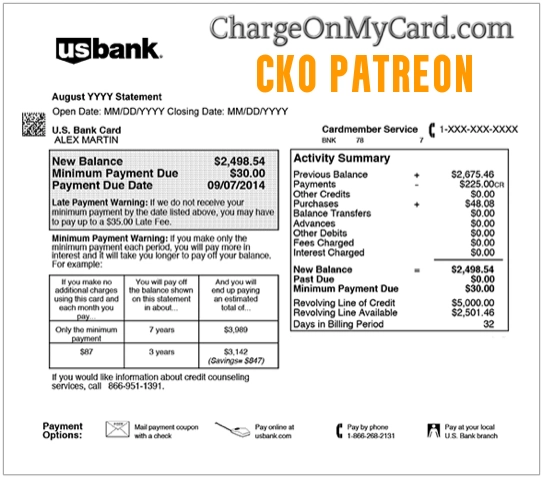
CKO Patreon is a statement descriptor that may appear for a Patreon membership payment. Patreon’s own billing help says Patreon payments may appear on statements as PATREON* Membership, CKO Patreon* Membership, or PAYPAL *PATREON IN.
The charge may not show the creator’s name on your bank statement. That means you might remember supporting a podcast, video creator, artist, writer, musician, streamer, educator, or community, while your card statement only shows CKO Patreon or CKO Patreon membership.
Common CKO Patreon Statement Variations
- CKO Patreon
- CKO Patreon membership
- CKO*Patreon
- CKO*Patreon*
- CKO*Patreon* Membership
- CKO Patreon Membership Dublin
- PATREON* Membership
- Patreon membership charge
- Patreon Inc
- Patreon San Francisco
- PAYPAL *PATREON IN
- 600 Townsend Street San Francisco charge
The exact wording may vary by bank, card issuer, payment method, country, PayPal, iOS purchase, pending status, refund, currency conversion, or Patreon billing model.
Why Patreon May Charge Your Card
- You joined a creator’s paid Patreon membership.
- Your monthly Patreon membership renewed.
- You purchased an annual Patreon membership.
- You increased your membership amount or changed tiers.
- You paid for a creator using per-creation billing.
- You made a one-time payment or digital purchase through Patreon.
- You paid through PayPal, Apple/iOS, or another saved payment method.
- You supported more than one creator, causing multiple Patreon charges.
- You had another Patreon account under a different email address.
- A spouse, family member, employee, or authorized card user joined a membership.
- Your card information may have been used without permission.
Is the CKO Patreon Charge Legit?
CKO Patreon may be legitimate if you or another authorized user joined or renewed a Patreon creator membership. Patreon is a real creator-membership platform, and the descriptor CKO Patreon* Membership is specifically listed by Patreon as one possible statement line.
However, a real Patreon descriptor does not automatically mean the specific charge was authorized by you. If you do not recognize the membership, creator, amount, payment method, or account email, verify the charge before assuming it is valid.
Why the Creator Name May Not Show on Your Statement
Patreon says the names of creators you support are not included on your statement. Your bank or card statement may show Patreon, CKO Patreon, Patreon membership, or a PayPal Patreon descriptor instead of the individual creator’s name.
To see which creator received the payment, check your Patreon Billing History. Patreon says Billing History shows the bill processing date, charge amount, and which creator received the payment.
How Patreon Membership Billing Works
Patreon supports different billing models. Depending on the creator’s setup, you may be charged when you join, monthly on a recurring date, on the first of the month, annually, or after paid posts under a per-creation billing setup.
This is why one CKO Patreon charge may be expected while another may feel surprising. Check the creator’s billing model, your join date, your membership tier, and whether you have monthly, annual, or per-creation charges.
CKO Patreon, PayPal, and iOS App Purchases
If you paid with PayPal, the charge may appear as a PayPal-funded Patreon transaction rather than a standard card charge. Check both your PayPal Activity and your Patreon Billing History.
If you purchased through the Patreon iOS app, refund and billing steps may involve Apple. Patreon’s refund help says iOS app purchase refunds may need to go through Apple’s refund flow.
What If You Have More Than One Patreon Account?
Unexpected Patreon charges can happen when a membership is tied to an old or alternate email address. Patreon recommends checking for multiple accounts if you see unfamiliar charges or cannot find a membership.
Try searching all email addresses you use for Patreon, receipts, membership notices, creator updates, payment confirmations, cancellation confirmations, and password-reset emails.
Patreon Official Contact and Support Information
- Official Website: patreon.com
- Patreon Help Center: Patreon Help Center
- Billing Help: Patreon billing help
- Billing History: Patreon Billing History
- Cancel Membership Help: Canceling a Patreon paid membership
- Refund Help: How to request a Patreon refund
- Submit a Support Request: Patreon support request form
Patreon says it focuses on email support for account-specific questions such as payments and login issues. The old version of this page listed a phone number, but Patreon’s current support guidance says it does not offer phone support. Use the official Help Center and support request form instead.
How to Verify a CKO Patreon Charge
- Check whether the charge is pending, posted, refunded, reversed, or repeated monthly.
- Write down the exact descriptor, amount, date, currency, and payment method shown by your bank.
- Search your email for Patreon, CKO Patreon, membership, creator, pledge, receipt, billing, cancellation, refund, and the exact charge amount.
- Log in to Patreon and check your Billing History for the payment date, amount, and creator name.
- Check your active memberships and look for creators you support.
- Try alternate email addresses if you cannot find the membership under your main account.
- Check PayPal Activity if your payment method may have been PayPal.
- Check Apple subscriptions or Apple purchase history if you paid through the iOS app.
- Ask authorized card users whether they joined a Patreon membership.
- If the charge remains unclear, contact Patreon support or your card issuer.
What If You Recognize the Patreon Membership?
If the CKO Patreon charge matches a membership you authorized, save the receipt and check the membership tier, renewal date, billing model, and creator benefits. If you no longer want the membership, cancel before the next billing date.
Patreon recommends canceling at least 24 hours before the next billing date if you do not want the bill to renew. Keep a screenshot or confirmation email showing the cancellation.
What If You Canceled Patreon But Were Charged Again?
If you canceled and still see a charge, check the cancellation date, billing date, billing model, and whether the charge was a final per-creation or pending payment. Patreon says some per-creation memberships can still process pending bills after cancellation.
Also check for multiple Patreon accounts. You may have canceled one account while another membership remained active under another email address, Apple account, PayPal account, or authorized card user.
How to Request a Patreon Refund
Patreon says refund requests can be started from Billing History within 60 days of the original payment. From Billing History, locate the payment, use the menu next to the charge, and submit the refund request with the reason and details.
Refund approval is not guaranteed. Patreon says creators can approve or decline some refund requests, and Patreon may review certain claims. If a refund is issued, processing time can depend on the payment method and bank.
What If You Never Joined Patreon?
If you never joined Patreon and no authorized user recognizes the charge, treat it as suspicious. First check all email accounts, PayPal, Apple purchase history, and household users. If nothing matches, contact your bank or credit card issuer using the number on the back of your card.
Ask whether the card should be locked, replaced, monitored, or disputed. Also reset passwords if you believe your Patreon account, email account, PayPal account, or card information may have been compromised.
Could CKO Patreon Be Fraud?
A CKO Patreon charge is not automatically fraud. It may be a legitimate Patreon membership, creator subscription, annual plan, PayPal-funded payment, iOS purchase, or authorized-user transaction.
However, it may be unauthorized if you never joined Patreon, cannot find a receipt, no authorized user recognizes it, Patreon cannot match the charge to an account you control, or other unfamiliar charges appear around the same time.
How to Dispute a CKO Patreon Charge
If the charge is unauthorized, duplicated, recurring after cancellation, or not connected to any account you control, gather your evidence before disputing it. Useful records include the statement descriptor, amount, date, Patreon Billing History, cancellation confirmation, refund request, PayPal Activity, Apple purchase history, emails, screenshots, and support messages.
Contact Patreon support if the charge may be tied to an account or membership. If the issue remains unresolved or you believe your card was used without permission, contact your card issuer using the official number on the back of your card. For credit-card billing errors, written disputes should be sent promptly to the billing-inquiries address listed by your issuer.
Watch Out for Fake Patreon Support Numbers
Unknown-charge searches can attract fake support numbers, refund scams, phishing pages, and social media impersonators. Use Patreon’s official Help Center, Billing History, support request form, PayPal Activity, Apple purchase history, or your card issuer’s secure app.
Do not share your full card number, bank login, Patreon password, email password, PayPal password, Social Security number, PIN, one-time security code, or remote computer access with anyone who contacts you unexpectedly.
Frequently Asked Questions About CKO Patreon Charges
What is CKO Patreon on my credit card?
CKO Patreon on your credit card may be a Patreon membership payment. Patreon lists CKO Patreon* Membership as one possible statement descriptor.
What is CKO Patreon membership?
CKO Patreon membership usually means a Patreon creator membership or subscription payment. Check Patreon Billing History to see the creator, amount, and payment date.
Why does my statement say CKO*Patreon?
Your statement may show CKO*Patreon or CKO*Patreon* Membership because Patreon payments can use that billing descriptor. The creator name may not appear on the card statement.
Does Patreon show the creator name on my bank statement?
Patreon says creator names are not included on your statement. To identify the creator, check your Patreon Billing History.
Why was I charged after canceling Patreon?
You may have canceled after the renewal cutoff, had a pending per-creation bill, or canceled one account while another membership remained active. Check Billing History and all email addresses.
Can I get a refund from Patreon?
Patreon says refund requests can be started from Billing History within 60 days of the original payment. Refunds are not guaranteed and may depend on the creator, payment type, and review outcome.
Does Patreon have phone support?
Patreon’s current support guidance says it focuses on email support for account-specific questions and does not offer phone support. Use Patreon’s official Help Center or support request form.
Should I dispute a CKO Patreon charge?
First try to match the charge to Patreon Billing History, PayPal Activity, Apple purchases, active memberships, old email accounts, or authorized users. If it remains unauthorized or unresolved, contact your card issuer.
Related Subscription, Creator, App, and Payment Descriptor Guides
- HELP.MAX.COM Charge on Credit Card
- DAZN Limited Charge on Credit Card
- EverAI Charge on Credit Card
- Fancy Hands Charge on Credit Card
- Apple 1 Infinite Loop CA Charge
- Google 1600 Amphitheatre Parkway Charge
- 4029357733 PayPal Charge
- Paddle.net Charge on Credit Card
Help Other Cardholders Identify This Charge
If you saw a CKO Patreon, CKO Patreon membership, CKO*Patreon, CKO*Patreon* Membership, PATREON* Membership, PAYPAL *PATREON IN, or similar charge on your credit card, debit card, PayPal account, or bank statement, please share your experience in the comments.
Helpful details include the exact descriptor, amount, whether it was a creator membership, monthly subscription, annual plan, PayPal payment, iOS app purchase, canceled membership, refund request, duplicate charge, or unauthorized transaction, and how you resolved it. Do not post full card numbers, account passwords, email addresses, addresses, phone numbers, creator account details, membership IDs, PINs, one-time codes, or other private information.
Why Rely on ChargeOnMyCard.com?
ChargeOnMyCard.com helps consumers identify confusing credit-card, debit-card, ACH, PayPal, creator-membership, subscription, app-store, payment-processor, and bank-statement descriptors by researching merchant names, billing patterns, subscription flows, official support options, and user-reported charge information when available. Our goal is to help cardholders determine whether a charge is likely legitimate, mistaken, recurring, canceled, refunded, disputed, or potentially unauthorized.
Disclaimer
ChargeOnMyCard.com is not affiliated with Patreon, Patreon.com, any Patreon creator, PayPal, Apple, CKO, any payment processor, bank, or card issuer. This page is for informational purposes only and should not be treated as financial, legal, billing, subscription, cancellation, refund, creator-platform, fraud-prevention, or banking advice. If you believe a charge is unauthorized, contact your bank or credit card issuer directly.