
An AUTO AIR & VACUUM SERV PLAINVIEW NY charge, AUTO AIR & VACUUM SERVICE charge, or similar entry on a credit card, debit card, or bank statement usually relates to a payment at a self-service tire-inflation or vehicle-vacuum machine.
The machine may have been located at a gas station, convenience store, service station, or car wash and may have been operated under AIR-serv or CSC ServiceWorks. The Plainview, New York wording generally reflects historical merchant or company information rather than the location where the cardholder used the machine.
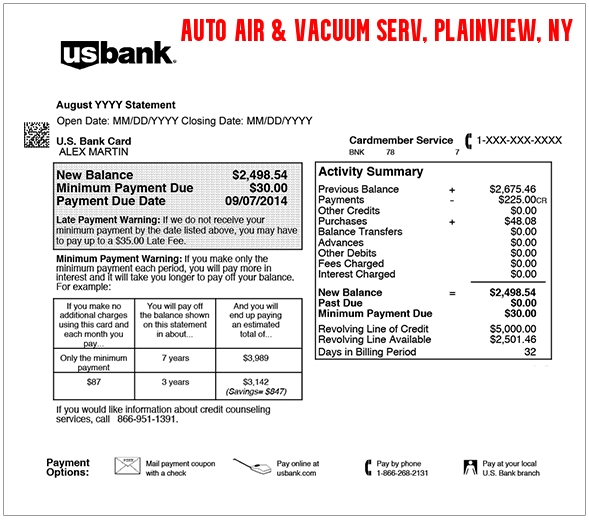
What Is the AUTO AIR & VACUUM SERV Charge?
The descriptor is generally associated with self-service vehicle equipment operated by AIR-serv or CSC ServiceWorks.
The transaction may represent:
- Using a tire-inflation machine at a gas station
- Adding air to one or more vehicle tires
- Using a vehicle vacuum at a car wash
- Using a combined air-and-vacuum machine
- A contactless or mobile-wallet machine payment
- A payment made by another authorized card user
- A pending machine authorization
- A duplicate or repeated machine transaction
- An unauthorized use of the card
The descriptor normally does not identify the gas station, car wash, machine number, vehicle, or exact city where the service was used.
Is AUTO AIR & VACUUM SERV Connected With CSC ServiceWorks?
It appears to be connected with AIR-serv and CSC ServiceWorks’ air and vacuum equipment business.
CSC ServiceWorks operates self-service tire-inflation and vacuum machines with digital payment technology. AIR-serv is the vehicle air-and-vacuum brand associated with this part of the business.
This article focuses specifically on vehicle air and vacuum machines. A statement that says CSC SERVICE WORK, CSC PAY, or CSC GO may instead relate to:
- An apartment or dormitory washer or dryer
- A laundry-app transaction
- A laundry-card reload
- Another CSC-operated machine service
Why Does the Charge Say Plainview, New York?
Plainview appears to be legacy merchant or company-location information associated with AIR-serv or CSC operations.
The Plainview wording does not necessarily mean:
- The machine was located in Plainview
- The cardholder visited New York
- The gas station or car wash was in New York
- The card was physically processed in Plainview
Card descriptors often show the payment operator’s historical office or merchant-registration location rather than the place where a self-service machine was used.
Where Might You Have Used the Machine?
Think back to whether you recently stopped at:
- A gas station
- A convenience store
- A car wash
- A service station
- A grocery-store fuel center
- A travel plaza
- A parking or vehicle-service location
The air or vacuum equipment may be positioned away from the main building, so the machine operator’s name can appear instead of the gas station or car-wash brand.
Common Statement Variations
The transaction may appear as:
- AUTO AIR & VACUUM SERV PLAINVIEW NY
- AUTO AIR & VACUUM SERVICE PLAINVIEW NY
- AUTO AIR & VACUUM SERVICE PLAINVIEW NY US
- AUTO AIR VACUUM SERVIC PLAINVIEW
- AUTO AIR VACUUM SERVICE
- AUTO AIR & VACUUM SVC
- AUTO AIR & VACUU NY PLAINVIEW
- CHECKCARD AUTO AIR & VACUUM SERV
- CHKCARD AUTO AIR & VACUUM SERV
- POS DEBIT AUTO AIR & VACUUM SERV
- POS PURCHASE AUTO AIR & VACUUM SERV
- PENDING AUTO AIR & VACUUM SERV
- PRE-AUTH AUTO AIR & VACUUM SERV
Banks may shorten the wording, remove punctuation, or display only part of Plainview or New York.
How to Verify the Charge
- Copy the complete statement descriptor.
- Record the amount and transaction date.
- Determine whether the entry is pending or completed.
- Think about gas-station or car-wash stops near that date.
- Ask household members and authorized card users.
- Check Apple Pay, Google Pay, or another mobile wallet if one was used.
- Compare the amount with the price shown on the machine.
- Look for the machine ID if you can return to the location safely.
- Contact AIR-serv or CSC ServiceWorks if the charge remains unclear.
- Contact the card issuer if no authorized machine use can be identified.
How Much Is an Air or Vacuum Machine Charge?
The price can vary by:
- Location
- Machine type
- Length of use
- Air-only versus air-and-vacuum service
- Local pricing
- The payment method
Compare the bank entry with the price displayed on the machine. An amount that seems unfamiliar may still match a short tire-air or vacuum purchase.
What Is a Pending AUTO AIR & VACUUM SERV Charge?
A pending entry may be a temporary machine authorization that later:
- Becomes the final completed payment
- Updates with a longer statement description
- Changes to the final amount
- Disappears if the authorization is reversed
Do not automatically count a pending authorization and the completed transaction as two settled charges.
Contact the issuer when:
- Both entries become completed
- The final amount is materially different from the displayed price
- Several transactions appear after one use
- You did not use an air or vacuum machine
Why Are There Multiple Charges?
Multiple transactions may result from:
- Starting the machine more than once
- Using both the air and vacuum equipment
- Extending the machine’s operating time
- A failed payment attempt followed by a successful attempt
- A pending authorization and completed payment
- Separate uses by another cardholder
- A machine or payment-processing error
- Repeated unauthorized card use
Compare the transaction times when the issuer provides them and include every completed entry in a refund or support request.
What If the Machine Charged You but Did Not Work?
A refund may be appropriate when:
- The air machine did not start
- The machine stopped before providing the paid service
- The hose or nozzle was damaged
- The machine did not inflate the tire
- The vacuum had little or no suction
- The card was charged more than once
- The displayed price and final charge did not match
Before leaving the location, record:
- The machine ID
- The gas station or car-wash name
- The street address
- The date and approximate time
- The amount charged
- A short description of the problem
- A photograph of the machine or error message when safe
How to Find the Machine ID
The machine ID is usually printed on a label, sticker, payment panel, or service notice attached to the equipment.
If the machine ID is missing:
- Use CSC’s service-request portal.
- Select the gas station or convenience-store option.
- Search using the business address.
- Select the matching location and machine when available.
The machine ID can help CSC or AIR-serv locate the exact equipment and payment record.
How to Request a Refund
Use CSC ServiceWorks’ official refund form when a payment was taken but the service was not delivered correctly.
- Open the official refund-request page.
- Enter the machine ID.
- Provide the refund amount.
- Explain what happened.
- Provide accurate contact and mailing information.
- Verify the confirmation email.
- Save the case or confirmation number.
Official refund form:
Request a CSC ServiceWorks machine refund
If two or more machines or several affected transactions are involved, CSC currently directs customers to:
Refund timing can vary. Monitor the email account used for the request and retain the confirmation details.
How to Report a Broken Air or Vacuum Machine
A broken machine should also be reported so CSC or AIR-serv can arrange service.
Official service-request portal:
Report an air or vacuum machine problem
Include:
- The machine ID
- The business name and address
- The machine type
- The error or malfunction
- The date and time
- Your contact information
Current AIR-serv and CSC ServiceWorks Contact Information
AIR-serv
- Service telephone: 1-800-247-8363
- Email: contactus@air-serv.com
- Official website: AIR-serv
- Current address: 3201 W. Royal Lane, Suite 100, Irving, TX 75063
CSC ServiceWorks
- Customer service: 1-844-272-9675
- Refund support for multiple machines: 1-877-264-6622
- Official website: CSC ServiceWorks
- Air services: CSC air and vacuum services
- Contact page: Contact CSC ServiceWorks
- Corporate headquarters: 35 Pinelawn Rd., Suite 120, Melville, NY 11747
Use the official refund or service-request portal when possible because the machine ID and location information can help identify the transaction.
What If You Never Used an Air or Vacuum Machine?
- Save the complete statement descriptor, amount, and date.
- Ask household members and authorized card users.
- Review gas-station and car-wash visits.
- Check mobile-wallet activity.
- Contact AIR-serv or CSC ServiceWorks.
- Ask whether the payment can be matched to a machine or location.
- Lock the card if other suspicious charges are appearing.
- Notify the financial institution promptly if the transaction remains unauthorized.
- Ask whether the card number or payment token should be replaced.
A legitimate AIR-serv or CSC machine descriptor does not prove that the cardholder authorized the transaction.
Credit Card Dispute Guidance
Contact the credit-card issuer promptly when:
- No authorized machine use can be identified
- The card was used without permission
- Multiple completed transactions remain unresolved
- The merchant cannot identify the payment
- The amount differs from the displayed price
- An approved refund does not appear
Keep the statement, machine information, refund request, photographs, and merchant response.
Official guidance:
CFPB credit-card dispute guidance
Debit Card and Bank Account Guidance
Report an unauthorized debit-card or bank transaction immediately.
Ask the financial institution:
- Whether the entry is pending or completed
- Whether other machine authorizations are pending
- Whether a contactless payment token was used
- Whether the card should be locked or replaced
- What documentation is required for the claim
Official guidance:
CFPB unauthorized debit and bank-transaction guidance
Credit-card and debit-card protections, procedures, and deadlines differ.
Consumer Reports and Experiences
There are currently zero visible public reviews on this ChargeOnMyCard.com page.
ChargeOnMyCard.com has not received visible cardholder confirmation establishing:
- The location of a reported machine
- The amount paid
- Whether the service worked
- Whether duplicate charges appeared
- Whether a refund was requested or received
- Whether any transaction was unauthorized
ChargeOnMyCard.com cannot:
- Access AIR-serv or CSC payment records
- Identify a machine from a card number
- Repair an air or vacuum machine
- Approve a refund
- Replace a payment card
- Submit a bank dispute
Frequently Asked Questions About AUTO AIR & VACUUM SERV
What is AUTO AIR & VACUUM SERV Plainview NY?
It usually identifies a payment at a self-service vehicle tire-air or vacuum machine operated through AIR-serv or CSC ServiceWorks.
Why does it say Plainview if I used the machine elsewhere?
Plainview likely reflects historical company or merchant-processing information rather than the location of the gas station or car wash.
Is this a vending-machine purchase?
It is a self-service machine payment, but it normally relates to vehicle air or vacuum equipment rather than snacks, drinks, or a micro market.
Could it be from putting air in my tires?
Yes. Tire inflation at a gas station or convenience store is one of the most likely explanations.
Could it be a car-wash vacuum?
Yes. AIR-serv and CSC also operate vehicle-vacuum equipment at car washes and retail fuel locations.
Why are there several charges?
The machine may have been started more than once, both air and vacuum may have been used, or a pending authorization may appear with the completed payment. Multiple completed charges should be reviewed.
How do I request a refund?
Use CSC’s official refund form and provide the machine ID, amount, date, location, and explanation of the problem.
What if I never used an air or vacuum machine?
Contact AIR-serv or CSC to identify the transaction and notify the financial institution promptly if no authorized use can be found.
Can ChargeOnMyCard.com issue the refund?
No. ChargeOnMyCard.com cannot access machine, merchant, card, refund, or banking systems.
Related Machine and Charge Guides
- CSC SERVICE WORK Charge: Laundry, Air, Vacuum, and Machine Payment Help
- How to Investigate an Unrecognized Credit Card, Debit Card, or Bank Charge
The CSC ServiceWorks guide covers broader CSC descriptors, including laundry and mobile-app payments. This page focuses specifically on the AUTO AIR & VACUUM SERV wording.
Help Other Cardholders Identify AUTO AIR & VACUUM SERV
If you saw AUTO AIR & VACUUM SERV PLAINVIEW NY, AUTO AIR & VACUUM SERVICE, or another variation, please share what the payment represented.
Helpful details include:
- The descriptor without private transaction references
- The general amount
- Whether it was an air pump or vacuum
- The gas station, car wash, or general location
- Whether the machine worked
- Whether more than one charge appeared
- Whether AIR-serv or CSC issued a refund
- How the issuer resolved an unauthorized payment
Do not post card numbers, card digits, private addresses, passwords, PINs, CVV codes, or authentication codes.
Why Rely on ChargeOnMyCard.com?
ChargeOnMyCard.com researches confusing credit-card, debit-card, self-service machine, gas-station air, vehicle-vacuum, pending-authorization, and bank-statement descriptors using current merchant information, official support resources, consumer-protection guidance, statement patterns, and visible cardholder reports.
We distinguish the likely relationship between AUTO AIR & VACUUM SERV and AIR-serv or CSC vehicle-service machines from the separate question of which location, machine, authorized user, duplicate transaction, or unauthorized person caused a specific payment.
Last reviewed: July 2026.
Disclaimer
ChargeOnMyCard.com is not affiliated with AIR-serv, CSC ServiceWorks, any gas station, convenience store, car wash, machine owner, retailer, cardholder, bank, credit union, card network, payment processor, or financial institution. This article is provided for informational purposes only and is not financial, legal, automotive, tire-safety, refund, dispute, account-security, or fraud-prevention advice. Contact AIR-serv, CSC ServiceWorks, the machine location, and the financial institution directly regarding a specific transaction.