
An Amazon Digital Services charge on a credit card, debit card, PayPal account, or bank statement usually represents digital content, a subscription, an app or game, software, or another purchase made through an Amazon account or connected device.
The payment could involve Prime Video, Kindle, Kindle Unlimited, Amazon Music, Amazon Appstore, Amazon Kids+, paid software, a digital rental or purchase, or a free trial that renewed.
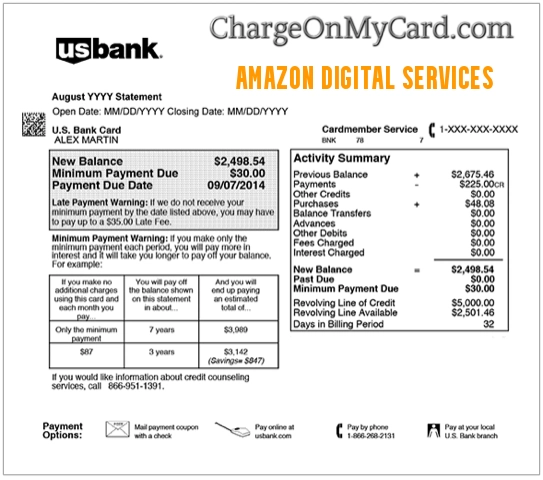
What Is an Amazon Digital Services Charge?
Amazon Digital Services charges are payments for digital products, content, subscriptions, apps, games, or software sold or processed through Amazon.
Common explanations include:
- A Prime Video movie or television rental
- A Prime Video movie, episode, season, or series purchase
- A Prime Video add-on Channel subscription
- A standalone Prime Video subscription
- A Kindle ebook or digital publication
- A Kindle Unlimited membership
- An Amazon Music subscription
- An Amazon Appstore app or game
- An in-app purchase
- An Amazon Kids+ subscription
- A paid software subscription
- Digital game content
- A free trial that became a paid subscription
- An automatic subscription renewal
- A purchase made through Fire TV, Kindle, Echo, Fire tablet, or another connected device
- A purchase made by a family member or another authorized card user
The statement descriptor does not normally identify the exact movie, book, app, subscription, device, Amazon account, or person who made the purchase.
What Does Amazon Digital Mean on My Bank Statement?
Amazon Digital generally means Amazon processed a payment for electronically delivered content or a digital service rather than an ordinary shipped product.
Unlike a retail Amazon order, the purchase may not create:
- A delivery notification
- A package
- A shipping confirmation
- An entry in the standard physical-order list
Instead, it may appear under:
- Digital Orders
- Memberships & Subscriptions
- Prime Video purchases and subscriptions
- Amazon Music Settings
- Kindle content
- Appstore subscriptions
- Amazon Kids+ or Parent Dashboard
What Is Amazon Digital Services LLC?
Amazon Digital Services LLC is a real Amazon legal entity associated with certain Amazon digital content and services.
Amazon’s current Services Terms identify:
Amazon Digital Services LLC
as the Amazon entity involved in covered digital services.
Some older Amazon content and product listings may instead contain:
Amazon Digital Services, Inc.
Possible statement or search variations include:
- AMAZON DIGITAL SERVICES LLC
- AMAZON DIGITAL SERVICES INC
- AMAZON DIGITAL SVCS
- AMZN DIGITAL SERVICES
The legal-company name confirms an Amazon connection but does not identify the exact digital product, account, or person responsible for an individual transaction.
What Is an Amazon Digital Downloads Charge?
An Amazon Digital Downloads charge generally refers to electronically delivered content purchased through Amazon.
It may include:
- An ebook
- A movie or television purchase
- A video rental
- An app or game
- An in-app purchase
- Digital music
- Software
- Another downloadable product
A digital download may be:
- A one-time purchase
- A rental
- Part of a subscription
- A purchase made inside an app or game
Do not assume every Amazon Digital Downloads charge is a recurring subscription. Check the individual order in Amazon Digital Orders.
What Is an Amazon Internet Charge?
An Amazon internet charge is not necessarily the same as an Amazon Digital Services charge.
Some banks use:
- Internet
- Online
- E-commerce
- Card not present
to describe how a payment was submitted.
An Amazon internet charge could represent:
- An ordinary Amazon retail order
- A digital purchase
- A subscription
- An Amazon Prime payment
- An Amazon Pay transaction
- A purchase made through a connected device
Use this page when the complete description contains Amazon Digital, Amazon Digital Services, AMZN Digital, Amazon Digi, or similar digital wording.
For a broader transaction, see the Amazon and AMZN charge descriptor guide.
Common Amazon Digital Statement Variations
Cardholders may see or search for:
- AMAZON DIGITAL
- AMAZON DIGITAL SERVICES
- AMAZON DIGITAL SERVICES LLC
- AMAZON DIGITAL SERVICES INC
- AMAZON DIGITAL SVCS
- AMAZON DIGITAL S
- AMAZON DIGITAL DOWNLOADS
- AMAZON DIGITAL DOWNLOAD
- AMZN DIGITAL
- AMZN DIGITAL SVCS
- AMAZON DIGI
- AMAZON DIGI*
- AMZN DIGI
- PURCHASE AMAZON DIGITAL
- PURCHASE AMAZON DIGIT
- POS DEBIT AMAZON DIGITAL
- CHECKCARD AMAZON DIGITAL
- RECURRING AMAZON DIGITAL
- PENDING AMAZON DIGITAL
- AMAZON DIGITAL REFUND
- AMAZON DSV DIGITAL SOF
- AMZN.COM/BILL WA
- AMAZON DIGITAL 888-802-3080
- AMZN DIGITAL 888-802-3080
- PRIME VIDEO 888-802-3080 WA
Banks may shorten Amazon Digital to AMAZON DIGI, AMZN DIGI, AMAZON DIGIT, or another truncated version. They may also append a location, reference, telephone number, or recurring-payment indicator.
What Can Cause an Amazon Digital Charge?
Prime Video Rental or Purchase
Someone may have rented or purchased:
- A movie
- A television episode
- A complete season
- A series
- A sporting event
- Another digital video title
Prime Video purchases can be made through:
- Amazon.com
- Prime Video
- Fire TV
- A smart television
- A streaming device
- A phone or tablet
- A game console
Prime Video Add-On Subscription
Prime Video add-on subscriptions are separate paid streaming subscriptions available through Prime Video.
A subscription may have started through:
- A free trial
- A promotional offer
- A Fire TV screen
- A smart-TV application
- An Amazon account
These subscriptions can renew until canceled.
Review the official Amazon Prime Video unknown-charge guidance.
Kindle Purchase or Kindle Unlimited
The payment could involve:
- A Kindle ebook
- A digital magazine or publication
- A Kindle Unlimited membership
A Kindle purchase may be made from a Kindle device, Amazon website, or another device using the Amazon account.
Amazon Music
The charge may involve:
- Amazon Music Unlimited
- Another Amazon Music plan
- A trial renewal
- A digital music purchase
Open Amazon Music Settings to review the account, plan, payment method, and renewal details.
Amazon Appstore App, Game, or In-App Purchase
An app, game, in-app purchase, or recurring subscription made through Amazon Appstore may appear under broad Amazon Digital wording.
Check:
- Fire tablets
- Fire TV devices
- Amazon Appstore subscriptions
- Games used by children or other household members
Amazon Kids+
Amazon Kids+ is a recurring children’s content subscription that can include:
- Books
- Games
- Videos
- Music
- Apps
- Podcasts
- Alexa content
Review Memberships & Subscriptions and the Parent Dashboard when a child profile or Fire tablet may be involved.
Paid Software or Digital Game Content
Amazon sells or manages certain paid software subscriptions, applications, games, and other digital content.
Wording such as:
AMAZON DSV DIGITAL SOF
may be a shortened reference to Amazon digital software.
Check Digital Orders and Memberships & Subscriptions for:
- Software licenses
- Software subscriptions
- Games
- Downloadable content
- In-game purchases
Is Amazon Digital the Same as Amazon Prime?
Not necessarily.
Amazon Prime is one Amazon membership. Amazon Digital Services is a broader description that may include:
- Prime Video content
- Prime Video add-on subscriptions
- Kindle products
- Amazon Music
- Apps
- Games
- Amazon Kids+
- Software
A Prime membership renewal may also appear under other Amazon or Prime-specific descriptors.
Check the amount and Amazon account rather than assuming every Amazon Digital charge is the basic Prime membership.
Why Am I Being Charged for Amazon Digital Services?
Common reasons include:
- A one-time digital purchase
- A movie or television rental
- A recurring subscription
- A free trial that became paid
- A subscription that renewed automatically
- A purchase through Fire TV or another device
- An app or in-app purchase
- A purchase by a child or household member
- Another Amazon account using the same card
- An unauthorized Amazon account or card transaction
Is Amazon Digital Services a Subscription?
It can be, but not every Amazon Digital Services charge is recurring.
Possible recurring services include:
- Prime Video add-on subscriptions
- Standalone Prime Video
- Kindle Unlimited
- Amazon Music
- Amazon Kids+
- Appstore subscriptions
- Paid software subscriptions
One-time transactions can include:
- Kindle ebooks
- Movie rentals
- Video purchases
- Apps
- Games
- Digital music
- Software purchases
Check whether the card issuer classifies the transaction as recurring and compare it with Amazon Memberships & Subscriptions.
What Is a $19.99 Amazon Digital Services Charge?
There is no single universal Amazon Digital Services price.
A charge such as:
- $4.99
- $9.99
- $14.99
- $19.99
- Another monthly or one-time amount
cannot identify the service by itself.
The amount may represent:
- A streaming subscription
- A movie or season purchase
- A software plan
- A game or in-app purchase
- A subscription plus tax
- Several digital products combined
- A price that changed after a promotional period
Compare the exact amount with Digital Orders, Your Payments, and every active subscription.
How to Identify an Amazon Digital Services Charge
Use these steps:
- Copy the complete statement descriptor.
- Record the amount and transaction date.
- Check whether it is pending or completed.
- Sign in to every Amazon account that may use the card.
- Review Amazon Digital Orders.
- Review Your Payments transaction history.
- Review Memberships & Subscriptions.
- Check Prime Video purchases and add-on subscriptions.
- Check Amazon Music Settings.
- Check Kindle purchases and Kindle Unlimited.
- Check Appstore subscriptions and purchases.
- Check Amazon Kids+ and the Parent Dashboard.
- Search every email account for Amazon digital receipts.
- Ask family members and other authorized card users.
- Check Fire TV, Kindle, Echo, tablets, smart televisions, and game systems.
- Contact Amazon when no account record explains the payment.
Fastest three checks:
Repeat these checks for every Amazon account that may use the card.
How to Check Amazon Digital Orders
- Open Amazon Digital Orders.
- Confirm that the correct Amazon account is signed in.
- Look for an order matching the amount and date.
- Review video, Kindle, app, game, software, and other digital purchases.
- Open the order details to view the product or transaction reference.
- Repeat the search for every possible Amazon account.
Digital purchases may appear separately from ordinary retail orders. Do not stop after checking only the standard Your Orders list.
How to Check Amazon Memberships and Subscriptions
- Open Your Memberships & Subscriptions.
- Review active subscriptions.
- Review canceled and expired subscriptions.
- Check the next-renewal date.
- Review the payment method.
- Look for free trials that became paid plans.
- Check subscriptions created through a household device.
Also check Prime Video, Kindle Unlimited, Amazon Music, Appstore, Amazon Kids+, and paid software when necessary.
How to Cancel Amazon Digital Services
The cancellation route depends on the service responsible for the charge.
Cancel a General Amazon Subscription
- Open Memberships & Subscriptions.
- Find the active service.
- Select Manage Subscription.
- Select the cancellation or auto-renewal option.
- Complete every confirmation step.
- Save the confirmation email or screenshot.
- Record the final access date.
Cancel a Prime Video Add-On Subscription
Use Amazon’s Prime Video add-on cancellation instructions.
Cancel Kindle Unlimited
Use Amazon’s Kindle Unlimited cancellation instructions.
Cancel Amazon Music
Open Amazon Music Settings and use the cancellation option shown under Subscription Renewal.
Cancel an Amazon Appstore Subscription
Use Amazon Appstore subscription management.
Cancel Amazon Kids+
Use Amazon Kids+ cancellation instructions or the Parent Dashboard.
Cancel a Paid Software Subscription
Use Amazon’s paid software subscription instructions.
Deleting an app, removing content from a device, signing out, or removing the card does not necessarily cancel a recurring subscription.
Can I Get a Refund for an Amazon Digital Charge?
Refund eligibility depends on:
- The type of digital product
- The time since purchase
- Whether the content was viewed, downloaded, or used
- Whether the purchase was accidental
- Amazon’s current policy for the transaction
To request a review:
- Identify the purchase in Digital Orders or Memberships & Subscriptions.
- Cancel any recurring subscription you no longer want.
- Open the order or transaction details.
- Use any available return, refund, or problem-with-order option.
- Contact Amazon Customer Service if no self-service option appears.
- Save the support record and refund confirmation.
Eligible Kindle book orders may show a Return for Refund option in Digital Orders. Amazon provides current instructions through its Kindle book return page.
Eligible accidental Prime Video purchases may have a cancellation option in Your Transactions. See Amazon’s accidental Prime Video purchase instructions.
Canceling a subscription does not automatically refund earlier completed charges.
Why Is the Amazon Digital Charge Pending?
A pending Amazon Digital entry may be a temporary authorization used to verify the payment method.
Amazon explains that an authorization:
- May appear on the account before the final charge
- May temporarily reduce available funds
- Is not necessarily a completed payment
- May disappear if the transaction is canceled or not completed
Review Amazon’s authorization-charge guidance.
Do not assume a matching pending and completed entry are two final charges until the pending authorization clears.
Why Are There Two Amazon Digital Charges?
Two entries could represent:
- A pending authorization and completed transaction
- Two separate digital purchases
- A subscription and one-time purchase
- Two Amazon accounts using the same card
- Two household members making purchases
- A Prime Video subscription and movie rental
- A Kindle book and Kindle Unlimited
- An Appstore purchase and recurring subscription
- A payment retry
- A duplicate completed transaction
- Unauthorized activity
Wait for pending transactions to complete, then compare both entries with Digital Orders, Your Payments, subscriptions, and all household accounts.
Why Is the Amount Higher Than Expected?
The final Amazon Digital charge may include state or local tax on eligible digital products and services.
Amazon says taxable digital items can include:
- Ebooks
- Movies
- Music
- Individual television episodes
- Television seasons
- Magazine and newspaper products
- Certain other digital services
See Amazon’s digital-product tax information.
The amount may also differ because of:
- A free trial ending
- A promotional price ending
- A subscription-price change
- A plan upgrade
- More than one digital purchase
- Currency conversion
What Is 888-802-3080 on an Amazon Digital Charge?
888-802-3080 has appeared in publicly reported Amazon Digital, Prime Video, and Amazon Prime PMTS-style statement descriptions.
Possible variations include:
- AMAZON DIGITAL 888-802-3080
- AMZN DIGITAL 888-802-3080
- PRIME VIDEO 888-802-3080 WA
- AMAZON PRIME PMTS 888-802-3080
- 888-802-3080 WA
The number does not identify the movie, subscription, app, account, or person who made the purchase.
Treat it as statement information rather than the preferred number to call.
For more detail, see the Prime Video and Amazon Digital 888-802-3080 charge guide.
Amazon Digital Services Official Support
Current official Amazon resources include:
- Identify an Amazon Charge: Amazon charge-identification help
- Amazon Digital Orders: Review digital purchases
- Your Payments: Review Amazon payment activity
- Memberships & Subscriptions: Manage subscriptions
- Digital Services and Device Support: Amazon digital and device help
- Amazon Customer Service: Official chat and contact options
- Customer-Service Phone: 1-888-280-4331
Use Amazon’s official website, application, or current support page. Do not call an unverified telephone number from a sponsored search result, unexpected email, pop-up, or text message.
Additional Amazon Contact and Escalation Guides
For more information about Amazon billing, Prime cancellation, refunds, and customer support, see the independent Amazon Prime Customer Service guide.
For corporate escalation information concerning an unresolved complaint, see the Amazon Corporate Office guide. Corporate contact information is not the normal starting point for a routine digital charge.
What If Amazon Cannot Find the Digital Charge?
Consider whether:
- The purchase belongs to another Amazon account.
- An old, work, or school email address was used.
- A family member used the card on a separate account.
- A Fire TV, Kindle, Echo, tablet, or smart television uses another account.
- The payment was submitted through PayPal.
- The subscription is actually billed through Apple or Google Play.
- The bank shortened the descriptor.
- The transaction is still pending.
- The payment card was used without permission.
Ask the issuer for:
- The complete merchant descriptor
- The transaction date and authorization time
- The merchant telephone number
- The merchant category
- Whether the transaction is recurring
- Whether a digital wallet was used
- Any Amazon order or transaction reference supplied
What If the Amazon Digital Charge Was Unauthorized?
Take these steps:
- Confirm whether the charge is pending or completed.
- Check every Amazon account and email address.
- Review Digital Orders and Your Payments.
- Review Memberships & Subscriptions.
- Check Prime Video, Kindle, Amazon Music, Appstore, Kids+, and software subscriptions.
- Ask every household member and authorized card user.
- Contact Amazon through its official support page or 1-888-280-4331.
- Cancel any unfamiliar subscription Amazon identifies.
- Change the Amazon password if account access is suspected.
- Enable two-step verification or a passkey.
- Review registered devices and saved payment methods.
- Lock the card if additional unfamiliar transactions are appearing.
- Contact the issuer using the number on the card or its official application.
- Follow the issuer’s dispute process when no authorized purchase explains the charge.
- Ask whether the card number should be replaced.
If It Is a Credit-Card Charge
Contact the credit-card issuer promptly. Ask how to report an unauthorized charge and whether written follow-up is required.
The Consumer Financial Protection Bureau’s credit-card dispute guidance explains that consumers generally must send a written billing-error notice within 60 calendar days after the charge appears on the statement to protect applicable rights.
If It Is a Debit-Card or Bank-Account Transaction
Report an unauthorized debit-card or bank-account transaction immediately because the funds may have already left the account and reporting timelines can affect available protections.
Review the CFPB’s unauthorized debit and bank-account transaction guidance.
Watch Out for Fake Amazon Support
Use only:
- The Amazon application
- Amazon.com
- The telephone number published by Amazon
- Your bank’s official application or card telephone number
Be cautious if someone claiming to represent Amazon asks for:
- A gift card payment
- Cryptocurrency
- A wire transfer
- Remote access to your computer or phone
- Your banking password
- Your complete card number
- Your PIN or security code
- A one-time authentication code
If an unexpected email, call, or text claims you have an Amazon Digital charge, sign in to Amazon independently rather than using the supplied link or telephone number.
Frequently Asked Questions About Amazon Digital Services Charges
What are Amazon Digital Services charges?
They are payments for Amazon digital content or services such as Prime Video, Kindle, Amazon Music, Amazon Appstore, Amazon Kids+, games, software, or recurring subscriptions.
What does Amazon Digital mean on my bank statement?
It usually means Amazon processed a digital purchase or subscription rather than an ordinary shipped retail order.
What is Amazon Digital Services LLC?
Amazon Digital Services LLC is a legitimate Amazon entity associated with certain digital content and services.
What is an AMAZON DIGI charge?
AMAZON DIGI is most likely a shortened statement version of Amazon Digital. Check Digital Orders and Memberships & Subscriptions.
What does AMAZON DIGI* mean?
The asterisk may separate Amazon Digital from a product name, transaction reference, or other shortened information.
What is an Amazon Digital Downloads charge?
It may be an ebook, video rental, movie purchase, app, game, in-app purchase, digital music, software, or another downloadable product.
What is an Amazon internet charge?
The word internet may describe how the payment was submitted. It could be a retail order, digital purchase, subscription, Prime payment, or Amazon Pay transaction.
Is Amazon Digital the same as Amazon Prime?
Not necessarily. Amazon Prime is one membership. Amazon Digital may involve Prime Video, Kindle, Music, apps, games, Kids+, software, or another product.
How do I find the exact Amazon Digital purchase?
Review Amazon Digital Orders, Your Payments, Memberships & Subscriptions, Prime Video, Kindle, Amazon Music, Appstore, Kids+, email receipts, and every household account.
How do I cancel Amazon Digital Services?
Identify the service, then cancel it through Memberships & Subscriptions or its product-specific management page.
Can I get a refund?
Possibly. Eligibility depends on the digital product, timing, usage, and Amazon’s current refund policy. Open the order or contact Amazon Customer Service.
Why did Amazon Digital charge me twice?
There may be a pending and completed transaction, two products, two accounts, a subscription and purchase, payment retry, duplicate, or unauthorized activity.
Why is the charge recurring?
An Amazon digital subscription or free trial may be renewing automatically. Review active subscriptions and their next-renewal dates.
What is Amazon digital credit?
Amazon digital credit is generally a promotional balance that may apply to eligible digital purchases. It is not normally a card charge by itself. A card may still be billed if the credit does not cover the entire purchase or the product is ineligible.
What is 888-802-3080 on an Amazon charge?
The number has appeared in Amazon Digital, Prime Video, and Amazon Prime PMTS-style descriptors. Use Amazon’s current official support options rather than treating it as the preferred support number.
Should I dispute the charge?
First check all Amazon accounts, Digital Orders, subscriptions, devices, and authorized users. Contact the issuer promptly when no authorized purchase explains a completed transaction.
Related Amazon Charge Guides
- Amazon and AMZN Charge Descriptor Guide
- AMZN.COM/BILL WA Amazon Billing Charge
- Prime Video and Amazon Digital 888-802-3080 Charge
- Amazon Music Subscription Charge
- Kindle SVCS and Kindle Unlimited Charge
- Unrecognized credit-card, debit-card, or bank charge: what to do
These guides cover broad Amazon billing, Prime Video, Amazon Music, Kindle, and unfamiliar payment descriptors. Their inclusion does not mean every Amazon Digital transaction involves the same product or account.
Help Other Cardholders Identify This Charge
If you saw AMAZON DIGITAL, AMAZON DIGITAL SERVICES, AMZN DIGITAL, AMAZON DIGI*, AMAZON DIGITAL DOWNLOADS, or another variation, please share what the payment involved.
Helpful details include:
- The shortened descriptor
- The general amount
- The digital product or subscription identified
- The device used
- Whether a free trial came first
- Whether the payment repeated
- How Amazon or the bank resolved it
Do not post complete card numbers, bank-account numbers, Amazon account emails, order numbers, passwords, PINs, CVV security codes, device-registration details, child-profile information, or one-time verification codes.
Why Trust ChargeOnMyCard.com?
ChargeOnMyCard.com researches confusing credit-card, debit-card, Amazon, digital-content, app, subscription, software, game, and bank-statement descriptors using current official merchant resources, transaction clues, statement variations, and visible cardholder reports.
For this guide, Amazon’s current official resources confirm that:
- Digital-service charges can be reviewed through Amazon Digital Orders.
- Amazon provides a separate Your Payments transaction history.
- Active, canceled, and expired digital subscriptions can be reviewed through Memberships & Subscriptions.
- Prime Video unknown charges may involve renewals, free trials, purchases, add-on subscriptions, or another account user.
- Amazon Digital Services LLC is an Amazon entity named in current Amazon service terms.
- Amazon provides separate cancellation instructions for Prime Video add-ons, Kindle Unlimited, Amazon Music, Appstore subscriptions, Amazon Kids+, and paid software.
- Amazon currently lists 1-888-280-4331 for customer service.
Amazon Digital Services is a broad billing category. ChargeOnMyCard.com cannot determine the exact product, subscription, account, device, or card user from the descriptor alone.
Last reviewed: August 26, 2026
ChargeOnMyCard.com is not affiliated with Amazon, Amazon.com, Amazon Digital Services LLC, Amazon Digital Services Inc., Amazon Prime, Prime Video, Kindle, Kindle Unlimited, Amazon Music, Amazon Appstore, Amazon Kids+, Fire TV, Alexa, Echo, any app or software developer, household member, cardholder, payment processor, card network, bank, or financial institution. This article provides general informational guidance and cannot access an Amazon account, digital order, subscription, device, credit card, debit card, PayPal account, or bank account; identify a private transaction; cancel a service; guarantee a refund; block a card; replace a payment method; or submit a dispute. Verify an individual payment through Amazon and the applicable financial institution.