
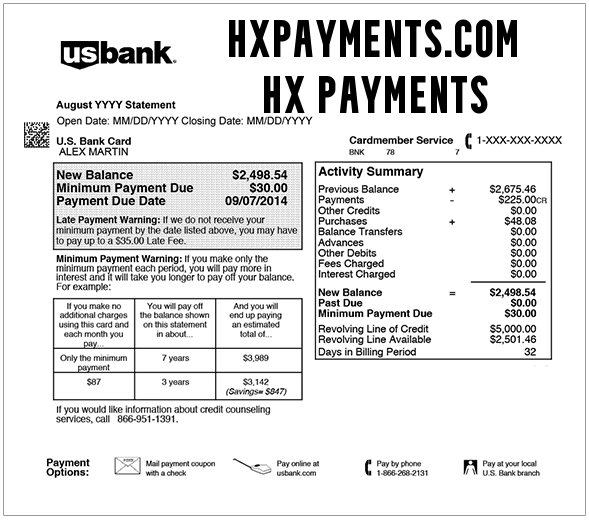
If you see an HXPAYMENTS.COM charge, HX Payments, HXPayments, or HX Payments on bank statement, it is usually connected to a booking made through Holiday Extras. This may include airport parking, airport hotels, airport lounges, travel insurance, car hire, transfers, airport taxis, Fast Track, or another travel add-on.
Consumer Reports and Experiences
Consumers often search for hxpayments, HX Payments, HXPayments.com, HX Payments on bank statement, what is HX Payments on my bank statement, HX Payments Hythe, HXPayments Hythe, HX Payments car parking, PayPal HX Payments, www.hxpayments.com, and 8772835585 after seeing a travel-related charge they do not immediately recognize.
Many cardholders later connect the charge to a Holiday Extras airport parking reservation, hotel-and-parking package, airport lounge pass, travel insurance policy, car hire booking, airport transfer, or travel add-on. Others are confused because the statement may show HXPAYMENTS.COM or HX PAYMENTS instead of “Holiday Extras” or the exact airport, car park, hotel, lounge, or insurance product purchased.
If you recently booked airport parking, a travel insurance policy, a lounge pass, a hotel near an airport, or a UK travel add-on, compare the charge date and amount to your Holiday Extras confirmation before assuming it is unauthorized.
What Is the HXPAYMENTS.COM Charge?
The HXPAYMENTS.COM charge is the way Holiday Extras says card payments may appear on your bank or card statement. Holiday Extras is a travel-services company that sells airport parking, airport hotels, airport lounges, travel insurance, car hire, airport transfers, taxis, Fast Track, rail-to-airport services, and other travel add-ons.
In many cases, the charge is legitimate if you recently booked a travel extra through Holiday Extras, a partner website, or a travel-related booking flow that used Holiday Extras behind the scenes.
Why HX Payments May Appear on Your Statement
- Airport parking: You may have booked parking at or near an airport through Holiday Extras.
- Airport hotel: The charge may relate to a hotel, hotel-and-parking package, or overnight airport stay.
- Airport lounge: You may have purchased lounge access before a flight.
- Travel insurance: The descriptor may relate to a Holiday Extras travel insurance policy.
- Car hire: A car rental or car-hire booking may have been processed through Holiday Extras.
- Airport transfer or taxi: A transfer, taxi, rail-to-airport, or similar travel add-on may create the charge.
- Fast Track or travel extra: Airport Fast Track, UK breaks, or other travel extras may appear under HX Payments.
- Booking through a partner: You may remember booking through an airport, airline, hotel, or travel site, but the payment may still show as HX Payments.
- Refund credit: A refund may appear separately as a credit from HX Payments.
- Unauthorized transaction: If no one recognizes the booking, contact Holiday Extras and your card issuer quickly.
Common HX Payments Statement Variations
The exact descriptor can vary by bank, card network, booking type, location, and payment method. Possible statement variations include:
- HXPAYMENTS.COM
- HX PAYMENTS
- HXPAYMENTS
- HX PAYMENT
- HX PAYMENTS ON BANK STATEMENT
- WHAT IS HX PAYMENTS ON MY BANK STATEMENT
- WWW.HXPAYMENTS.COM
- HX PAYMENTS HYTHE
- HXPAYMENTS HYTHE
- HX PAYMENTS CH
- HX PAYMENTS CAR PARKING
- HX *PARKING
- HX *INSURANCE
- HX *CAR RENTAL
- HX *TRAVEL EXTRAS
- HX *HOLIDAY BOOKING
- HOLIDAY EXTRAS
- HOLIDAY EXTRAS HYTHE
Is HX Payments Holiday Extras?
Yes, in most cases HXPAYMENTS.COM and HX PAYMENTS point to Holiday Extras. Holiday Extras’ own help page says card payments show on statements as HXPAYMENTS.COM, while refund credits may show as HX PAYMENTS.
If you booked through an airport, airline, travel site, insurance flow, or hotel-and-parking package, you may not remember seeing the Holiday Extras name at checkout. Check your email confirmation and travel documents for Holiday Extras, HX, parking, lounge, hotel, insurance, car hire, or transfer wording.
Why Does It Say Hythe?
HX Payments Hythe or HXPAYMENTS Hythe may appear because Holiday Extras is associated with Hythe, Kent in the United Kingdom. A location on a card statement may reflect the company’s office, payment-processing record, or merchant location rather than the airport or hotel you booked.
If you did not travel to Hythe, that does not automatically mean the charge is wrong. Match the amount and date to travel bookings, airport parking, hotel reservations, insurance, or lounge access.
HX Payments Car Parking
Airport parking is one of the most common reasons people see an HX Payments charge. Holiday Extras sells airport parking at many airports and through partner booking flows. The charge may appear when you reserve parking, amend a booking, pay a balance, or purchase cancellation protection or another add-on.
If the charge amount looks unfamiliar, check whether the booking included extra days, cancellation protection, hotel parking, meet-and-greet service, airport transfer, or other add-ons.
What About PayPal HX Payments?
Some users search for PayPal HX Payments. If your statement or PayPal account mentions HX Payments, check both your card statement and PayPal activity. Holiday Extras’ official payment help currently says it accepts major credit and debit cards and does not accept PayPal at the moment, but older bookings, partner flows, or search confusion may still cause people to look for PayPal-related wording.
If PayPal is involved, sign in directly at PayPal.com or the PayPal app and review your activity. Do not rely on links from unexpected emails or texts claiming to be about a travel payment.
How To Identify an HXPAYMENTS.COM Charge
Before disputing the charge, try to match it to a real Holiday Extras booking.
- Search your email: Look for “Holiday Extras,” “HXPAYMENTS,” “HX Payments,” “airport parking,” “airport hotel,” “lounge,” “travel insurance,” “car hire,” “transfer,” and the exact amount.
- Check booking confirmations: Review travel documents, airport parking vouchers, hotel vouchers, lounge passes, insurance documents, and cancellation-protection emails.
- Check the booking manager: Use Holiday Extras’ manage booking tools to find or amend a booking.
- Check the travel date: The charge may post when you book, not when you travel.
- Check pending vs. posted: Holiday Extras says payments may show pending right away and clear within the next few days.
- Check refunds: Refunds may appear as a credit from HX Payments and may take several working days to show.
- Ask other card users: A spouse, travel companion, family member, employee, or authorized user may have booked the travel extra.
- Ask your bank for merchant details: Request the full merchant name, location, phone number, transaction ID, and whether the charge was online, card-present, or recurring.
Holiday Extras Contact and Support Information
If the charge appears connected to Holiday Extras, use official Holiday Extras help routes. Have your booking reference, email address, travel date, product type, charge amount, card last four digits, and statement descriptor ready.
- Holiday Extras website: holidayextras.com
- Holiday Extras Help & Support: Help & Support
- Manage your booking: Manage Booking
- Payment statement help: How Payments Show on a Bank Statement
- Payment timing help: When Payment Is Taken
- Refund help: Holiday Extras Refunds
- Travel insurance phone support: 03331 880 080 for insurance enquiries
- Holiday Extras postal address: Ashford Road, Newingreen, Hythe, Kent CT21 4JF, United Kingdom
Holiday Extras generally directs customers to online help, booking management, and live chat/support flows. Use the official help page rather than random phone numbers shown in search results.
How To Cancel or Change a Holiday Extras Booking
If the HX Payments charge is connected to a travel booking you no longer need, start with Holiday Extras’ manage booking tools.
- Find your booking confirmation email.
- Use your booking reference and email address to access the booking.
- Check whether the booking can be amended or canceled online.
- Review any cancellation protection, voucher, refund, or amendment rules.
- Save screenshots or emails confirming any change or cancellation.
- Monitor your card statement for a refund or credit from HX Payments if applicable.
Refunds and HX Payments Credits
If you receive a refund, it may appear as a credit from HX PAYMENTS rather than the exact product name. Holiday Extras says cash refunds usually take several working days to appear, depending on the payment method and banking process.
If a refund has not arrived, check your cancellation confirmation, refund email, original payment method, and bank processing times before contacting support. If the merchant confirms a refund but your bank does not show it, ask your bank to trace the credit.
What To Do If the Amount Looks Wrong
If you recognize Holiday Extras but the amount looks wrong, check the details of your booking.
- Review whether the booking included parking, hotel, lounge, insurance, transfers, cancellation protection, or other add-ons.
- Check whether a voucher, discount, or credit was applied.
- Check whether you amended the booking or changed dates.
- Check whether the payment is pending or posted.
- Look for a refund or credit that may post separately.
- Contact Holiday Extras support if the final amount does not match your confirmation.
- Contact your card issuer if the charge is duplicated or cannot be resolved by the merchant.
What To Do If You Do Not Recognize the Charge
If you do not remember using Holiday Extras or booking any travel extras, act quickly.
- Search your email and calendar for travel bookings, airport parking, hotels, lounges, insurance, and car hire.
- Ask family members, employees, or travel companions if they used your card.
- Check whether the charge is pending or posted.
- Ask Holiday Extras whether a booking can be located by amount, date, and card details.
- Ask your bank for the merchant record and transaction ID.
- Dispute the charge if no one authorized it.
- Ask your card issuer whether your card should be replaced if fraud is suspected.
Travel Booking Scam Warning
Be cautious with fake airport parking sites, fake travel insurance offers, fake hotel-and-parking packages, fake cancellation emails, and scam customer-service numbers. Travel bookings are a common area for phishing because consumers may be in a hurry before a trip.
Use HolidayExtras.com, your official booking confirmation, and your card issuer’s phone number. Do not provide your full card number, bank password, one-time security code, passport details, or personal information to someone who contacts you unexpectedly.
Is HXPAYMENTS.COM a Scam?
The HXPAYMENTS.COM descriptor itself is usually not a scam when it matches a Holiday Extras booking. Holiday Extras officially says card payments may appear as HXPAYMENTS.COM on a bank statement.
However, if you do not recognize the booking, cannot find a confirmation, or see a charge after visiting an unfamiliar travel site, treat it as suspicious. Contact Holiday Extras and your card issuer promptly.
Frequently Asked Questions
What is HX Payments on my bank statement?
HX Payments on a bank statement is usually connected to Holiday Extras. It may be for airport parking, an airport hotel, airport lounge access, travel insurance, car hire, transfers, or another travel extra.
What is HXPAYMENTS.COM?
HXPAYMENTS.COM is the statement descriptor Holiday Extras says may appear when you pay by credit or debit card for a booking.
What is HX Payments Hythe?
HX Payments Hythe likely refers to Holiday Extras, which is associated with Hythe, Kent in the United Kingdom. The location may be a company or processing location, not necessarily your travel destination.
What is HX Payments car parking?
HX Payments car parking usually means an airport parking reservation or parking-related travel booking through Holiday Extras.
Why did I receive a credit from HX Payments?
A credit from HX Payments may be a Holiday Extras refund. Refunds may appear under HX Payments instead of the original product or booking name.
Can I contact Holiday Extras by phone?
Holiday Extras generally directs customers to its Help & Support and live chat/booking-management tools. For travel insurance enquiries, Holiday Extras lists 03331 880 080.
Should I dispute an HX Payments charge?
If the charge matches a Holiday Extras booking, a dispute may not be needed. If you cannot identify the booking, no one authorized it, or the merchant cannot resolve it, contact your card issuer and ask about a dispute.
Related Credit Card and Bank Charges
Travel, booking, online-payment, insurance, and international merchant descriptors can be confusing because statements may show a payment website, booking partner, phone number, location, or abbreviated merchant name instead of the travel product purchased.
- TRAVEL RESERVATION 877-283-5585
- ETS Public du Musee du Charge
- WWWVTSUPCOM Amsterdam Charge
- 2CO.com Charge on Credit Card
- Meta PPGF Charge
- CARDMEMBER SERV WEB PYMT Charge
- AOL Gallatin Classic Charge
Why Trust ChargeOnMyCard.com?
ChargeOnMyCard.com helps consumers research confusing credit card, debit card, travel, booking, insurance, online-payment, and bank-statement descriptors using available company information, official resources, payment clues, and reports from cardholders. Our goal is to help readers understand what a charge may be, how to verify it, and when to contact the merchant, travel provider, bank, or card issuer.
Share Your Experience
Have you seen an HXPAYMENTS.COM, HX Payments, HX Payments Hythe, HX Payments car parking, HX Insurance, or Holiday Extras-style charge on your credit card, debit card, or bank statement? Please share the exact descriptor, amount, whether it matched a parking, hotel, lounge, insurance, car hire, or travel booking, and how you resolved it. Your report may help another reader identify a legitimate booking, refund credit, duplicate charge, or unauthorized transaction.
Disclaimer
ChargeOnMyCard.com is an independent consumer information website and is not affiliated with Holiday Extras, HXPAYMENTS.COM, HX Payments, any airport, any hotel, any insurer, any car hire provider, or any company mentioned. Information is provided for educational purposes only and is not travel, insurance, financial, or legal advice. Always verify unfamiliar charges directly with the merchant shown on your transaction record, Holiday Extras, your bank, or your card issuer before taking action.