
An ABC*GOLD S GYM charge on your credit card, debit card, checking account, or bank statement may be connected to a Gold’s Gym membership payment, monthly dues, annual fee, enrollment fee, personal training payment, cancellation balance, refund, or billing handled through ABC Fitness / ABC Financial. The charge may appear as “ABC*GOLD S GYM,” “ABC Golds Gym,” “ABC Financial Golds Gym,” or another shortened gym-billing descriptor.
If you currently have or recently had a Gold’s Gym membership, this charge may be legitimate. If you do not recognize it, verify the home gym location, membership agreement, billing date, payment method, and authorized card users before disputing the transaction.
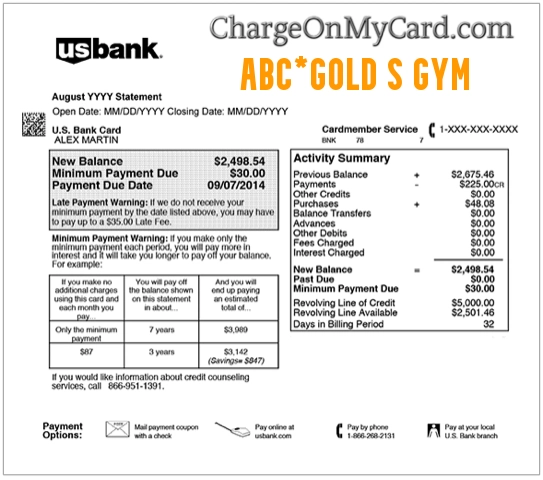
What Is the ABC*GOLD S GYM Charge on a Credit Card?
The ABC*GOLD S GYM charge usually refers to a Gold’s Gym membership or gym-related payment processed through ABC Fitness, formerly known to many consumers as ABC Financial. ABC Fitness provides billing, account management, and member payment tools for many gyms and fitness facilities.
The “ABC” part of the descriptor may refer to the billing provider, while “GOLD S GYM” points to Gold’s Gym. This can be confusing because your statement may show ABC Fitness or ABC Financial billing language instead of only showing the name of your local Gold’s Gym location.
Common ABC*GOLD S GYM Statement Descriptor Variations
The wording may vary depending on your bank, gym location, membership agreement, billing provider, or payment method. Possible variations include:
- ABC*GOLD S GYM
- ABC GOLD S GYM
- ABC GOLDS GYM
- ABC GOLD’S GYM
- ABC FITNESS GOLD’S GYM
- ABC FINANCIAL GOLDS GYM
- ABC*GOLDS
- GOLD’S GYM ABC
- GOLDS GYM MEMBERSHIP
- GOLD’S GYM BILLING
- MYICLUBONLINE GOLD’S GYM
- CHKCARD ABC*GOLD S GYM
- CHECKCARD ABC*GOLD S GYM
- POS Debit ABC*GOLD S GYM
- POS PURCHASE ABC*GOLD S GYM
- PRE-AUTH ABC*GOLD S GYM
- PENDING ABC*GOLD S GYM
Why ABC*GOLD S GYM May Appear on Your Statement
An ABC*GOLD S GYM charge may appear for several reasons:
- You paid monthly Gold’s Gym membership dues.
- An automatic membership payment processed through ABC Fitness or ABC Financial.
- You paid an enrollment fee, annual fee, maintenance fee, or club enhancement fee.
- You purchased personal training, classes, amenities, or other club services.
- A past-due balance, failed-payment retry, or late fee processed.
- A cancellation request did not take effect before the next billing cycle.
- A membership freeze, reactivation, or account change created a charge.
- A refund, partial refund, or billing correction appeared.
- A spouse, family member, employee, or authorized card user paid the membership.
- The charge is incorrect, duplicated, or unauthorized.
ABC Fitness, ABC Financial, and MYiCLUBonline
Many users search for ABC Financial Golds Gym or ABC Fitness Gold’s Gym after seeing this charge because ABC may appear as the billing provider. ABC Fitness’s MYiCLUBonline system allows gym members to manage account information, review billing, make payments, and access membership tools when their gym uses that system.
If you see ABC*GOLD S GYM on your statement, check both your Gold’s Gym account and any MYiCLUBonline account tied to your membership. Your local gym may also be the best contact because billing, cancellation, freezes, refunds, and membership terms can vary by location.
Official Gold’s Gym and ABC Fitness Contact Information
For billing, cancellation, refund, or membership questions, start with your home Gold’s Gym location and your membership agreement. Some Gold’s Gym locations are franchised or independently operated, so the correct support path may depend on where you joined.
- Gold’s Gym Website: GoldsGym.com
- Find Your Gold’s Gym Location: Gold’s Gym Locations
- Gold’s Gym Cancellation Request: Gold’s Gym Cancellation Request
- MYiCLUBonline Login: MYiCLUBonline
- ABC Fitness Member Support: ABC Fitness Member Contact
- ABC Fitness Member Support Phone: 888-827-9262
- Gold’s Gym Mailing Address Listed in Privacy Notice: 5420 Lyndon B. Johnson FWY, Suite 300, Dallas, TX 75240
When contacting support, have your gym location, membership barcode or agreement number, transaction date, amount, descriptor, email address, phone number on the membership, and the last four digits of the payment method ready. Do not provide your full card number, bank login, password, Social Security number, or one-time security code.
How to Verify an ABC*GOLD S GYM Charge
Use these steps before filing a dispute:
- Check your Gold’s Gym membership. Confirm the home gym location, membership status, billing date, and agreement terms.
- Log in to MYiCLUBonline if available. Review billing history, payments due, saved payment methods, and membership details.
- Search your email. Look for “Gold’s Gym,” “ABC Fitness,” “ABC Financial,” “MYiCLUBonline,” “membership,” “billing,” “dues,” “annual fee,” or the exact charge amount.
- Compare the amount. Include monthly dues, annual fees, maintenance fees, enrollment fees, personal training, late fees, or failed-payment retries.
- Check cancellation timing. Some memberships require notice before the next billing date, and cancellation rules may vary by location.
- Ask authorized users. A spouse, family member, employee, or household user may have used your payment method for a gym membership.
- Contact your home gym. Ask whether the charge matches your membership, cancellation status, freeze, personal training, or account balance.
- Contact ABC Fitness if needed. If ABC Fitness is the billing provider, member support may help you identify the account or payment record.
- Contact your card issuer if still unknown. Your bank may be able to provide authorization details, merchant category, and dispute options.
What If You Cancelled Gold’s Gym but Still Got Charged?
If you cancelled or tried to cancel but still see an ABC*GOLD S GYM charge, check the cancellation rules for your specific gym location and membership agreement. Gold’s Gym’s cancellation page says each location manages cancellations individually, so the required process may vary by gym owner or franchise.
Ask your home gym or ABC Fitness billing support to confirm the cancellation effective date, final billing date, notice period, and whether any annual fee, past-due balance, freeze fee, or personal training balance remained. Keep copies of cancellation forms, emails, receipts, certified mail records, support tickets, and confirmation numbers.
What to Do If the ABC*GOLD S GYM Charge Is Unauthorized
If you cannot connect the ABC*GOLD S GYM charge to a Gold’s Gym membership, ABC Fitness billing account, cancellation balance, refund, family member, or authorized card user, contact your bank or card issuer promptly.
- Lock or freeze your card if your bank offers that option.
- Call the number on the back of your card.
- Ask whether the transaction was recurring, online, phone-based, manually entered, ACH-based, or card-present.
- Request the full merchant details tied to the authorization.
- Ask whether any additional gym, fitness, or subscription charges were attempted.
- Contact your local Gold’s Gym and ask whether your card is tied to any membership you do not recognize.
- Contact ABC Fitness member support if ABC appears as the billing provider.
- Request a replacement card if your card details may have been compromised.
- Dispute the charge if it was unauthorized, duplicated, incorrect, or cannot be verified.
If the charge is still pending, your bank may ask you to wait until it posts before opening a formal dispute. Continue monitoring your account while you verify the transaction.
FAQs About ABC*GOLD S GYM Charges
What does ABC*GOLD S GYM mean on my credit card?
ABC*GOLD S GYM usually means a Gold’s Gym membership or gym-related charge processed through ABC Fitness / ABC Financial billing. It may relate to monthly dues, annual fees, personal training, cancellation timing, or account balances.
Is ABC Financial Golds Gym a legitimate charge?
It may be legitimate if you or an authorized user has a Gold’s Gym membership and the club uses ABC Fitness or ABC Financial for billing. If no one recognizes it, verify the account with your home gym, ABC Fitness, and your card issuer.
Why does the charge say ABC instead of Gold’s Gym only?
ABC Fitness provides billing and member-management services for gyms. Your bank statement may show both the billing provider and the gym name instead of only showing the local Gold’s Gym location.
How do I cancel a Gold’s Gym membership?
Cancellation rules can vary by location and agreement. Start with your home gym and the Gold’s Gym cancellation request page. If your membership is managed through MYiCLUBonline or ABC Fitness, review your account there as well.
Why was I charged after cancelling Gold’s Gym?
The charge may relate to the notice period, final billing cycle, annual fee, past-due balance, failed-payment retry, freeze fee, personal training balance, or a cancellation that was not completed before the next billing date.
What is MYiCLUBonline?
MYiCLUBonline is an ABC Fitness member account portal used by some gyms. Members may be able to review billing history, update account information, make payments, and manage certain membership details.
Should I dispute an ABC*GOLD S GYM charge?
Dispute the charge if you confirm it was unauthorized, duplicated, incorrect, or cannot be matched to a Gold’s Gym membership, ABC Fitness billing account, cancellation balance, refund, or authorized card user.
Related Charge Guides
- Zigu MX Fitness XR Fitness Membership Charge
- 4TE CORE FIT GYM Billing and Cancellation Help
- CVS PHARMACY Charge on Credit Card
- GNC Charge on Credit Card
- Klarna Charge on Credit Card
- PAYPAL INST XFER Charge on Bank Statement
- 402-935-7733 PayPal Charge
Share Your Experience
Did an ABC*GOLD S GYM, ABC Golds Gym, ABC Financial Golds Gym, ABC Fitness Gold’s Gym, MYiCLUBonline, or Gold’s Gym membership charge appear on your credit card, debit card, checking account, PayPal account, Apple Pay, Google Pay, or bank statement? Share the exact descriptor, amount range, gym location if relevant, and whether it was connected to membership dues, cancellation, annual fees, personal training, refund, or unauthorized activity.
Privacy reminder: Do not post your full card number, bank account number, membership barcode, agreement number, address, email address, phone number, password, date of birth, driver’s license number, or other private information in the comments.
Why Trust ChargeOnMyCard.com?
ChargeOnMyCard.com helps consumers identify confusing credit card, debit card, ACH, bank statement, gym-membership, subscription, PayPal, mobile wallet, and payment processor descriptors. Our goal is to explain what a charge may be, how to verify it safely, and what steps to take if the transaction is unfamiliar, recurring, incorrect, duplicated, delayed, pending, or unauthorized.
Disclaimer
ChargeOnMyCard.com is not affiliated with Gold’s Gym, ABC Fitness Solutions, ABC Financial, MYiCLUBonline, any Gold’s Gym franchise, PayPal, Apple, Google, any bank, any card issuer, or any payment processor. This guide is for informational purposes only. Always verify charges directly with your gym, billing provider, or financial institution if you believe a transaction is unauthorized or incorrect.