
A WP HOSTELWORLD.COM charge on your credit card, debit card, PayPal account, or bank statement may be connected to a Hostelworld booking, hostel reservation deposit, booking fee, cancellation, refund, currency conversion, or a separate charge related to a hostel stay. The descriptor can look confusing because it may show as WP HOSTELWORLD.COM, Hostelworld, Hostelworld Internet, or a shortened version of the booking platform name.
If you recently booked a hostel, changed travel plans, reserved a bed or room, cancelled a booking, or gave card details through Hostelworld, the charge may be legitimate. If you do not recognize it, compare the amount, booking date, destination, hostel name, and confirmation email before disputing the transaction.
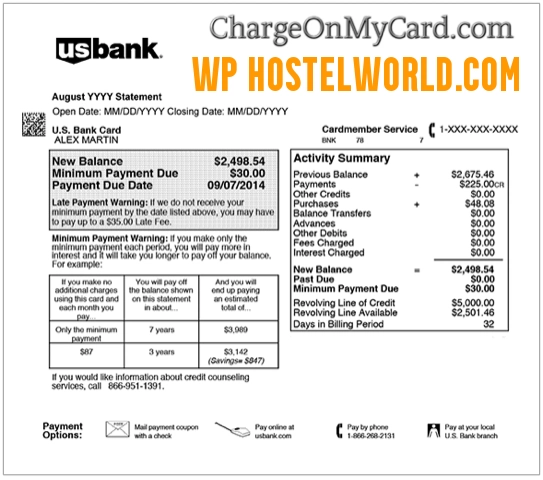
What Is the WP HOSTELWORLD.COM Charge on a Credit Card?
The WP HOSTELWORLD.COM charge is most likely associated with Hostelworld, a travel-booking platform used to reserve hostels and other budget accommodations. The charge may be related to a booking deposit, booking fee, cancellation, refund, or reservation activity.
Hostelworld bookings can be confusing because the charge on your card may not always equal the full cost of your stay. In many cases, Hostelworld may process a deposit or booking-related amount, while the remaining balance may be paid directly to the hostel or property. That means you may see one charge from Hostelworld and a separate charge from the hostel.
Common WP HOSTELWORLD.COM Statement Descriptor Variations
The charge may appear in several ways depending on your bank, card issuer, currency, payment processor, or booking type:
- WP HOSTELWORLD.COM
- WP HOSTELWORLD COM
- HOSTELWORLD.COM
- HOSTELWORLD INTERNET
- HOSTELWORLD
- HOSTELWORLD DUBLIN
- HOSTELWORLD IRELAND
- HOSTELWORLD BOOKING
- HOSTELWORLD DEPOSIT
- HOSTELWORLD FEE
- PENDING HOSTELWORLD
- POS PURCHASE HOSTELWORLD
- CHKCARD HOSTELWORLD
- CHECKCARD HOSTELWORLD
- HOSTELWORLD REFUND
Why WP HOSTELWORLD.COM May Appear on Your Statement
A WP HOSTELWORLD.COM charge may appear for several reasons:
- You booked a hostel or accommodation through Hostelworld.
- You paid a booking deposit or booking fee.
- You made a Free Cancellation, Flexible, Non-Flexible, or Non-Refundable booking.
- You changed or cancelled a booking and a refund, voucher, or adjustment was processed.
- A hostel charged your card separately for the remaining balance, late cancellation, or no-show fee.
- A currency conversion changed the final amount shown by your bank.
- You used a card to guarantee a reservation.
- A travel companion, family member, employee, or authorized card user made the booking.
- A pending authorization appeared before the final amount posted.
- The charge is incorrect, duplicated, or unauthorized.
Why the Hostel May Charge You Separately
Hostelworld may process only part of the booking cost, such as a deposit or booking-related amount. The hostel or property may separately charge the remaining balance, cancellation fee, no-show fee, taxes, local fees, or other stay-related charges.
If your card statement shows both Hostelworld and the hostel name, compare the charges with your booking confirmation email. The confirmation email may include the hostel contact details, cancellation policy, balance due, local currency, and payment instructions.
Official Hostelworld Contact Information
For booking questions, unexpected charges, deposit questions, refunds, cancellations, or account help, use official Hostelworld support channels.
- Official Website: Hostelworld.com
- Hostelworld Help Centre: Hostelworld Help Centre
- Contact Form: Submit a request to Hostelworld
- Customer Service Email: customerservice@hostelworld.com
- Irish Head Office / Trading Address: Hostelworld, 8 Harcourt Street, Dublin, D02 AF58, Ireland
Hostelworld’s help form says not to enter credit card details, usernames, or passwords in the form. When contacting support, provide the booking reference if available, charge date, amount, descriptor, email address used for the booking, destination, hostel name, and the last four digits of the card only.
How to Verify a WP HOSTELWORLD.COM Charge
Before disputing the charge, use these steps to confirm whether it matches a real booking or travel transaction:
- Search your email. Look for “Hostelworld,” “hostel,” “booking confirmation,” “deposit,” “reservation,” “cancelled booking,” or the exact charge amount.
- Check your Hostelworld account. Review current bookings, cancelled bookings, booking references, vouchers, and refund status.
- Compare the amount. Hostelworld may charge a deposit or booking fee, while the hostel may charge the remaining balance separately.
- Check the destination and dates. Match the charge to your travel dates, hostel name, city, and arrival date.
- Review cancellation rules. Late cancellations, no-shows, and non-refundable bookings may result in charges.
- Check the currency. Exchange rates and foreign transaction fees can make the amount differ from what you expected.
- Ask travel companions or authorized card users. Someone else may have booked using your card or account.
- Contact Hostelworld. If the charge is from Hostelworld, use the official help center, chat, or contact form.
- Contact the hostel directly if needed. If the charge came from the property, use the contact details in your booking confirmation email.
- Contact your bank if still unknown. Your card issuer may be able to provide merchant category, authorization method, and dispute options.
What to Do If the Charge Is a Cancellation, No-Show, or Refund Issue
If the charge appears after a cancelled booking or missed stay, check your booking type and the property’s cancellation rules. Some bookings allow free cancellation before a deadline, while others are non-refundable or may allow the property to charge for a late cancellation or no-show.
For refund questions, keep copies of your confirmation email, cancellation email, voucher details, chat messages, and any communication from the hostel. If Hostelworld processed the payment, start with Hostelworld support. If the hostel charged your card directly, contact the property first using the details in your confirmation email.
What to Do If the WP HOSTELWORLD.COM Charge Is Unauthorized
If you cannot connect the WP HOSTELWORLD.COM charge to a booking, deposit, hostel stay, cancellation, refund, travel companion, or authorized card user, treat it as a potentially unauthorized transaction.
- Lock or freeze your card if your bank offers that option.
- Change your Hostelworld password if you have an account.
- Check your email for unknown booking confirmations or login alerts.
- Contact Hostelworld through the official help center or contact form.
- Call the number on the back of your card if you believe the card was used without permission.
- Ask your bank whether the transaction was online, recurring, mobile-wallet based, manually entered, or card-present.
- Request a replacement card if your card details may have been compromised.
- Dispute the charge if it was unauthorized, duplicated, incorrect, or cannot be verified.
If the charge is still pending, your bank may ask you to wait until it posts before opening a formal dispute. Continue monitoring your account while you gather details.
FAQs About the WP HOSTELWORLD.COM Charge
What does WP HOSTELWORLD.COM mean on my credit card?
WP HOSTELWORLD.COM likely refers to a Hostelworld booking, deposit, booking fee, travel reservation, cancellation, refund, or related hostel booking activity. Your bank may shorten the descriptor, so it may not clearly show the full booking details.
Is WP HOSTELWORLD.COM a legitimate charge?
It may be legitimate if you or an authorized card user booked a hostel through Hostelworld, paid a deposit, cancelled a booking, or used the card to guarantee a reservation. If no one recognizes the charge, verify it with Hostelworld and your card issuer.
Why did Hostelworld charge me and the hostel also charged me?
Hostelworld may charge a deposit or booking-related amount, while the hostel may charge the remaining balance, local taxes, cancellation fees, or no-show fees separately. Check your confirmation email and the hostel’s payment terms.
Why does the amount look different from my booking?
The amount may differ because of currency conversion, exchange-rate changes, taxes, booking fees, deposit-only charges, local property charges, or foreign transaction fees from your bank.
How do I contact Hostelworld about an unexpected charge?
Use the official Hostelworld Help Centre, contact form, or in-app chat. Include a screenshot of the charge, but do not send your full card number, username, password, or other sensitive account details.
Can I get a refund from Hostelworld?
Refund options depend on the booking type, cancellation timing, property policy, and whether the payment was processed by Hostelworld or the hostel directly. Check your booking confirmation and contact the correct support channel.
Should I dispute a WP HOSTELWORLD.COM charge?
Dispute the charge if you confirm it was unauthorized, duplicated, incorrect, or cannot be matched to a real booking, cancellation, refund, hostel stay, or authorized card user. If it may be legitimate, contact Hostelworld or the property first when possible.
Related Charge Guides
- TELECHARGE SVCE Charge on Credit Card
- Klarna Charge on Credit Card
- PAYPAL INST XFER Charge on Bank Statement
- 402-935-7733 PayPal charge
Share Your Experience
Did a WP HOSTELWORLD.COM, Hostelworld Internet, Hostelworld, hostel deposit, or related travel-booking charge appear on your credit card, debit card, PayPal account, Apple Pay, Google Pay, or bank statement? Share the exact descriptor, amount range, destination if relevant, and whether it was connected to a booking, deposit, cancellation, refund, hostel charge, or unauthorized transaction.
Privacy reminder: Do not post your full card number, bank account number, booking reference, passport details, email address, phone number, travel itinerary, password, or other private information in the comments.
Why Trust ChargeOnMyCard.com?
ChargeOnMyCard.com helps consumers identify confusing credit card, debit card, ACH, bank statement, PayPal, travel-booking, mobile wallet, and payment processor descriptors. Our goal is to explain what a charge may be, how to verify it safely, and what steps to take if the transaction is unfamiliar, incorrect, duplicated, delayed, or unauthorized.
Disclaimer
ChargeOnMyCard.com is not affiliated with Hostelworld, Hostelworld Group, any hostel, travel property, payment processor, bank, card issuer, PayPal, Apple, or Google. This guide is for informational purposes only. Always verify charges directly with Hostelworld, the hostel/property, or your financial institution if you believe a transaction is unauthorized or incorrect.