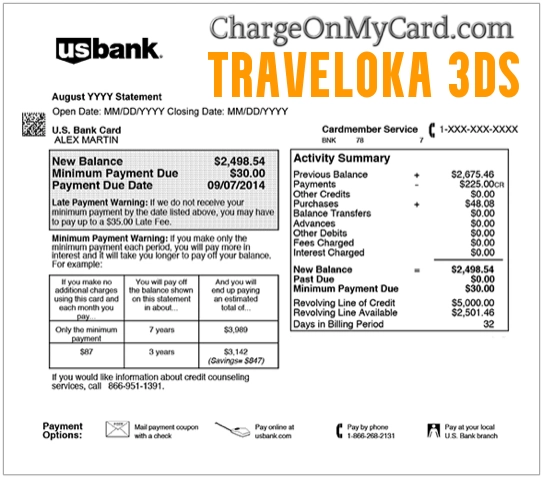
A TRAVELOKA3DS charge on your credit card, debit card, or bank statement usually appears to be connected with a travel booking processed through Traveloka. Traveloka provides booking services for flights, hotels, activities, car rentals, airport transfers, and other travel products.
The descriptor may appear as TRAVELOKA3DS, Traveloka 3DS, or TRAVELOKA3DS* followed by a string of numbers. The letters 3DS most plausibly refer to 3-D Secure, an online card-authentication system. However, the presence of 3DS does not by itself prove that you personally approved the transaction.
What Is the TRAVELOKA3DS Charge on My Credit Card?
The strongest available transaction evidence connects TRAVELOKA3DS with Traveloka, an online travel-booking platform.
The charge could involve:
- An airline ticket
- A hotel, resort, apartment, or other accommodation booking
- An attraction, tour, activity, or admission ticket
- A car-rental reservation
- An airport-transfer booking
- A train, bus, or other transportation booking in a supported market
- A booking made for another traveler
- A booking made by another authorized card user
- A previously attempted payment that was later processed
- An unauthorized online transaction
Traveloka may collect or facilitate payment for a separate airline, hotel, transportation provider, or activity supplier. The supplier name you remember may therefore differ from the Traveloka wording shown on the card statement.
What Does 3DS Mean in TRAVELOKA3DS?
3DS most likely refers to 3-D Secure, an authentication process used for online card transactions.
Depending on the card issuer and the transaction, 3-D Secure authentication may involve:
- A confirmation inside the issuer’s banking app
- A one-time passcode sent by text or another approved method
- A password or biometric confirmation
- A background risk assessment completed without an additional prompt
The authentication process is intended to help the merchant and card issuer determine whether the person making an online purchase is an authorized card user.
However, a TRAVELOKA3DS descriptor does not conclusively establish:
- Who entered the card information
- Who received the travel booking
- Whether an authentication prompt was displayed
- Whether someone else had access to the card, phone, email, or banking app
- Whether the cardholder recognizes or authorized the purchase
If you did not make a Traveloka purchase, treat the entry as an unexplained card transaction even though the descriptor includes 3DS.
Common Traveloka Statement Variations
A Traveloka transaction may appear in formats such as:
- TRAVELOKA3DS
- TRAVELOKA 3DS
- TRAVELOKA3DS*REFERENCE
- TRAVELOKA*REFERENCE
- TRAVELOKA JAKARTA
- TRAVELOKA JAKARTA IDN
- TRAVELOKA VIET NAM
- CHECKCARD TRAVELOKA3DS
- CHKCARD TRAVELOKA3DS
- POS DEBIT TRAVELOKA3DS
- PENDING TRAVELOKA3DS
- DECLINED TRAVELOKA3DS
Banks can shorten, capitalize, space, or add location and transaction-status wording to merchant descriptors.
What Are the Numbers After TRAVELOKA3DS?
The digits following an asterisk may be an internal transaction, payment, or booking reference.
For example:
TRAVELOKA3DS*123456789
Copy the complete descriptor before contacting Traveloka or the card issuer. The reference may help distinguish the transaction, but it should not be posted publicly because it may relate to a private booking or payment record.
Is Traveloka a Legitimate Company?
Traveloka is a real online travel platform offering flight, accommodation, activity, transportation, and other travel-booking services in multiple countries.
A legitimate company name on a statement does not prove that a particular charge was authorized. Card information could have been:
- Used by another authorized cardholder
- Saved in a shared Traveloka account
- Entered by a family member or traveling companion
- Stored on a shared browser, phone, or tablet
- Used without the cardholder’s permission
Verify the booking rather than assuming that every TRAVELOKA3DS charge is either valid or fraudulent.
Why Did Traveloka Charge My Card?
You Booked a Flight
The charge may be for an airline ticket purchased through Traveloka.
Check:
- Your Traveloka Bookings section
- Your email for an e-ticket
- The passenger names
- The airline and travel dates
- Optional baggage, seat, meal, or protection charges
- Whether the amount was charged in a different currency
The card descriptor may show Traveloka rather than the airline.
You Reserved a Hotel or Other Accommodation
A hotel, resort, apartment, villa, or guesthouse reservation may also generate a Traveloka charge.
Review:
- The hotel voucher
- The check-in and check-out dates
- Whether the booking was prepaid or payable at the property
- Taxes and service fees
- The cancellation and refund conditions
- Whether the hotel separately placed a deposit or authorization
A charge from Traveloka and a separate temporary hotel deposit are not necessarily duplicates.
You Purchased an Activity or Transportation Service
The transaction could also involve:
- An attraction ticket
- A guided tour
- A theme park or event admission
- An airport transfer
- A car rental
- A train, bus, or ferry booking
- Another travel-related service offered in the applicable market
Check each booking individually if several travelers or services were purchased for the same trip.
Someone Else Made the Booking
The transaction may have been made by:
- A spouse or partner
- A family member
- A traveling companion
- An employee arranging business travel
- Another authorized cardholder
- Someone using a shared Traveloka account or device
Ask all authorized users before reporting the transaction as fraudulent.
The Final Amount Differs From the Price You Remember
The posted amount can differ because of:
- Taxes or service fees
- Currency conversion
- A foreign-transaction fee imposed by the card issuer
- Optional travel products
- A change to the reservation
- A partial payment or separate booking component
- A temporary authorization being replaced by a completed charge
Compare the amount shown in the Traveloka confirmation with the base transaction and any separate fee charged by the bank.
How to Identify a TRAVELOKA3DS Charge
Use the following steps before canceling a reservation or filing a card dispute:
- Copy the complete descriptor, including every number after the asterisk.
- Record the amount, date, currency, and whether the entry is pending, declined, reversed, or completed.
- Log in to Traveloka through the official app or website.
- Open the Bookings or My Booking section.
- Compare the card charge with every flight, hotel, activity, and transportation reservation.
- Search all email accounts for “Traveloka,” the exact amount, the travel date, and any booking or e-ticket number.
- Check spam, junk, deleted, and archived email folders.
- Ask family members, traveling companions, and other authorized cardholders.
- Review banking-app notifications, text messages, and authentication alerts from the transaction date.
- Contact Traveloka through its official support routes if the booking remains unclear.
- Contact the card issuer promptly if no authorized booking can be located.
Do not post a booking number, e-ticket number, full merchant reference, card digits, passenger information, email address, or travel itinerary in the comments.
Is TRAVELOKA3DS a Recurring Subscription?
A normal Traveloka booking is generally a one-time travel transaction rather than a monthly subscription.
Several Traveloka charges could represent:
- Separate flight and hotel bookings
- Tickets for multiple travelers
- Several activities or transfers
- A failed payment followed by a successful retry
- A pending authorization followed by the completed payment
- A modification to an existing booking
- Duplicate processing
- Repeated unauthorized attempts
Look up each charge separately instead of assuming they all relate to one reservation.
What Is a Pending or Declined Traveloka3DS Charge?
A pending transaction has been authorized but may not yet be fully posted. It could:
- Become a completed purchase
- Disappear if the booking failed
- Be reversed and replaced by a different final amount
- Remain temporarily while Traveloka or the issuer confirms payment
A declined TRAVELOKA3DS entry may indicate that:
- The issuer rejected the purchase
- The authentication was unsuccessful
- The billing details did not match
- The available balance or credit was insufficient
- The bank considered the transaction unusual
- Someone attempted to use the card without permission
Even when the transaction was declined, contact the card issuer if you did not initiate it. An unexplained attempt can indicate that the card details should be reviewed or replaced.
How to Cancel a Traveloka Booking
Cancellation options depend on the product, supplier, fare, room rate, booking status, and applicable terms.
Cancel or Request a Flight Refund
Traveloka generally instructs customers to:
- Log in to the Traveloka account.
- Open the applicable e-ticket from the Bookings section.
- Select the refund option.
- Check whether the ticket is eligible for the selected refund reason.
- Review the estimated refund amount and processing time.
- Provide the requested passenger and payment information.
- Submit the refund request.
- Save the email confirmation and monitor the request status.
Airline rules may permit a full refund, partial refund, credit, rescheduling, or no refund.
Cancel or Request a Hotel Refund
For an eligible accommodation booking:
- Open My Booking.
- Select the applicable hotel or accommodation reservation.
- Review the cancellation and refund policy.
- Select Refund or the available booking-management option.
- Confirm the room or unit being canceled.
- Submit the request and save the confirmation.
A cancellation fee may apply. Refund processing can depend on approval from the hotel or accommodation provider.
Other Travel Products
Cancellation rules for activities, transfers, car rentals, train tickets, and other travel products can differ. Open the individual booking and review its specific terms before canceling.
Canceling the payment card does not necessarily cancel the underlying reservation or relieve the traveler of the booking terms.
Can I Get a Refund From Traveloka?
Refund eligibility depends on:
- The airline, hotel, or other supplier
- The fare or room policy selected at checkout
- The reason for cancellation
- The time remaining before departure, check-in, or use
- Whether the supplier canceled or significantly changed the service
- Whether a special refund option was purchased
- Whether the booking has already been used
When requesting a refund:
- Open the matching booking.
- Review its refund eligibility and estimated amount.
- Submit the request through Traveloka’s official booking system.
- Save the booking number and refund confirmation.
- Ask whether the refund will return to the original payment method.
- Monitor the card for the credit.
- Contact Traveloka if the expected processing period has passed.
Cancellation does not automatically guarantee a full refund. A supplier may deduct a cancellation fee or determine that the booking is nonrefundable.
Current Official Traveloka Support
Use the contact options displayed on Traveloka’s official website for your location.
- Official website: Traveloka
- Help Center: Traveloka Help Center
- Contact page: Contact Traveloka
- Current telephone list: Traveloka regional call centers
- United States: +1 213-458-7872
- Global call center: +44 20 4625 1617
- Indonesia: +62 21 30122077
- Australia: +61 7 3071 2228
- Email: cs@traveloka.com
Telephone availability and regional numbers can change. Confirm the number on Traveloka’s official contact page before calling.
When contacting Traveloka, have available:
- The booking or e-ticket number, if found
- The full statement descriptor
- The date, amount, and currency
- The passenger or guest name
- The email address that may have been used
- Only the limited card information requested through an official secure channel
Never send a full card number, CVV, banking password, PIN, or one-time passcode through ordinary email.
What If I Never Used Traveloka?
If neither you nor another authorized person recognizes the transaction:
- Confirm whether it is pending, declined, reversed, or completed.
- Take a screenshot and save the complete descriptor.
- Search all email accounts and Traveloka accounts.
- Ask other cardholders and household members.
- Review any authentication or one-time-code messages received on the transaction date.
- Contact Traveloka through the official website and ask whether the payment reference can be matched to a booking.
- Do not provide sensitive information to an incoming caller claiming to be Traveloka.
- Lock the card if additional attempts are appearing.
- Call the issuer using the number printed on the card or shown in its official app.
- Report that you did not authorize the transaction.
- Ask whether the issuer recommends replacing the card number.
- Continue monitoring the account for related attempts.
A declined attempt should still be reported when you did not initiate it.
Should I Contact Traveloka Before Disputing the Charge?
Contacting Traveloka first may help when:
- You recognize the traveler but not the descriptor
- You need to identify the supplier
- The amount differs from the confirmation
- You need to cancel an eligible booking
- You are requesting a normal supplier refund
- You suspect a duplicate payment
Contact the card issuer immediately when:
- No authorized booking can be found
- The card is being used repeatedly
- The attempted charge was declined but unexplained
- You received an authentication code for a purchase you did not make
- The card or account credentials may be compromised
- Traveloka cannot identify or resolve the payment
- A bank reporting deadline may be approaching
A bank dispute and a supplier cancellation are separate processes. Confirm that an actual travel reservation is canceled when one exists, even if you also dispute the payment.
Credit Card and Debit Card Dispute Guidance
Official consumer guidance is available from:
- CFPB credit-card dispute guidance
- FTC credit-card billing and dispute guidance
- CFPB unauthorized debit and bank-transaction guidance
Reporting deadlines, investigation procedures, and potential liability can differ between credit cards, debit cards, prepaid cards, and bank accounts. Follow the instructions provided by the applicable issuer.
Watch Out for Fake Traveloka Support
Use Traveloka’s official website, app, Help Center, account inbox, published email address, and current regional telephone list.
Do not provide an unverified caller or website with:
- Your complete card number
- Your CVV security code
- Your card PIN
- A banking or Traveloka password
- A one-time authentication code
- Remote access to your computer or phone
- Gift-card numbers
- Cryptocurrency
- A payment sent to a personal bank account
- A second payment supposedly required to release a refund
Do not call a telephone number merely because it appeared in a search result for Traveloka. Confirm it through the official contact page.
Consumer Reports and Experiences
There are currently eight visible cardholder reports on this ChargeOnMyCard.com page, all submitted between August 25 and August 29, 2023.
The visible reports include:
- Several declined or unsuccessful transaction attempts
- One person reporting three attempted charges
- Reported attempted amounts of $80.79, $357, and $408.65
- Mentions of Cash App, Credit Karma, and Chase cards or alerts
- Cardholders stating that they had not booked travel through Traveloka
- Cardholders locking, canceling, or replacing their cards
These reports reflect the individual commenters’ experiences and have not been independently verified. They do not establish that Traveloka itself obtained or misused the card information, and they do not mean that every TRAVELOKA3DS charge is unauthorized.
The concentration of unexplained and reportedly declined transactions does mean that a cardholder who never used Traveloka should contact the issuer promptly.
ChargeOnMyCard.com cannot access Traveloka accounts, identify private bookings, cancel reservations, issue refunds, investigate card use, or file a bank dispute.
Frequently Asked Questions About TRAVELOKA3DS Charges
What is TRAVELOKA3DS?
It appears to be a card-statement descriptor associated with Traveloka travel-booking transactions. The digits after the asterisk may be a transaction or booking reference.
What does 3DS stand for?
It most likely refers to 3-D Secure, an online card-authentication process used by merchants and card issuers.
Does 3DS prove I approved the charge?
No. The descriptor alone does not establish who entered the card information or whether you personally completed an authentication step.
Is Traveloka legitimate?
Yes. Traveloka is an established online travel platform. A specific charge must still be checked to determine whether it was authorized.
Does Traveloka operate in Australia?
Traveloka operates an Australian website and currently publishes an Australian support number. Confirm the latest contact details through its official regional contact page.
Why are numbers shown after TRAVELOKA3DS?
They may be an internal payment, transaction, or booking reference. Provide the complete descriptor privately to Traveloka or the issuer when investigating the charge.
Is TRAVELOKA3DS a monthly subscription?
It normally appears to represent a travel booking rather than a recurring monthly subscription. Multiple charges should be investigated separately.
How do I find my Traveloka booking?
Log in to Traveloka, open Bookings or My Booking, and search your email for the e-ticket, hotel voucher, activity ticket, exact amount, or booking number.
How do I cancel the booking?
Open the applicable booking and review its cancellation or refund option. Eligibility depends on the supplier and terms selected when the booking was made.
Can I get a refund?
Possibly. The amount and eligibility depend on the airline, hotel, supplier, fare, room rate, cancellation reason, and timing.
What is Traveloka’s United States phone number?
Traveloka’s current official contact page lists +1 213-458-7872 for its United States call center.
What should I do about a declined attempt?
Contact the card issuer even if no money was taken. Ask whether the card should be locked or replaced and monitor the account for more attempts.
Should I dispute the charge?
Contact the issuer promptly when neither you nor another authorized person made the booking, Traveloka cannot identify it, or the card appears compromised.
Related Charge Guide
- How to Investigate an Unrecognized Credit Card or Bank Charge
- Unique Vacations / Sandals Charge
- ReservationCounter Charge
This guide provides broader steps for collecting transaction details, checking authorized users, contacting the merchant, and reporting unauthorized activity.
Help Other Cardholders Identify TRAVELOKA3DS
If you saw TRAVELOKA3DS, Traveloka 3DS, or a Traveloka descriptor followed by numbers, please share what the payment involved.
Helpful details include:
- The descriptor format without the private reference number
- The general amount and currency
- Whether the transaction was pending, declined, reversed, or completed
- Whether it involved a flight, hotel, activity, or transfer
- Whether Traveloka located the booking
- Whether the card issuer replaced the card
- Whether a cancellation, refund, or dispute was successful
Do not post card numbers, card digits, booking references, e-ticket numbers, passenger names, travel dates, email addresses, phone numbers, passwords, PINs, CVV codes, one-time passcodes, or banking information.
Why Rely on ChargeOnMyCard.com?
ChargeOnMyCard.com researches confusing credit-card, debit-card, online-booking, payment-processor, subscription, and bank-statement descriptors using official merchant resources, statement patterns, consumer guidance, and visible cardholder reports.
We distinguish the documented Traveloka connection from the inferred meaning of the 3DS portion and from unverified allegations in visitor comments. Readers should confirm their individual booking with Traveloka and their financial institution.
Last reviewed: July 2026.
Disclaimer
ChargeOnMyCard.com is not affiliated with Traveloka, PT Trinusa Travelindo, any airline, hotel, accommodation provider, activity operator, transportation provider, booking supplier, card issuer, bank, payment processor, acquiring bank, card network, or cardholder. This article is provided for informational purposes only and is not financial, legal, travel, booking, cancellation, refund, dispute, privacy, account-security, or fraud advice. Contact Traveloka, the applicable travel supplier, and your financial institution directly regarding a specific transaction.