
A TLG PRIVGRD charge on your credit card, debit card, checking account, or bank statement is strongly associated with PrivacyGuard, an automatically renewing credit- and identity-monitoring membership operated by Trilegiant Corporation.
The descriptor may appear as TLG*PRIVGRD, TLG PRIVGRD, or a longer variation containing PrivacyGuard’s telephone number, a transaction-reference number, a month abbreviation, or Connecticut location information. Check whether you or another authorized cardholder enrolled in a PrivacyGuard trial or membership before treating the payment as unauthorized.
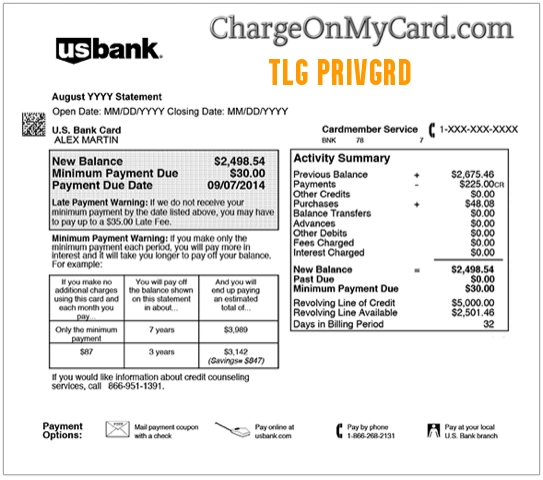
What Is the TLG PRIVGRD Charge?
TLG PRIVGRD is a shortened statement descriptor historically used for PrivacyGuard membership billing.
The letters generally point to:
- TLG: Trilegiant Corporation
- PRIVGRD: PrivacyGuard
PrivacyGuard provides credit- and identity-monitoring products. Depending on the membership, services can include:
- Credit reports and scores
- Credit-file monitoring
- Credit-score tracking
- Identity monitoring
- Public- and dark-web monitoring
- Bank, debit-card, and credit-card monitoring
- Identity-fraud assistance
- Lost-wallet assistance
- Identity-theft insurance benefits subject to plan terms
The statement does not identify the membership plan, enrollment date, member name, account email, original offer, or whether the payment was authorized.
Is TLG PRIVGRD the Same as PrivacyGuard?
Yes. TLG PRIVGRD is strongly associated with PrivacyGuard and Trilegiant Corporation.
The identification is especially strong when the complete statement includes:
- TLG*PRIVGRD
- TLG PRIVACYGRD
- TLG PRIVACY GUARD
- PRIVGRD
- PRIVACYGUARD
- 800-374-8273
- Connecticut or CT
PrivacyGuard is an active service. Its current official terms identify Trilegiant Corporation as the provider and explain that memberships renew automatically until canceled.
Common TLG PRIVGRD Statement Variations
- TLG PRIVGRD
- TLG*PRIVGRD
- TLG PRIVACYGRD
- TLG*PRIVACYGRD
- TLG PRIVACY GUARD
- TLG*PRIVGRD 800-3748273 CT
- TLG*PRIVGRD 8003748273 CT
- TLG*PRIVGRD CT
- PRIVGRD
- PRIVACYGUARD
- CHECKCARD TLG*PRIVGRD
- CHKCARD TLG*PRIVGRD
- POS DEBIT TLG*PRIVGRD
- POS PURCHASE TLG*PRIVGRD
- PRE-AUTH TLG*PRIVGRD
- PENDING TLG*PRIVGRD
- RECURRING TLG*PRIVGRD
- POS REFUND TLG*PRIVGRD
Some versions may contain an account-reference number, month abbreviation, or other bank-generated information between PRIVGRD and the telephone number.
Why Did PrivacyGuard Charge My Card?
You Enrolled in a Trial
PrivacyGuard currently advertises an introductory trial of 14 days for $1. Unless canceled, the selected membership converts to monthly paid billing.
A person may remember paying the initial $1 but overlook the automatic-renewal terms or the date when regular billing begins.
A Monthly Membership Renewed
PrivacyGuard is an automatically renewing membership service. The designated payment source continues to be billed at the applicable membership rate until the membership is canceled.
Current direct-to-consumer plan prices include:
- Identity Protection: $9.99 monthly after the trial
- Credit Protection: $19.99 monthly after the trial
- Total Protection: $24.99 monthly after the trial
These are current public prices. Older, legacy, promotional, or partner-sponsored memberships may use a different amount.
Another Authorized User Enrolled
The card or bank account may have been used by:
- A spouse or partner
- A family member
- Another authorized cardholder
- A person managing household finances
- Someone responding to an identity- or credit-monitoring offer
Ask every authorized user before reporting the charge as unauthorized.
A Legacy Membership Continued
Some TLG PRIVGRD memberships may have begun years ago through a previous offer, financial institution, telephone enrollment, mailed promotion, or partner program.
A legacy membership can continue billing even when:
- The member no longer uses the service
- The original enrollment email is no longer active
- The card number was replaced but the issuer updated recurring billing
- The member forgot the original trial or promotion
- The statement description changed slightly
Why Is TLG PRIVGRD a Recurring Charge?
PrivacyGuard’s terms state that memberships automatically renew at the end of each billing cycle. The current public plans renew monthly.
A repeated charge may therefore be:
- A normal monthly renewal
- A membership that converted from a trial
- A legacy membership with older pricing
- A second membership under another email address
- A retry after an earlier payment failed
- A membership linked with another authorized cardholder
- An unauthorized recurring enrollment
Review several months of statements to determine the first date, amount, interval, and any changes in descriptor wording.
How to Verify a TLG PRIVGRD Charge
- Copy the complete descriptor exactly as shown.
- Record the amount, transaction date, posting date, and whether the charge is pending or completed.
- Review earlier statements to identify the first TLG PRIVGRD payment.
- Look for a smaller initial $1 trial transaction.
- Search every email account for PrivacyGuard, Trilegiant, credit monitoring, identity protection, membership, trial, renewal, and the exact amount.
- Check spam, archived, deleted, and promotions folders.
- Ask spouses, family members, and authorized card users.
- Try signing in through the official PrivacyGuard website.
- Contact PrivacyGuard using its current membership number or email address.
- Ask PrivacyGuard to identify the membership name, enrollment date, billing frequency, plan, and account email.
- Ask the bank for the complete merchant name, telephone number, merchant ID, and recurring-payment indicator.
- Contact the card issuer promptly if no authorized membership explains the transaction.
How to Contact PrivacyGuard
- Official website: PrivacyGuard
- Customer-service page: PrivacyGuard Contact Us
- Membership telephone: 1-800-374-8273
- Email: service@privacyguard.com
- General mailing address: PrivacyGuard, P.O. Box 4922, Stamford, CT 06907
The former 1-800-290-8603 number in the old version of this article could not be verified as PrivacyGuard’s current membership-support number. Use 1-800-374-8273 or the official PrivacyGuard website instead.
How to Cancel a PrivacyGuard Membership
Current PrivacyGuard terms provide several cancellation methods.
Cancel Through Your Account
- Sign in through the official PrivacyGuard website.
- Open the membership or account-management area.
- Locate the cancellation link.
- Complete every confirmation step.
- Save the confirmation page, email, and effective cancellation date.
Cancel by Telephone
Call PrivacyGuard membership support at 1-800-374-8273.
Ask the representative to confirm:
- The name of the membership
- The account or membership number
- The effective cancellation date
- Whether another payment is scheduled
- Whether there is more than one active membership
- Whether a refund review is available
Cancel by Email
Email service@privacyguard.com. State that you are canceling the PrivacyGuard membership and revoking permission for future recurring membership charges.
Include only the information necessary to locate the account. Do not send a complete card number, banking password, PIN, CVV code, Social Security number, or one-time security code by ordinary email.
Cancel by Mail
Current terms list the following cancellation address:
PrivacyGuard
P.O. Box 6100
Westerville, OH 43086-6100
Attention: Membership Department
Consider using a mailing method that provides delivery confirmation and keep a copy of the signed cancellation request.
Does Replacing the Card Cancel PrivacyGuard?
Not necessarily. Replacing or closing a payment card does not always terminate the underlying membership agreement.
Recurring billing can sometimes continue when:
- The card network supplies an updated card number to recurring merchants
- A checking account is the designated billing source
- Another payment method is connected with the membership
- The merchant retries a previously authorized recurring payment
Cancel directly with PrivacyGuard and save confirmation. Contact the issuer separately when the payment was unauthorized or continues after cancellation.
Can I Get a Refund From PrivacyGuard?
PrivacyGuard’s current terms say that canceling during the trial prevents additional membership charges and that canceling later stops further renewal obligations. The terms do not promise an automatic refund of every payment that has already completed.
When requesting a refund review:
- Identify the first and most recent TLG PRIVGRD payments.
- Ask PrivacyGuard for the original enrollment date and method.
- Ask for the disclosed trial and renewal terms.
- Explain whether the membership was used.
- Provide any earlier cancellation confirmation.
- Ask for a written refund decision.
- Confirm that the membership is canceled even if the refund is denied.
- Keep all emails, letters, case numbers, and bank statements.
If you believe the membership was unauthorized, incorrectly disclosed, duplicated, or billed after cancellation, contact the card issuer about its dispute process.
Why Was I Charged After Canceling PrivacyGuard?
A payment after cancellation may involve:
- A charge submitted before the cancellation became effective
- A cancellation request that was not completed
- A second PrivacyGuard membership
- A different Trilegiant membership
- An account under another email address
- A payment retry
- A pending transaction that later completed
- An incorrect recurring charge
Compare the cancellation date and confirmation with the transaction date. Contact PrivacyGuard and provide the cancellation evidence. Contact the issuer promptly if the merchant does not correct a charge submitted after the effective cancellation date.
Why Are There Several TLG PRIVGRD Charges?
Several transactions could represent:
- Monthly membership renewals
- A trial charge followed by the regular monthly fee
- Two separate PrivacyGuard accounts
- Different plans associated with different household members
- A pending and completed transaction
- A failed payment followed by a retry
- A refund and rebilling adjustment
- Duplicate billing
- Repeated unauthorized activity
Ask PrivacyGuard to search by name, address, email addresses, membership numbers, and the last four digits of the payment method.
Is TLG PRIVGRD the Same as TLG IDPROT or TLG SHOPPER?
No. They are related Trilegiant descriptor families, but they should not automatically be treated as the same membership.
- TLG PRIVGRD: Most directly associated with PrivacyGuard.
- TLG IDPROT: May identify an identity-protection program or partner-related membership with separate account and billing details.
- TLG SHOPPER: Associated with Shoppers Advantage, a separate shopping-membership product.
- TLG TRVLADV: Associated with Travelers Advantage, a separate travel-membership product.
Canceling one Trilegiant membership may not cancel another. Ask the representative to search for every active membership connected with your billing information.
What If I Never Enrolled in PrivacyGuard?
If neither you nor another authorized user recognizes a PrivacyGuard membership:
- Confirm whether the charge is pending or completed.
- Search for an earlier $1 trial transaction.
- Check every email address and authorized card user.
- Contact PrivacyGuard through its official support channels.
- Ask for the enrollment date, enrollment method, plan name, and associated email address.
- State that you do not recognize or authorize the membership.
- Request immediate cancellation and written confirmation.
- Ask for a refund review.
- Lock the card if additional unfamiliar charges are appearing.
- Call the issuer using the number printed on the card.
- Follow the issuer’s unauthorized-transaction procedure.
- Ask whether the payment card or account number should be replaced.
A recognizable PrivacyGuard descriptor does not prove that a specific membership was knowingly authorized.
Credit Card and Debit Card Dispute Guidance
For a credit-card transaction, contact the issuer promptly and ask about its billing-error or unauthorized-charge process.
Debit-card and bank-account reporting deadlines may affect available protections because the money can be removed directly from the deposit account.
Watch Out for Fake PrivacyGuard Support
Use PrivacyGuard’s official website, 1-800-374-8273, or service@privacyguard.com. Search results and unsolicited messages may contain unrelated or outdated contact information.
Never provide an unverified caller or website with:
- Your complete credit-card or bank-account number
- Your PrivacyGuard password
- Your banking login
- Your PIN or CVV security code
- Your full Social Security number
- A one-time authentication code
- Remote access to your phone or computer
- Gift-card information
- Cryptocurrency
- A second payment to release a refund
Consumer Reports and Experiences
There are currently zero visible cardholder reports on this ChargeOnMyCard.com page.
No visitor has supplied a transaction amount, trial date, membership plan, enrollment method, cancellation result, refund outcome, or final bank-dispute resolution.
ChargeOnMyCard.com is an independent information website. It cannot access PrivacyGuard accounts, identify a member, cancel a subscription, stop billing, obtain a credit report, issue a refund, or submit a bank dispute.
Frequently Asked Questions About TLG PRIVGRD
What is TLG PRIVGRD on my credit card?
It is strongly associated with a PrivacyGuard credit- or identity-monitoring membership operated by Trilegiant Corporation.
What does TLG mean?
TLG refers to Trilegiant Corporation, the company identified in PrivacyGuard’s current terms as the service provider.
What does PRIVGRD mean?
PRIVGRD is a shortened statement version of PrivacyGuard.
Is PrivacyGuard still active?
Yes. PrivacyGuard currently offers identity, credit, and combined protection plans that renew monthly until canceled.
Why did PrivacyGuard charge me $1?
PrivacyGuard currently advertises a 14-day trial for $1. Unless canceled, the selected plan converts to its monthly membership price.
Why is the amount $9.99, $19.99, or $24.99?
Those are PrivacyGuard’s current advertised monthly prices for Identity Protection, Credit Protection, and Total Protection. Legacy or partner plans may use different pricing.
How do I cancel TLG PRIVGRD?
Cancel through the PrivacyGuard account, call 1-800-374-8273, email service@privacyguard.com, or send written cancellation to the Membership Department address listed in PrivacyGuard’s terms.
Does canceling my card stop PrivacyGuard?
Not necessarily. Cancel the underlying membership directly and contact the issuer separately if the billing was unauthorized or continues afterward.
Is TLG PRIVGRD the same as TLG IDPROT?
They are related identity-protection descriptors associated with Trilegiant, but they may represent separate programs, memberships, or partner arrangements.
Is TLG SHOPPER the same membership?
No. TLG SHOPPER is associated with Shoppers Advantage, a separate shopping-membership service.
Can ChargeOnMyCard.com cancel PrivacyGuard?
No. ChargeOnMyCard.com cannot access PrivacyGuard, Trilegiant, credit-reporting, billing, refund, cancellation, or banking systems.
Should I dispute the charge?
First check trials, memberships, emails, authorized users, and earlier statements. Contact the issuer promptly when no authorized enrollment explains the completed charge or when billing continues after cancellation.
Related Charge Guides
TLG IDPROT is a related Trilegiant identity-protection descriptor, but it should not automatically be treated as the same membership. The general guide can help when no PrivacyGuard account explains the transaction.
Help Other Cardholders Identify TLG PRIVGRD
If you saw TLG PRIVGRD, TLG*PRIVGRD, TLG PRIVACYGRD, PRIVGRD, 800-374-8273, or another variation, please share what the payment involved.
Helpful details include the complete descriptor, general amount, whether it followed a $1 trial, the membership plan, whether it repeated monthly, and how PrivacyGuard or the card issuer resolved it.
Do not post complete card numbers, bank-account numbers, PrivacyGuard membership numbers, email addresses, Social Security numbers, credit-report information, passwords, PINs, CVV security codes, or one-time authentication codes.
Why Rely on ChargeOnMyCard.com?
ChargeOnMyCard.com researches confusing credit-card, debit-card, checking-account, credit-monitoring, identity-protection, trial, recurring-membership, telephone-number, and bank-statement descriptors using current official service information, payment clues, subscription terms, descriptor variations, and visible cardholder reports.
We distinguish PrivacyGuard’s current official subscription and cancellation information from historical statement variations, older contact details, and individual allegations. Readers should verify their specific membership through PrivacyGuard and their financial institution.
Last reviewed: July 2026.
Disclaimer
ChargeOnMyCard.com is not affiliated with PrivacyGuard, Trilegiant Corporation, Trilegiant Insurance Services, Alliance Marketing Association, IdentitySecure, Shoppers Advantage, Travelers Advantage, any credit-reporting agency, identity-monitoring provider, insurer, marketing partner, member, payment processor, cardholder, bank, card network, or financial institution. This article is provided for informational purposes only and is not financial, legal, banking, credit-reporting, credit-repair, identity-theft, insurance, membership, cancellation, refund, dispute, account-security, or fraud advice. Contact PrivacyGuard and your financial institution directly regarding a specific membership or transaction.