
A Paramount Plus charge on your credit card, debit card, or bank statement most likely represents a Paramount+ streaming subscription, annual renewal, promotional offer, add-on, or payment handled through a third-party platform.
The statement may display PARAMOUNT+, PARAMOUNT PLUS, PARAMOUNT 888-274-5343 CA, a legacy CBS name, or the name of a billing provider such as Apple, Google Play, Amazon, or Roku. The exact wording depends on where the subscription was purchased and how the card issuer formats merchant information.
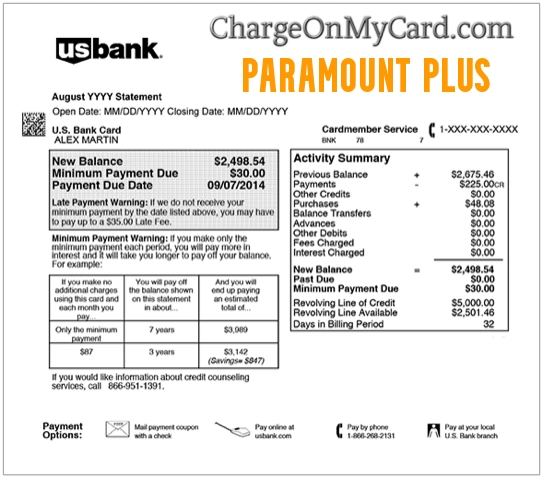
What Is the Paramount Plus Charge?
Paramount+ is a paid streaming service offering television programs, movies, live sports, local CBS programming on eligible plans, and SHOWTIME content through its Premium plan.
A Paramount Plus payment may involve:
- A Paramount+ Essential subscription
- A Paramount+ Premium subscription
- A monthly subscription renewal
- An annual subscription renewal
- A free trial that converted to paid service
- A discounted promotion that ended
- An add-on or bundled service
- A student subscription returning to its regular price
- A subscription billed through Apple, Google Play, Amazon, or Roku
- A second Paramount+ account
- A payment made by another authorized cardholder
- A failed payment that Paramount retried
- A temporary payment-method verification
- A duplicate, incorrect, or unauthorized charge
The statement descriptor alone does not identify the Paramount+ account email, plan, billing period, platform, or person who authorized the payment.
How Does Paramount Plus Show Up on a Bank Statement?
Paramount does not publish one universal list of every descriptor used for Paramount+ payments.
Possible or publicly searched wording includes:
- PARAMOUNT+
- PARAMOUNT PLUS
- PARAMOUNT 888-274-5343 CA
- PARAMOUNT+ SAN FRANCISCO
- PARAMOUNT PLUS SAN FRANCISCO
- CBS INTERACTIVE
- CBS ALL ACCESS
- RECURRING PARAMOUNT+
- PENDING PARAMOUNT PLUS
- PARAMOUNT+ REFUND
The wording may also show the third-party billing provider instead of Paramount.
Examples can include:
- APPLE.COM/BILL
- GOOGLE PLAY
- AMAZON DIGITAL
- ROKU
These are comparison examples rather than a complete official descriptor list.
Copy the exact wording, amount, date, and telephone number from your own transaction before contacting support.
Why Might the Charge Still Say CBS?
Paramount+ replaced CBS All Access in 2021.
An older account, saved payment arrangement, bank-enrichment record, or legacy billing system may therefore display wording such as:
- CBS ALL ACCESS
- CBS INTERACTIVE
- CBS DIGITAL
A CBS-related charge is not automatically Paramount+.
Verify it by comparing:
- The amount
- The renewal date
- The email receipt
- The Paramount+ account
- The telephone number in the transaction
- The billing provider
What Number Is 888-274-5343?
1-888-274-5343 is identified in Paramount’s current terms as a customer-service number.
The number may appear:
- On a Paramount+ card transaction
- Beside Paramount or CBS merchant wording
- In Paramount+ subscription information
- In Paramount’s legal and dispute-resolution terms
Use the number or the official Paramount+ Help Center for:
- Billing questions
- Unrecognized charges
- Locating an account
- Cancellation assistance
- Duplicate subscriptions
- Refund-review requests
A support request does not guarantee that a refund will be approved.
Current Paramount Plus Plans and Common Charge Amounts
As of July 2026, Paramount+ advertises the following direct U.S. plan prices:
- Essential: $8.99 per month or $89.99 per year
- Premium: $13.99 per month or $139.99 per year
The final transaction may differ because of:
- Applicable state or local taxes
- A previous subscription price
- A promotional discount
- A student discount
- A third-party platform price
- An annual rather than monthly plan
- An add-on
- A foreign-currency or card-issuer fee
Do not assume the charge is incorrect solely because it differs from the current advertised monthly price.
Why Is Paramount Plus Charging Me?
Your Monthly Subscription Renewed
A monthly subscription renews automatically until it is canceled.
The payment may be easy to overlook when:
- The account has not been used recently.
- The receipt went to another email address.
- A family member created the account.
- The subscription was started on a streaming device.
- The plan began under the older CBS All Access name.
Your Annual Subscription Renewed
An annual charge can be much larger than a normal monthly payment.
Review:
- The selected billing frequency
- The previous renewal date
- The plan name
- The next billing date
- The amount shown in the account
A Free Trial Became a Paid Subscription
A Paramount+ trial requires a payment method and can convert automatically to paid service if it is not canceled before the trial ends.
This may occur after:
- A direct Paramount+ trial
- A device promotion
- A wireless-provider offer
- A partner promotion
- A student or discounted offer
Review the terms and expiration date of the original offer.
A Promotional Price Ended
A promotional subscription may renew at the current regular price after the discounted period.
Possible promotions include:
- A reduced monthly rate
- Several free months
- A partner-provided subscription
- A student discount
- A bundled offer
Cancel before the next billing date if the regular price is not acceptable.
An Add-On Was Charged Separately
Paramount may bill an add-on separately from the principal subscription.
An add-on can have:
- A different amount
- A different renewal date
- A separate transaction
- Separate cancellation terms
Review the complete subscription details rather than only the principal plan.
A Third Party Is Billing the Subscription
A subscription may be billed through:
- Apple
- Google Play
- Amazon
- Roku
- Another streaming platform or service provider
The third party may control:
- The payment method
- The renewal date
- The statement descriptor
- Cancellation
- Refund eligibility
You Have More Than One Paramount Plus Account
A second subscription can be created accidentally by:
- Using another email address
- Typing the email incorrectly during signup
- Signing up through a device after already subscribing online
- Creating separate Apple, Amazon, Google, or Roku subscriptions
- Allowing another household member to subscribe
Canceling one account does not cancel another account or third-party subscription.
Paramount Retried a Failed Payment
Paramount may retry a declined payment when:
- The card was temporarily declined.
- The account lacked sufficient funds.
- The card had expired.
- The issuer temporarily blocked the transaction.
- A backup payment method was available.
A retry can post on a different date from the normal renewal.
The Charge Is a Temporary Verification
Paramount may submit a nominal temporary charge when a card is added or updated.
Check whether the transaction:
- Is still pending
- Disappears
- Is reversed
- Is replaced by the actual subscription charge
Contact the issuer when a verification remains pending for an unusually long period or was not expected.
How to Identify a Paramount Plus Charge
1. Open the Full Card Transaction
Record:
- The complete descriptor
- The amount
- The transaction date
- The posting date
- Whether it is pending or completed
- Whether it is labeled recurring
- Any telephone number
- Any city, state, website, or billing platform
Do not publish complete transaction references or card information.
2. Review the Paramount Plus Account
Sign in through the official:
Review:
- The active plan
- Monthly or annual billing
- The payment method
- The next renewal date
- The current price
- Add-ons
- Cancellation status
3. Search Every Possible Email Address
Search for:
- Paramount+
- Paramount Plus
- CBS All Access
- CBS Interactive
- Subscription confirmation
- Renewal notice
- Free trial
- Promotion ending
- The exact transaction amount
Check spam, archived mail, old email addresses, family accounts, and email accounts used on streaming devices.
4. Review Third-Party Subscription Accounts
Check:
- Apple Subscriptions
- Google Play Subscriptions
- Amazon memberships and subscriptions
- Roku subscriptions
- Other streaming-provider accounts
Deleting the Paramount+ app does not necessarily cancel the subscription.
5. Contact Paramount Plus Support
For an unrecognized direct Paramount+ charge, have ready:
- The last four digits of the affected card
- The transaction date
- The transaction amount
- The complete statement descriptor
- Possible account email addresses
Use:
- Customer service: 1-888-274-5343
- Help Center: Paramount+ Help Center
- Contact page: Contact Paramount+ Support
The Help Center also provides an agent-chat route. Open the chat bubble and type Agent.
6. Ask the Card Issuer for More Merchant Information
Request:
- The full legal merchant name
- The merchant address
- The merchant telephone number
- Whether the transaction is recurring
- Whether it was processed directly or through a third party
- Whether another related authorization is pending
How to Cancel Paramount Plus Directly
For a subscription purchased through ParamountPlus.com:
- Sign in to the correct Paramount+ account.
- Open the Account page.
- Locate the subscription section.
- Select Cancel Subscription.
- Complete every confirmation step.
- Save the cancellation confirmation.
- Confirm the date access will end.
A direct cancellation generally takes effect at the end of the current billing period.
Do Not Delete the App Instead of Canceling
Removing the app from a phone, television, Roku, Fire device, or other platform does not automatically stop recurring payments.
Cancel the subscription through the billing provider.
How to Cancel Third-Party Paramount Plus Billing
Apple
Open the Apple ID subscription settings, select Paramount+, and choose the cancellation option.
Google Play
Open Google Play subscriptions, select Paramount+, and complete the cancellation steps.
Amazon
Open the Amazon account’s memberships or app-subscription section and manage the Paramount+ subscription there.
Roku
Open Roku subscription management, select Paramount+, and choose Cancel Subscription.
The third party’s confirmation and access-end date control that subscription.
Can I Get a Paramount Plus Refund?
Paramount’s current terms generally state that previously paid subscription fees are not refunded after cancellation.
Cancellation normally:
- Stops the next renewal
- Leaves access active through the current billing period
- Does not create a partial-period refund
A refund or account credit may still be reviewed for:
- A confirmed Paramount overcharge
- A genuine duplicate payment
- An unauthorized transaction
- A situation where applicable law requires a refund
- Another case Paramount chooses to resolve individually
Third-party purchases are governed by the refund rules of Apple, Google Play, Amazon, Roku, or the other billing provider.
Why Was I Charged After Canceling Paramount Plus?
Possible explanations include:
- The cancellation occurred after the renewal processed.
- The final confirmation step was not completed.
- A second Paramount+ account remains active.
- A third-party subscription remains active.
- A failed payment was retried.
- The payment was already pending before cancellation.
- The account was canceled at the end of the billing period rather than immediately.
Compare:
- The cancellation-confirmation date
- The renewal date
- The account email
- The billing provider
- The transaction posting date
Why Are There Two Paramount Plus Charges?
Two transactions may represent:
- Two Paramount+ accounts
- A direct subscription and a Roku subscription
- A direct subscription and an Apple or Google subscription
- A monthly plan and a separate add-on
- A pending verification and completed payment
- A failed charge followed by a successful retry
- A refund beside the original charge
- A genuine duplicate
- Repeated unauthorized transactions
Check every possible account and platform before assuming that both entries belong to one subscription.
What If I Never Subscribed to Paramount Plus?
If neither you nor another authorized user recognizes the payment:
- Confirm whether it is pending or completed.
- Copy the complete descriptor.
- Search all email accounts for Paramount and CBS receipts.
- Check Apple, Google Play, Amazon, and Roku subscriptions.
- Ask every authorized cardholder.
- Contact Paramount+ support with the last four card digits, date, and amount.
- Cancel any unauthorized account or subscription.
- Change the Paramount+ account password.
- Secure the associated email account.
- Lock the card if more unfamiliar activity appears.
- Contact the issuer using the number printed on the card.
- Ask whether the card should be replaced.
A genuine Paramount descriptor does not prove that the cardholder authorized the account.
Paramount Plus Contact and Address Information
- Official website: Paramount+
- Account page: Manage Paramount+ Subscription
- Customer service: 1-888-274-5343
- Help Center: Paramount+ Help
- Contact support: Paramount+ Contact Form and Chat
- Cancellation instructions: Cancel Paramount+
- Terms of use: Paramount+ Terms
Formal Legal-Notice Address
Paramount’s current U.S. terms list:
CBS Interactive Inc.
680 Folsom Street
San Francisco, CA 94107
Attn: Legal Department
This is a formal legal-notice address under Paramount’s dispute procedure.
Do not mail ordinary cancellations, card details, password information, or routine refund requests to this address. Use the Paramount+ customer-support routes first.
Watch Out for Fake Paramount Plus Support
Searches for streaming charges can lead to unofficial telephone numbers, fake support websites, and impersonation attempts.
Never provide an unexpected caller or unofficial website with:
- Your Paramount+ password
- Your complete card number
- Your CVV or PIN
- Your bank password
- Your email password
- A one-time authentication code
- Remote access to your device
- Gift-card numbers
- Cryptocurrency
- Another payment to release a refund
Use the official Help Center or call 1-888-274-5343.
Credit Card and Debit Card Dispute Guidance
- CFPB credit-card dispute guidance
- FTC credit-card billing guidance
- CFPB unauthorized debit-card guidance
Identifying the account, canceling the subscription, requesting a refund, and disputing an unauthorized charge are separate processes.
Consumer Reports and Experiences
There are currently zero visible consumer reports on this ChargeOnMyCard.com page.
No visitor has provided:
- A complete Paramount+ descriptor
- A transaction amount
- An Essential or Premium subscription
- A monthly or annual renewal
- A CBS All Access connection
- A third-party billing provider
- A cancellation outcome
- A refund decision
- A completed unauthorized-charge dispute
ChargeOnMyCard.com cannot access Paramount+, Apple, Google, Amazon, Roku, card, bank, refund, or dispute accounts. It cannot locate a private subscription, cancel an account, issue a refund, or file a financial dispute.
Frequently Asked Questions About Paramount Plus Charges
What is Paramount Plus on my credit-card statement?
It most likely represents a Paramount+ streaming subscription, renewal, promotion, add-on, or related billing transaction.
How does Paramount Plus show up on a bank statement?
It may display as Paramount+, Paramount Plus, Paramount with 888-274-5343, CBS Interactive, CBS All Access, or the third-party platform that billed the subscription.
Why does the charge say CBS All Access?
Paramount+ replaced CBS All Access in 2021. An older subscription or legacy payment record may still contain CBS wording.
What number is 8882745343?
1-888-274-5343 is identified by Paramount as a customer-service number.
How much is Paramount Plus?
Current direct U.S. prices are $8.99 monthly or $89.99 annually for Essential and $13.99 monthly or $139.99 annually for Premium, plus applicable taxes.
Why is my charge a different amount?
The total may include tax, an annual plan, a previous price, an add-on, a promotion ending, or third-party pricing.
Does Paramount Plus automatically renew?
Yes. Recurring subscriptions renew until canceled before the next billing date.
How do I cancel Paramount Plus?
Cancel through the Paramount+ Account page when billed directly. Cancel through Apple, Google Play, Amazon, Roku, or the applicable third party when that provider bills the subscription.
Does deleting the app cancel Paramount Plus?
No. The recurring subscription must be canceled through the billing provider.
Can I receive a refund?
Paramount generally does not refund previously paid subscription periods after cancellation. Confirmed errors, duplicates, unauthorized charges, and legally required refunds may be reviewed.
Why was I charged after canceling?
The renewal may have processed first, the cancellation may be incomplete, another account may remain active, or a third-party subscription may still be billing.
Why are there two Paramount Plus charges?
They may belong to two accounts, two billing platforms, a plan and add-on, a pending verification and final charge, or a genuine duplicate.
What should I do if I never subscribed?
Check every account and third-party platform, contact Paramount+ support, secure affected accounts, and report the transaction to the card issuer if it remains unauthorized.
Related Streaming Charge Guides
- FuboTV Streaming Subscription Charge
- 2500 Broadway Santa Monica Hulu Charge
- How to Investigate an Unrecognized Card or Bank Charge
A similar streaming charge does not prove that Hulu, FuboTV, or another service processed a Paramount+ payment.
Help Other Cardholders Identify Paramount Plus
If you saw PARAMOUNT+, PARAMOUNT PLUS, PARAMOUNT 888-274-5343 CA, CBS INTERACTIVE, or another variation, share what the payment involved.
Helpful details include:
- The complete descriptor without private references
- The general amount
- Whether the plan was monthly or annual
- Whether Paramount, Apple, Google, Amazon, or Roku billed it
- Whether the account used the older CBS All Access name
- Whether the transaction was pending or completed
- How cancellation or support responded
- How a refund or dispute was resolved
Do not post card numbers, bank details, account emails, transaction references, passwords, PINs, CVV codes, or authentication codes.
Why Rely on ChargeOnMyCard.com?
ChargeOnMyCard.com researches confusing credit-card, debit-card, streaming, subscription, recurring-payment, legacy-descriptor, and bank-statement wording using current official merchant information, billing procedures, transaction clues, and visible consumer reports.
We distinguish verified Paramount+ subscription and support information from the unconfirmed details of an individual payment. Cardholders should verify their specific transaction through Paramount+, the applicable billing provider, and the financial institution where it appeared.
Last reviewed: July 2026.
Disclaimer
ChargeOnMyCard.com is not affiliated with Paramount+, Paramount Skydance Corporation, CBS Interactive Inc., CBS All Access, Apple, Google, Amazon, Roku, any streaming platform, payment processor, card network, bank, credit union, or financial institution. This article is provided for informational purposes only and is not financial, legal, banking, streaming, subscription, cancellation, refund, privacy, account-security, or fraud advice. Contact Paramount+, the applicable billing provider, and the financial institution directly regarding a specific account or transaction.