A MOBILY charge, MOBILY Riyadh SA charge, or Etihad Etisalat charge on a credit card, debit card, or bank statement most likely relates to Mobily, a telecommunications provider in Saudi Arabia.
The payment may represent a postpaid telephone bill, prepaid recharge, data package, home internet service, device installment, roaming bundle, e-shop order, or automatically renewing add-on. Compare the amount and date with every Mobily account, bill, recharge confirmation, and subscription before treating the payment as unauthorized.
What Is the MOBILY Charge?
Mobily is the commercial name of Etihad Etisalat Company, a telecommunications company based in Saudi Arabia.
A MOBILY transaction may represent:
- A monthly postpaid mobile bill
- A one-time payment toward a Mobily account
- A prepaid telephone recharge
- A prepaid data or calling package
- A package that renewed automatically
- A home internet or fiber payment
- A mobile router or data-device plan
- A telephone, router, accessory, or device order
- A device-installment payment
- An international roaming package
- An international calling bundle
- A Mobily TV or entertainment service
- A payment for another person’s Mobily account
- A payment made by another authorized card user
- A pending authorization followed by a completed payment
- An actual duplicate completed payment
- An unauthorized use of the card or Mobily account
The statement descriptor normally does not identify the mobile number, account holder, package, device, billing period, or person who submitted the payment.
What Does MOBILY Riyadh SA Mean?
The wording contains several useful clues:
- MOBILY: The Saudi telecommunications brand of Etihad Etisalat Company
- Riyadh: The Saudi city associated with Mobily’s company and merchant records
- SA: A country abbreviation commonly used for Saudi Arabia in payment records
The Riyadh location does not necessarily mean the cardholder visited Riyadh or made an in-person purchase there.
The payment may have been submitted:
- Through the Mobily app
- Through Mobily’s website
- Through a Mobily payment link
- Through automatic bill payment
- At a Mobily branch
- For an account belonging to another person
- While the cardholder was outside Saudi Arabia
Common MOBILY Statement Variations
A bank or card network may shorten, combine, or rearrange merchant information.
Possible or searched variations include:
- MOBILY
- MOBILY RIYADH
- MOBILY RIYADH SA
- MOBILY RIYADH SAU
- MOBILY SAUDI ARABIA
- ETIHAD ETISALAT
- ETIHAD ETISALAT MOBILY
- MOBILY.COM.SA
- MOBILY BILL PAYMENT
- MOBILY RECHARGE
- MOBILY FAST
- MOBILY ESHOP
- CHECKCARD MOBILY
- CHKCARD MOBILY RIYADH
- POS DEBIT MOBILY
- PENDING MOBILY
- RECURRING MOBILY
Not every variation has been independently confirmed as an official current descriptor. Use the complete wording, amount, currency, date, and Mobily payment history to verify the transaction.
Why Did Mobily Charge My Card?
A Postpaid Bill Was Paid
The card may have been used to pay a monthly mobile, data, fiber, or home-internet bill.
The payment amount can include:
- The monthly plan fee
- Additional data or calls
- International use
- Roaming
- Device installments
- Digital content billed through Mobily
- Taxes
- A previous unpaid balance
Review the detailed Mobily invoice rather than assuming the entire payment represents one service.
A Prepaid Number Was Recharged
The payment may be a prepaid recharge for:
- Your own Mobily number
- A family member’s number
- A friend’s number
- An employee’s line
- A visitor SIM
- A mobile-data account
A cardholder can therefore see a valid Mobily transaction even when the cardholder’s own name or number does not appear in the account.
A Package Renewed Automatically
Many Mobily data, calling, roaming, social-media, and prepaid packages renew automatically unless auto-renewal is stopped.
The charge or account payment may relate to:
- A four-week prepaid package
- A monthly data package
- An international-minutes package
- A roaming package
- A social-media package
- An entertainment service
- A home-internet plan
The stop-renewal code differs by package. Do not use a cancellation code from an unrelated plan.
A Device or Accessory Was Purchased
A larger or installment-based payment may relate to:
- A mobile telephone
- A tablet
- A router
- A mobile hotspot
- An accessory
- A device-installment plan
- An e-shop order
Another Person’s Account Was Paid
A card can be used to pay or recharge a Mobily account without the cardholder owning that mobile number.
Ask:
- Household members
- Employees
- Business account administrators
- People who previously had permission to use the card
- Anyone whose Mobily number may have been saved in the app
The Payment Was Not Authorized
Treat the transaction as potentially unauthorized when:
- No one recognizes a Mobily account or number.
- No matching bill or recharge appears.
- The cardholder has never used Mobily.
- The amount or currency is unfamiliar.
- Several unexplained Mobily payments appear.
- Mobily cannot locate a corresponding payment.
How to Verify a MOBILY Charge
- Copy the complete statement descriptor.
- Record the amount, currency, and transaction date.
- Determine whether the payment is pending or completed.
- Open the Mobily app.
- Review every mobile, data, fiber, and home-internet account.
- Check current and previous bills.
- Review payment history and recharge confirmations.
- Review active packages and subscriptions.
- Check device-installment information.
- Review e-shop orders.
- Search email and text messages for Mobily payment confirmations.
- Ask household members and authorized card users.
- Check whether the card was used to recharge another person’s line.
- Contact Mobily through an official support route.
- Ask the issuer for the expanded merchant details when necessary.
- Report the transaction promptly if no authorized account can be identified.
How to Review Mobily Bills, Payments, and Subscriptions
Use Mobily’s official app or account portal to review:
- Current bills
- Previous bills
- Payment history
- Prepaid balance
- Recent recharges
- Active mobile packages
- Data and roaming bundles
- Device installments
- Home internet service
- Digital services and add-ons
Official account and payment resources:
Could the Mobily Bill Include an App or Digital Subscription?
Yes.
Mobily offers direct carrier billing, which allows qualifying digital purchases to be:
- Added to a postpaid Mobily bill
- Deducted from prepaid Mobily credit
These purchases may include:
- Apps
- Games
- Music
- Streaming or entertainment
- Digital subscriptions
- In-app purchases
- Gaming or app-store credits
The external card transaction may show only Mobily because the card paid the complete Mobily bill. Review the itemized telecommunications bill to identify the underlying digital service.
Official information:
How to Stop a Mobily Package From Renewing
There is no universal stop-renewal code for every Mobily service.
Use these steps:
- Identify the exact package or add-on.
- Open the Mobily app.
- Review active packages and subscriptions.
- Select the applicable package.
- Use the available stop-auto-renewal or unsubscribe option.
- Alternatively, review the official package page for its specific SMS or USSD cancellation code.
- Save the confirmation message.
- Verify the package remains usable only through its current validity period.
- Check that another renewal is not scheduled.
Stopping automatic renewal normally prevents the next package renewal. It does not automatically cancel the mobile number or refund the current package.
How to Cancel Mobily Service
Canceling a mobile, fiber, home-internet, or other primary service is different from stopping a package’s automatic renewal.
Contact Mobily and:
- Identify the account and service.
- Request cancellation through the app, support portal, telephone, or branch.
- Ask whether a contractual commitment or device balance remains.
- Ask for the effective cancellation date.
- Request proof of the cancellation request.
- Save the ticket or confirmation number.
- Pay any valid undisputed balance.
- Return equipment when required by the agreement.
- Monitor the next billing date.
Canceling service does not erase valid charges incurred before the cancellation date or a remaining device-installment obligation.
Cancellation and Refunds Are Separate
Stopping auto-renewal or canceling service does not automatically refund a completed payment.
A refund or billing correction may depend on:
- Whether the payment was duplicated
- Whether the wrong account was paid
- Whether a package activated correctly
- Whether the service was used
- Whether Mobily made a billing error
- Whether an e-shop order had already shipped
- Whether the card payment was authorized
- The applicable service or purchase terms
How to Request a Mobily Billing Review
- Collect the complete descriptor, date, amount, and currency.
- Locate the matching Mobily bill or recharge.
- Identify the mobile, fiber, or account number when known.
- Contact Mobily customer care.
- Explain whether the issue involves a duplicate, wrong amount, unknown account, auto-renewal, recharge, or device payment.
- Request a complaint or billing-review ticket.
- Ask for written or text confirmation.
- Keep the ticket number and Mobily response.
- Contact the card issuer if Mobily cannot identify the payment.
Mobily’s published user-protection rules allow customers to object to disputed service charges. Submit the objection promptly rather than waiting for additional billing cycles.
Official support portal:
How to Request an E-Shop Refund
A telephone, router, accessory, or other merchandise order is governed by Mobily’s e-shop purchase and refund process rather than ordinary mobile-bill cancellation.
For an e-shop order:
- Locate the order number.
- Check whether the order has shipped.
- Use Mobily’s support portal or e-shop live chat.
- Email info@mobily.com.sa when appropriate.
- Request cancellation or a refund review.
- Save the support response.
Mobily states that order cancellation or refund requests may be limited once an e-shop order has shipped.
Official policy:
Mobily purchase and refund policy
Why Is the Amount Different From What I Expected?
Possible explanations include:
- The payment was converted from Saudi riyals.
- The card issuer used a different exchange rate.
- A foreign-transaction fee was added separately.
- Saudi VAT was included.
- A package renewed.
- Roaming or international usage was added.
- A device installment was included.
- A direct carrier-billed digital purchase appeared on the bill.
- A previous balance was included.
- The card paid more than one Mobily service.
Compare the card amount with the original Saudi-riyal payment and the detailed Mobily bill.
Why Are There Multiple MOBILY Charges?
More than one entry may represent:
- Payments for separate mobile numbers
- A postpaid bill and prepaid recharge
- A bill payment and device order
- Separate mobile and home-internet accounts
- A manual payment and automatic payment
- Two package renewals
- A pending authorization and completed payment
- A failed payment followed by another attempt
- An actual duplicate completed transaction
- Repeated unauthorized use
Compare each amount, date, status, account, number, package, and confirmation message.
What Is a Pending MOBILY Charge?
A pending transaction may:
- Become the final Mobily payment
- Update with a longer merchant description
- Change after currency conversion
- Disappear if the payment is reversed
- Be replaced by a completed transaction
Do not automatically count a pending authorization and its completed replacement as two settled payments.
Current Mobily Customer Support Information
- From a Mobily line in Saudi Arabia: 1100
- From another Saudi network: 056 010 1100
- From outside Saudi Arabia: +966 56 010 1100
- Support portal: Submit or track a Mobily request
- Official contact page: Contact Mobily
- Official website: Mobily Saudi Arabia
- Current head-office information: Etihad Etisalat Company, P.O. Box 23088, Riyadh 11321, Kingdom of Saudi Arabia
The former number +966 56 031 4099 is published for Mobily Investor Relations and should not be used as the first route for a consumer billing issue.
What If You Have Never Used Mobily?
- Save the complete descriptor, amount, currency, and date.
- Ask household members and authorized card users.
- Check whether the card was used to recharge another person’s number.
- Search email and text messages for Mobily confirmations.
- Check whether the card is saved in a former employee’s or family member’s Mobily account.
- Contact Mobily and ask whether the payment can be located.
- Ask the issuer for the expanded merchant and processing information.
- Lock the card if additional unexplained transactions appear.
- Notify the financial institution promptly if no authorized account can be identified.
- Ask whether the card number or payment token should be replaced.
Mobily is a legitimate telecommunications provider, but that does not prove that the cardholder authorized a particular payment.
Credit Card Dispute Guidance
Contact the credit-card issuer promptly when:
- No authorized Mobily account or recharge can be identified
- The card was used without permission
- An actual duplicate completed payment remains unresolved
- The amount differs from Mobily’s payment record
- Billing continued after confirmed cancellation
- Mobily cannot locate the payment
- An approved refund does not appear
Keep Mobily bills, recharge confirmations, cancellation records, complaint tickets, order receipts, and refund responses.
Official consumer guidance:
CFPB credit-card dispute guidance
Debit Card and Bank Account Guidance
Report an unauthorized debit-card or bank transaction immediately.
Ask the financial institution:
- Whether the transaction is pending or completed
- Whether another Mobily authorization is pending
- Whether the transaction is marked as recurring
- Whether a digital wallet or stored token was used
- Whether foreign-transaction fees were added
- Whether future merchant payments can be blocked
- Whether the debit card should be replaced
Official consumer guidance:
CFPB unauthorized debit and bank-transaction guidance
Credit-card and debit-card protections, procedures, and reporting deadlines differ.
Consumer Reports and Experiences
There is currently one visible public report on this ChargeOnMyCard.com page.
The commenter asked why money had been taken and said that a refund was wanted.
The report does not identify:
- The transaction amount
- The currency
- The Mobily account or telephone number
- Whether it was a bill, recharge, package, device, or e-shop order
- Whether the payment repeated
- Whether another person used the card
- Whether Mobily located the payment
- Whether a refund was requested through Mobily
- Whether the financial institution found unauthorized use
- The final resolution
The report does not independently establish fraud, a scam, or wrongdoing by Mobily.
ChargeOnMyCard.com cannot:
- Access Mobily accounts
- Identify a telephone number from a card payment
- Cancel a Mobily package or service
- Reverse a recharge
- Cancel a device order
- Issue a refund
- Replace a payment card
- Submit a bank dispute
Frequently Asked Questions About MOBILY Charges
What is MOBILY on my credit card?
It most likely identifies a payment to Mobily, the Saudi telecommunications brand of Etihad Etisalat Company.
What is MOBILY Riyadh SA on my bank statement?
It may identify a Mobily bill payment, prepaid recharge, device payment, package renewal, home-internet payment, or another Mobily account transaction processed in Saudi Arabia.
What does SA mean?
SA is commonly used as a country abbreviation for Saudi Arabia. It does not mean that the cardholder was physically in Riyadh.
Is Mobily the same as Etihad Etisalat?
Yes. Mobily is the commercial telecommunications brand of Etihad Etisalat Company.
Could the charge be a prepaid recharge?
Yes. The card may have recharged the cardholder’s own line or another person’s Mobily number.
Could it be an automatically renewing package?
Yes. Many Mobily packages renew automatically. Identify the package and use its specific stop-renewal command or app control.
How do I cancel Mobily auto-renewal?
Open the Mobily app, identify the active package, and use its stop-auto-renewal option. The SMS or USSD code varies by package.
Does stopping auto-renewal cancel my Mobily service?
No. It normally stops the next package renewal while leaving the mobile or internet account active.
Could an app purchase be included?
Yes. Mobily supports direct carrier billing for qualifying apps, games, entertainment, and digital subscriptions charged to a postpaid bill or prepaid balance.
Why is the dollar amount different from the Mobily bill?
Currency conversion, card-issuer exchange rates, foreign-transaction fees, taxes, roaming, device installments, or additional services may affect the amount.
How do I contact Mobily from outside Saudi Arabia?
Call +966 56 010 1100 or use the Mobily app and official support portal.
Is a MOBILY charge automatically fraudulent?
No. It may be an authorized telecommunications payment, another person’s recharge, automatic renewal, device order, duplicate, or unauthorized transaction.
Can ChargeOnMyCard.com cancel or refund it?
No. ChargeOnMyCard.com cannot access Mobily, card, recharge, subscription, refund, or banking systems.
Related Telecom, Mobile-App, and Charge Guides
- USCC Call Center Charge: Mobile Bill, Auto Pay, or Account Payment
- VZWRLSS 800-922-0204 Charge: Verizon Bill Payment or Auto Pay
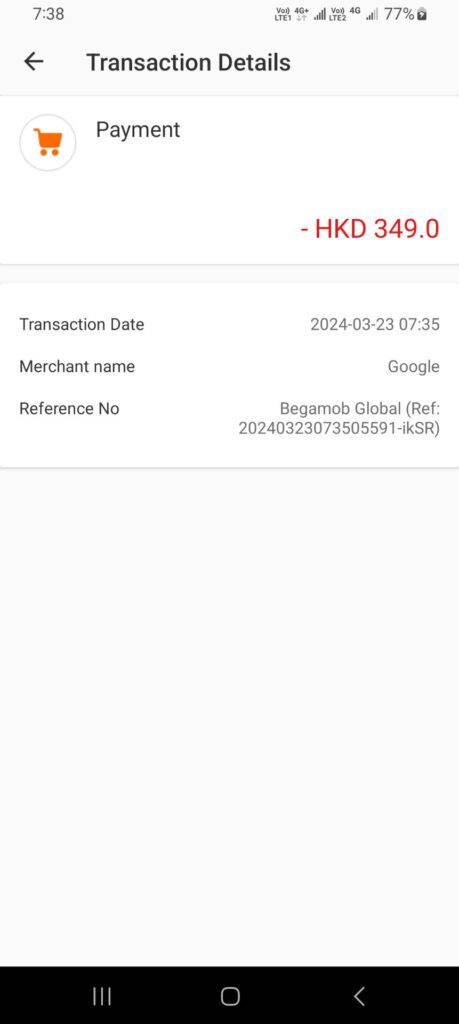
- Begamob Global Charge: Google Play App or Subscription
- How to Investigate an Unrecognized Credit Card, Debit Card, or Bank Charge
Use the telecom guides when the transaction appears to be a mobile-account payment. Use the Begamob guide when a Mobily bill or other record identifies a separate app or digital subscription.
Help Other Cardholders Identify a MOBILY Charge
If you identified a MOBILY, MOBILY Riyadh SA, Etihad Etisalat, or similar payment, please share what the transaction represented.
Helpful details include:
- The descriptor without private reference numbers
- The general amount and currency
- Whether it was a postpaid bill or prepaid recharge
- Whether it involved a mobile, fiber, or home-internet account
- Whether it was a package renewal
- Whether a device or e-shop order was involved
- Whether another person’s number was paid
- Whether the transaction was pending or completed
- Whether Mobily corrected or refunded the payment
- How the issuer resolved an unauthorized transaction
Do not post mobile numbers, Mobily account numbers, national ID or Iqama information, home addresses, full receipts, card numbers, card digits, passwords, PINs, CVV codes, bank account numbers, or authentication codes.
Why Rely on ChargeOnMyCard.com?
ChargeOnMyCard.com researches confusing credit-card, debit-card, telecommunications, prepaid-recharge, automatic-renewal, carrier-billing, device-payment, refund, and bank-statement descriptors using current official company information, payment resources, statement clues, and visible cardholder reports.
We distinguish Mobily’s role as a Saudi telecommunications provider from separate app developers and payment services while helping readers identify the correct telephone number, account, bill, recharge, bundle, device, authorized user, duplicate payment, or potentially unauthorized transaction.
Last reviewed: July 15, 2026.
Disclaimer
ChargeOnMyCard.com is not affiliated with Mobily, Etihad Etisalat Company, any Mobily account holder, digital-content provider, app developer, device manufacturer, cardholder, bank, credit union, card network, payment processor, or financial institution. This article is provided for informational purposes only and is not financial, legal, telecommunications, subscription, cancellation, refund, dispute, account-security, or fraud-prevention advice. Contact Mobily, the applicable digital-service provider, and the financial institution directly regarding a specific transaction.