
If you see a METROPCS MOBILE 888-863-8768 WA charge on your credit card, debit card, or bank statement, it may be connected to Metro by T-Mobile, the wireless carrier formerly known as MetroPCS. The number 888-863-8768 is commonly written as 888-8-METRO-8, which Metro by T-Mobile lists for customer service and payments.
A MetroPCS Mobile charge is not automatically fraud. It may be a legitimate Metro by T-Mobile phone bill, prepaid service payment, AutoPay transaction, add-on, device-related payment, in-store payment, online payment, or payment made by another authorized card user. However, if you do not recognize the account, amount, phone number, or payment date, verify the charge quickly and contact your card issuer if it is unauthorized.
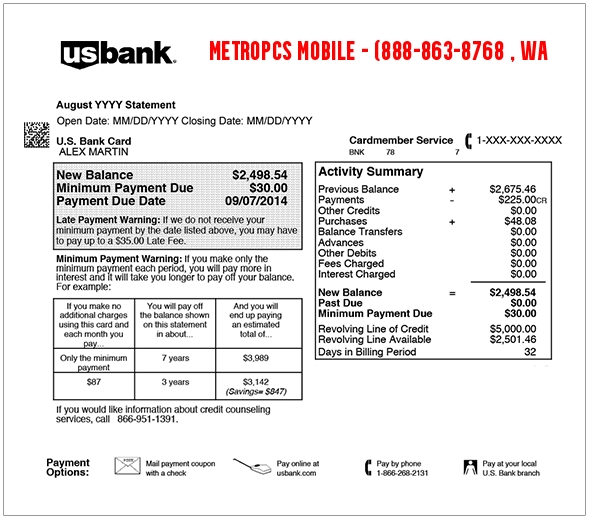
MetroPCS Mobile 888-863-8768 Charge on Credit Card: What It May Mean
METROPCS MOBILE 888-863-8768 WA appears to be a billing descriptor connected to Metro by T-Mobile service, payments, or account billing. MetroPCS was the former name of Metro by T-Mobile, so older or shortened card descriptors may still use “MetroPCS” even when the service is now branded as Metro by T-Mobile.
The charge may relate to a monthly prepaid wireless plan, AutoPay renewal, service add-on, device or accessory purchase, store payment, phone payment, online account payment, or payment made for another person’s Metro line.
If you or someone with access to your card has a Metro by T-Mobile phone, family plan, home internet plan, tablet line, watch line, or prepaid wireless account, the charge may be legitimate. If no one recognizes it, treat it as unverified and check your Metro account, bank details, and authorized card users.
Common MetroPCS Mobile Statement Descriptor Variations
Card and bank statements may shorten Metro by T-Mobile, include the old MetroPCS name, show phone numbers without dashes, or display different labels for pending, posted, debit, and credit transactions. Possible variations include:
- METROPCS MOBILE
- METROPCS MOBILE 888-863-8768 WA
- METROPCS MOBILE 8888638768
- METROPCS 888-863-8768
- METROPCS 8888638768
- 8888638768
- 888-863-8768
- 1-888-863-8768
- 1 (888) 863-8768
- 888-8-METRO-8
- METRO BY T-MOBILE
- METRO BY TMOBILE
- METRO T-MOBILE
- METRO PAYMENT
- METRO AUTOPAY
- METROPCS AUTOPAY
- METROPCS MOBILE WA
- CHKCARD METROPCS MOBILE
- CHECKCARD METROPCS MOBILE
- POS Debit METROPCS MOBILE
- POS PURCHASE METROPCS MOBILE
- PRE-AUTH METROPCS MOBILE
- PENDING METROPCS MOBILE
- Visa Check Card METROPCS MOBILE
The exact wording can vary by bank, card network, payment method, store location, online account setup, and whether the transaction is pending, posted, refunded, or disputed.
Why a MetroPCS Mobile Charge May Appear
A MetroPCS Mobile or Metro by T-Mobile charge may appear for several reasons, including:
- Monthly phone plan payment: You may have paid for prepaid wireless service.
- AutoPay renewal: A saved payment method may have been charged automatically for recurring service.
- Online account payment: A payment may have been made through Metro’s website, app, or guest-pay option.
- Phone payment: The charge may relate to a payment made by calling Metro at 888-8-METRO-8 or using another official payment route.
- In-store payment: A Metro store payment may still show a centralized MetroPCS or Metro by T-Mobile billing descriptor.
- Plan add-on: The charge may relate to extra data, international calling, Mexico/Canada features, device add-ons, or other account services.
- Device, accessory, or activation payment: You may have paid for a phone, SIM, activation, upgrade, or accessory.
- Family or shared account payment: A family member, employee, spouse, or authorized user may have paid a Metro account with the card.
- Delayed posting: The charge may post after the actual payment date.
- Unauthorized card use: If no one recognizes the payment, your card may have been used without permission.
Official Metro by T-Mobile Contact Information
If the charge appears connected to MetroPCS or Metro by T-Mobile, use official Metro support routes first.
- Metro by T-Mobile website: MetroByT-Mobile.com
- Metro customer service and payment number: 1-888-863-8768
- Metro phone shortcut: *611 from your Metro by T-Mobile phone
- Metro payment shortcut: *99 from your Metro by T-Mobile phone
- Metro contact page: Metro Contact Us
- Metro payment options: Metro Ways to Pay
- Metro account login: Metro Account Login
- Metro store locator: Find a Metro Store
- Metro premium handset protection: 1-800-316-2075
- Metro protection claims: FastClaim.com/Metro
When contacting Metro, have the transaction date, amount, phone number or account number if known, last four digits of the card, and exact statement descriptor ready. Do not share your full card number, CVV, account PIN, online banking password, Social Security number, or account login information in public comments or with unverified contacts.
Is 888-863-8768 Really Metro by T-Mobile?
Yes. 888-863-8768 spells 888-8-METRO-8, which Metro by T-Mobile lists for customer service and payments. If your statement shows 8888638768, 1-888-863-8768, or METROPCS MOBILE 888-863-8768, it may be a Metro by T-Mobile payment descriptor.
However, phone numbers on statements can still be confusing. If the charge does not match your Metro account, call Metro using the official website or the number on the back of your card instead of relying only on a number shown in a search result or comment.
What About Device Protection 855-562-1955?
Some users also search for device protection 855-562-1955. That appears to be a separate mobile protection or device-protection number used in some protection-plan materials, not the same as Metro’s official 888-8-METRO-8 customer-service number.
If your statement specifically shows 855-562-1955, compare it with any mobile phone protection plan, insurance plan, warranty, or device-protection service you may have signed up for. Metro’s official contact page lists a separate premium handset protection route and directs users to FastClaim for Metro protection claims.
If the charge says MetroPCS Mobile and 888-863-8768, start with Metro by T-Mobile. If it says device protection, Likewize, Brightstar, Asurion, Assurant, or 855-562-1955, verify the exact descriptor separately before assuming it is a Metro monthly phone-plan charge.
How to Verify a MetroPCS Mobile Charge
Use these steps to determine whether the MetroPCS Mobile charge is legitimate:
- Match the amount and date. Compare the charge with your Metro by T-Mobile plan amount, AutoPay date, add-ons, device payments, or store purchase.
- Check your Metro account. Log in to Metro and review account history, payment history, AutoPay settings, plan changes, and add-ons.
- Search your email and text messages. Look for “Metro,” “MetroPCS,” “Metro by T-Mobile,” “payment,” “AutoPay,” “receipt,” “plan,” or the exact charge amount.
- Ask authorized users. Check with family members, employees, spouses, or anyone else who may have access to the card or account.
- Check for shared phone accounts. A card may be used to pay another person’s Metro line, family account, or prepaid service.
- Review payment methods. Check whether your card is saved in Metro’s website, app, guest pay, or a store account.
- Look for device or accessory purchases. The charge may relate to a phone, SIM card, activation, upgrade, or accessory.
- Contact Metro if it appears related. Use 1-888-863-8768, *611 from a Metro phone, or Metro’s official website.
- Contact your card issuer if still unknown. Ask for the full merchant descriptor, merchant category, transaction type, and dispute options.
How to Stop MetroPCS Mobile Charges
If the charge is legitimate but you want it to stop, review your Metro by T-Mobile account settings and payment methods.
- Check AutoPay: If AutoPay is enabled, your saved card may be charged automatically each billing cycle.
- Remove or update payment methods: If the card should no longer be used, update the payment method in your Metro account.
- Review add-ons: Remove services you no longer need, such as extra data, international calling, or protection plans.
- Check all lines: Make sure the charge is not tied to another line on the account.
- Save cancellation proof: Keep screenshots, confirmation messages, and call dates when changing billing settings.
- Contact your card issuer if unauthorized: If the charge is not yours, ask about dispute, merchant block, or card replacement options.
Is a MetroPCS Mobile Charge Fraud?
A MetroPCS Mobile or 888-863-8768 charge is not automatically fraud. It may be a normal Metro by T-Mobile payment, AutoPay transaction, prepaid refill, store purchase, add-on, device-related charge, or authorized-user payment.
However, if you do not have Metro service, cannot match the amount to any account, do not recognize the phone number or payment date, and no authorized card user knows about the transaction, treat it as suspicious. Contact your card issuer promptly and ask whether a dispute, fraud claim, card lock, or card replacement is appropriate.
What To Do If the MetroPCS Mobile Charge Is Unauthorized
If the MetroPCS Mobile charge is not yours, act quickly:
- Lock your card through your bank app if unauthorized activity is possible.
- Call the number on the back of your card or use your official banking app to report the charge.
- Ask whether the charge is pending or posted. Some banks handle pending and posted transactions differently.
- Request full merchant details. Ask for the merchant name, descriptor, location, merchant category, and transaction type.
- Check for related telecom charges. Review statements for Metro, T-Mobile, device protection, insurance, app-store, or phone-payment entries.
- Dispute the charge if appropriate. If you did not authorize it, ask your issuer about the correct dispute or fraud-reporting process.
- Ask about blocking future charges. If the charge is recurring, ask whether the issuer can block future charges from the same merchant.
- Request a replacement card if needed. If your card number may be compromised, your issuer may recommend issuing a new card.
- Keep records. Save statements, screenshots, Metro support messages, bank dispute numbers, and call dates.
Do not post your full card number, bank account number, CVV, Metro account PIN, phone number, address, account login, email address, or banking details in a public comment.
MetroPCS Mobile Debit Card Charge vs. Credit Card Charge
If the MetroPCS Mobile charge appears on a debit card, the funds may already have left your checking account. Contact your bank quickly if the charge is unauthorized or if Metro cannot verify the account.
If the charge appears on a credit card, contact your credit card issuer and ask about billing dispute rights, documentation, and deadlines. Keep copies of Metro receipts, account screenshots, AutoPay settings, support messages, and any written dispute you file.
Frequently Asked Questions About MetroPCS Mobile 888-863-8768 Charges
What is MetroPCS Mobile 888-863-8768 on my credit card?
MetroPCS Mobile 888-863-8768 on a credit card is likely a Metro by T-Mobile payment descriptor. It may relate to a prepaid phone plan, AutoPay renewal, online payment, store payment, phone payment, add-on, device purchase, or authorized-user payment.
Is 888-863-8768 MetroPCS?
Yes. 888-863-8768 is 888-8-METRO-8, the official Metro by T-Mobile customer service and payment number.
Why does my statement still say MetroPCS instead of Metro by T-Mobile?
MetroPCS was the former name of Metro by T-Mobile. Some card statements, merchant descriptors, or bank systems may still display the older MetroPCS name.
Why did Metro charge my card?
Possible reasons include a monthly phone plan payment, AutoPay, account refill, add-on, device or accessory purchase, store payment, or payment made by another authorized card user.
How do I stop MetroPCS Mobile charges?
Check your Metro account, AutoPay settings, saved payment methods, add-ons, and all lines on the account. Remove or update the card if it should no longer be used. If the charge is unauthorized, contact your card issuer.
What is device protection 855-562-1955?
Device protection 855-562-1955 appears to be a separate mobile protection or device-protection number used in some protection-plan materials. If your statement shows that number, verify whether you have a phone insurance, warranty, or device-protection plan rather than assuming it is a Metro phone-plan payment.
Should I dispute a MetroPCS Mobile charge?
Do not dispute it automatically if it may match a real Metro by T-Mobile account, family payment, AutoPay renewal, or authorized-user transaction. First check Metro account history, receipts, payment settings, and authorized users. If you still cannot identify it, contact your card issuer and ask about dispute options.
Can a MetroPCS Mobile charge be recurring?
Yes. Metro by T-Mobile service may renew monthly, and AutoPay can charge a saved payment method automatically until it is changed or removed.
Related Charge Guides
Other telecom, mobile, device-protection, app, digital-service, and payment descriptor guides that may help when comparing charges:
- ESH Tech Protect / Device Protection Charge
- Google Supercell Charge on Credit Card
- 1600 Amphitheatre Pkwy G.co Payhelp CA Charge
- 7700 Eastport Parkway PayPal Charge on Bank Statement
- WWW HOVER COM Charge on Credit Card
- Digital River Charge on Debit Card
Share Your Experience With a MetroPCS Mobile Charge
Have you seen a METROPCS MOBILE, METROPCS MOBILE 888-863-8768 WA, 8888638768, 1-888-863-8768, Metro by T-Mobile, or similar charge on your debit card, credit card, or bank statement? Share the exact descriptor, amount range, whether it was pending or posted, and whether it matched a Metro account payment, AutoPay renewal, phone payment, device protection charge, or unauthorized transaction.
Privacy warning: Do not post your full card number, bank account number, CVV, Metro account PIN, phone number, home address, email address, account login, or banking details in a public comment.
Why Trust ChargeOnMyCard.com?
ChargeOnMyCard.com helps consumers research confusing credit card, debit card, PayPal, Cash App, Venmo, Zelle, mobile, telecom, app-store, subscription, and bank statement descriptors. We review available merchant information, official support resources where available, public charge patterns, statement wording, and consumer-safety guidance to help readers understand what a charge may be and how to verify it safely.
Disclaimer
ChargeOnMyCard.com is an independent consumer information website and is not affiliated with Metro by T-Mobile, MetroPCS, T-Mobile, Asurion, Assurant, Likewize, FastClaim, any mobile protection provider, payment processor, bank, or card issuer. This page is for educational purposes only. Always verify charges directly with Metro by T-Mobile, the merchant if safely identifiable, your bank, or your credit card issuer before taking action.