
A CEDAR CARES charge on a credit card, debit card, or bank statement usually represents a medical-bill payment processed through Cedar for a hospital, doctor, medical group, or other healthcare provider. Cedar may appear temporarily instead of the provider’s name.
Cedar says it forwards the healthcare provider’s name to the card company or financial institution, so the statement description may later update. The payment goes to the healthcare provider; Cedar does not keep part of the payment or charge patients a separate processing fee.
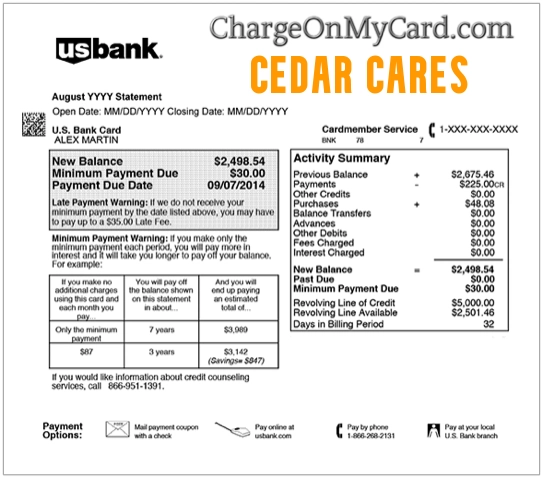
What Is the CEDAR CARES Charge on a Credit Card?
Cedar Cares, Inc., commonly called Cedar, provides billing and payment technology to healthcare organizations.
A Cedar Cares transaction may represent payment to:
- A hospital or health system
- A physician or medical group
- An urgent-care or outpatient facility
- A laboratory
- A radiology or imaging group
- An anesthesia provider
- An emergency-physician group
- A telehealth provider
- A specialty medical practice
- A physician-staffing or clinical-services company
- Another healthcare organization using Cedar’s payment platform
The payment may have been for:
- A copayment
- A deductible
- Coinsurance
- A patient-responsibility balance after insurance
- A self-pay medical service
- A pre-service deposit
- A payment-plan installment
- An automatic payment
- A partial medical-bill payment
- A balance from a previous visit
Is CEDAR CARES a Legitimate Charge?
Cedar is a legitimate healthcare billing and payment platform.
Cedar’s official patient-help information confirms that Cedar may appear on a statement when it processes a payment for a healthcare provider.
That does not prove that every individual Cedar charge was:
- Made by the primary cardholder
- Applied to the correct patient
- Applied to the correct medical account
- For the correct amount
- Part of an authorized payment plan
- Free from duplicate processing
Verify the specific healthcare provider, patient account, amount, and payment date before deciding that the transaction is correct.
Am I Paying Cedar or My Healthcare Provider?
You are paying the healthcare provider.
Cedar processes the transaction on the provider’s behalf. Cedar says:
- The payment is passed directly to the healthcare provider
- Cedar does not deduct an amount from the patient’s payment
- Cedar does not charge patients a payment-processing fee
The provider remains responsible for:
- The medical bill
- The patient balance
- Insurance adjustments
- Payment-plan terms
- Refund decisions
- Billing corrections
- Financial assistance
Why Does Cedar Appear Instead of the Hospital or Doctor?
The Cedar name may appear because Cedar handled the electronic payment.
Cedar says it sends the provider’s name to the card company or financial institution. Depending on the bank’s processing system, the description may:
- Initially say CEDAR or CEDAR CARES
- Update to the hospital or medical-group name
- Show both Cedar and part of the provider’s name
- Remain abbreviated because of statement-character limits
The descriptor can therefore change after the transaction moves from pending to completed.
Common Cedar Statement Variations
The transaction may appear as:
- CEDAR CARES
- CEDAR CARES INC
- CEDAR
- CEDAR PAY
- CEDARCARES
- CEDAR CARES CREDIT CARD
- CEDAR CARES DEBIT CARD
- CHECKCARD CEDAR CARES
- POS DEBIT CEDAR CARES
- PENDING CEDAR CARES
- RECURRING CEDAR CARES
- CEDAR followed by a healthcare-provider name
Banks may remove spaces, shorten the company name, or add transaction-status wording.
Not every charge containing the word Cedar is related to Cedar Cares. Businesses such as restaurants, shops, contractors, apartment communities, and other companies can also use Cedar in their names. Use the complete statement descriptor.
How to Identify the Healthcare Provider Behind the Charge
Use the following steps:
- Copy the complete statement descriptor.
- Record the amount, date, and whether the payment is pending or completed.
- Wait to see whether the statement updates with a provider name.
- Search your email for Cedar, medical bill, patient payment, receipt, and the exact amount.
- Check every healthcare patient portal you use.
- Review recent hospital, doctor, laboratory, imaging, emergency, and telehealth visits.
- Review the Explanation of Benefits from your insurance company.
- Compare the amount with paper and electronic medical bills.
- Ask other authorized cardholders whether they paid a family member’s bill.
- Contact the billing office shown on the medical statement.
- Ask the card issuer for the expanded merchant and transaction information.
Do not post patient names, dates of birth, medical-record numbers, diagnoses, insurance IDs, full transaction references, or card information in the comments.
Check the Cedar Payment Receipt
Cedar says each payment is accompanied by a receipt that can be delivered by email.
The receipt may show:
- The healthcare provider
- The payment amount
- The payment date
- The patient or account reference
- The payment method
- Whether the payment was part of a plan
Search:
- Your inbox
- Spam and junk folders
- Deleted messages
- Promotions and updates folders
- Other email addresses used for healthcare accounts
If the receipt cannot be found, Cedar says the healthcare provider can generate another copy.
Compare the Payment With Your Explanation of Benefits
An insurance Explanation of Benefits, commonly called an EOB, is not a bill. It explains:
- The services billed by the provider
- The amount allowed by the insurance plan
- The amount paid by insurance
- The amount assigned as patient responsibility
Compare:
- The Cedar payment
- The provider’s medical bill
- The patient balance shown on the EOB
- Any copayment already made at the visit
- Any earlier payment or account credit
The EOB may not reflect a payment you have already made, so also check the provider’s current account ledger.
Contact the provider when:
- The medical bill exceeds the patient balance on the EOB
- A service appears twice
- A payment is missing
- The wrong insurance was billed
- The service date or provider is incorrect
- You were billed for a service you did not receive
Is CEDAR CARES a Recurring Subscription?
Cedar is not normally a consumer subscription service.
A recurring Cedar Cares transaction more likely represents:
- A medical payment plan
- An autopay arrangement with a healthcare provider
- Regular installments on a hospital or medical-group balance
- Several medical accounts enrolled in automatic payments
- Separate providers billing after the same healthcare visit
Repeated amounts do not necessarily mean that Cedar itself is charging a monthly membership fee.
Check:
- The medical provider’s patient portal
- The original payment-plan agreement
- The number of scheduled installments
- The remaining medical balance
- The next automatic-payment date
- Every patient account connected with the card
How to Change or Stop a Cedar Payment Plan
Payment plans and autopay arrangements are generally established for the healthcare provider’s account.
To change or stop future payments:
- Identify the provider receiving the payment.
- Sign in to the provider’s Cedar-powered billing portal or patient portal.
- Review the payment-plan balance and schedule.
- Look for an option to manage autopay or the payment method.
- Contact the provider’s billing department if no online option appears.
- State whether you want to change the date, amount, card, or payment-plan terms.
- Ask whether another installment is already processing.
- Request written confirmation of any change or cancellation.
- Continue monitoring the account.
Stopping an automatic payment does not necessarily eliminate the medical balance.
Ask the provider:
- Whether the remaining amount is still due
- Whether another payment arrangement is available
- Whether an interest-free plan is offered
- Whether financial assistance or charity care is available
- Whether insurance processing is complete
Why Are There Several Cedar Cares Charges?
Multiple Cedar transactions may represent:
- Several payment-plan installments
- Separate bills for different dates of service
- A hospital bill and a physician bill
- Separate radiology, anesthesia, laboratory, or emergency-medicine bills
- Payments for more than one family member
- A manual payment and an automatic payment
- A pending authorization and a completed transaction
- A duplicate payment
- Repeated unauthorized use
Review each amount separately. One healthcare visit can generate more than one valid bill from different organizations.
What Is a Physician-Staffing or Clinical-Services Charge?
A hospital or facility may use an outside medical group to provide physicians or other clinical staff.
Examples can include:
- Emergency physicians
- Anesthesiologists
- Radiologists
- Hospitalists
- Pathologists
- Specialist groups
Cedar may process payments for these groups as well as for the hospital.
This means you could see:
- A hospital payment
- A separate physician-group payment
- Another unfamiliar provider name related to the same visit
Use the EOB and itemized bills to match each organization with the care received.
What Is a Pending Cedar Cares Charge?
A pending Cedar transaction may be a temporary authorization or an unsettled medical payment.
While pending, the transaction may:
- Update with the healthcare provider’s name
- Post for the same amount
- Disappear if the payment did not complete
- Be replaced by the final transaction
Do not submit another payment merely because the first payment remains pending unless the provider confirms that it failed.
A pending and completed entry may not represent two final charges.
What If the Cedar Payment Amount Is Wrong?
Contact the healthcare provider’s billing department and request an account review.
Ask for:
- An itemized medical bill
- The patient-account ledger
- The date and method of payment
- The service associated with the payment
- The insurance adjustment
- The remaining balance
- Any payment-plan schedule
- Any duplicate payment
Compare the bill with:
- The Explanation of Benefits
- Receipts from the date of service
- Previous Cedar payments
- Insurance claim records
- The provider’s patient portal
Do not dispute an accurate medical payment merely because Cedar appeared instead of the provider’s name.
What If Cedar Charged Me Twice?
A duplicate-looking transaction could be:
- A pending authorization and final payment
- A manual payment and autopay installment
- Payments to two different healthcare organizations
- Two patient accounts
- Two dates of service
- An actual duplicate payment
Before disputing:
- Wait for pending entries to settle.
- Check whether the provider names update.
- Review the Cedar receipts.
- Check the patient-account ledger.
- Contact the provider’s billing office.
- Request a duplicate-payment refund when both charges were applied to the same balance.
How to Request a Refund
Because Cedar processes the payment for the healthcare provider, begin with the provider that received the money.
To request a refund:
- Identify the healthcare provider.
- Locate the Cedar receipt and medical-account number.
- Contact the provider’s billing department.
- Explain whether the issue is a duplicate payment, overpayment, canceled service, insurance adjustment, or unauthorized transaction.
- Ask whether the provider shows a credit balance.
- Ask whether the refund will return to the original payment method.
- Request the decision and processing timeframe in writing.
- Monitor the card or bank account for the credit.
Refund timing and eligibility depend on the provider, the medical account, insurance processing, and whether the payment has settled.
A refund does not necessarily cancel an active payment plan. Confirm both issues separately.
What If Insurance Later Pays More?
A medical provider may receive an additional insurance payment or adjustment after the patient has already paid.
This can create:
- A provider-account credit
- An overpayment
- A refund owed to the patient
- A credit applied to another balance
Ask the provider for:
- An updated itemized statement
- The revised insurance adjustment
- The current patient balance
- The amount of any credit
- The provider’s refund policy
Do not assume Cedar will issue the refund independently. The healthcare provider controls the patient account.
Current Cedar Patient and Corporate Information
Patient Billing Help
- Cedar patient-help page: Why Cedar appears on a statement
- Recommended billing contact: The hospital, doctor, medical group, or other provider shown on the medical bill or Cedar receipt
- Provider telephone number: Use the verified number printed on the medical bill, patient portal, or provider’s official website
Cedar does not publish one universal patient-billing telephone number for every provider using its system.
Do not call a random number found in a directory merely because it is associated with Cedar. Individual medical bills must be handled through the applicable healthcare provider.
Cedar Corporate Information
- Company: Cedar Cares, Inc.
- Address: 32 6th Avenue, 18th Floor, New York, NY 10013
- Corporate website: Cedar
- Corporate email: info@cedar.com
- Privacy policy: Cedar privacy information
The corporate email is not the best route for:
- Identifying an individual medical bill
- Changing a patient payment plan
- Correcting insurance information
- Requesting a provider refund
- Obtaining an itemized medical statement
Contact the healthcare provider for those issues.
How Does Cedar Have My Card Information?
Cedar says the payment information is supplied during the patient payment process.
Payment information may have been entered:
- Through a Cedar-powered medical-billing page
- Through a provider’s patient portal
- When making a one-time payment
- When creating a payment plan
- When enrolling in autopay
- By another authorized person paying the patient’s bill
Cedar says it uses encryption and tokenization to handle card, bank-account, and personal information.
For privacy questions involving an individual medical account, contact the healthcare provider because the provider controls how patient information is used within that billing relationship.
What If I Do Not Recognize Any Medical Care?
If neither you nor another authorized user recognizes the payment:
- Save the complete descriptor, amount, and date.
- Confirm whether it is pending or completed.
- Wait briefly to see whether the provider name updates.
- Search every email account for a Cedar receipt.
- Review recent medical visits for every family member whose bills you pay.
- Check insurance EOBs and patient portals.
- Ask other authorized cardholders.
- Ask the card issuer for expanded merchant information.
- Contact the identified provider’s billing office.
- Lock the card if additional unfamiliar charges appear.
- Contact the issuer using the number printed on the card.
- Report the transaction as unauthorized if no legitimate medical account can be found.
A real healthcare-payment processor does not prove that a particular card payment was authorized.
Medical-Bill Dispute Guidance
When the payment is recognized but the underlying medical bill appears incorrect:
- Request an itemized bill from the provider.
- Compare it with your medical records.
- Compare it with the insurance Explanation of Benefits.
- Check for duplicate services or payments.
- Verify that insurance was billed correctly.
- Ask the provider’s billing office to correct any errors.
- Ask the insurer about an internal appeal when appropriate.
- Keep copies of all bills, EOBs, receipts, and correspondence.
Official resources include:
- CMS guide to reading a medical bill
- CMS Explanation of Benefits guide
- CMS medical-bill error checklist
- CFPB medical-bill and payment-plan guidance
Credit Card and Debit Card Dispute Guidance
Contact the issuer promptly when:
- No healthcare provider can be identified
- The card was used without permission
- A provider confirms that the payment does not belong to your account
- Several unauthorized Cedar transactions appear
- A duplicate payment is not corrected
- The card information may be compromised
Official consumer resources include:
- CFPB credit-card dispute guidance
- FTC credit-card billing and dispute guidance
- CFPB unauthorized debit and bank-transaction guidance
A provider billing dispute and an unauthorized-card dispute are different issues. Describe the problem accurately when contacting the issuer.
Watch Out for Fake Cedar or Medical-Billing Support
Use:
- The telephone number printed on the medical bill
- The provider’s official patient portal
- The provider’s verified website
- The telephone number printed on the payment card
Never provide an unexpected caller, text message, email, or website with:
- Your complete credit- or debit-card number
- Your bank-account login
- Your PIN or CVV code
- Your patient-portal password
- Your insurance password
- A one-time authentication code
- Remote access to your computer or phone
- Gift-card numbers
- Cryptocurrency
- A second payment supposedly required to issue a refund
Do not share medical information with someone who cannot verify the healthcare organization they represent.
Consumer Reports and Experiences
There is currently one visible cardholder report on this ChargeOnMyCard.com page.
The December 2022 commenter reported:
- An unrecognized Cedar Cares transaction
- The belief that the payment was recurring
- An unsuccessful attempt to call a telephone number found online
- No understanding of what account or provider generated the charge
The report does not identify:
- The amount
- The healthcare provider
- The patient account
- Whether a Cedar receipt was found
- Whether a payment plan existed
- Whether the bank later updated the descriptor
- How the matter was resolved
This is one individual report and has not been independently verified.
ChargeOnMyCard.com cannot access Cedar payment records, medical bills, patient portals, insurance claims, payment plans, refunds, or banking systems.
Frequently Asked Questions About Cedar Cares Charges
What is CEDAR CARES on my credit-card statement?
It usually identifies a medical-bill payment processed by Cedar for a hospital, doctor, medical group, or other healthcare provider.
Why does my statement say Cedar instead of the hospital?
Cedar processes the payment for the provider. The healthcare provider’s name may replace or accompany Cedar after the transaction updates.
Does Cedar keep the money?
Cedar says the payment is passed directly to the healthcare provider and Cedar does not deduct an amount from it.
Does Cedar charge patients a processing fee?
Cedar says it does not charge patients a fee to process payments.
Is Cedar Cares a monthly subscription?
Normally no. Repeated charges are more likely medical payment-plan or autopay installments.
How do I find the medical provider?
Check the emailed Cedar receipt, patient portals, medical bills, insurance EOBs, and the expanded merchant information available from the issuer.
Why do I have more than one Cedar charge?
You may have separate provider bills, several payment-plan installments, payments for different family members, or a pending and completed transaction.
How do I cancel Cedar autopay?
Identify the healthcare provider, review its billing portal, and contact its billing department to change or stop the payment plan.
Does stopping autopay cancel the medical balance?
No. The balance may remain due even if future automatic payments are stopped.
How do I get a Cedar refund?
Contact the healthcare provider that received the payment. The provider controls the patient account and refund decision.
What if insurance says I owe less?
Contact the provider’s billing office with the EOB and request a corrected account balance or refund of any overpayment.
What if I never received medical care?
Check all family accounts, receipts, EOBs, and authorized card users. Contact the issuer promptly if no legitimate provider can be identified.
Does Cedar have a patient-support telephone number?
Cedar does not publish one universal billing number for every healthcare organization. Use the billing number on the provider’s medical statement or official patient portal.
Can ChargeOnMyCard.com identify the patient or provider?
No. ChargeOnMyCard.com cannot access private medical, payment, insurance, or patient-account records.
Related Charge Guide
This broader guide provides additional steps for checking authorized users, merchant information, pending transactions, refunds, and issuer disputes.
Help Other Cardholders Identify Cedar Cares
If you saw CEDAR CARES, CEDAR, CEDAR PAY, or another variation, please share what the payment represented.
Helpful details include:
- The descriptor format without private references
- The general amount
- Whether the provider name appeared later
- Whether it was a one-time payment or payment-plan installment
- Whether a Cedar receipt identified the provider
- Whether the payment matched an EOB
- Whether the provider corrected or refunded it
- How the issuer resolved an unauthorized transaction
Do not post patient names, dates of birth, diagnoses, medical-record numbers, insurance IDs, card numbers, transaction references, email addresses, home addresses, passwords, PINs, CVV codes, or authentication codes.
Why Rely on ChargeOnMyCard.com?
ChargeOnMyCard.com researches confusing credit-card, debit-card, healthcare, hospital, physician-group, payment-plan, processor, and bank-statement descriptors using current official resources, statement patterns, medical-billing guidance, and visible cardholder reports.
We distinguish Cedar’s verified role as a healthcare payment processor from the separate questions of which provider received the payment, whether the medical bill was correct, and whether the transaction was authorized.
Last reviewed: July 2026.
Disclaimer
ChargeOnMyCard.com is not affiliated with Cedar Cares, Inc., Cedar, Cedar Pay, any hospital, health system, doctor, physician group, clinical-services provider, insurer, patient, cardholder, bank, credit union, card network, payment processor, or financial institution. This article is provided for informational purposes only and is not financial, legal, medical, insurance, billing, payment-plan, refund, privacy, dispute, or fraud-prevention advice. Contact the applicable healthcare provider, insurer, and financial institution directly regarding a specific transaction.