
A B2B Prime charge on your credit card, debit card, or bank statement most likely relates to an Amazon Prime Business membership, renewal, trial conversion, or plan change.
Amazon Business accounts can be created without a membership fee, but Prime Business is a separate program with shipping, account-management, analytics, purchasing, and other business benefits. Check every Amazon Business account connected to the card before disputing the transaction.
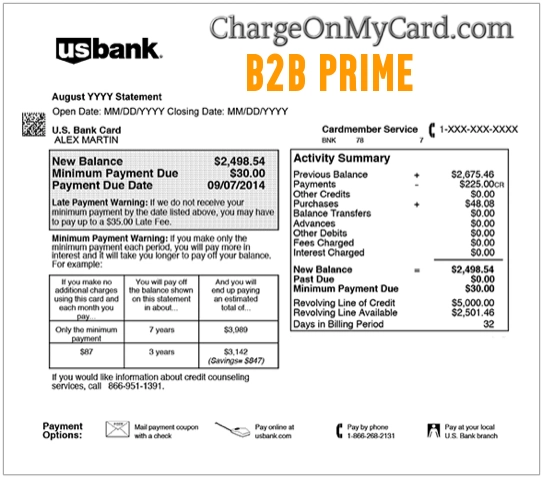
What Is the B2B Prime Charge on a Credit Card?
A B2B Prime charge on a credit card most likely represents an Amazon Prime Business membership fee.
Possible explanations include:
- An annual Prime Business renewal
- A Prime Business free trial that became paid
- An upgrade to a larger Prime Business plan
- A second Amazon Business account using the same card
- A membership purchased by another business-account administrator
- A shared organization payment method
- A nonprofit or promotional plan renewal
- A corrected or retried membership payment
- A temporary pending authorization
- An unauthorized use of the card or Amazon account
The descriptor alone may not identify the organization, account administrator, plan tier, user count, renewal date, or email address connected with the membership.
What Does B2B Prime Mean?
B2B commonly means business-to-business. In this descriptor, it most likely refers to Amazon’s business-focused purchasing and membership program.
Amazon currently calls the membership Prime Business, although a bank may display variations such as:
- B2B PRIME
- B2BPRIME
- B2B PRIME AMAZON
- AMAZON B2B PRIME
- B2B PRIME SEATTLE
- B2B PRIME SEATTLE WA
- B2B PRIME AMZN.COM/BILL WA
- AMZN B2B PRIME
- POS DEBIT B2B PRIME
- CHECKCARD B2B PRIME
- PENDING B2B PRIME
The wording can vary according to the bank, card network, account type, billing entity, transaction status, and available statement space.
Is B2B Prime the Same as Amazon Prime?
No. Amazon Prime and Prime Business are separate membership programs.
Amazon Prime
Amazon Prime is designed mainly for personal and household use. It may include shipping, entertainment, and other consumer benefits.
Prime Business
Prime Business is designed for Amazon Business accounts. Depending on the plan, its benefits may include:
- Fast delivery on eligible business purchases
- Multiple account users
- Purchasing controls
- Approval workflows
- Spend reporting and analytics
- Guided Buying tools
- Business rewards or extended payment terms for eligible accounts
A cardholder can have both a personal Prime membership and a separate Prime Business membership. Canceling one does not necessarily cancel the other.
Is an Amazon Business Account Free?
Creating a standard Amazon Business account is generally free.
The charge usually comes from adding Prime Business membership benefits rather than merely registering the business account.
Before disputing the transaction, check whether someone selected:
- A Prime Business free trial
- A paid membership plan
- An upgrade from a smaller plan
- A promotional offer that later renewed
- A separate membership for another business account
Current Prime Business Plans and Common Fees
Amazon’s current U.S. Prime Business plans include:
- Duo: Free for eligible sole proprietors
- Essentials: Up to five users, currently $179 per year
- Small: Up to 20 users, currently $499 per year
- Medium: Up to 200 users, currently $1,299 per year
- Enterprise: Currently $10,099 per year
The final card amount may differ because of:
- Taxes
- Promotional pricing
- Nonprofit or association pricing
- A partial-year plan change
- An upgrade or downgrade adjustment
- A refund or account credit
- Country-specific pricing
Compare the transaction with the official membership invoice rather than relying only on the standard plan price.
Why Did B2B Prime Charge My Card?
The Membership Renewed Annually
Prime Business memberships can renew automatically until canceled. The renewal may appear a year after the original signup date, making the charge easy to overlook.
A Free Trial Ended
A free trial may become a paid membership when the promotional period ends unless an administrator cancels it first.
An Administrator Upgraded the Account
A business-account administrator may have changed the organization to a plan that supports more users or additional benefits.
The Card Is Shared Across the Organization
Amazon Business accounts can have multiple users and administrators. Someone else in the organization may have approved the membership while using a shared company card.
There Is More Than One Business Account
A business owner may have separate accounts for different companies, branches, email addresses, departments, or projects.
The Payment Was Unauthorized
If no business account, administrator, invoice, membership, or authorized user explains the charge, the Amazon account or payment card may have been used without permission.
How to Verify a B2B Prime Charge
- Copy the complete statement descriptor.
- Record the amount, date, posting date, and transaction status.
- Sign in to every possible Amazon Business account.
- Check accounts belonging to each company, location, department, or administrator.
- Open Business Settings.
- Review the Prime Business membership and plan tier.
- Check the renewal date.
- Download the membership invoice.
- Ask all business-account administrators.
- Search business email accounts for Prime Business, B2B Prime, membership, renewal, trial, invoice, or plan upgrade.
- Compare the invoice amount with the card transaction.
- Contact Amazon Business Customer Service if the charge remains unclear.
How to Download the Prime Business Invoice
- Sign in to the Amazon Business account.
- Open the Prime Business membership page.
- Select Manage membership: invoices, cancel & more.
- Select View invoices.
- Open or download the invoice matching the transaction date.
- Compare the plan, amount, payment method, tax, and renewal period.
The invoice is stronger evidence than the shortened bank descriptor because it should identify the membership account and billing period.
Why Does B2B Prime Show Seattle, Washington?
A B2B Prime transaction may include Seattle, Washington because Amazon uses Seattle-related corporate and payment information.
The location does not necessarily mean:
- The card was physically used in Seattle
- An employee traveled to Seattle
- The order shipped from Seattle
- The business account is based in Washington
- The membership was purchased at an Amazon office
Use the membership invoice and account history to identify the actual organization and administrator involved.
What Is 410 Terry Avenue North?
410 Terry Avenue North, Seattle, Washington is an Amazon-related corporate address that may appear in merchant or company records.
It is not a customer-service location and does not identify which Amazon Business account purchased the membership. Do not mail billing disputes or card information to that address unless Amazon specifically directs you to do so.
Why Are There Two B2B Prime Charges?
Two charges may represent:
- Two Amazon Business accounts
- Two companies using the same card
- A renewal and a plan upgrade
- A pending authorization and completed payment
- A failed payment followed by a successful retry
- A personal Amazon Prime fee and a separate Prime Business fee
- A duplicate merchant submission
- Unauthorized activity
Check whether both transactions have fully posted and compare each one with the available membership invoices.
How to Cancel Prime Business
Only an authorized account administrator may be able to manage or cancel the membership.
- Sign in to the Amazon Business account.
- Open Business Settings.
- Go to the Prime Business membership section.
- Select the option to manage or cancel the membership.
- Select Cancel Membership.
- Review any refund amount displayed.
- Confirm the cancellation.
- Save the confirmation page and email.
- Check the membership status afterward.
Canceling Prime Business does not necessarily close the free Amazon Business account or cancel ordinary Amazon orders.
Can You Get a Prime Business Refund?
Amazon may display a full or partial refund during the cancellation process when the account is eligible.
Eligibility may depend on:
- When the membership renewed
- Whether membership benefits were used
- The plan type
- A trial conversion
- A recent upgrade or downgrade
- Amazon’s current terms and account-specific circumstances
Do not assume cancellation automatically produces a refund. Review the refund amount shown before confirming and save the cancellation record.
Amazon Business Official Support Resources
- Amazon Business login: Sign in to Amazon Business
- Prime Business membership: Review Prime Business
- Manage Prime Business: Manage or cancel the membership
- Membership invoices: Download a Prime Business invoice
- Amazon Business Help: Amazon Business Help Center
- Amazon Business Customer Service: Contact Amazon Business Customer Service
The old version of this page listed 1-800-201-7575 as B2B Prime customer service. We could not verify that as Amazon’s current U.S. Prime Business billing number, so it has been removed.
What If You Cannot Find the Business Account?
- Search all work and personal email addresses for Amazon Business messages.
- Ask current and former business-account administrators.
- Check whether another company or branch uses the card.
- Review password-manager entries for Amazon Business accounts.
- Ask the bank for the full merchant descriptor and transaction reference.
- Contact Amazon Business Customer Service.
- Provide the amount, date, exact descriptor, and last four card digits when requested securely.
Do not post or email a complete card number, bank-account number, Amazon password, tax ID, invoice, PIN, CVV code, or one-time security code.
What If the B2B Prime Charge Was Unauthorized?
- Review every Amazon Business and personal Amazon account.
- Ask every account administrator and authorized cardholder.
- Check membership invoices and renewal records.
- Change the Amazon account password if account access is suspected.
- Enable two-step verification.
- Remove unknown users, devices, or payment methods.
- Contact Amazon Business Customer Service.
- Lock the card if additional activity is occurring.
- Contact the issuer using the number on the card or official banking app.
- Report the completed transaction as unauthorized when appropriate.
- Ask whether the card should be replaced.
Consumer Reports and Experiences
There are currently zero visible cardholder reports on this page.
We do not yet have live visitor reports confirming specific plan amounts, free-trial conversions, annual renewals, account administrators, duplicate charges, refunds, or dispute outcomes.
Frequently Asked Questions About B2B Prime Charges
What is B2B Prime on my credit card?
It most likely represents an Amazon Prime Business membership fee, renewal, free-trial conversion, or plan change.
What does B2B Prime mean?
B2B commonly means business-to-business. The descriptor most likely refers to Amazon’s Prime Business membership for Amazon Business customers.
Is B2B Prime from Amazon?
Most likely, particularly when the transaction also shows Amazon, AMZN, Seattle, Washington, or AMZN.COM/BILL.
Is Amazon Business free?
A standard Amazon Business account can be created without a membership fee. Prime Business is the separate benefits program that may have a paid annual plan.
What is the B2B Prime fee?
The fee depends on the membership tier, account size, promotions, taxes, and plan changes. Review the official membership invoice for the exact explanation.
Why did B2B Prime charge me $179?
That amount currently matches the listed annual price of the Prime Business Essentials plan before any applicable tax or adjustment.
Why did B2B Prime charge me $499?
That amount currently matches the listed annual price of the Prime Business Small plan before tax or account-specific adjustments.
What is B2B Prime Seattle?
It likely identifies Amazon’s Seattle-related merchant or corporate information. It does not mean the card was physically used in Seattle.
Is B2B Prime the same as personal Amazon Prime?
No. Personal Amazon Prime and Prime Business are separate memberships and may create separate charges.
How do I identify the account?
Sign in to every Amazon Business account, review Business Settings, download the Prime Business membership invoice, and ask all account administrators.
How do I cancel B2B Prime?
An account administrator can manage or cancel Prime Business through the membership settings in the Amazon Business account.
Can I get a refund?
Amazon may display an available full or partial refund during cancellation. Eligibility depends on the account and use of the membership.
What is the B2B Prime phone number?
Use Amazon’s official Business Customer Service page. The old 1-800-201-7575 listing was not verified as current U.S. Prime Business billing support.
Should I dispute the charge?
First check every Amazon Business account, administrator, membership invoice, trial, and renewal. Contact the issuer promptly when no authorized membership explains the completed charge.
Related Charge Guides
These guides cover other Amazon statement descriptors. Their inclusion does not mean an ordinary Amazon order or Marketplace purchase is the same as a Prime Business membership fee.
Help Other Cardholders Identify This Charge
If you saw B2B PRIME, B2BPRIME, AMAZON B2B PRIME, B2B PRIME SEATTLE WA, or another variation, please share what the payment involved.
Helpful details include the exact descriptor, general amount, plan type, whether a trial ended, whether another administrator approved it, and how cancellation, refund, or dispute was resolved.
Do not post complete card numbers, bank-account numbers, Amazon account emails, tax information, invoices, business-account IDs, passwords, PINs, CVV codes, or one-time security codes.
Why Rely on ChargeOnMyCard.com?
ChargeOnMyCard.com researches confusing credit-card, debit-card, Amazon, business-membership, subscription, renewal, and bank-statement descriptors using current official merchant information, transaction clues, and visible cardholder reports when available.
Business accounts can have multiple users, administrators, payment methods, and membership plans. We explain how to compare the card transaction with official invoices and account records.
Last reviewed: July 2026.
Disclaimer
ChargeOnMyCard.com is not affiliated with Amazon, Amazon Business, Prime Business, Amazon Prime, any Amazon seller, business-account administrator, cardholder, bank, card network, payment processor, or financial institution. This page is for informational purposes only and is not financial, legal, tax, accounting, business, billing, cancellation, refund, dispute, account-security, or fraud-prevention advice. Contact Amazon Business and your financial institution directly about a specific transaction.