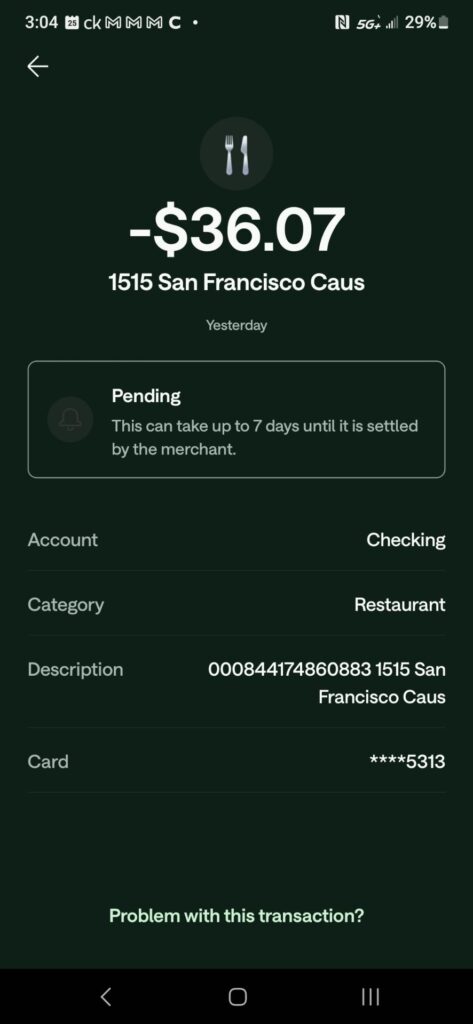
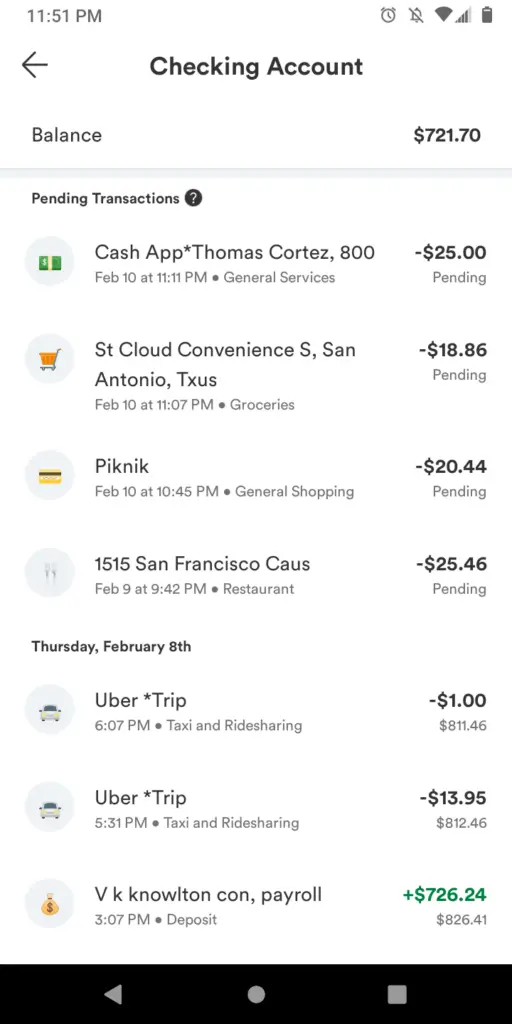
A 1515 SAN FRANCISCO CAUS charge on your credit card, debit card, or bank statement may be an address-based transaction connected to Uber or Uber Eats. Uber has used 1515 3rd Street in San Francisco in its official corporate and legal materials.
This is the strongest documented connection, but the wording alone does not prove that every 1515 San Francisco charge came from Uber. Verify the transaction through your Uber ride activity, Uber Eats orders, Uber One membership, email receipts, bank details, and other authorized card users before reporting it as unauthorized.
What Is the 1515 SAN FRANCISCO CAUS Charge?
The statement wording may refer to 1515 3rd Street, San Francisco, California, an address associated with Uber Technologies and related Uber entities.
The ending CAUS is likely compressed location formatting for:
- CA: California
- US: United States
Depending on how the bank joins or shortens fields, the transaction may display only the street number, city, state, and country rather than the familiar Uber or Uber Eats name.
Possible explanations include:
- An Uber ride
- An Uber Eats restaurant order
- An Uber Eats grocery, convenience, or retail order
- An Uber One membership renewal
- A ride cancellation fee
- A tip added after a trip or delivery
- A toll, booking fee, fare adjustment, or cleaning fee
- A pending authorization hold
- A transaction made through another Uber account using the card
- A purchase made by a family member, friend, coworker, or other authorized user
- An unauthorized card or Uber account transaction
- Another business or payment processor using similar San Francisco location information
The transaction amount, date, merchant category, account activity, and complete descriptor are needed to confirm the source.
Is 1515 San Francisco CAUS an Uber Charge?
Uber is the strongest currently documented possibility.
Uber has used 1515 3rd Street, San Francisco, CA 94158 in official corporate, legal, promotional, and regulatory materials. The address has been associated with Uber Technologies, Uber LLC, and Uber Eats-related operations.
However, an address connection is not conclusive proof. A card statement may:
- Show only part of the merchant record
- Use a corporate rather than consumer-facing name
- Display the merchant’s address instead of its brand
- Combine city, state, and country fields
- Omit the restaurant or store involved in a delivery order
- Use a payment processor’s information
- Contain incorrect or incomplete merchant data
Confirm the transaction through Uber and the card issuer rather than relying on the address alone.
Common 1515 San Francisco Statement Variations
The wording may vary by bank, card network, payment method, and available statement space.
Possible and searched variations include:
- 1515 SAN FRANCISCO CAUS
- 1515 SAN FRANCISCO CA US
- 1515 SAN FRANCISCO
- 1515 3RD STREET
- 1515 3RD STREET SAN FRANCISCO
- 1515 3RD ST SAN FRANCISCO CA
- 1515 3RD STREET CHARGE
- 1515 3RD STREET DEBIT CARD CHARGE
- SAN FRANCISCO CAUS
- SAN FRANCISCOCAUS
- SAN FRANCISCOCAUS CHARGE
- SAN FRANCISCO CAUS CHARGE ON DEBIT CARD
- PENDING 1515 SAN FRANCISCO CAUS
- POS DEBIT 1515 SAN FRANCISCO
These are comparison examples rather than a complete official descriptor list.
Why Did 1515 San Francisco Charge My Card?
An Uber Ride
The payment may correspond to an Uber ride requested through your account or another account using your card.
Review:
- The trip date and time
- The pickup and destination
- The original quoted fare
- The final trip total
- Tolls and surcharges
- The tip
- Any fare adjustment
- The payment card used
The bank posting date may differ from the date of the ride.
An Uber Eats Restaurant Order
The transaction may be connected to a restaurant order placed through Uber Eats.
The statement may display an Uber corporate location rather than:
- The restaurant name
- The food ordered
- The delivery address
- The Uber Eats order number
- The person who placed the order
One visible report on this ChargeOnMyCard.com page described the transaction as an unknown restaurant charge. That report is a useful clue but does not prove that every 1515 San Francisco transaction is an Uber Eats order.
An Uber Eats Grocery or Retail Order
Uber Eats also supports participating grocery stores, convenience stores, pharmacies, alcohol merchants where permitted, and other retailers.
A charge may therefore involve:
- Groceries
- Convenience items
- Household supplies
- Retail products
- A gift order
- A group order
- A scheduled delivery
Check all recent Uber Eats orders rather than only restaurant meals.
An Uber One Membership
Uber One is a recurring membership that can provide eligible ride and delivery benefits.
A recurring 1515 San Francisco transaction may be an Uber One:
- Monthly renewal
- Annual renewal
- Free-trial conversion
- Promotional membership that began regular billing
- Membership under another email address or Uber account
Check the Uber One section of both the Uber and Uber Eats apps.
A Tip or Fare Adjustment
The final amount can differ from the initial ride or order amount because of:
- A tip added after the service
- A toll
- A booking fee
- A route or destination change
- Additional waiting time
- A fare correction
- A delivery adjustment
- A restaurant or item substitution
Uber may issue an updated receipt when a trip fare changes.
A Cancellation Fee
A rider may be charged when a trip is canceled after a driver has accepted it or after the applicable cancellation period.
An Uber Eats order may also incur charges when it is canceled after the restaurant or store accepts and begins preparing it.
Look for a canceled trip or order matching the statement date and amount.
A Cleaning or Damage-Related Fee
Uber may add a cleaning fee after a ride when a driver reports a qualifying mess or damage.
The fee should be connected to an updated trip receipt. Review the trip activity and contact Uber through that trip if the fee appears incorrect.
Another Person Used the Card
The card may be stored in:
- A spouse’s Uber account
- A child’s or family member’s account
- A coworker’s business travel account
- An old Uber account
- A shared Uber Eats account
- A phone where the Uber app remained signed in
Ask authorized users before reporting the transaction as fraud.
How to Identify a 1515 San Francisco CAUS Charge
1. Copy the Complete Statement Descriptor
Record:
- The complete wording
- The amount
- The transaction date
- The posting date
- Whether it is pending or completed
- Whether it is marked recurring
- Any merchant telephone number
- Any location, payment, or reference details
Do not post private transaction numbers or card information publicly.
2. Review Uber Ride Activity
Open the Uber app:
- Select Activity.
- Review completed and canceled trips.
- Select each possible trip.
- Open the receipt or price breakdown.
- Compare the date, amount, tip, tolls, and fees.
- Confirm which card funded the trip.
Also search your email for Uber trip receipts.
3. Review Uber Eats Orders
Open Uber Eats and check:
- Completed orders
- Canceled orders
- Scheduled orders
- Restaurant orders
- Grocery and retail orders
- Tips
- Refunds and credits
- Orders placed for another person
Compare the final total rather than only the original food or merchandise subtotal.
4. Check Uber One
In the Uber or Uber Eats app:
- Open Account.
- Select Uber One.
- Review the membership status.
- Check the renewal date.
- Check the monthly or annual amount.
- Confirm the payment method.
Check all Uber accounts that may use the card.
5. Search Your Email
Search every relevant email account for:
- Uber
- Uber Eats
- Uber One
- Trip receipt
- Order receipt
- Membership
- Renewal
- Cancellation
- The exact amount
- The date of the transaction
Check spam, trash, archived messages, and secondary accounts.
6. Ask Other Authorized Users
Ask household members, coworkers, business-card users, and anyone with access to a device where your card was saved.
An unfamiliar charge may belong to a legitimate ride or order made through a different Uber account.
7. Ask the Card Issuer for Extended Merchant Details
The bank may be able to provide:
- The full merchant name
- The merchant category
- The full street address
- Whether the transaction was online
- Whether a digital wallet was used
- Whether the transaction was recurring
- Whether the card was present
- The merchant-support information supplied through the card network
These details can help distinguish Uber from another merchant using San Francisco location information.
8. Contact Uber Through the Matching Transaction
For the best chance of identifying the payment, contact Uber from:
- The matching ride in Activity
- The matching Uber Eats order
- The Uber One membership page
- The official unrecognized-charge support page
Have the date, amount, descriptor, and limited card details requested through the secure support process.
Is the 1515 San Francisco Charge Still Pending?
A pending entry may be a temporary Uber authorization hold rather than a second completed charge.
Uber may place a hold:
- When a ride is requested
- When an order is placed
- When a new payment method is added
- When an existing payment method has not been used recently
- To verify that the payment method is valid
The pending hold and final completed payment may temporarily appear at the same time.
Check whether:
- One transaction remains pending
- The completed charge matches the final ride or order total
- The pending entry disappears after bank processing
- The bank shows both entries as completed
Some banks may take several days or longer to remove a voided authorization. Contact the bank if the hold remains beyond the timeframe it provides.
Why Are There Two 1515 San Francisco Charges?
Two entries may represent:
- A temporary hold and the completed transaction
- A ride plus a later tip
- An Uber ride and an Uber Eats order
- Two separate rides or orders
- An Uber One renewal and another transaction
- A fare adjustment
- A payment retry
- A refund or reversal next to the original payment
- A true duplicate charge
- Repeated unauthorized transactions
Review each amount and status separately. Report the issue to Uber when both entries become completed and only one legitimate transaction can be found.
How to Cancel Uber One
To stop future Uber One renewals:
- Open the Uber or Uber Eats app.
- Select the account or profile icon.
- Select Uber One.
- Scroll to Manage Membership.
- Select End Membership.
- Complete every confirmation step.
- Save the confirmation and stated ending date.
Cancel well before the next renewal date. If the renewal is close, the normal cancellation option is unavailable, or a new charge has already appeared, contact Uber support through the Uber One membership section.
Removing the payment card, deleting the app, or no longer using Uber does not necessarily cancel Uber One.
Can I Cancel or Refund an Uber Eats Order?
Uber Eats generally allows an order to be canceled without charge before the restaurant or store accepts it.
After acceptance:
- The merchant may have started preparing the order.
- A cancellation fee or full charge may apply.
- Refund eligibility may depend on the reason and order status.
To request help:
- Open Uber Eats.
- Select the applicable order.
- Select Help.
- Choose the issue that best matches what happened.
- Provide the requested details and photos, when relevant.
- Save the support response.
Report missing, incorrect, damaged, or undelivered orders promptly. Uber reviews refund eligibility according to the order record and circumstances.
Can I Get a Refund for an Uber Ride?
A refund or fare adjustment is not guaranteed merely because the charge is unfamiliar or higher than expected.
Request a review through the matching trip when:
- You did not take the ride
- The pickup or destination is incorrect
- The fare was adjusted incorrectly
- A cancellation fee appears improper
- A toll or surcharge is incorrect
- A cleaning fee is disputed
- The trip appears twice as completed
- The account was used without permission
Open the trip under Activity, select Help, and choose the issue that most closely matches the problem.
What If I Never Used Uber or Uber Eats?
If no authorized user recognizes the charge:
- Confirm whether it is pending or completed.
- Copy the full descriptor.
- Check all Uber accounts connected with the card.
- Review ride activity and receipts.
- Review Uber Eats orders.
- Review Uber One membership billing.
- Ask family members and other authorized card users.
- Search all email accounts for Uber and the exact amount.
- Ask the bank for extended merchant information.
- Report the charge through Uber’s official unrecognized-charge process.
- Change the Uber password if account access is suspected.
- Review and remove unfamiliar payment methods or devices.
- Lock the card if more unknown transactions are appearing.
- Contact the card issuer promptly if the payment remains unauthorized.
- Ask whether the card number should be replaced.
A real Uber-associated address does not prove that the individual transaction was authorized.
Current Uber Support
- Uber Help Center: Get official Uber support
- Uber rider support: Uber rider help
- Uber Eats support: Uber Eats help
- Unrecognized Uber charge: Review an unfamiliar transaction
- Duplicate-charge help: Review a duplicate-looking charge
- Account-security help: Report possible account compromise
Uber routes consumer billing support through the app and its online Help Center. No general consumer billing telephone number should be substituted for these account-specific support routes.
What About the 1515 3rd Street Address?
Uber has used:
1515 3rd Street
San Francisco, CA 94158
in official corporate and legal materials.
Uber’s investor information now lists its corporate headquarters at:
1725 Third Street
San Francisco, CA
Neither location is the recommended route for identifying or refunding an ordinary consumer transaction. Use the Uber app and Help Center.
Do Not Call 888-758-4389 About This Charge
The old version of this article listed 1-888-758-4389. That telephone number belongs to ChargePoint’s EV charging support service, not Uber or Uber Eats.
Do not call it to identify a 1515 San Francisco transaction unless your complete statement separately identifies ChargePoint or an electric-vehicle charging session.
Watch Out for Fake Uber Support
Use only the Uber app, Uber Eats app, and official Uber Help Center.
Do not trust an unexpected caller, text, social-media account, search advertisement, or website claiming it can reverse the charge.
Never provide an unverified person with:
- Your Uber password
- Your complete card number
- Your bank-account number
- Your PIN or CVV code
- A one-time authentication code
- Remote access to your phone or computer
- Gift-card numbers
- Cryptocurrency
- A second payment to release a refund
Do not post Uber account emails, phone numbers, trip details, delivery addresses, or private transaction references in public comments.
Should I Dispute the 1515 San Francisco Charge?
When possible, first use Uber’s official support to identify the trip, order, membership, hold, fee, or account involved.
Contact the card issuer promptly when:
- No authorized user recognizes the transaction
- The charge does not appear in any Uber account
- Uber cannot identify or resolve it
- Both duplicate-looking entries become completed
- Several unauthorized transactions are appearing
- The Uber account or payment card may be compromised
- A bank-reporting deadline may be approaching
Keep screenshots and copies of:
- The statement transaction
- Uber ride activity
- Uber Eats order history
- Uber One membership status
- Receipts
- Support messages
- Refund or cancellation decisions
Credit Card and Debit Card Dispute Guidance
- CFPB credit-card dispute guidance
- FTC credit-card billing guidance
- CFPB debit-card and bank-transaction guidance
Deadlines and protections can differ for credit cards, debit cards, digital wallets, business accounts, and bank transactions.
Consumer Reports and Experiences
There are currently five visible consumer reports on this ChargeOnMyCard.com page.
The reports include:
- One unknown restaurant-related charge on a debit card
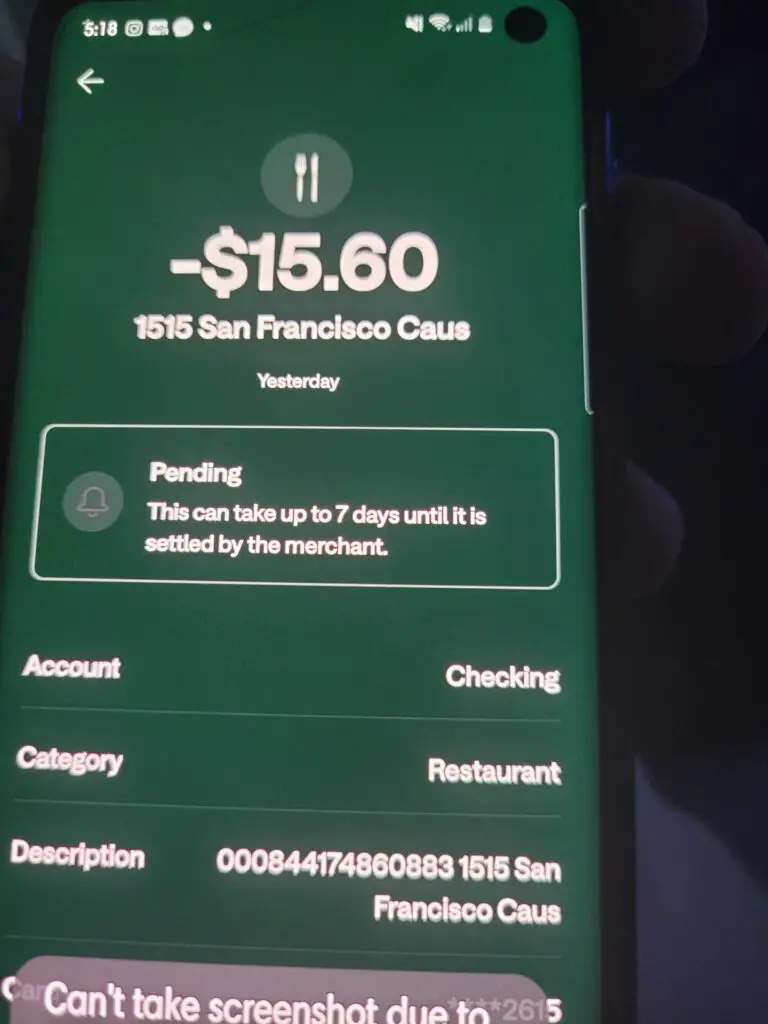
- One unfamiliar charge of approximately $15.60
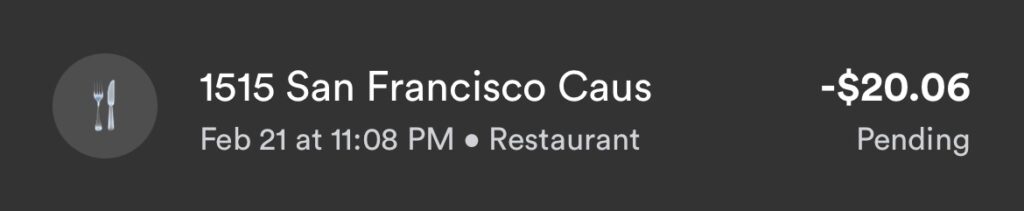
- One unfamiliar charge of approximately $20
- Several general allegations of unauthorized card use
No visible commenter identified:
- A matching Uber ride
- An Uber Eats restaurant or order
- An Uber One membership
- A pending authorization hold
- A confirmed merchant other than Uber
- A refund result
- A final bank-dispute outcome
The reports do not prove that Uber caused every 1515 San Francisco transaction.
ChargeOnMyCard.com cannot access Uber, Uber Eats, card, bank, trip, order, membership, or refund accounts. It cannot identify a private transaction, cancel an order or membership, issue a refund, or submit a bank dispute.
Frequently Asked Questions About 1515 San Francisco CAUS
What is 1515 San Francisco CAUS?
It appears to be an address-based merchant descriptor. The strongest documented connection is to Uber because Uber has used 1515 3rd Street in San Francisco in official materials.
What does CAUS mean?
CAUS likely combines California’s abbreviation, CA, with the country abbreviation US. Banks sometimes remove spaces from merchant-location fields.
Is 1515 San Francisco CAUS Uber?
Possibly. Uber is the strongest verified address connection, but you should confirm the transaction through Uber activity, Uber Eats orders, Uber One, receipts, and the card issuer.
What is a 1515 San Francisco CAUS charge on a debit card?
It may be an Uber ride, Uber Eats order, Uber One renewal, tip, fee, fare adjustment, pending authorization, or unauthorized payment.
What is San FranciscoCAUS on my bank statement?
San FranciscoCAUS may be compressed merchant-location wording meaning San Francisco, California, United States. The rest of the transaction details are needed to identify the merchant.
Is 1515 3rd Street Uber?
1515 3rd Street has been used by Uber Technologies and related Uber entities in official materials. Uber’s current investor information now lists 1725 Third Street as its headquarters.
Could this be an Uber Eats restaurant charge?
Yes. One possibility is an Uber Eats order whose statement displays Uber’s corporate location rather than the restaurant name. Check Uber Eats order history and receipts.
Could it be Uber One?
Yes, particularly if the amount recurs monthly or annually. Check Account, Uber One, and Manage Membership in the Uber or Uber Eats app.
Why do I see two charges?
One may be a temporary authorization hold and the other the completed ride or order payment. They could also be separate trips, orders, tips, fees, or a true duplicate.
How do I contact Uber?
Use the matching ride, order, or membership inside the Uber or Uber Eats app, or visit the official Uber Help Center.
Is 888-758-4389 Uber’s telephone number?
No. That number belongs to ChargePoint EV driver support and should not be used for a 1515 San Francisco or Uber billing question.
What should I do if the charge is unauthorized?
Check all Uber and Uber Eats activity, secure the Uber account, report the transaction through official Uber support, and promptly contact the card issuer if it remains unexplained.
Related Address and Delivery Charge Guides
- 303 2nd Street DoorDash Charge
- 700 N San Vicente Blvd Charge: FabFitFun?
- Raiser 6795 EDI Payment and Uber Driver Deposit
- How to Investigate an Unrecognized Card or Bank Charge
The DoorDash guide explains another San Francisco address-based delivery descriptor. The Raiser guide is relevant when an Uber-related transaction is an earnings deposit or ACH credit rather than a consumer purchase.
Help Other Cardholders Identify 1515 San Francisco CAUS
If you saw 1515 SAN FRANCISCO CAUS, 1515 3RD STREET, SAN FRANCISCOCAUS, or another variation, share what the transaction involved.
Helpful details include:
- The complete descriptor without private references
- The general amount range
- Whether it was pending or completed
- Whether it matched an Uber ride
- Whether it matched an Uber Eats order
- Whether Uber One was active
- Whether a temporary hold disappeared
- How Uber or the card issuer resolved it
Do not post card numbers, bank-account numbers, transaction references, Uber account emails, phone numbers, ride locations, delivery addresses, order numbers, passwords, PINs, CVV codes, or authentication codes.
Why Rely on ChargeOnMyCard.com?
ChargeOnMyCard.com researches confusing credit-card, debit-card, rideshare, food-delivery, subscription, address-based, digital-service, and bank-statement descriptors using current official merchant resources, transaction clues, support procedures, and visible consumer reports.
We distinguish the verified connection between Uber and 1515 3rd Street from the unconfirmed source of an individual transaction. Readers should verify their specific payment through Uber and the financial institution where it appeared.
Last reviewed: July 2026.
Disclaimer
ChargeOnMyCard.com is not affiliated with Uber Technologies, Inc., Uber LLC, Uber, Uber Eats, Uber One, Rasier LLC, any Uber driver, delivery person, restaurant, retailer, ChargePoint, payment processor, card network, bank, or financial institution. This article is provided for informational purposes only and is not financial, legal, banking, transportation, delivery, subscription, cancellation, refund, dispute, privacy, account-security, or fraud advice. Contact Uber and the applicable financial institution directly regarding a specific transaction.