
A 123SIGNUP charge on your credit card, debit card, PayPal account, or bank statement may be connected to 123SignUp, EZSignUp, event registration, association dues, class registration, sports tournament fees, conference fees, camp registration, community events, merchandise, donations, or another organization using registration software to collect payments.
123SignUp is now part of the EZSignUp platform, so an older or shortened descriptor may still show as 123SIGNUP even when the event, organization, or payment form is connected to EZSignUp. If you do not recognize the charge, compare the amount, date, event name, organization name, email receipt, and authorized card users before disputing it.
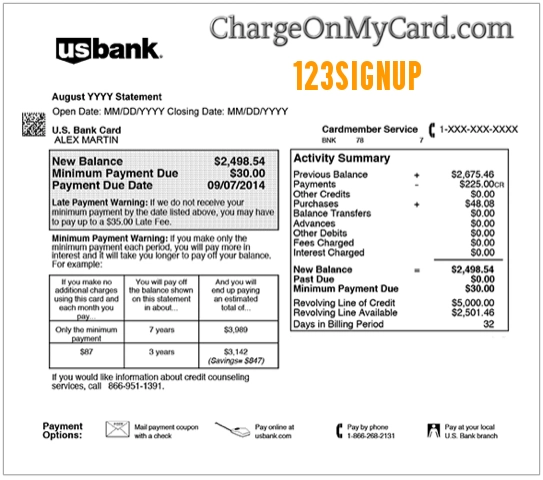
What Is the 123SIGNUP Charge on a Credit Card?
The 123SIGNUP charge is most likely related to an event registration, membership payment, activity signup, class, tournament, race, conference, association fee, camp, fundraiser, merchandise purchase, or online form payment processed through 123SignUp or EZSignUp.
This charge can be confusing because the card statement may show the registration platform name instead of the organization, school, club, association, event host, or business where you actually signed up. In many cases, the organization using the software is the best first contact for questions about the event, refund policy, cancellation rules, or registration details.
123SignUp Is Now EZSignUp
123SignUp has been replaced by EZSignUp, an online registration and event management platform. EZSignUp is used by organizations to create forms, collect registrations, accept payments, manage attendees, and process event-related activity.
That means a 123SIGNUP charge may be tied to an older registration system, a migrated organization, or an EZSignUp payment that still uses a 123SignUp-related descriptor. If the descriptor looks unfamiliar, search your email for both “123SignUp” and “EZSignUp.”
Common 123SIGNUP Statement Descriptor Variations
The charge may appear in different ways depending on your bank, card network, payment processor, or the organization collecting the registration:
- 123SIGNUP
- 123 Signup
- 123SignUp
- 123SIGNUP CHARGE
- 123SIGNUP REGISTRATION
- 123SIGNUP EVENT
- 123REGISTER
- EZSIGNUP
- EZ SIGNUP
- EZSIGNUP REGISTRATION
- CHKCARD 123SIGNUP
- CHECKCARD 123SIGNUP
- POS Debit 123SIGNUP
- POS PURCHASE 123SIGNUP
- PRE-AUTH 123SIGNUP
- PENDING 123SIGNUP
- POS REFUND 123SIGNUP
Why 123SIGNUP May Appear on Your Statement
A 123SIGNUP charge may appear for several reasons:
- You registered for an event, class, course, conference, tournament, camp, race, or activity.
- You paid association dues, membership fees, chapter fees, or organization fees.
- You bought merchandise, add-ons, tickets, badges, or optional items during registration.
- You paid for a fundraiser, social event, banquet, reunion, workshop, or community event.
- A school, nonprofit, sports league, club, or professional association used 123SignUp or EZSignUp to collect payment.
- A registration was changed, adjusted, cancelled, or refunded.
- A processing fee or convenience fee was added to the registration total.
- A spouse, child, employee, team member, club member, or authorized card user registered using your card.
- The transaction is a pending authorization that may later adjust or drop off.
- The charge is duplicated, incorrect, or unauthorized.
Official EZSignUp Contact Information
If the charge is connected to an event, organization, or registration form, first check your confirmation email because it may list the event organizer’s contact details. For platform support, use official EZSignUp support options.
- 123SignUp / EZSignUp Page: 123SignUp Is Now EZSignUp
- EZSignUp Website: EZSignUp.com
- EZSignUp Support: EZSignUp Help Center
- Submit a Support Request: Submit a Request
- EZSignUp Support Phone: 877-358-7774
- EZSignUp General Phone: 516-719-7000
- Current Listed Address: 67 Froehlich Farm Blvd, Woodbury, NY 11797
When contacting support, provide the transaction date, amount, descriptor, event or organization name if known, confirmation number if available, email address used for registration, and the last four digits of the card. Do not provide your full card number, bank login, password, or one-time security code.
How to Verify a 123SIGNUP Charge
Use these steps before filing a dispute:
- Search your email. Look for “123SIGNUP,” “123SignUp,” “EZSignUp,” “registration,” “event,” “membership,” “dues,” “conference,” “tournament,” “camp,” or the exact amount.
- Look for an event organizer. The charge may be tied to a club, school, association, nonprofit, business, race, sports league, or conference rather than directly to 123SignUp.
- Compare the amount. Include registration fees, convenience fees, add-ons, merchandise, donation amounts, taxes, or processing fees.
- Review the date. The charge may post when the registration is submitted, when a change is made, or when an event organizer processes an adjustment.
- Ask authorized card users. A spouse, child, employee, club member, teammate, or organization member may have used the card.
- Check refunds or cancellations. A refund may depend on the organizer’s policy, not only the registration platform.
- Contact the event organizer first when possible. The organizer may control event details, cancellation rules, and refund approvals.
- Contact EZSignUp if needed. Use the official support center if you cannot identify the form, organization, or account.
- Contact your card issuer if still unknown. Your bank may be able to provide authorization details, merchant category, and dispute options.
123Signup Reviews, Complaints, and Search Confusion
Many users search for 123signup reviews after seeing the charge because they are trying to determine whether the descriptor is legitimate. The key point is that 123SignUp/EZSignUp is a registration and payment platform, so the charge may be connected to a separate organization or event host.
If your concern is about the event itself, cancellation policy, refund timing, registration mistake, or missing confirmation, the event organizer may be the most useful contact. If your concern is about identifying the billing descriptor or account used, EZSignUp support or your card issuer may be more appropriate.
Refunds, Cancellations, and Event Organizer Policies
Refund rules can vary by event, organization, class, race, conference, or membership group. Some registration fees or processing fees may be non-refundable, while other events may allow full or partial refunds before a deadline.
Before disputing the charge, check your confirmation email, event page, organizer website, and cancellation policy. If the event organizer approves a refund, ask when it will be processed and whether it will appear as 123SIGNUP, EZSIGNUP, the organizer name, or another refund descriptor.
What to Do If the 123SIGNUP Charge Is Unauthorized
If you cannot connect the 123SIGNUP charge to an event, registration, membership, organization, refund, cancellation, or authorized card user, contact your bank or card issuer promptly.
- Lock or freeze your card if your bank offers that option.
- Call the number on the back of your card.
- Ask whether the transaction was online, recurring, manually entered, mobile-wallet based, or card-present.
- Request the full merchant details tied to the authorization.
- Ask whether additional related charges were attempted.
- Check your email for unknown registrations or account confirmations.
- Change passwords on email, PayPal, Apple, Google, or browser accounts that may have saved payment details.
- Request a replacement card if your card information may have been compromised.
- Dispute the charge if it was unauthorized, duplicated, incorrect, or cannot be verified.
If the charge is still pending, your bank may ask you to wait until it posts before opening a formal dispute. Continue monitoring your account while you gather details.
FAQs About the 123SIGNUP Charge
What does 123SIGNUP mean on my credit card?
123SIGNUP usually refers to a registration or payment processed through 123SignUp or EZSignUp. It may be connected to an event, class, membership, conference, tournament, camp, race, fundraiser, or organization signup.
Is 123SIGNUP now EZSignUp?
Yes. 123SignUp is now EZSignUp, so you may see older 123SignUp wording even when the current platform or support path is EZSignUp.
Is 123SIGNUP a legitimate charge?
It may be legitimate if you or an authorized card user registered for an event, paid membership dues, signed up for a class, entered a tournament, or paid an organization that uses the platform. If no one recognizes it, verify the charge with the event organizer, EZSignUp, and your card issuer.
Why do people search for 123Signup reviews?
People often search for 123Signup reviews because the descriptor does not clearly show the event or organization name. Reviews may help identify the platform, but your own receipt, event confirmation, and bank details are more useful for verifying a specific charge.
Why does the charge not show the event name?
Payment descriptors are often shortened by banks and processors. Your statement may show 123SIGNUP or EZSIGNUP instead of the school, nonprofit, association, race, conference, team, class, or business that collected the registration.
Who should I contact first about a 123SIGNUP charge?
If you recognize the event or organization, contact the organizer first. If you only see 123SIGNUP and cannot identify the event, check your email and then contact EZSignUp support or your card issuer.
Can 123SIGNUP charges be refunded?
Refunds depend on the event organizer’s policy, the registration terms, the timing of the request, and whether any processing fees are refundable. Check the confirmation email and contact the event organizer.
Should I dispute a 123SIGNUP charge?
Dispute the charge if you confirm it was unauthorized, duplicated, incorrect, or cannot be matched to a real event, membership, signup, refund, cancellation, or authorized card user.
Related Charge Guides
- WP HOSTELWORLD.COM Charge on Credit Card
- TELECHARGE SVCE Charge on Credit Card
- Klarna Charge on Credit Card
- PAYPAL INST XFER Charge on Bank Statement
- 402-935-7733 PayPal Charge
Share Your Experience
Did a 123SIGNUP, 123SignUp, 123REGISTER, EZSIGNUP, or event-registration charge appear on your credit card, debit card, PayPal account, Apple Pay, Google Pay, or bank statement? Share the exact descriptor, amount range, event type if known, and whether it was connected to a registration, refund, membership, cancellation, or unauthorized transaction.
Privacy reminder: Do not post your full card number, bank account number, registration confirmation number, event ticket, email address, phone number, password, child’s information, address, or other private information in the comments.
Why Trust ChargeOnMyCard.com?
ChargeOnMyCard.com helps consumers identify confusing credit card, debit card, ACH, bank statement, PayPal, event-registration, mobile wallet, and payment processor descriptors. Our goal is to explain what a charge may be, how to verify it safely, and what steps to take if the transaction is unfamiliar, incorrect, duplicated, delayed, or unauthorized.
Disclaimer
ChargeOnMyCard.com is not affiliated with 123SignUp, EZSignUp, EZFacility, Jonas Software, any event organizer, school, association, club, nonprofit, payment processor, bank, card issuer, PayPal, Apple, or Google. This guide is for informational purposes only. Always verify charges directly with the event organizer, registration platform, or your financial institution if you believe a transaction is unauthorized or incorrect.