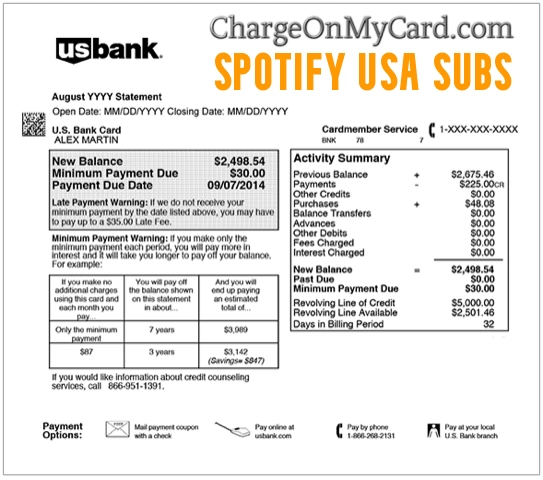
A SPOTIFY USA SUBS charge, Spotify charge, or similar entry on a credit card, debit card, or bank statement usually represents a Spotify Premium plan or another paid Spotify product. The payment may involve Premium Individual, Student, Duo, or Family, an audiobook listening-hours purchase, a paid podcast subscription, or a plan managed through a billing partner.
Spotify normally charges each Premium plan once per month. If the payment is unfamiliar or appears more than once, check every possible Spotify account, recent receipts, family members, pending transactions, and partner-managed subscriptions before reporting it as unauthorized.
What Is the SPOTIFY USA SUBS Charge?
SPOTIFY USA SUBS generally identifies a payment associated with Spotify’s U.S. service.
The charge may represent:
- Spotify Premium Individual
- Spotify Premium Student
- Spotify Premium Duo
- Spotify Premium Family
- A trial that converted to a paid Premium plan
- A subscription renewal
- A plan upgrade or change
- An audiobook listening-hours top-up
- A paid podcast subscription
- A second Spotify account
- A family member’s or friend’s Spotify account
- A payment made through a mobile carrier, internet provider, Google Play, or another partner
- A duplicate-looking authorization and completed payment
- A failed payment that Spotify attempted again
- An unauthorized use of the card or account
The statement usually will not identify:
- The Spotify username
- The account email address
- The login method used
- The specific Premium tier
- The person who created the account
- Whether the payment was for Premium, audiobooks, or a podcast
How Does Spotify Show Up on a Bank Statement?
Reported Spotify statement variations may include:
- SPOTIFY
- SPOTIFY USA
- SPOTIFY USA SUBS
- SPOTIFY SUBSCRIPTION
- SPOTIFY PREMIUM
- SPOTIFY NEW YORK
- SPOTIFY 150 GREENWICH ST
- SPOTIFY STOCKHOLM
- SPOTIFY AB
- CHECKCARD SPOTIFY
- CHKCARD SPOTIFY USA SUBS
- POS DEBIT SPOTIFY
- RECURRING SPOTIFY
- PENDING SPOTIFY
- SPOTIFY REFUND
Banks can:
- Remove spaces or punctuation
- Shorten the merchant name
- Add a location
- Add a recurring-payment indicator
- Display the payment processor’s wording
- Show different wording while the transaction is pending
Use the exact descriptor, amount, date, and transaction status when checking the charge.
What Does Spotify USA Mean?
Spotify USA Inc. provides Spotify service to users in the United States.
Spotify’s official U.S. office is:
Spotify USA Inc.
4 World Trade Center
150 Greenwich Street, 62nd Floor
New York, NY 10007
A descriptor containing:
- SPOTIFY USA
- SPOTIFY USA SUBS
- SPOTIFY NEW YORK
- 150 GREENWICH STREET
may therefore relate to Spotify’s U.S. billing or corporate information.
The New York wording does not mean:
- The cardholder visited New York
- The card was physically used at 4 World Trade Center
- The purchase was made in a Spotify office
The transaction may be an ordinary online subscription payment.
What Is a Spotify Stockholm Charge?
Spotify AB is headquartered at:
Regeringsgatan 19
SE-111 53 Stockholm
Sweden
Spotify says Spotify USA Inc. provides service to U.S. users, while Spotify AB provides service in other markets.
A statement showing Spotify Stockholm or Spotify AB may involve:
- A Spotify account registered outside the United States
- International Spotify billing
- A bank displaying Spotify AB’s corporate information
- A foreign-currency or international-card transaction
Do not assume the card was physically used in Sweden.
Check:
- The Spotify account country
- The transaction currency
- Whether the card issuer added an international fee
- The receipt and payment-history details
Why Did Spotify Charge My Card?
A Premium Plan Renewed
Spotify Premium plans renew according to the billing schedule shown on the account unless canceled.
The payment may be for:
- Premium Individual
- Premium Student
- Premium Duo
- Premium Family
- Another eligible Spotify plan
Review:
- The plan name
- The payment amount
- The billing date
- The next renewal date
- The payment method
- Whether a partner manages billing
A Free Trial Converted to Premium
A trial can convert to a paid subscription when it ends unless canceled according to the offer terms.
Search email for:
- Spotify trial
- Premium offer
- Your plan
- Payment receipt
- The exact charged amount
A very small pending amount appearing when the trial began may have been a temporary payment-method authorization rather than the first full subscription charge.
An Audiobook Purchase or Top-Up Was Made
A Spotify payment may relate to:
- Audiobook listening-hours access
- Additional listening-hours top-ups
- Another eligible audiobook purchase
Audiobook transactions can have different refund rules from ordinary Premium payments.
Check the Spotify receipt to identify whether the payment was:
- A Premium plan
- An audiobook top-up
- Another audiobook-related transaction
A Paid Podcast Subscription Was Purchased
Spotify supports paid podcast subscriptions.
A podcast charge may:
- Renew separately from Premium
- Use the same saved payment method
- Continue even when a separate Premium plan changes
Review paid podcast subscriptions separately before assuming that canceling Premium will stop every Spotify-related payment.
A Family Member or Friend Used the Card
The payment may belong to:
- A spouse or partner
- A child
- A Family-plan manager
- A Duo-plan manager
- A friend who previously had permission to use the card
- Another authorized cardholder
Ask whether anyone used the payment method for:
- A new Premium account
- A second subscription
- A plan upgrade
- An audiobook top-up
- A paid podcast
The Payment Was Not Authorized
The transaction may be unauthorized when:
- No Spotify account can be found
- No family member or authorized user recognizes it
- No receipt matches the payment
- Several unfamiliar Spotify charges appear
- The account email or password changed unexpectedly
- Unknown devices or playlists appear in the account
- The payment method was never intentionally saved with Spotify
Contact Spotify through its official messaging system and notify the card issuer promptly.
How to Identify a Spotify Charge
Follow these steps:
- Copy the complete statement descriptor.
- Record the amount, date, currency, and transaction status.
- Check whether the issuer labels it recurring.
- Sign in to the Spotify account you normally use.
- Open Payment History and review receipts.
- Compare the payment amount and date.
- Review the current plan and next billing date.
- Check audiobook and paid podcast purchases.
- Try every other email address and Spotify login method.
- Ask family members, friends, and authorized cardholders.
- Check whether a billing partner manages the plan.
- Contact Spotify through official online support.
- Contact the issuer when no authorized account explains the payment.
Do not post card digits, payment references, Spotify usernames, email addresses, passwords, or authentication codes publicly.
How to Check Spotify Receipts and Payment History
Spotify makes plan and audiobook receipts available for transactions from the previous two years.
To check:
- Sign in to Spotify.
- Open Payment History.
- Find the transaction under Your payments.
- Select Manage.
- Select View receipts.
- Download the receipt when needed.
Official resources:
- Spotify account: Sign in to your Spotify account
- Receipt instructions: Check Spotify receipts
- Payments and billing: Spotify billing help
Spotify also sends email receipts when:
- A trial offer begins
- The first payment for a new subscription is made
Search inbox, spam, promotions, deleted messages, and older email addresses.
Check Every Possible Spotify Account
Spotify accounts may be created or accessed through:
- Email and password
- Phone number
- Apple
Using different login methods can lead someone to create or access more than one account.
Try:
- Every current email address.
- Older email addresses.
- Continue with Apple.
- Continue with Google.
- Continue with Facebook.
- A phone-number login.
- Accounts used on older phones, tablets, TVs, speakers, and computers.
If one account says Spotify Free but the charge continues, another Spotify account may have Premium.
Why Did Spotify Charge Me Twice?
Spotify says each Premium plan is normally charged once per month.
Two entries may involve:
- A plan upgrade
- A temporary pending authorization
- A failed payment followed by a successful retry
- Two Spotify accounts
- Two different paid products
- A family member’s subscription
- A Premium payment and an audiobook top-up
- A Premium payment and a paid podcast subscription
- An actual duplicate transaction
- Repeated unauthorized use
A Plan Was Upgraded
Changing from one plan to a higher-priced plan can move the next billing date earlier to account for the difference.
This may create two payments within one calendar month without representing duplicate monthly billing.
One Charge Is Pending
A pending Spotify entry may be a temporary authorization.
It may:
- Disappear
- Be replaced by the completed payment
- Remain temporarily while the bank processes it
Do not assume a pending and completed entry are two final charges until both post.
A Failed Payment Was Retried
Spotify may retry a regular payment that failed.
The bank statement can display both:
- The failed attempt
- The successful completed payment
Only the completed payment may actually reduce the account balance.
Two Accounts Are Being Charged
Check every login method and ask family or friends whether they used the payment information.
If both completed charges remain unexplained, contact Spotify and the issuer.
How to Cancel Spotify Premium
To cancel a plan billed directly by Spotify:
- Sign in to the correct Spotify account.
- Open Manage your plan.
- Select Cancel subscription.
- Continue through the confirmation steps.
- Confirm the date when Premium will switch to Spotify Free.
- Save a screenshot or confirmation message.
Official cancellation instructions:
Premium generally remains active until the next billing date. The account then switches to Spotify Free.
If cancellation occurs during a zero-priced trial, Spotify says the account switches to Free immediately.
Deleting the app, signing out, removing downloaded music, or stopping use of Spotify does not cancel the subscription.
Canceling Family or Duo
Plan Managers
The Family or Duo plan manager controls the payment.
When the plan manager cancels:
- The plan ends on the next billing date
- Members lose Premium benefits when the paid period ends
- The accounts generally switch to Spotify Free
Plan Members
A plan member cannot cancel the entire paid plan unless that person is also the plan manager.
Leaving the plan:
- Removes that member
- Does not necessarily stop the manager’s payment
- Does not cancel the whole Family or Duo subscription
Contact the plan manager when the card or payment belongs to someone else.
What If Spotify Is Billed Through a Partner?
A Spotify plan may be managed by:
- A mobile-phone provider
- An internet provider
- Google Play
- Another subscription or billing partner
To check:
- Sign in to Spotify.
- Open Manage your plan.
- Review the Payment section.
- Look for the partner’s name and contact link.
When a partner controls billing:
- The partner manages cancellation
- The partner manages payment-method changes
- The partner handles refund requests
- The statement may show the partner instead of Spotify
Spotify may not display a cancellation button when the subscription is partner-managed.
Why Was I Charged After Canceling Spotify?
Possible explanations include:
- The payment processed before cancellation was completed
- The wrong Spotify account was canceled
- Another Spotify account remains active
- The cancellation process was not completed
- A partner controls the subscription
- The payment was for an audiobook or podcast rather than Premium
- A family member has another paid account
Check the plan status:
- Spotify Free: That account is not currently billed directly for Premium.
- A future payment date: The plan has not been canceled.
- A future switch-to-free date: Cancellation succeeded, but the current paid period remains active.
- A partner shown under Payment: Contact that partner.
If another payment posts after the effective cancellation date:
- Save the cancellation confirmation.
- Review every account.
- Contact Spotify or the billing partner.
- Request written confirmation that future billing has stopped.
- Contact the issuer if the charge remains unresolved.
Can I Get a Spotify Refund?
Canceling Premium does not automatically refund the current billing period.
Spotify’s general policy says:
- The customer can cancel Premium at any time
- Premium normally remains active through the paid billing period
- The account switches to Free afterward
- Partner-managed payments must be handled by the partner
- Store-purchased gift cards generally must be returned to the store
Separate refund policies can apply to:
- Audiobook listening-hours top-ups
- Paid podcast subscriptions
- Fraudulent or unauthorized activity
To request a charge review:
- Identify the correct account.
- Locate the payment and receipt.
- Cancel future billing separately.
- Contact Spotify through official messaging.
- Explain whether the issue is a duplicate, unauthorized charge, wrong account, post-cancellation payment, audiobook purchase, or podcast subscription.
- Request the decision in writing.
- Monitor the original payment method for an approved credit.
A refund for one transaction does not necessarily cancel every Spotify account or paid product.
What If I Do Not Use Spotify Premium?
First check whether:
- You accidentally started Premium
- Premium is active under another email address
- An Apple, Google, Facebook, or phone-number login reaches a different account
- A family member or friend used the card
- A partner company manages the plan
If the payment remains unexplained:
- Save the complete descriptor, amount, and date.
- Check every possible login method.
- Ask authorized users.
- Contact Spotify through official online support.
- Prepare a redacted statement or receipt screenshot.
- Hide the full card number, expiration date, and security code.
- Ask Spotify to locate the account associated with the payment.
- Contact the issuer if no authorized account can be found.
Current Spotify Contact Information
Customer Billing Support
- Spotify Support: Spotify Help Center
- Message Customer Support: Contact Spotify online
- Payments and billing: Spotify billing help
Spotify currently states that it does not offer customer support by telephone.
Do not call a number found through:
- A sponsored search result
- An unofficial directory
- A social-media post
- An unsolicited email or text
- A browser warning or popup
Spotify USA Office
- Company: Spotify USA Inc.
- Address: 4 World Trade Center, 150 Greenwich Street, 62nd Floor, New York, NY 10007
- Corporate email: office@spotify.com
Spotify AB Headquarters
- Company: Spotify AB
- Address: Regeringsgatan 19, SE-111 53 Stockholm, Sweden
- Corporate email: office@spotify.com
The corporate email and office addresses are not the fastest routes for canceling a plan, identifying an account, or requesting a billing review. Use Spotify’s official support messaging system.
What If the Spotify Account Was Hacked?
Possible warning signs include:
- The password no longer works
- The account email changed
- Unknown playlists or listening history appear
- Unfamiliar devices are connected
- The subscription or payment method changed
- Unexpected Spotify charges appear
Take these steps:
- Reset the Spotify password.
- Use a strong password not used on another website.
- Change the password for the associated email account.
- Secure any connected Apple, Google, or Facebook account.
- Use Sign out everywhere from the Spotify account page.
- Review and remove unfamiliar third-party app access.
- Check the payment method and plan.
- Contact Spotify if account access cannot be restored.
- Contact the issuer regarding unauthorized transactions.
Signing out everywhere may not automatically remove access from speakers, game consoles, televisions, and other partner devices. Review connected apps and devices separately.
What If the Charge Was Unauthorized?
If no authorized account or paid product explains the payment:
- Save the complete descriptor, amount, and date.
- Confirm whether the transaction is pending or completed.
- Contact Spotify through official messaging.
- Ask Spotify to search for the payment without disclosing unnecessary card data.
- Lock the card if additional charges appear.
- Call the number printed on the card or official bank statement.
- Report the transaction as unauthorized.
- Ask whether the card should be replaced.
- Review other transactions for small test charges.
- Continue monitoring the account.
A genuine Spotify descriptor does not prove that a specific cardholder authorized the payment.
Credit Card and Debit Card Dispute Guidance
Official consumer resources include:
- CFPB credit-card dispute guidance
- FTC credit-card billing guidance
- CFPB unauthorized debit and bank-transaction guidance
Credit cards, debit cards, bank accounts, PayPal, Google Play, and mobile-carrier billing can have different dispute routes and reporting deadlines.
Watch Out for Fake Spotify Support
Spotify does not currently provide telephone customer support.
Be cautious of anyone who:
- Calls unexpectedly claiming to represent Spotify
- Promises an immediate Spotify refund
- Asks for a full card or bank-account number
- Requests the card security code
- Asks for a Spotify or email password
- Requests a one-time verification code
- Wants remote access to your device
- Requests gift cards or cryptocurrency
- Requires another payment before releasing a refund
Start through Spotify’s official support website rather than an incoming call or unofficial search result.
Consumer Reports and Experiences
There are currently zero visible cardholder reports on this ChargeOnMyCard.com page.
No visitor has yet provided:
- The exact Spotify descriptor
- The charged amount
- The Spotify plan or paid product
- Whether the payment repeated
- Whether a second account was found
- Whether a family member made the purchase
- Whether cancellation stopped future payments
- Whether Spotify approved a refund
- Whether the issuer treated the transaction as unauthorized
ChargeOnMyCard.com cannot access Spotify accounts, receipts, listening history, subscriptions, refunds, partner billing, cards, or bank systems.
Frequently Asked Questions About Spotify Charges
What is SPOTIFY USA SUBS on my credit card?
It normally represents a Spotify Premium plan or another paid Spotify product connected with Spotify’s U.S. service.
How does Spotify show up on a bank statement?
It may appear as SPOTIFY, SPOTIFY USA, SPOTIFY USA SUBS, SPOTIFY PREMIUM, SPOTIFY AB, SPOTIFY STOCKHOLM, or another shortened variation.
Why does the charge say Spotify New York?
Spotify USA Inc. is located at 150 Greenwich Street in New York. An online subscription can display that corporate location.
Why does the charge say Spotify Stockholm?
Spotify AB is headquartered in Stockholm and serves users outside the United States. Review the account country, transaction currency, and receipt.
Why is Spotify charging me every month?
A Premium plan, podcast subscription, or another recurring Spotify product may be active.
Why did Spotify charge me twice?
There may be a plan upgrade, pending authorization, failed-payment retry, second account, family purchase, or separate paid product.
How do I find my Spotify payment?
Sign in, open Payment History, review receipts, and check every login method and account.
How do I cancel Spotify Premium?
Open Manage your plan, select Cancel subscription, complete the confirmation steps, and verify the switch-to-free date.
Why can’t I cancel through Spotify?
A mobile carrier, internet provider, Google Play, or another partner may control the billing. Check the Payment section for the partner’s contact details.
Does canceling provide a refund?
Not automatically. Premium normally remains active through the current billing period. Separate refund rules apply to some audiobook, podcast, partner, duplicate, or unauthorized transactions.
Does Spotify have a customer-service phone number?
Spotify currently says it does not provide telephone customer support. Use its official online messaging system.
What if my account says Spotify Free?
That account is not currently billed directly for Premium. Check other login methods, email addresses, family accounts, and partner billing.
What if I do not use Spotify?
Check every possible account and authorized user, contact Spotify with a redacted statement, and notify the issuer if the payment remains unauthorized.
Can ChargeOnMyCard.com cancel Spotify?
No. ChargeOnMyCard.com cannot access Spotify, payment, subscription, refund, partner, or banking systems.
Related Spotify and Charge Guides
- 150 Greenwich Street Charge on Card: Spotify or Another 4 WTC Tenant?
- How to Investigate an Unrecognized Credit Card, Debit Card, or Bank Charge
The 150 Greenwich Street guide is useful when the statement displays only Spotify’s New York office address without the Spotify merchant name.
Help Other Cardholders Identify Spotify Charges
If you saw SPOTIFY USA SUBS, SPOTIFY USA, SPOTIFY STOCKHOLM, SPOTIFY AB, or another variation, please share what the payment represented.
Helpful details include:
- The descriptor format without private references
- The general amount
- The Spotify plan or product
- Whether the payment repeated monthly
- Whether a second account was found
- Whether a family member used the payment method
- Whether a partner controlled the billing
- Whether cancellation stopped future charges
- Whether a refund was approved
- How the issuer resolved an unauthorized payment
Do not post card numbers, card digits, Spotify usernames, account emails, payment references, home addresses, passwords, PINs, CVV codes, or authentication codes.
Why Rely on ChargeOnMyCard.com?
ChargeOnMyCard.com researches confusing credit-card, debit-card, streaming, subscription, audiobook, podcast, partner-billing, and bank-statement descriptors using current official company resources, billing guidance, statement patterns, and visible cardholder reports.
We distinguish Spotify’s verified billing and subscription model from the separate question of whether an individual charge was understood and authorized.
Last reviewed: July 2026.
Disclaimer
ChargeOnMyCard.com is not affiliated with Spotify, Spotify USA Inc., Spotify AB, Spotify Premium, any audiobook or podcast provider, Google, Apple, Facebook, any mobile or internet provider, cardholder, bank, credit union, card network, payment processor, or financial institution. This article is provided for informational purposes only and is not financial, legal, subscription, streaming, audiobook, podcast, refund, privacy, account-security, dispute, or fraud-prevention advice. Contact Spotify, the applicable billing partner, and the financial institution directly regarding a specific transaction.