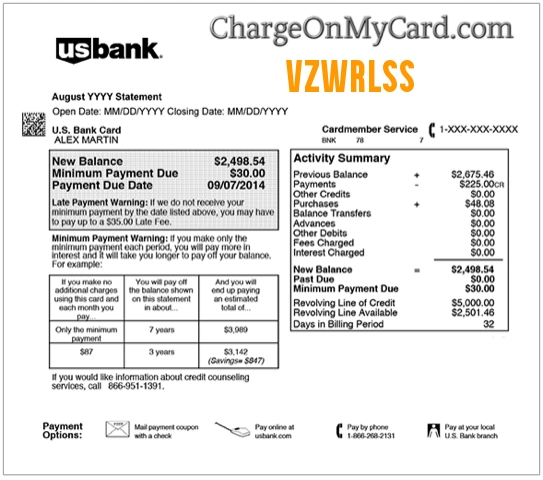
A VZWRLSS charge on your credit card, debit card, or bank statement may be connected to Verizon Wireless. The charge may appear after paying a Verizon mobile bill, using Auto Pay, making a one-time payment, buying a device or accessory, changing a plan, paying a device installment, or covering taxes, fees, surcharges, or late payment amounts.
Common statement wording may include VZWRLSS, VZ WRLSS, VZWRLESS, VZWIRLSS, VZWRLSS bill pay, VZWRLSS on bank statement, Verizon Wireless charge, Verizon Wireless bill payment, or a similar descriptor. If you have a Verizon mobile account, prepaid account, device payment plan, tablet, smartwatch, hotspot, or shared family plan, the charge may be legitimate. If you do not recognize it, check your My Verizon account, payment history, email receipts, Auto Pay settings, and authorized card users.
What Is the VZWRLSS Charge?
VZWRLSS is a shortened billing descriptor that most likely refers to Verizon Wireless. It may appear when a Verizon mobile bill, device payment, account balance, Auto Pay charge, prepaid refill, upgrade, accessory purchase, or service-related payment is processed on a credit card, debit card, or bank account.
The descriptor may not show your phone number, account number, device name, or plan details. For example, you may remember paying a Verizon bill online, while your card statement shows only VZWRLSS or VZ WRLSS.
Common VZWRLSS Statement Variations
- VZWRLSS
- VZ WRLSS
- VZWRLESS
- VZWIRLSS
- VZWRLSS bill pay
- VZWRLSS on bank statement
- VZWRLSS payment
- VZWRLSS wireless
- Verizon Wireless charge
- Verizon Wireless bill payment
- Verizon Auto Pay
- Verizon device payment
- Verizon mobile bill
- VZWRLSS* bill
The exact wording may vary by bank, card issuer, payment method, Auto Pay status, account type, pending authorization, refund, reversal, Verizon store, online payment, or app payment.
Why Verizon Wireless May Charge Your Card
- You paid your Verizon Wireless mobile bill.
- Your Verizon Auto Pay payment processed automatically.
- You made a one-time bill payment through My Verizon.
- You paid for a device installment, upgrade, phone, tablet, watch, hotspot, or accessory.
- You changed plans and received prorated charges or credits.
- You paid activation, upgrade, late, reconnection, or service-related fees.
- You paid taxes, surcharges, regulatory fees, or other mobile-bill charges.
- You refilled or renewed a prepaid Verizon line.
- You paid for insurance, device protection, international service, or add-ons.
- A spouse, family member, employee, business user, or authorized account manager made the payment.
- Your card may have been used without permission.
Is the VZWRLSS Charge Legit?
VZWRLSS is usually associated with Verizon Wireless billing. A VZWRLSS charge may be legitimate if you or another authorized user has a Verizon mobile account, paid a bill, uses Auto Pay, bought a device, made a prepaid refill, or changed service.
However, a real Verizon-related descriptor does not automatically mean the specific charge was authorized by you. If you do not have Verizon, do not recognize the amount, or cannot match the charge to a bill or account, verify it carefully.
Why the Verizon Charge May Look Different Than Expected
Verizon mobile bills can include more than the base monthly plan amount. Your statement charge may include device payments, plan charges, taxes, surcharges, add-ons, international usage, late fees, prorated plan changes, or one-time purchases.
Verizon’s mobile bill help says monthly plan and service charges are generally billed in advance, while some usage and other charges may appear after use. That can make a charge look early, late, higher, or different from the amount you expected.
VZWRLSS Bill Pay and Auto Pay
If you use Verizon Auto Pay, the VZWRLSS charge may appear automatically each billing cycle. The charge may post near your bill due date or Auto Pay withdrawal date.
If the charge surprised you, log in to My Verizon and review your payment history, Auto Pay settings, saved payment methods, next bill summary, current bill, and prior bill. Also check whether a family member or account manager changed the payment method.
Device Payments, Upgrades, and Accessories
A VZWRLSS charge may also be tied to a device payment plan, phone upgrade, activation, accessory purchase, tablet, smartwatch, hotspot, or other Verizon mobile equipment. If you recently visited a Verizon store or ordered online, compare the charge with your receipt or order confirmation.
Device payments may appear as part of the regular monthly bill, while accessories or one-time purchases may appear separately depending on how the transaction was processed.
VZWRLSS and Verizon Prepaid Accounts
Some Verizon prepaid refills or plan renewals may also create Verizon-style billing descriptors. If you or someone using your card has a prepaid phone, hotspot, or mobile line, check prepaid refill history, text confirmations, app receipts, and online account records.
Prepaid payments may be made manually, through Auto Pay, or through saved payment methods, so it is worth checking every Verizon account connected to the card.
Verizon Official Contact Information
- Verizon Website: verizon.com
- Verizon Billing and Payments Support: Verizon mobile billing and payments
- Verizon Contact Page: Verizon Contact Us
- My Verizon: Sign in to My Verizon
- Account and Billing Phone: 1-800-922-0204
- Verizon Account Security and Fraud Claims: Verizon fraud and account-security help
- Unauthorized Verizon Services Phone: 1-888-483-7200
Use Verizon’s official website, My Verizon app, Verizon support pages, or the phone number on the back of your card. Do not rely on random support numbers from search ads, pop-ups, or unofficial directories.
How to Verify a VZWRLSS Charge
- Check whether the charge is pending, posted, refunded, reversed, or repeated monthly.
- Write down the exact descriptor, amount, date, and any location or phone number shown by your bank.
- Log in to My Verizon and review your current bill, prior bill, payment history, device payments, Auto Pay settings, and saved payment methods.
- Search your email and text messages for Verizon, VZWRLSS, bill payment, Auto Pay, receipt, device payment, upgrade, activation, prepaid refill, and the exact charge amount.
- Check whether the amount matches your monthly plan, taxes, fees, device payment, accessory order, late fee, or plan change.
- Ask authorized users, family members, employees, or account managers whether they paid a Verizon bill or bought Verizon equipment.
- Check whether you have multiple Verizon accounts, business lines, prepaid lines, tablets, watches, or hotspots.
- If the charge remains unclear, contact Verizon or your card issuer.
What If You Recognize the Verizon Charge?
If the VZWRLSS charge matches your Verizon bill, save the receipt and compare it with your bill details. Make sure the amount matches your plan, device payment, taxes, surcharges, fees, add-ons, and any recent changes.
If the charge is higher than expected, review the bill breakdown in My Verizon. Look for plan changes, international usage, device payments, insurance, protection plans, late fees, activation fees, or one-time purchases.
What If You Do Not Have Verizon?
If you do not have a Verizon Wireless account and no authorized card user recognizes the VZWRLSS charge, treat it as suspicious. Contact your bank or credit card issuer using the number on the back of your card.
Also consider contacting Verizon fraud support if the charge appears to be tied to unauthorized Verizon, Verizon Wireless, or Fios services. Ask your card issuer whether the card should be locked, replaced, monitored, or disputed.
What If You Canceled Verizon But Were Charged Again?
If you canceled Verizon service but still see a VZWRLSS charge, check your final bill, device payment balance, service end date, prorated charges, returned equipment, and any outstanding account balance.
Final bills can include remaining device payments, unpaid balances, late fees, taxes, surcharges, or charges for lines or devices that were not fully canceled. Contact Verizon if you believe the final bill is wrong.
What If the Charge Is From a Business or Family Account?
VZWRLSS charges can appear on cards used for family plans, business accounts, employee phones, shared lines, tablets, watches, hotspots, or account-manager payments. If the card is shared, ask every authorized user before disputing.
For business accounts, compare the charge with employee lines, device orders, upgrades, service changes, and expense reports. A company card may show Verizon billing even if the phone is assigned to someone else.
Could the VZWRLSS Charge Be Fraud?
A VZWRLSS charge is not automatically fraud. It may be a legitimate Verizon Wireless bill payment, Auto Pay charge, device payment, prepaid refill, upgrade, accessory purchase, or authorized-user transaction.
However, it may be unauthorized if you do not have Verizon, no authorized user recognizes it, Verizon cannot match it to an account you control, the charge repeats unexpectedly, or other unfamiliar charges appear around the same time.
How to Dispute a VZWRLSS Charge
If the charge is unauthorized, duplicated, incorrect, or not connected to any Verizon account you control, gather your records before disputing it. Useful records include the statement descriptor, amount, date, My Verizon payment history, bill screenshots, cancellation confirmations, support messages, and bank alerts.
Contact Verizon if the charge may be tied to a valid Verizon account or billing issue. If the charge remains unauthorized or unresolved, contact your card issuer using the official number on the back of your card. For suspected identity theft or unauthorized Verizon services, use Verizon’s official fraud support resources.
Watch Out for Fake Verizon Support Numbers
Unknown-charge searches can attract fake support numbers, refund scams, and phishing pages. Scammers may pretend to be Verizon, offer fake refunds, or ask for remote access, gift cards, one-time codes, or full card details.
Do not share your full card number, Verizon password, bank login, email password, Social Security number, PIN, one-time security code, or remote computer access with anyone who contacts you unexpectedly. Use My Verizon, the official Verizon website, Verizon fraud resources, or your card issuer’s secure app.
Frequently Asked Questions About VZWRLSS Charges
What is VZWRLSS on my credit card?
VZWRLSS on your credit card most likely refers to Verizon Wireless. It may be a mobile bill payment, Auto Pay charge, device payment, prepaid refill, upgrade, or service-related charge.
What does VZWRLSS mean on a bank statement?
VZWRLSS is a shortened Verizon Wireless billing descriptor. It may appear instead of the full Verizon Wireless name on some card or bank statements.
What is VZWRLSS bill pay?
VZWRLSS bill pay usually means a Verizon Wireless bill payment, such as an Auto Pay withdrawal or one-time payment made through My Verizon.
Why did Verizon charge me more than expected?
Your bill may include device payments, taxes, surcharges, fees, plan changes, international usage, protection plans, late fees, activation fees, or prorated charges. Review the bill details in My Verizon.
What if I do not have Verizon?
If you do not have Verizon and no authorized user recognizes the charge, contact your card issuer. You can also use Verizon’s fraud resources if the charge may involve unauthorized Verizon services.
What phone number should I call for Verizon billing?
Verizon lists 1-800-922-0204 for account and billing support. For unauthorized Verizon services, Verizon lists 1-888-483-7200.
Could VZWRLSS be from Verizon prepaid?
Yes. A Verizon prepaid refill, renewal, or saved-payment transaction may appear with a Verizon Wireless-style descriptor.
Should I dispute a VZWRLSS charge?
First try to match the charge to My Verizon, Auto Pay, a bill, device payment, prepaid refill, or authorized user. If it remains unauthorized or unresolved, contact your card issuer.
Related Verizon Customer Service and Corporate Office Resources
- Verizon Wireless Customer Service Phone Numbers and Support Guide
- Verizon Corporate Office and Headquarters Information
Related Wireless, Telecom, Billing, and Payment Descriptor Guides
- USCC Call Center Charge on Credit Card
- ACHMA VISB BILL PYMNT Charge
- Device Protection 855-562-1955 Charge
- AGI TMO Service Fee Charge
- Lycatel LLC Charge
- WPY 855-469-3729 VA Charge
- PNP BillPayment Charge
Help Other Cardholders Identify This Charge
If you saw a VZWRLSS, VZ WRLSS, VZWRLESS, VZWIRLSS, VZWRLSS bill pay, VZWRLSS on bank statement, or similar Verizon Wireless charge on your credit card, debit card, or bank statement, please share your experience in the comments.
Helpful details include the exact descriptor, amount, whether it was a mobile bill, Auto Pay charge, prepaid refill, device payment, upgrade, accessory purchase, plan change, final bill, duplicate charge, or unauthorized transaction, and how you resolved it. Do not post full card numbers, Verizon account numbers, phone numbers, addresses, email addresses, passwords, PINs, one-time codes, or other private information.
Why Rely on ChargeOnMyCard.com?
ChargeOnMyCard.com helps consumers identify confusing credit-card, debit-card, ACH, wireless, telecom, subscription, payment-processor, and bank-statement descriptors by researching merchant names, billing patterns, official support options, payment flows, and user-reported charge information when available. Our goal is to help cardholders determine whether a charge is likely legitimate, mistaken, recurring, canceled, refunded, disputed, or potentially unauthorized.
Disclaimer
ChargeOnMyCard.com is not affiliated with Verizon, Verizon Wireless, Verizon Communications, My Verizon, Verizon Fios, any wireless carrier, payment processor, bank, or card issuer. This page is for informational purposes only and should not be treated as financial, legal, billing, wireless-service, telecom, refund, fraud-prevention, or banking advice. If you believe a charge is unauthorized, contact your bank or credit card issuer directly.